


To be honest, most of us have photos of people we don’t necessarily like to see often. Although we can crop or edit them out in subsequent edits, some people prefer to keep these moments, because our present is made up of many pasts. But when the photo apps of iOS and iPadOS take it upon themselves to display these photos in the “Recommended for You” tab, it may cause a family revolution (?).
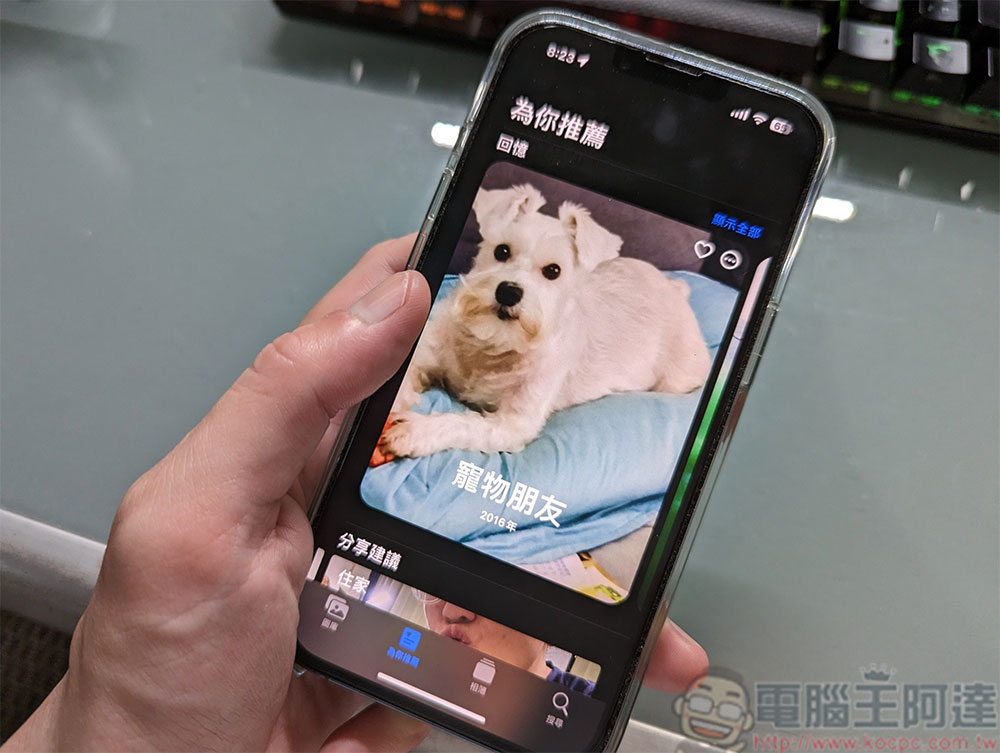
How to prevent the photo apps of iOS and iPadOS from showing the memories and selected photos of my ex?
These photos will automatically show up in the Memories and Featured Photos sections, and luckily you can prevent your ex or anyone else you don’t want to see from appearing in this section of the Photos app. As long as your iPhone and iPad are running iOS 16 and iPadOS 16, follow the steps below to keep these memories in the past and don’t let them become a problem in the present!
- Open the Photos app on your iPhone or iPad and switch to the “Recommended for You” tab.
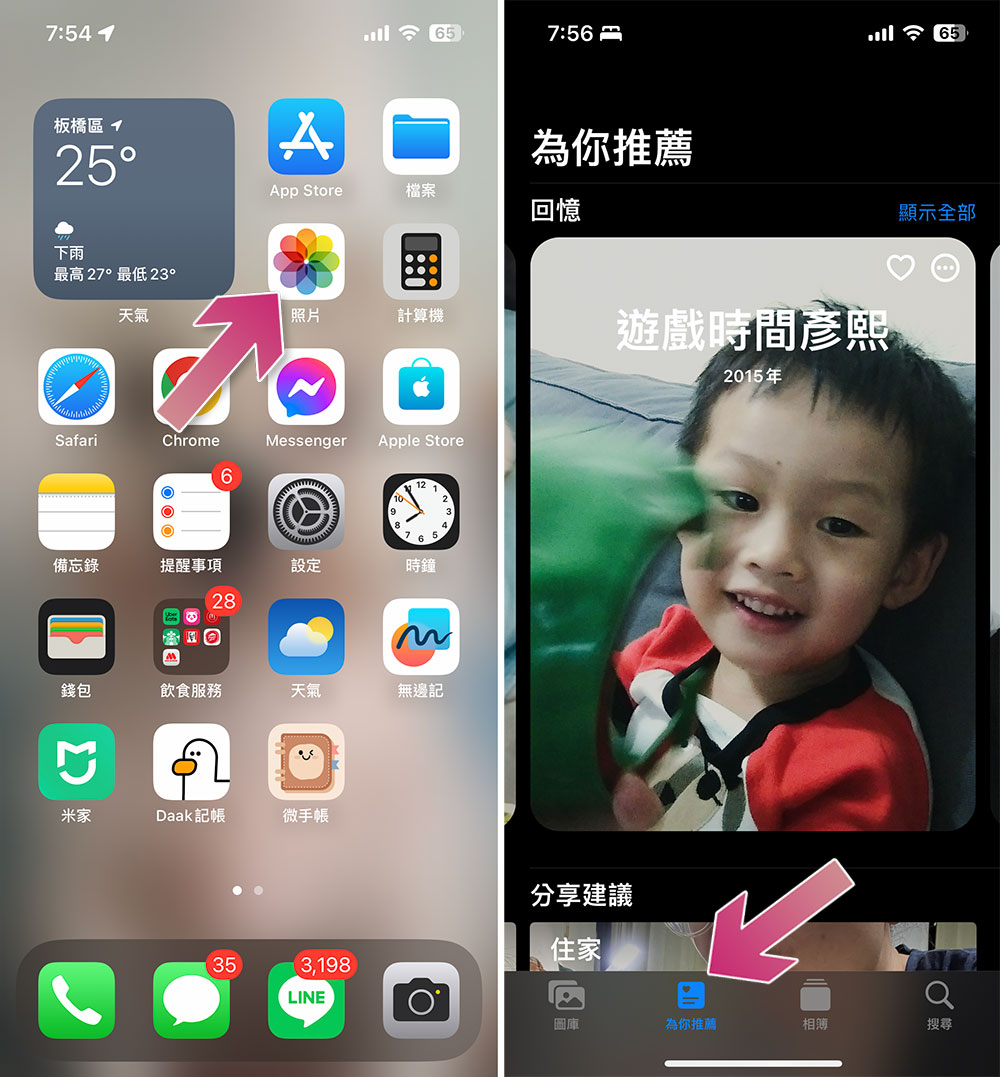
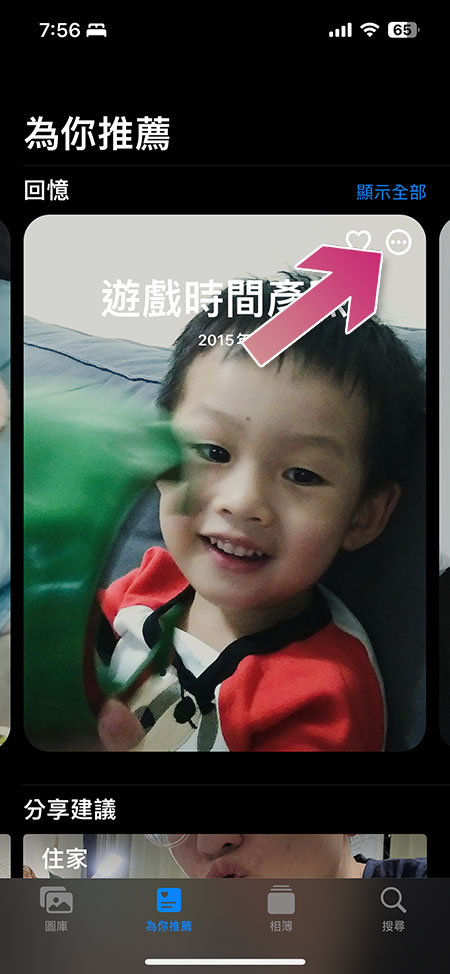
- Click to display the three-dot menu in the upper right corner of the target person’s memories.
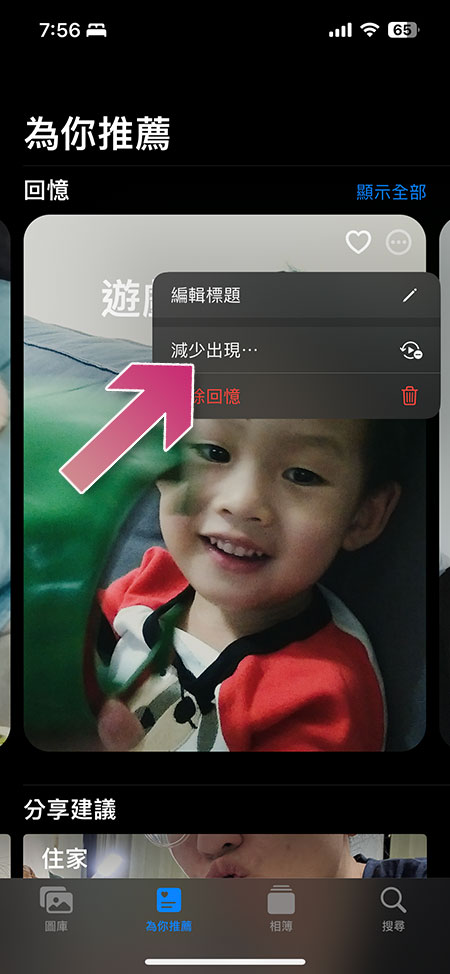
- Click “Reduce Appearance”.
- Next, select the person you want to reduce the display and click “Next” in the upper right corner.

- Next, you have two options. “Reduce Appearance” only makes the appearance less frequent, and “Never Appear” means that this person’s photos will not appear in memories and selected photos in the future.
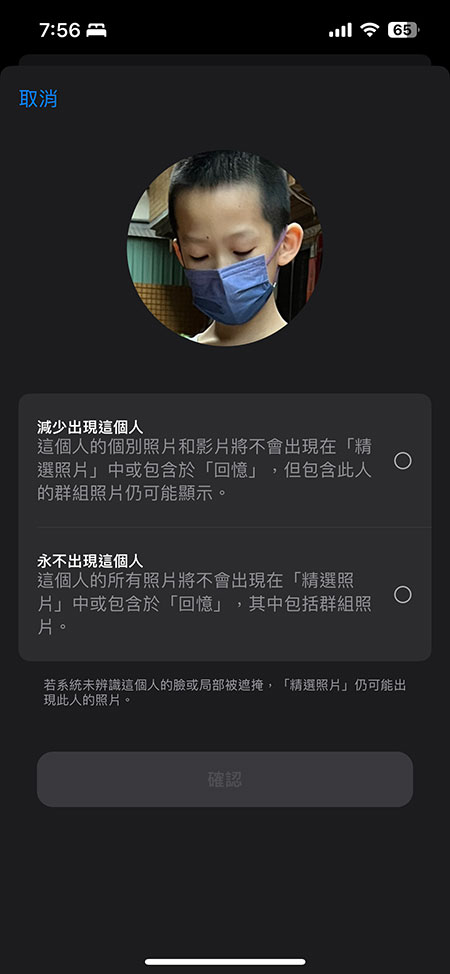
- After the setting is completed, you will no longer or reduce the number of photos of this person appearing repeatedly in the photo application! However, Apple also tells you that if the system does not recognize the person appearing in a photo, you may still have a chance to see him in the future.
Being able to prevent certain people from surfacing in the personalized tab of the Photos app can help us maintain peace of mind (and family), especially an ex who broke up on bad terms, or a relative or friend who has passed away. I hope this tutorial is helpful to you.
You can also not show featured photos at all
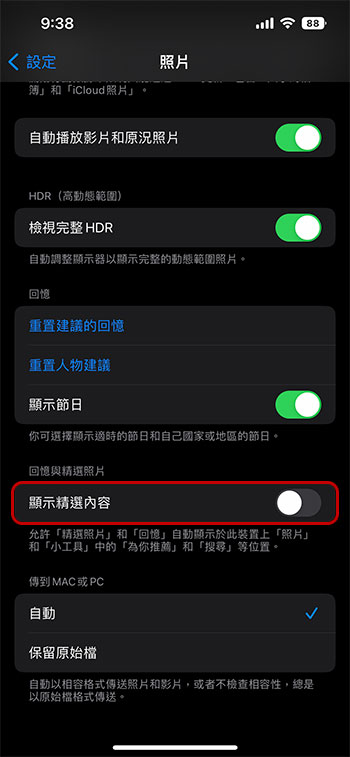
Apple’s AI helps display photos and videos in various places on iPhone. AI thinks that you should want to see these photos about family outings, couple photos, etc., but you may not want it to pop up at any time and catch you off guard. Sometimes it is quite embarrassing at the wrong time. In iOS 16, you can now prevent these Featured Photos and photos called Memories from appearing in the Photos widget on the Home screen, as well as in the Search and Recommended for You sections of the Photos app.
- Open the Settings app and scroll down to find Photos.
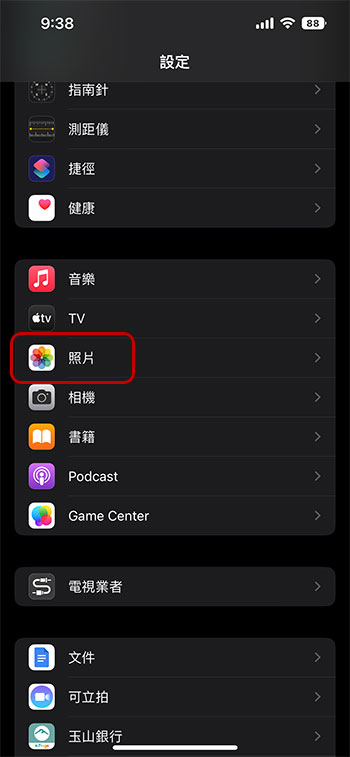
- Scroll to the bottom and turn off the “Show Featured Content” option, so that all the featured photos will not be displayed elsewhere on the device, but will only be visible in your photo gallery and album.
Source: KOCPC Chinese