


Nowadays, there are many apps that can achieve two-way translation functions, but most of them use Google Translate. People who have used it know that its translation quality is much worse than ChatGPT. Recently, I discovered this amazing “GPT Travel Translator”, which is connected to ChatGPT. You don’t need to install anything, just open the web page and use it. It supports voice input, automatic steering, translation history query, and many languages, including Chinese, Japanese, English, etc. What’s more, it is completely free, so you don’t need to fill in your own. For APIs, developers pay out of their own pockets.
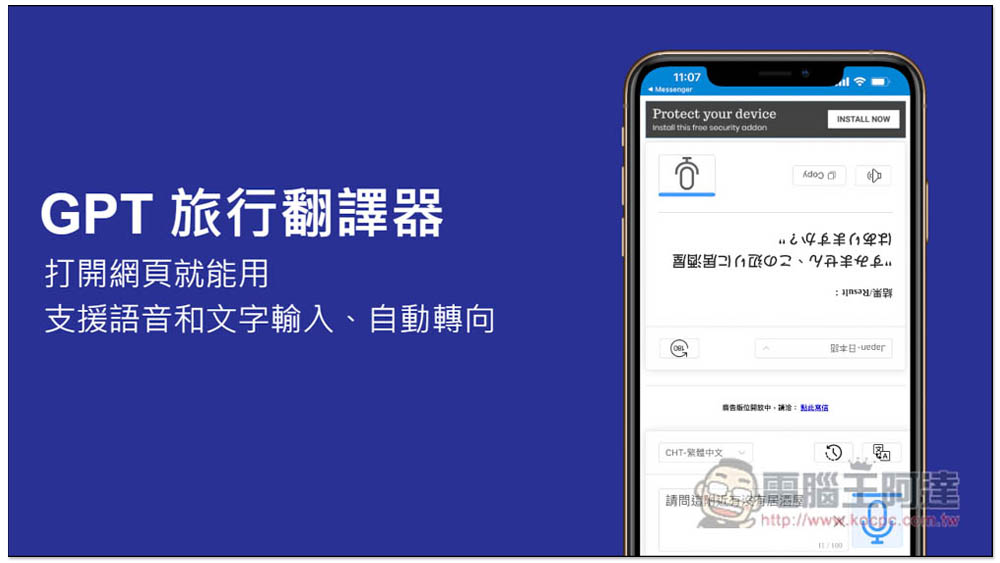
“GPT Travel Translator” can be used when opening a webpage, supporting voice and text input, automatic steering, and pronunciation functions
After opening the GPT Travel Translator webpage, you will see this screen. There is a translation function in both directions, one facing you and the other facing the other party, making it easier for both parties to read. In addition, this translator is connected to ChatGPT, not a free service like Google Translate. The developers are completely free for everyone to use, so there will be advertisements and sometimes pop-up advertisements. You need to accept this part:
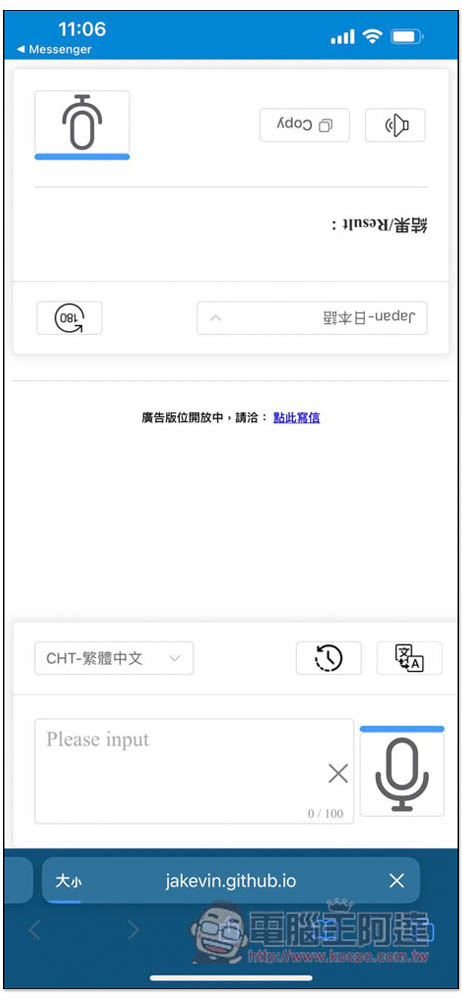
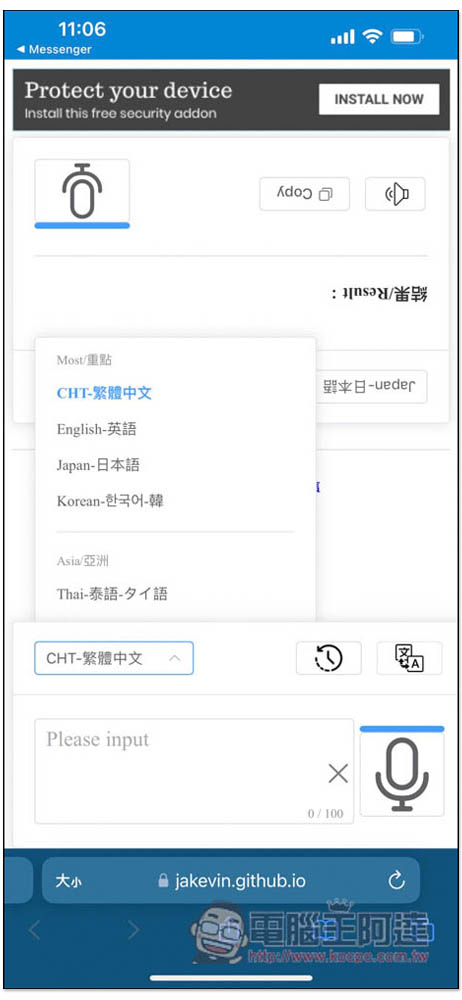
The upper menu allows you to set the language. This translator is made by Taiwanese developers, so the top four are the most commonly used languages in Taiwan, namely Traditional Chinese, English, Japanese and Korean. There are many language options below, such as: Thai, Malay, Vietnamese, Indonesian, Russian, Spanish, French, etc. The side facing you should be set to Traditional Chinese:
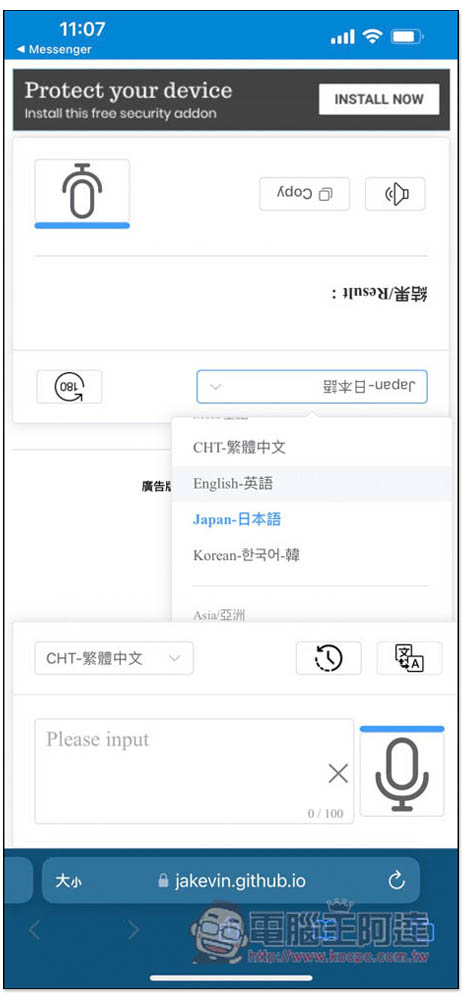
The other side is the language you want to translate into:
Supports voice input and text input. The voice will ask for access to the microphone. Remember to click Allow:
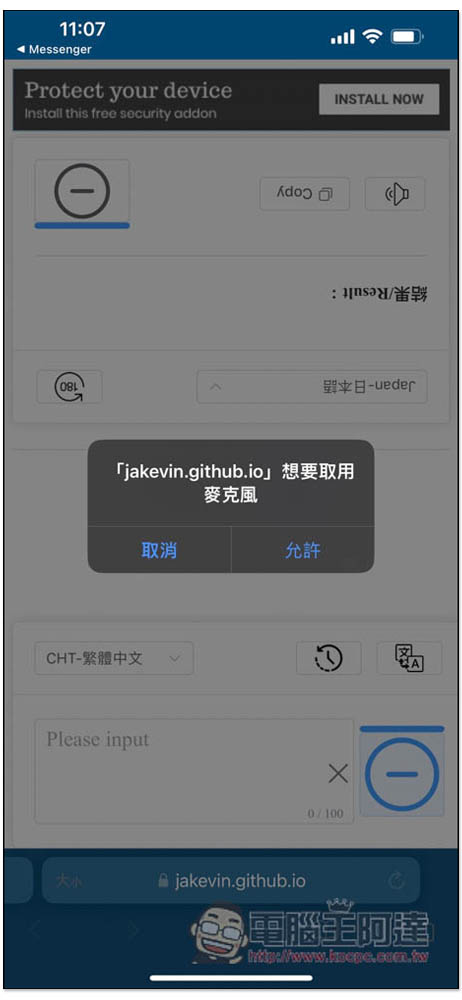
Then you can speak into the phone microphone:
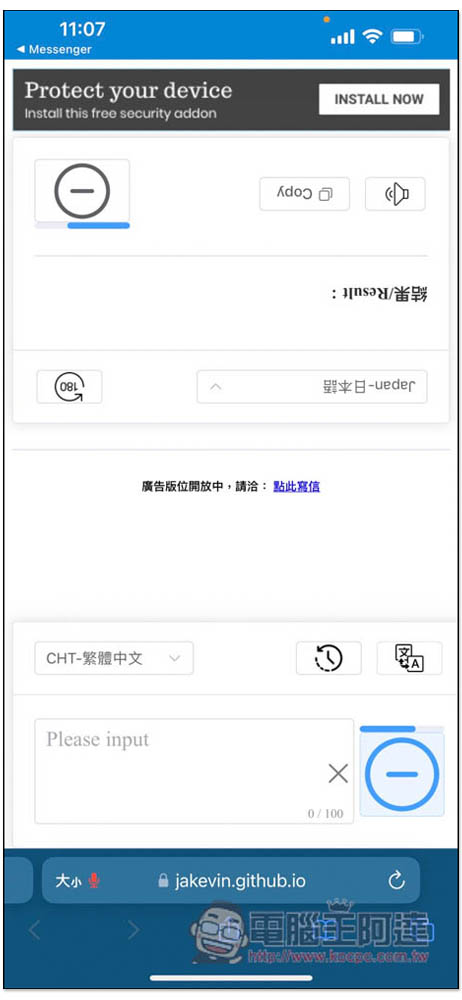
The voice accuracy is quite high, and the translation result will be obtained in a few seconds. Of course, this also depends on your network speed. If it is too slow, it will be slower:
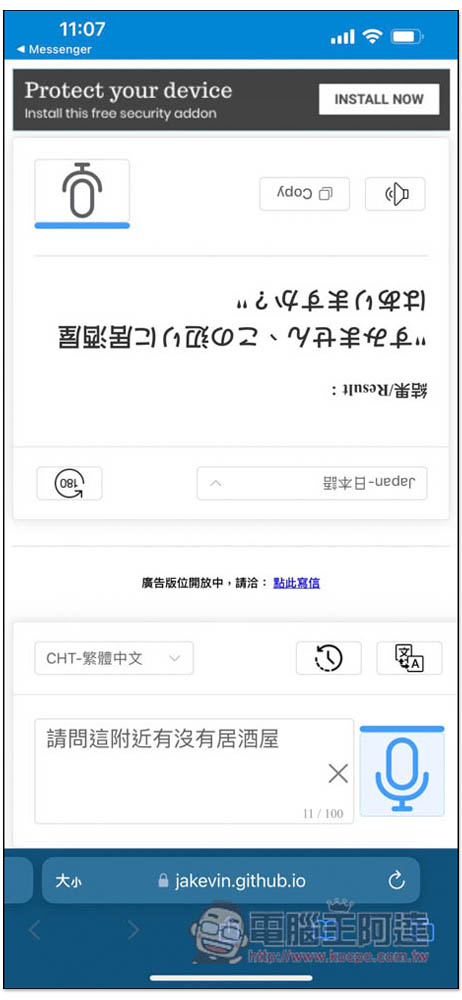
When traveling to Japan, you can use this translator to tell the other person what you want to ask, and then the other person will answer the question using voice input on the other side. It is much easier to use and smoother than ordinary translators.
For comparison, here are the results of this GPT translator vs Google Translate:
- Google Translate: 「このNearlyくにizakayaはありますか?」
- GPT Translator: 「すみません、このNearlyくにizakayaはありますか?」
However, voice input sometimes encounters this kind of wrong word selection. What I want to ask is “Is this close to Shinjuku?”, but the result is recognized as: “Is this close to Xinjutsu?”:
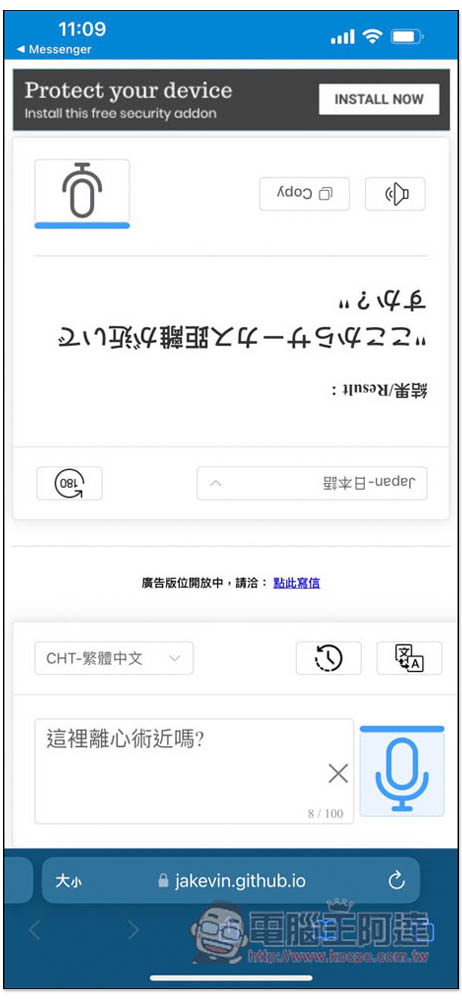
At this time, you can switch to text input and modify it to the correct word:
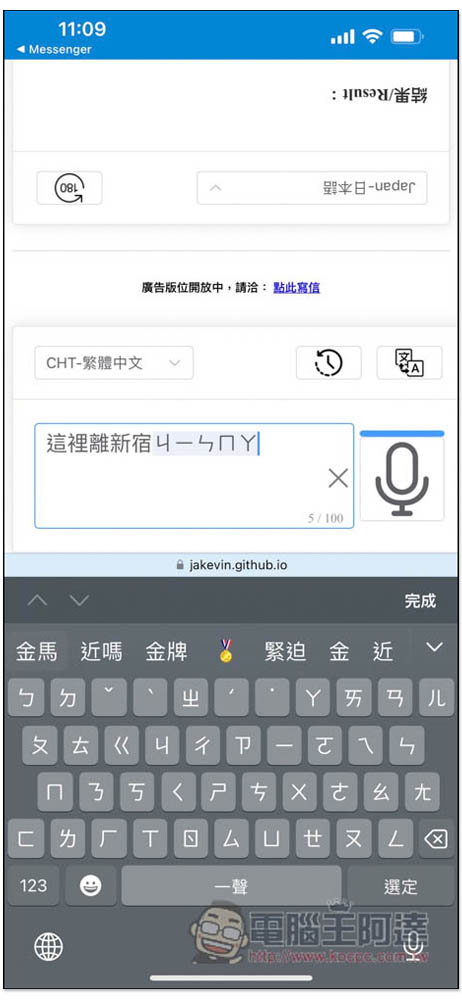
After modification, click the translation icon in the upper right corner and it will be translated again:
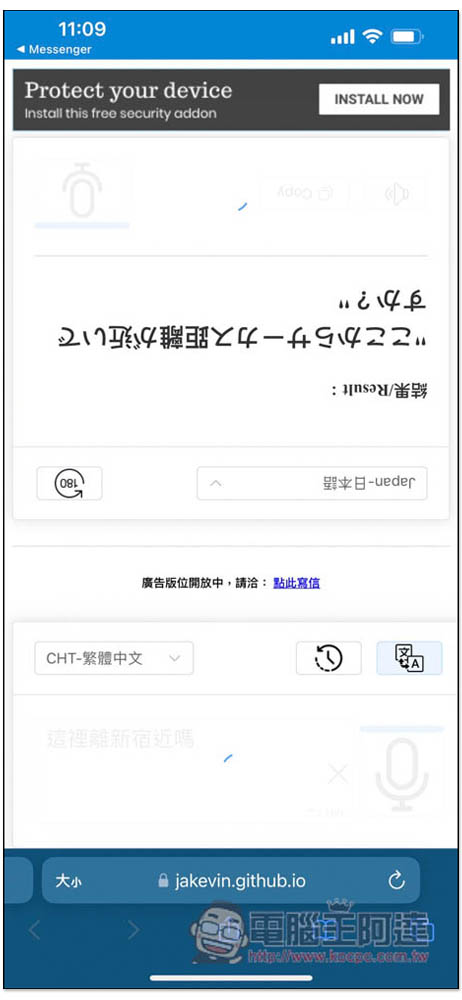
Like this:
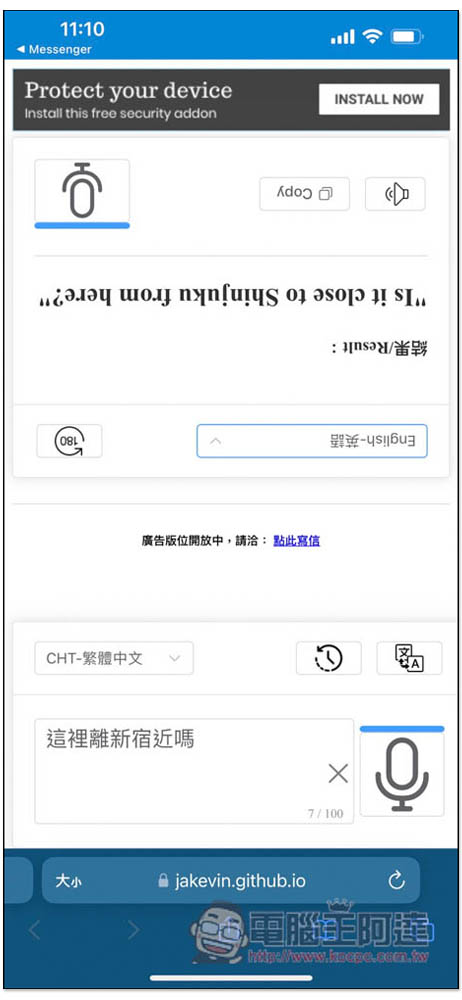
The quality of the English translation is also quite high. When you change the language above, the translation results will also change instantly:
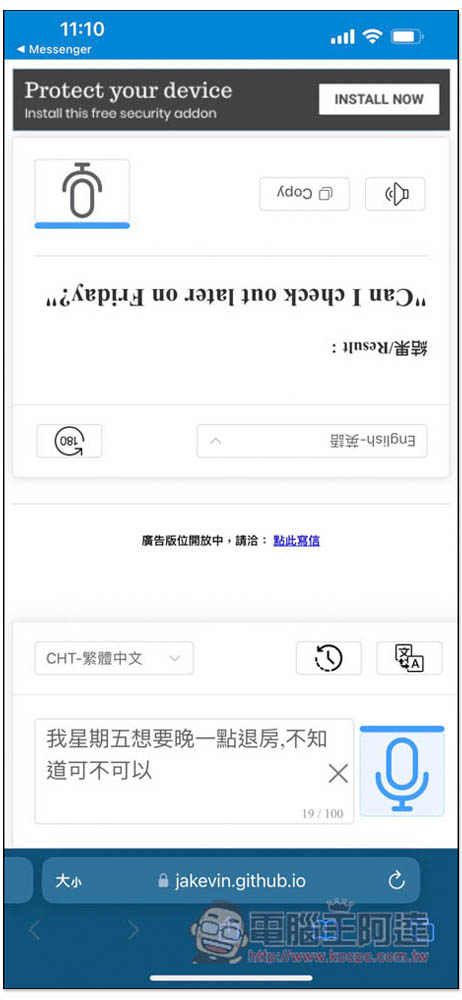
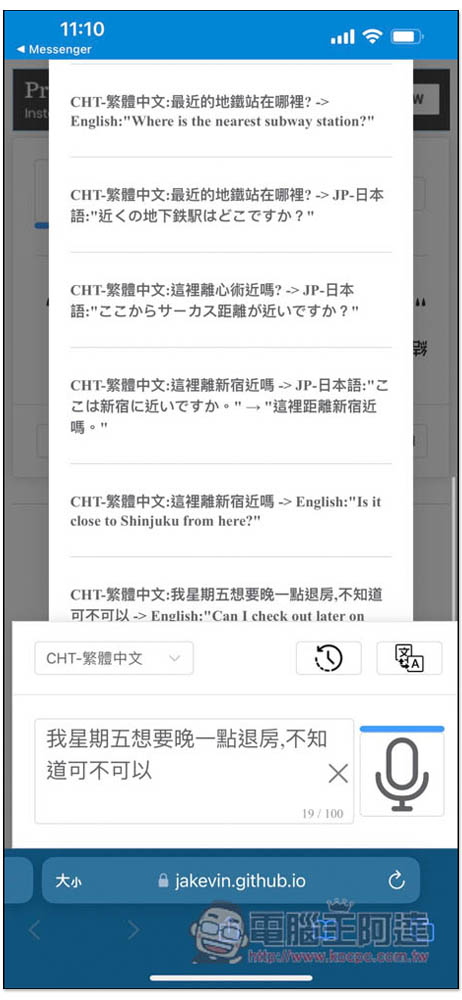
Your past translation history will also be recorded for your quick query:
For those who frequently travel abroad or plan to travel abroad in the near future, I highly recommend adding this service to my favorites. The translation quality is much better than that of Google Translate, DeepL and other services, and the interface is also very suitable for talking to foreigners when going abroad.
Source: KOCPC Chinese