


in our HomePod 2 unboxing and testingMentioned, the very anticipated voice recognition function update. In fact, it was updated to all HomePod users within a few days after the actual test was published. Such high sincerity also allowed the author to upgrade as soon as I received it and share with you simple instructions on how to enable this function and related restrictions. Continue reading to add extra protection to your home! HomePod smoke carbon monoxide alarm sound recognition function enables teaching report content.

Add extra protection to your home! HomePod Smoke Carbon Monoxide Alarm Sound Recognition Function Enablement Tutorial
In our HomePod 2 unboxing test, we mentioned a very anticipated update to the voice recognition function. In fact, within a few days after the actual test was published, it was updated to all HomePod users – yes, it is “all”, that is, even HomePod 1 users can have it. Such high sincerity also allowed the author to upgrade as soon as I received it and share with you simple instructions on how to enable this function and related restrictions.
What is HomePod’s voice recognition?
If you often check out iPhone-related functions when you have nothing to do, you should actually feel that you have seen the “voice recognition” function before. It just prefers the accessibility function of assistive listening. HomePod and HomePod mini, which also have sensitive microphone sensors, are mainly used at home, so I personally think they are quite suitable for using the voice recognition function to provide full-time alert monitoring of siren sounds.
After obtaining this function, even if you are away from home, HomePod can help notify your iPhone, iPad or Apple Watch through the Internet to proactively warn you that smoke or carbon monoxide alarms may be detected at home.

▲Picture: MatchingWireless linked fire alarm, mutual backup should be more foolproof.
The key point is that through the interface of the Home app, you can also actively connect back to the HomePod that detects the alarm to listen to the live sound (to confirm whether it is a false alarm or a drill). You can even talk directly to the scene by voice. If your HomeKit home environment has a connected monitor, the current interface will also proactively ask if you want to activate the monitor to check the status.
Basic requirements for HomePod voice recognition
Naturally, to use the latest features, Apple’s ecosystem, including devices such as iPhone and HomePod, needs to be upgraded to newer versions. This is a necessary action. However, I personally think that the most important point is that if you want to enable HomePod voice recognition, you will need to upgrade to the latest Apple home architecture.
The reason why it is said to be critical is that under this latest architecture, the iPad will lose its ability to serve as a home control center.
In short, you will have to use Apple TV or HomePod / HomePod mini as your home control hub. Therefore, if all the HomeKit IoT products in your home rely on iPad to operate, it is recommended that you consider whether to upgrade.
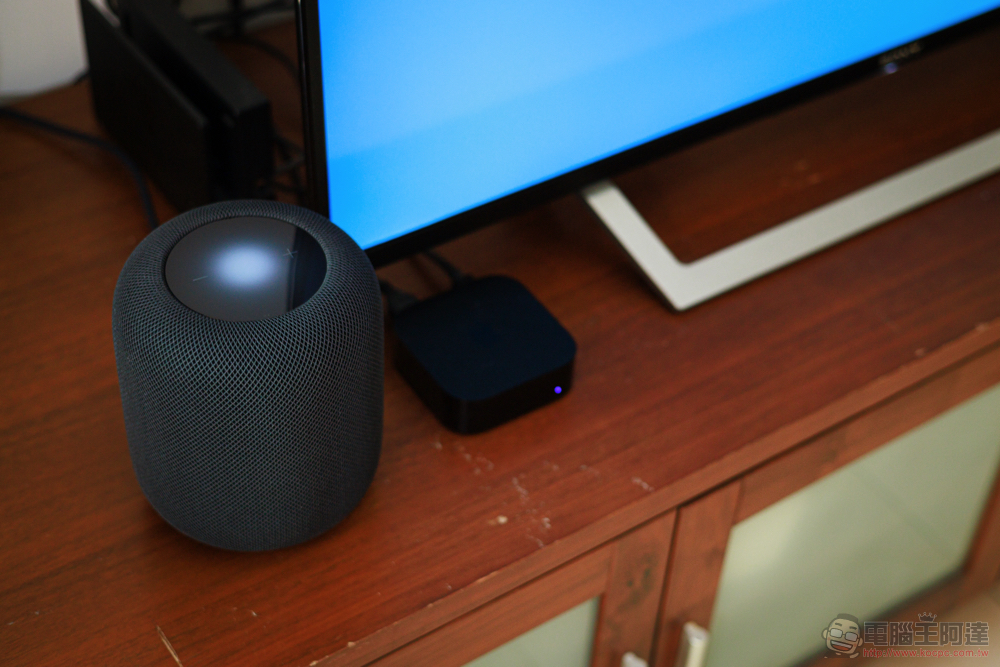
As for the system requirements for HomeKit’s underlying architecture, it requires at least iOS/iPadOS/tvOS version 16.2 or later. Although the voice recognition function does not specifically mention the minimum system version, the documentation does indicate “Applicable to HomePod 16.4 or newer.” We recommend that you upgrade to at least iOS 16.4 to ensure that everything runs normally.
In terms of hardware, as mentioned in the previous paragraph, basically all HomePod and HomePod mini currently sold can support it – that is, there is no restriction that Matter support must be available to enable this feature.
How to enable HomePod voice recognition
In fact, from now on, basically whenever you open the Home app/Home app on your Apple device, you should receive a prompt for “new security and privacy features.” You’ll receive a brief explanation. “Sound recognition” will detect smoke or carbon monoxide alarm sounds and allow family members to check in if a critical incident occurs. At this point, click “Continue” to enter the upgrade check steps.

Upgrading the underlying architecture of the family will conduct a round of device compatibility confirmation, including the version of Apple Watch you own, etc. It will also prompt that members of the same Apple family may also need to update the latest software system in order to fully use the relevant functions of the Apple smart home system.
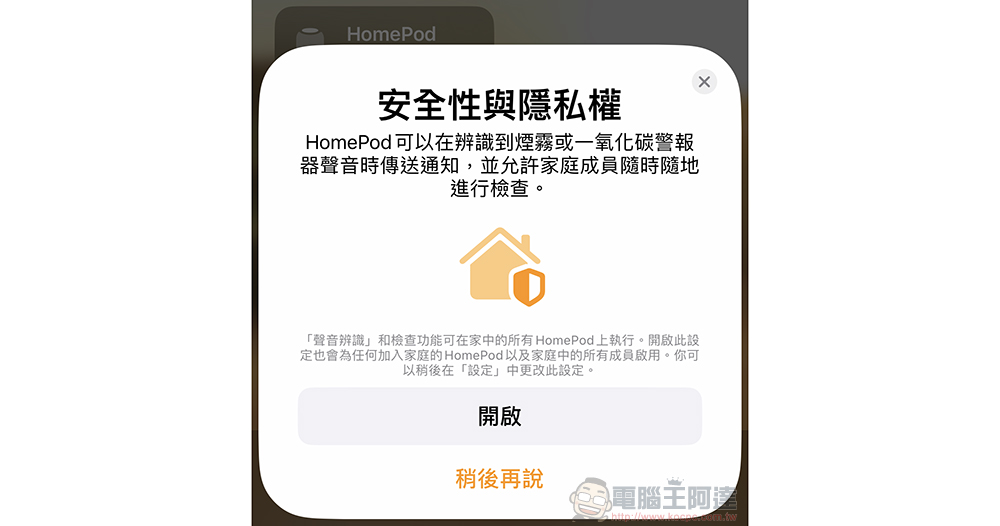
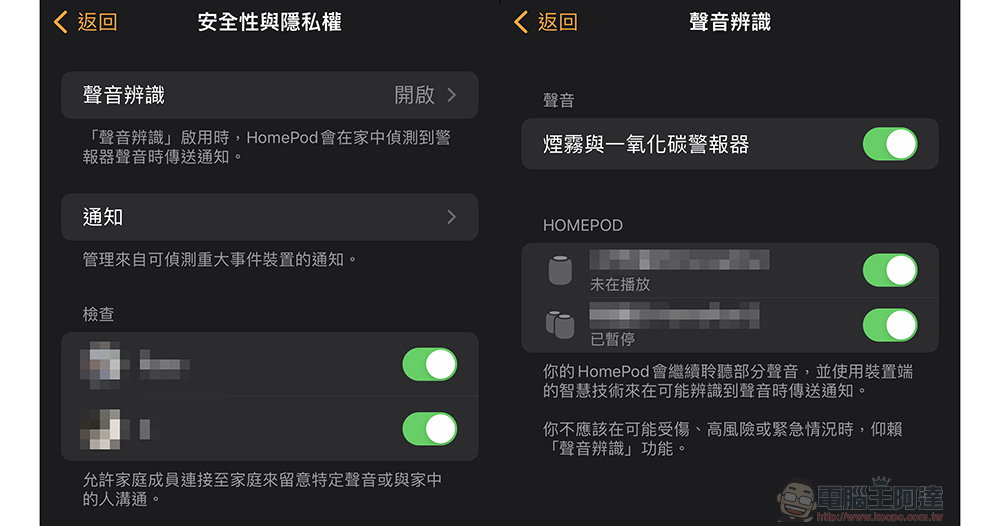
After the confirmation is completed, the Home app will also proactively ask you if you want to turn on the voice recognition function. If you don’t find it, you can also click ”  ” button, go to “Family Settings > Security & Privacy” settings, and choose to turn on “Voice Recognition”.
It should be noted that just after the upgrade. Products at home, including HomePod, actually take a short time to set up – you will see the “Setting Up” status through the Home app. So don’t be too eager to try whether this function is useful after just upgrading. You can wait a moment and confirm that HomePod has returned to normal working status.
How does HomePod voice recognition work?
In the previous settings page, we can already see many detailed functions of the voice recognition function of the Apple Home application. Including the “Sound” item of whether to turn on the “Smoke and Carbon Monoxide Alarm”; you can also set whether you need to continue listening to these sounds for each HomePod in the family; you can also restrict family members’ permission to play back calls around the HomePod through a simple switch.
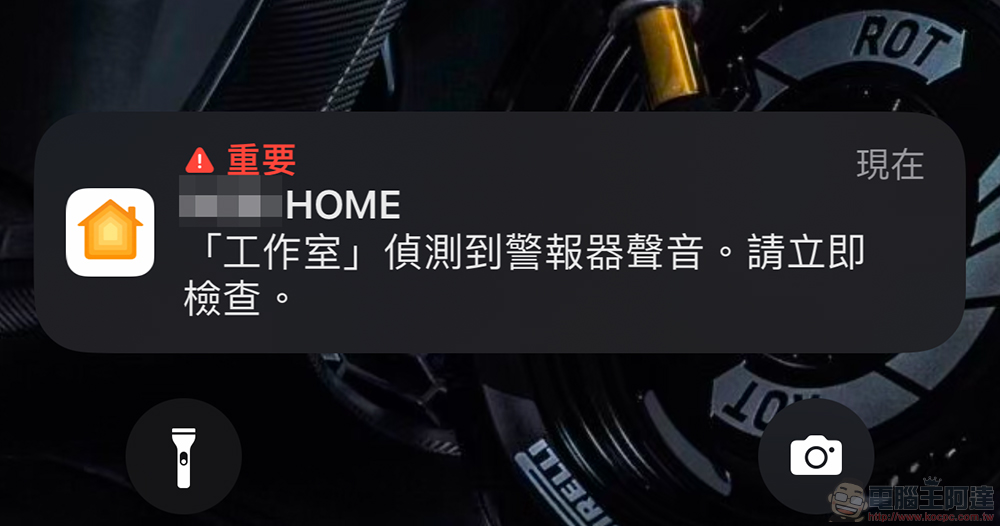
Basically, as long as the sound recognition of the Home app is enabled, devices that support this feature, such as HomePod and HomePod mini, will detect whether there are specific sounds in the surroundings at any time and send out push notifications of “Alarm sound detected” to supported devices such as iPhone, iPad, Apple Watch, etc. – Not surprisingly, this level is marked as “Important” in iOS.
The author simply conducted the actual test using videos of carbon monoxide alarms on the Internet. HomePod’s sound recognition detection function for smoke and carbon monoxide alarms will not be triggered immediately by a brief sound. So “theoretically” you don’t have to worry about this function being triggered all the time due to plot or special sound effects when watching TV shows.
After playing the short ringtone in a continuous loop for about 10 times, the mobile phones of the author and my family members all received notifications from the Home app prompting “Alarm sound detected. Please check immediately.”
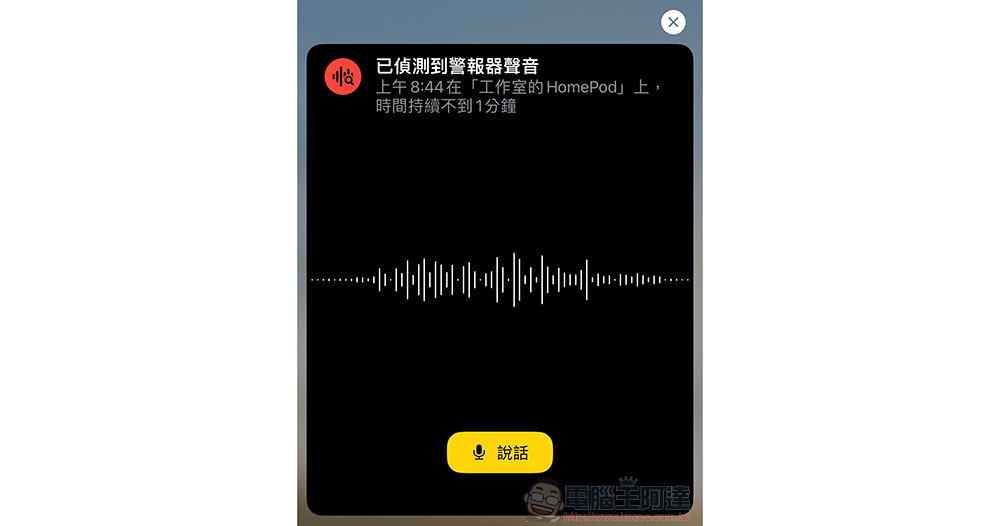
After clicking on the notification, you will see that the Home app has a “Alarm sound detected” window. Click “Check” and an interface will pop up that allows you to immediately listen to the real-time sounds around HomePod – not only can you listen to confirm whether there is still an alarm, but you can also click “Speak” to communicate with people on the scene.
That is to say, when you check the HomePod on site, the speaker will also loudly remind you that someone is currently connected to the device. This should also be a related privacy mechanism to avoid eavesdropping – perhaps because of the same consideration, there seems to be no related function for historical recording playback.
Conclusion
Naturally, such a function does have a chance, because if a fire accident does occur, the power may be cut off directly, resulting in subsequent confirmation functions that may not work smoothly. But at least there should be a good chance to let Apple home users know through push notifications as soon as possible that there may be something wrong with the location of HomePod; even if it is a false alarm, they can immediately confirm it through the HomePod call function.
Since this feature has enough privacy considerations, it is highly recommended that friends who have HomePod at home can turn on this feature to help them take care of their families.
That is to say, in fact, in terms of the “sound recognition” function alone, it seems that the iPhone can also customize the sound characteristics of doorbells or home appliances that need to be recognized. Does it feel more flexible? However, judging from the current settings page of the Home app, I personally think that there should be a good chance of introducing more sound types and even customized recognition capabilities in the future, right? You can look forward to seeing it.
Further reading:
HomePod 2 unboxing experience: I would call it Special Edition
Source: KOCPC Chinese