


As AI Development has been rapid, and at this stage many AI models can already generate high-quality images, even producing photorealistic pictures that are hard to distinguish from real ones. As a result, the battleground is gradually shifting to how strong AI’s image editing capabilities are. If you think ChatGPT、Gemini It’s already quite good, but the FLUX.1 Kontext model recently released by Black Forest Labs will surely satisfy you even more. I recommend everyone give it a try.
Introduction to the FLUX.1 Kontext Model
FLUX.1 Kontext It is a model based on generative flow matching that can not only generate images but also edit them. Unlike existing text-to-image models, FLUX.1 Kontext supports “in-context” image generation, meaning it can use both text and images as prompts to produce new and consistent image content.
Black Forest Labs says that the FLUX.1 Kontext model can understand existing images and modify them with simple text instructions, achieving character consistency, local editing, and style reference. It also supports adding instructions and edits step by step, enabling progressive content creation without sacrificing quality or consistency.
What’s more, the inference speed is 8 times faster than current mainstream models. I tested it, and the speed is indeed very fast.
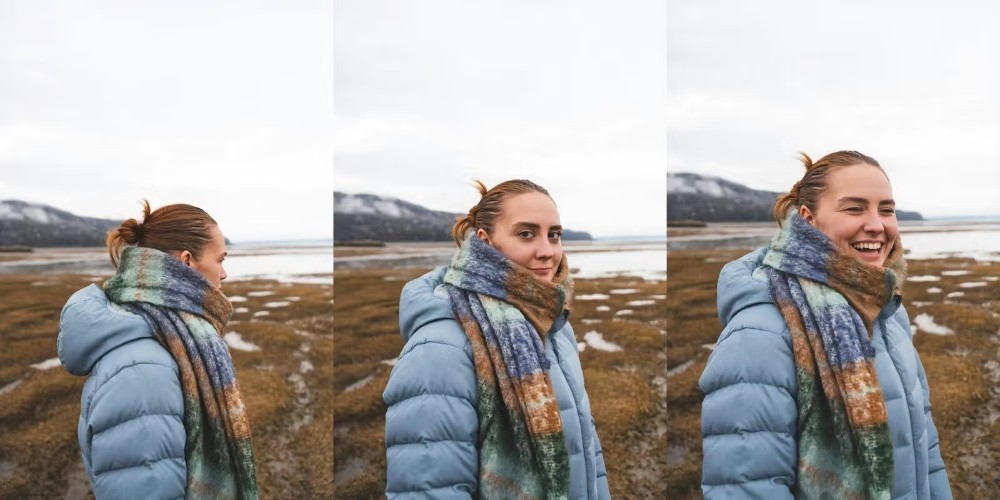
Black Forest Lab also shared example images, like in the image below: the leftmost is the original image, the middle one uses the prompt “tilt her head toward the camera,” and the right one is “make her smile”:
Next, modify the text on the image: on the left is the original image, in the middle enter the prompt to change “YOU HAD ME AT BEER” to “YOU HAD ME AT CONTEXT”, and on the right is: “change the scene to a nightclub.”

Of course, just reading the official description isn’t enough—you have to test it yourself to know for sure, and you can try it for free on FLUX Playground.
How can I experience FLUX.1 Kontext’s image editing features for free?
FLUX Playground is an interactive platform launched by FLUX, where users can experience the latest AI models to generate and edit images. It now also includes the FLUX.1 Kontext series.
After clicking the link above to enter FLUX Playground, if you don’t have a FLUX account yet, register for free—it also supports quick sign-up with a Google account:

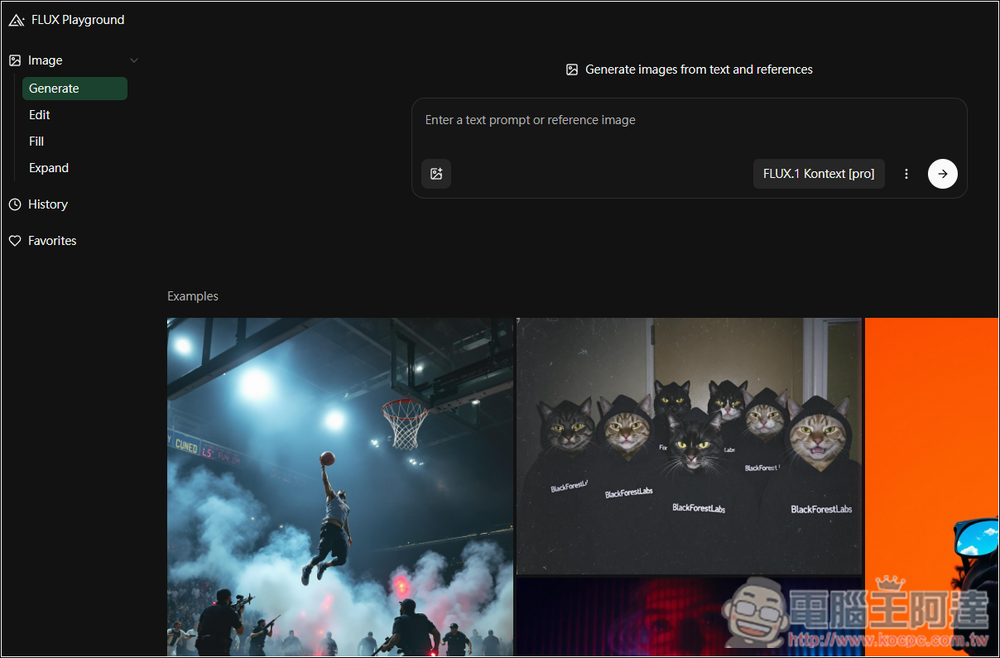
After logging in, you’ll be taken to the main interface of FLUX Playground. The function menu is on the left, the generator is on the right, and there are also some examples below for reference. The generator uses the FLUX.1 Kontext model by default:
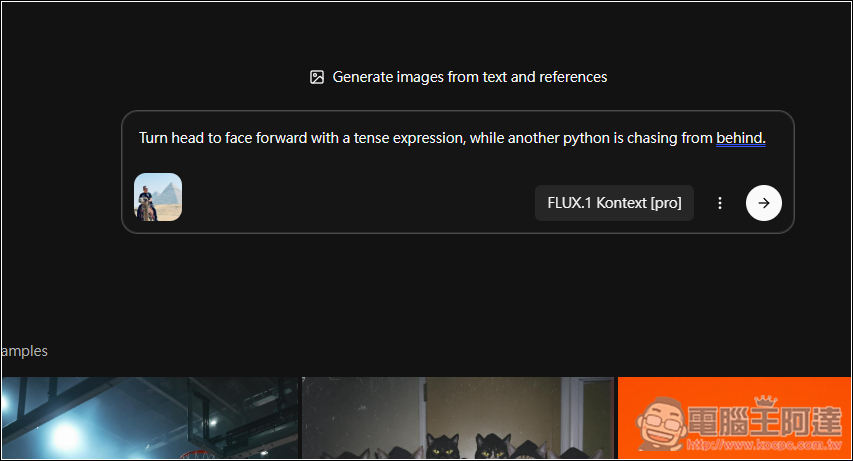
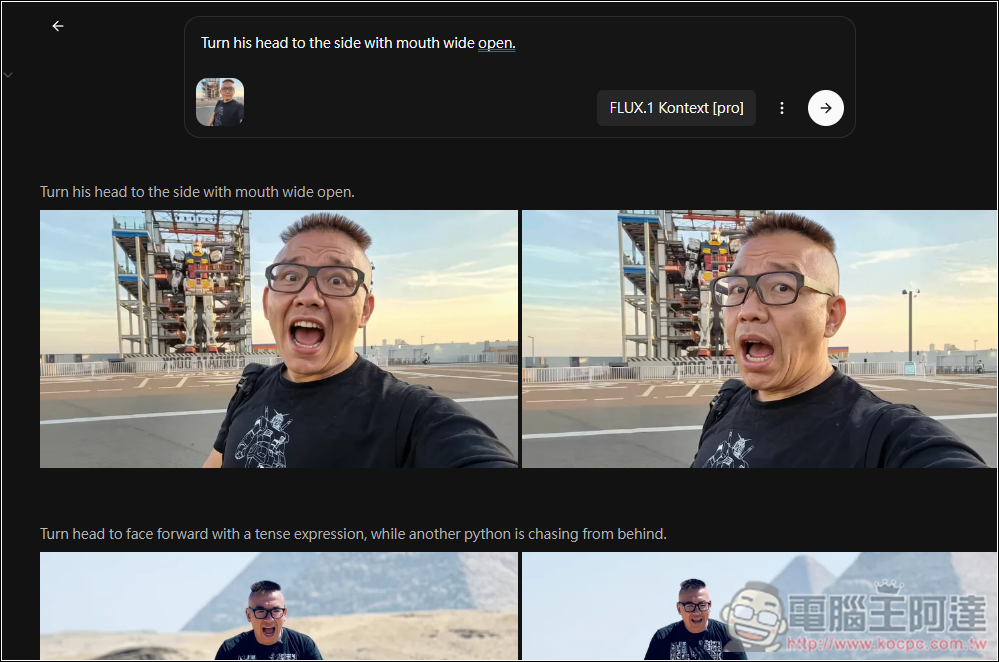
Upload the photo or image you want to modify. I’m testing with a photo of Ada riding a camel, then asking it to turn Ada’s face toward the front, with a tense expression, and a python chasing him from behind. The prompt currently only supports English, so you can use ChatGPT or other translation tools to translate it into English.
Then you’ll get the results. By default, it generates 4 images at once, but you can also change it to 1-2. However, I don’t think the editing effect on this photo is very good. Although the changes I requested were all made, like turning the face forward, a nervous expression, and a python in the back, Ada’s face is wrong—it turned into a different person.
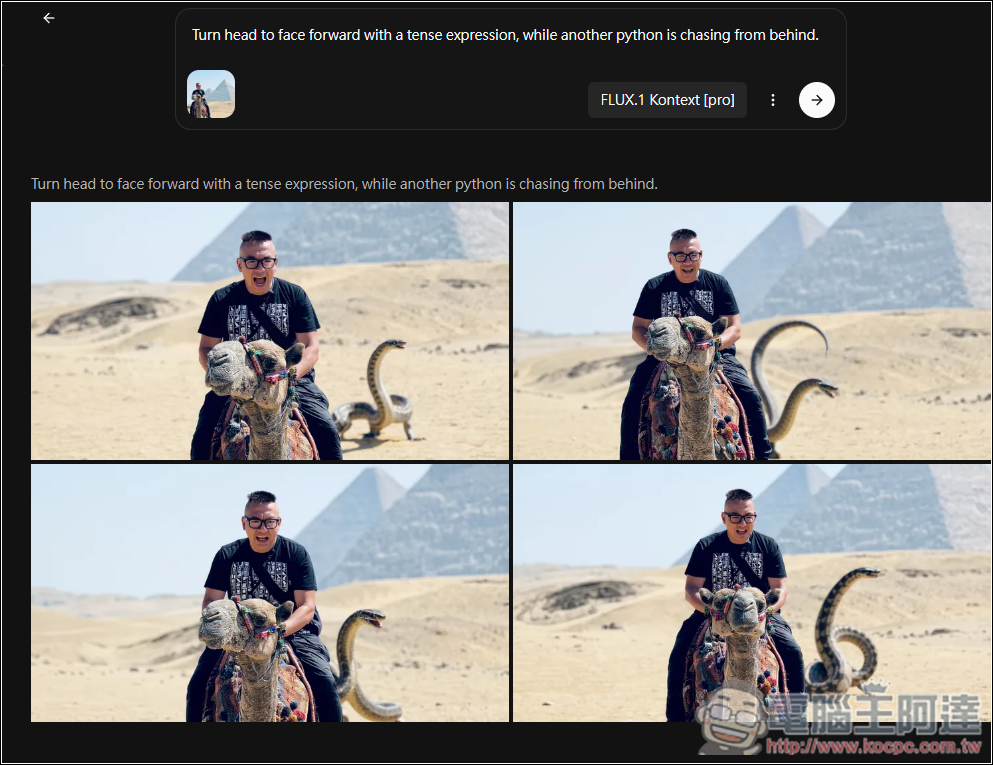
I also used the same image and prompt to test the editing performance of Gemini and ChatGPT 4o, and FLUX.1 Kontext came out on top completely.
Gemini is completely useless:
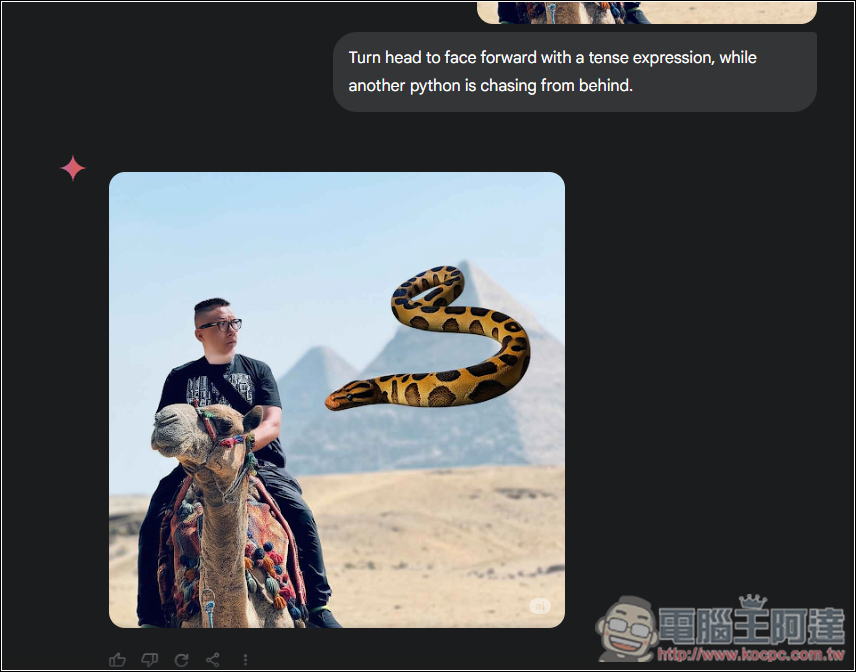
ChatGPT 4o aside from the face being off, the expression isn’t that tense either, but the python chase feeling is the best of these three:

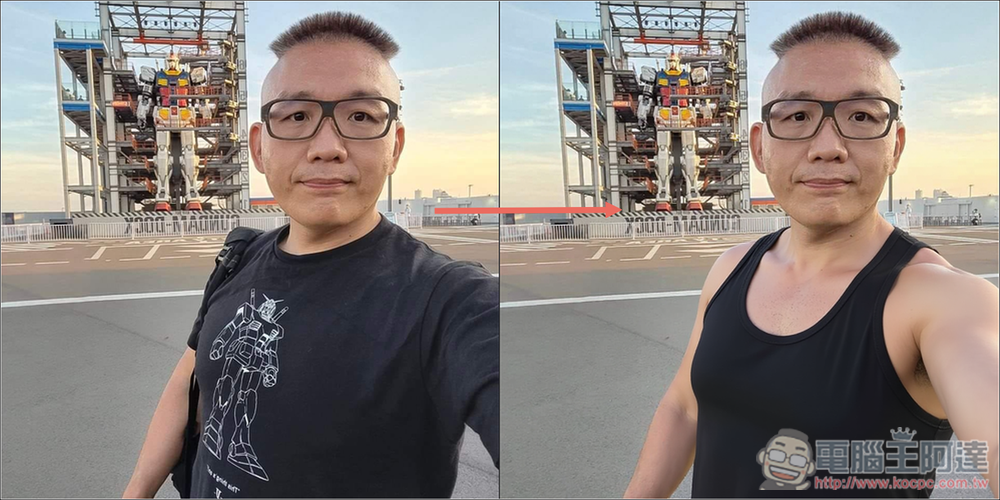
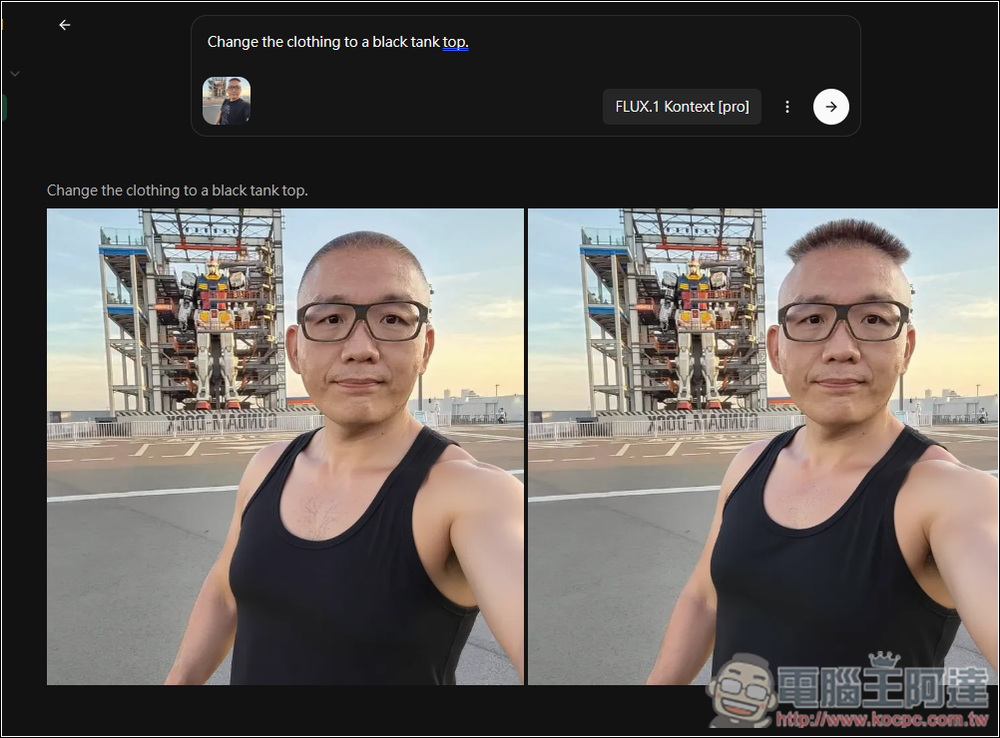
Next, I tested another simpler one, changing Ada’s clothes to a tank top, which is the cover image. The effect was great, but Ada’s hair disappeared in the left image (laughs).
Similarly, I also tested Gemini. This Gemini one did very well too—a different tank top style:
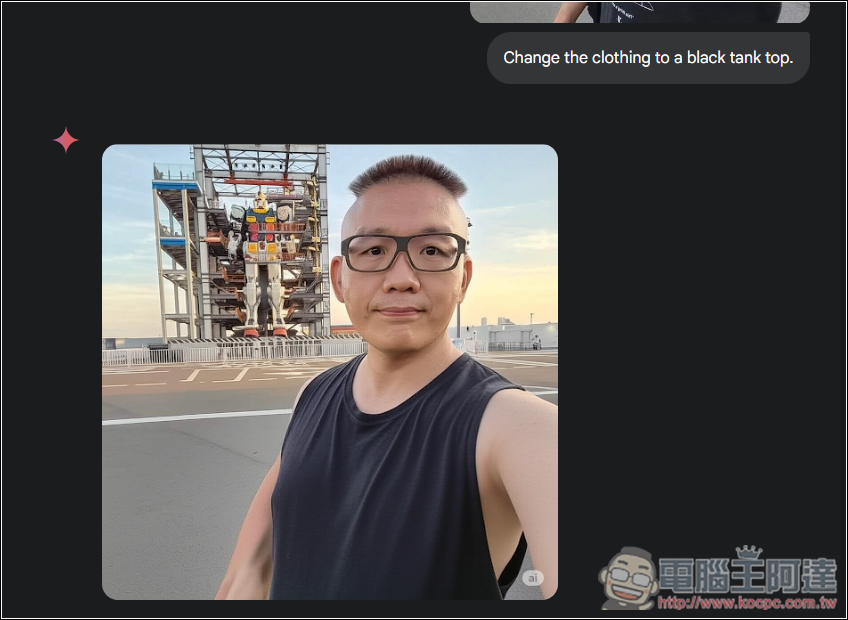
ChatGPT, on the other hand, doesn’t work—the face changed again:
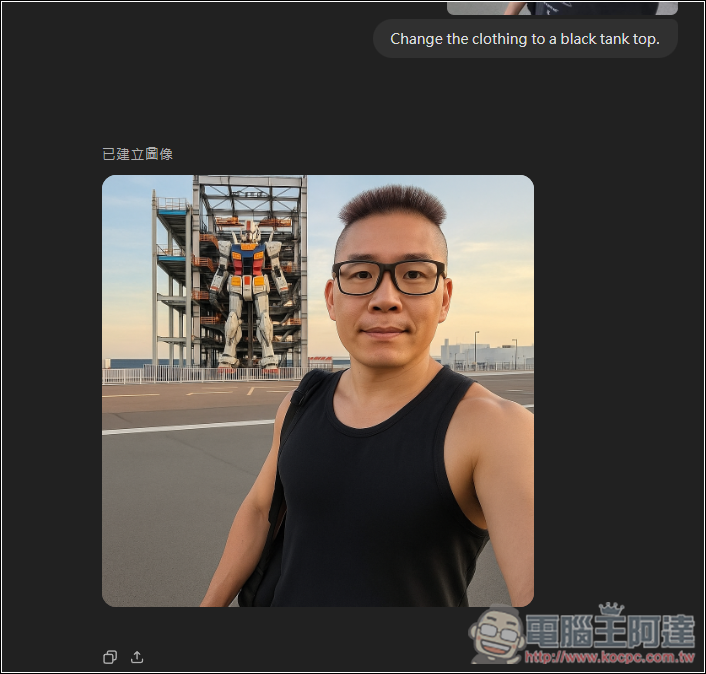
Then I also tested changing this image to Ada opening his mouth; the left side is not bad, but the right side of the face becomes a different person:
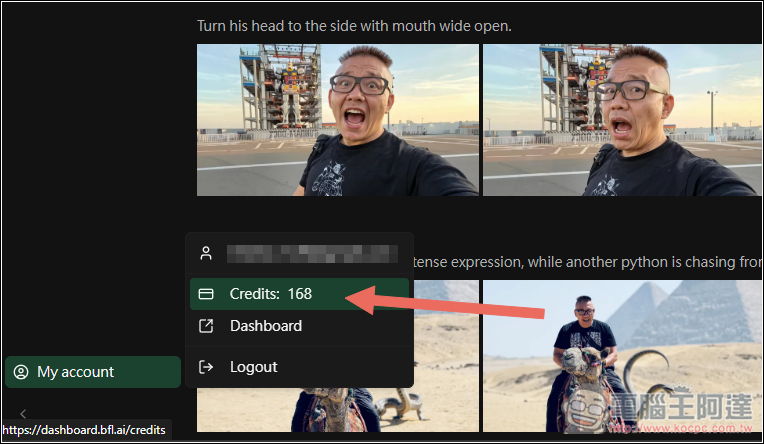
Besides local edits, FLUX.1 Kontext also produces good image quality, so feel free to play with it more. You can see how many Credits you have left in the bottom-left corner:
Source: KOCPC Chinese