


Recently, NVIDIA has officially added the RTX Video Super Resolution function (VSR for short) in the latest Game Ready driver. It is a technology that uses AI to improve image resolution. When enabled, when watching videos on Netflix, YouTube and other websites, it will automatically enhance the image quality, making your viewing quality better. It is highly recommended for RTX graphics card users to turn it on. If you don’t know how to use it yet, this article will teach you.
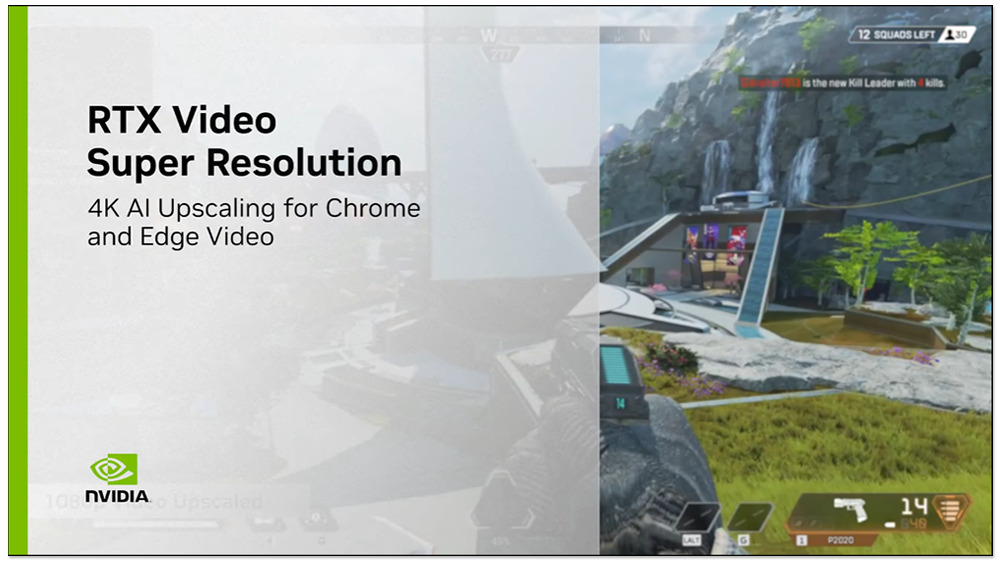
Which RTX graphics cards currently support the RTX Video Super Resolution feature?
Although this technology started with RTX, not all RTX graphics cards are currently available. According to NVIDIA, only RTX 30 series and RTX 40 series graphics cards are currently available, that is, RTX 3050 and above models. However, users of the RTX 20 series don’t have to worry too much. NVIDIA has revealed that it will also be introduced to the RTX 20 series in the near future, but it will take some time.
As for graphics cards such as the GTX 16 series, the probability is very low because this technology requires the use of Tensor cores, so it is basically impossible.
How to enable NVIDIA VSR’s latest AI technology to improve image resolution?
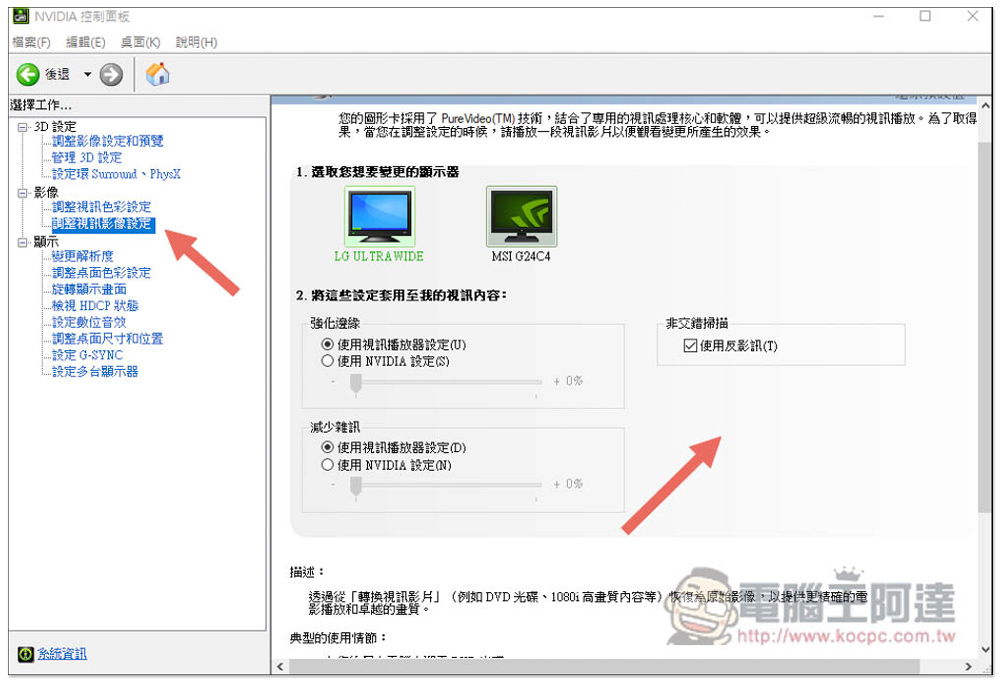
To use the NVIDIA RTX Video Super Resolution function, in addition to having an RTX 30 series and RTX 40 series graphics card, you must also update the driver to Game Ready version 531.18 or above. Otherwise, you will not be able to find this function in the NVIDIA control panel. As shown in the figure below, the function settings will be on the right arrow:
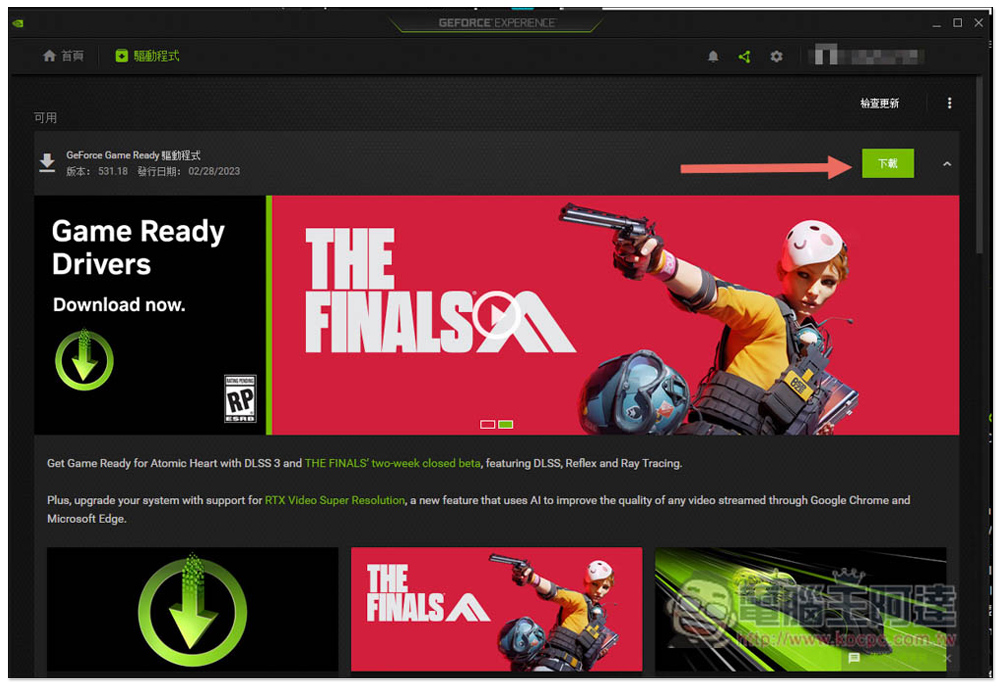
At this time, please open the GEFORCE EXPERIENCE software, enter the driver menu, and you will see a new version update, which is version 531.18. The release date is 02/28/2023. Click the download on the right:
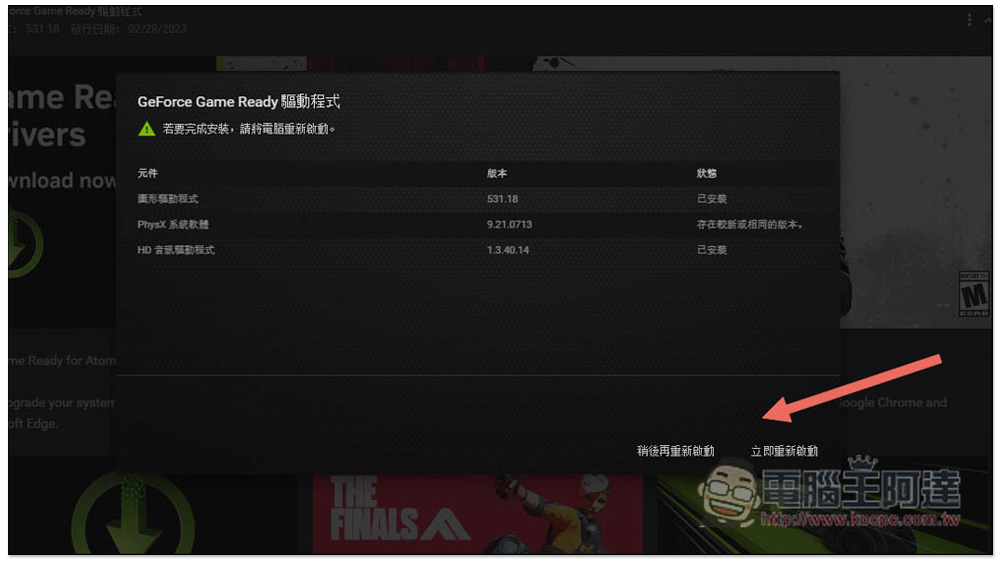
After updating, you will be asked to restart your computer:
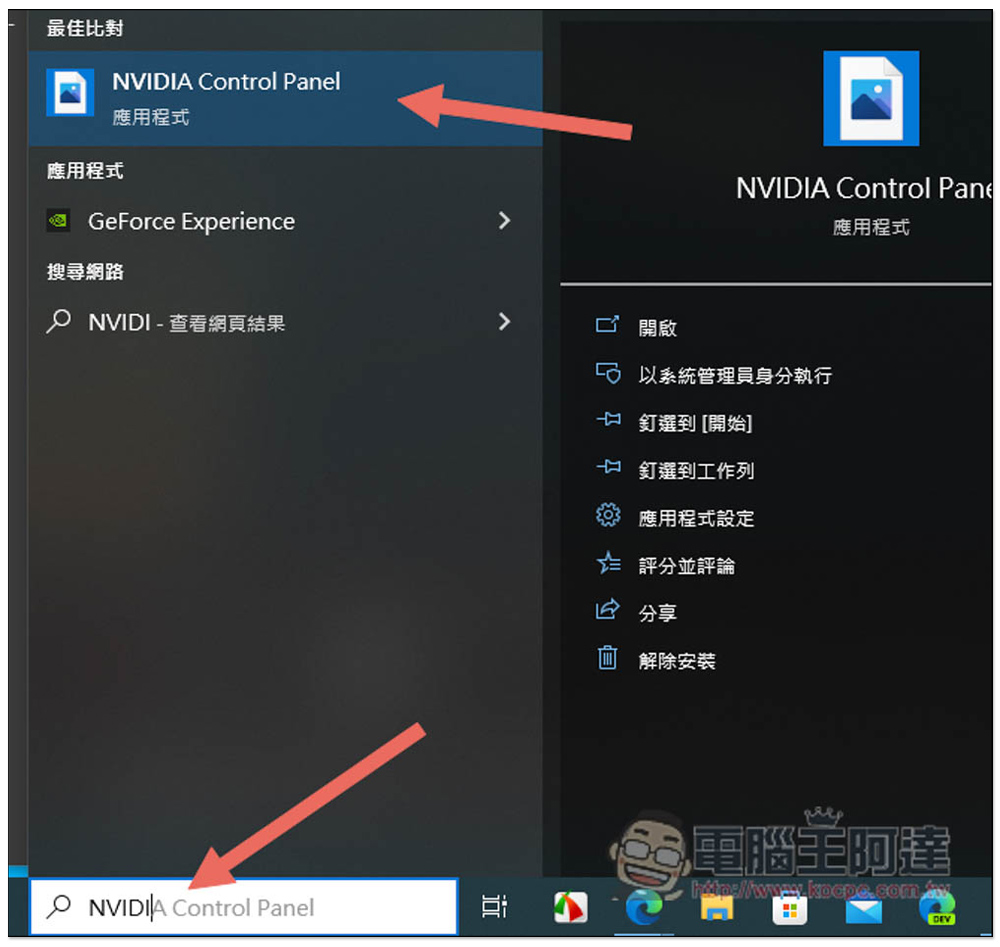
Then open the NVIDIA Control Panel again. If you don’t know where this tool is, enter the keyword NVIDIA Control Panel in the Windows search bar to find it:
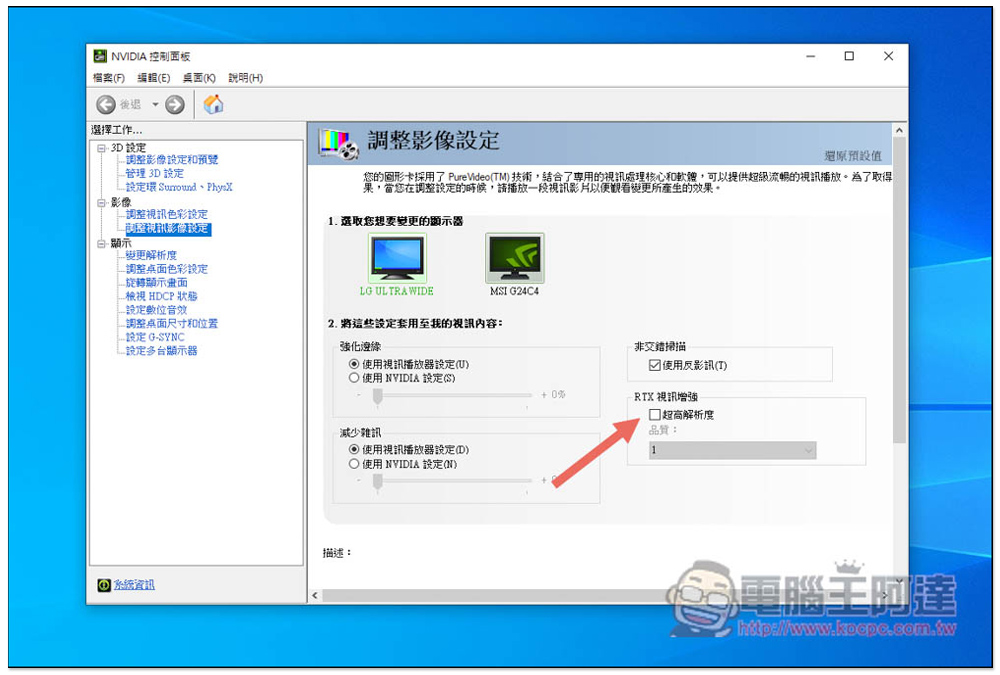
After entering to adjust the image and video settings, you will see the new function of “RTX Video Enhancement” on the right, turn on ultra-high resolution, and you are done:
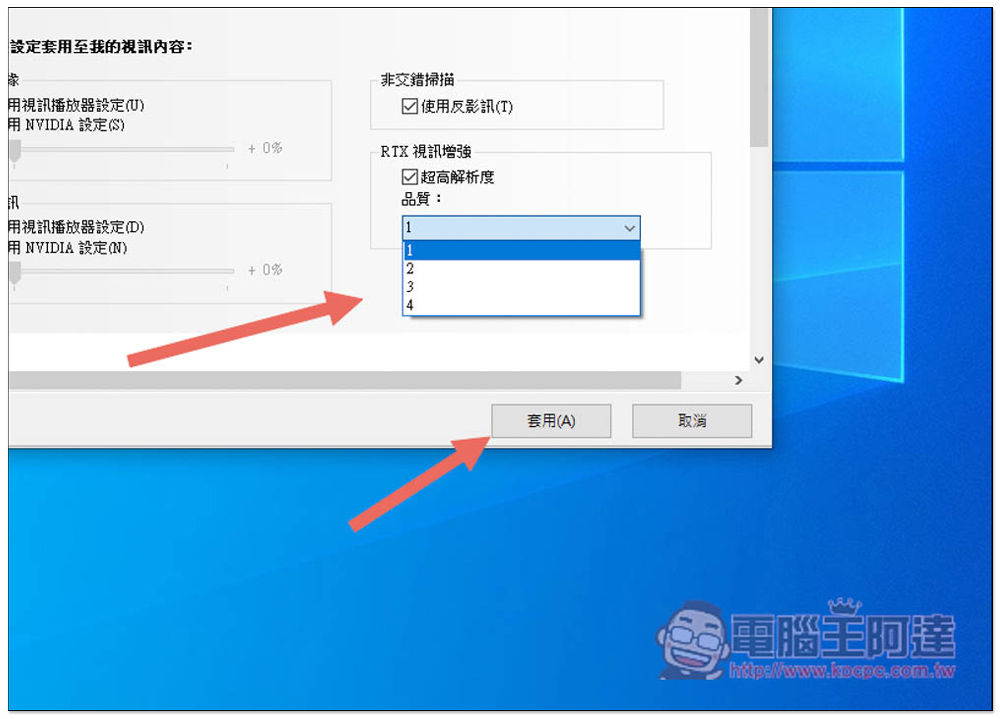
The quality section has 1~4 options. The higher the value, the better the enhancement effect, but it will also use more GPU resources:
Please also note that the matching browser only supports Chrome browser version 110 and above. Microsoft Edge also uses the same core architecture, so it can also be used (but remember to upgrade to the latest version).
Whether the image quality improved by NVIDIA VSR is good or not is a matter of opinion. Personally, I don’t think it is as amazing as when DLSS was launched. For a detailed comparison before and after it is turned on, you can refer to NVIDIA’s official video below:
Source: KOCPC Chinese