


In addition to using LINE on mobile phones, many people also often use the computer version of LINE to chat with friends and contact work partners. Among them, LINE’s incoming call notifications are in the latest LINE PC version 7.15 The user interface has been optimized after the version update. At the same time, in this update, the LINE social data synchronization function and the main menu interface are also updated.
LINE PC version 7.15 version update: new social data synchronization function, caller ID interface optimization, function menu interface update
Last week, LINE officially released the PC version 7.15 update for Windows users. Finally, earlier today (9th), the macOS version also released the update! There are three main updates to the PC version of LINE this time. They optimize the LINE call notification interface and function menu interface, and also add the synchronization function of the LINE community, allowing users to seamlessly obtain the most up-to-date LINE messages across devices.
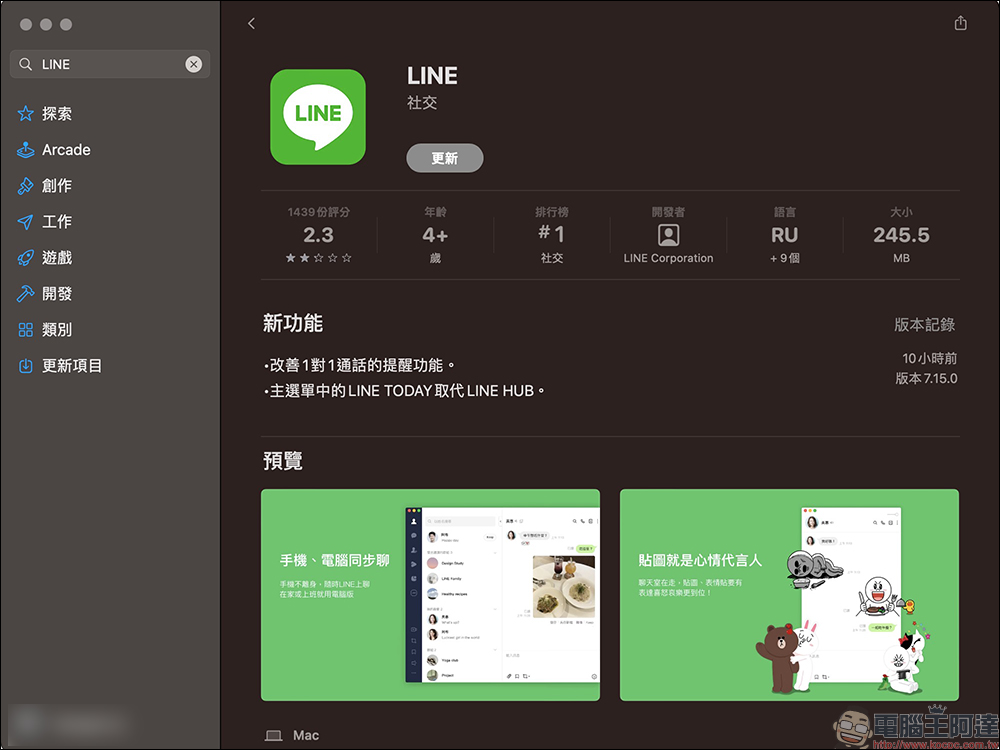
Caller ID|Interface optimization
Previously, when the PC version of LINE received an incoming call notification, in addition to a notification window popping up on the screen, the incoming call notification was also displayed simultaneously in the upper right corner of the screen. Although it is convenient to choose to answer or reject a call, if you receive a call during a text chat with a friend, you often need to spend time looking for the “Answer/Reject” function button.
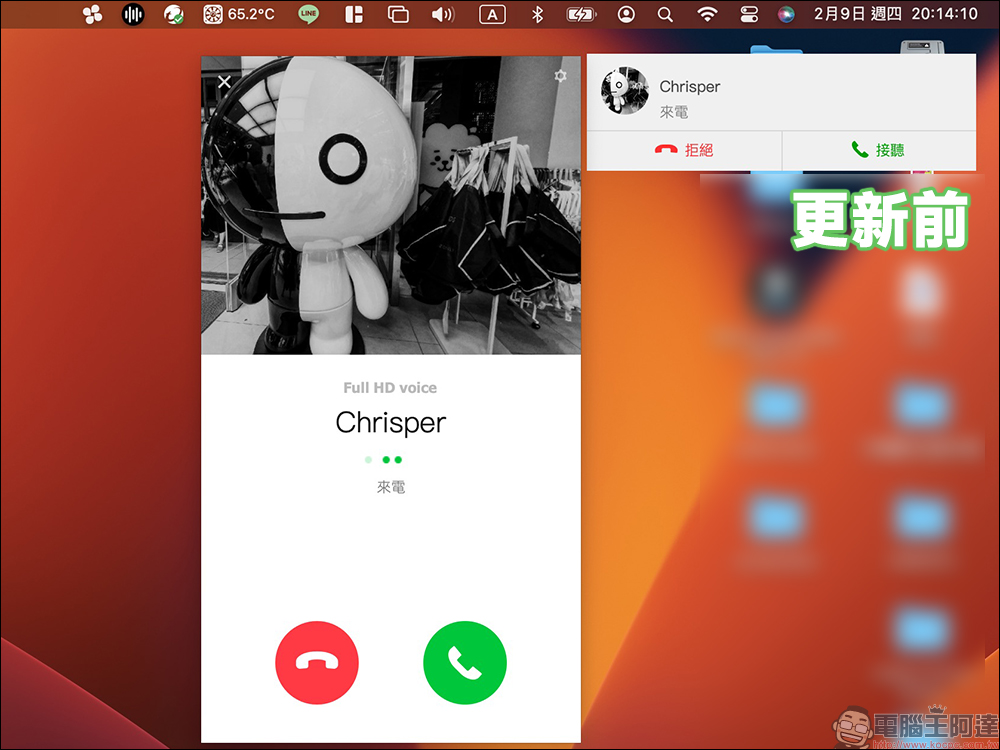
After this update to version 7.15 of the PC version of LINE, in addition to the incoming call notification in the upper right corner of the screen, the incoming call notification will also be displayed at the top of the LINE chat room, making the operation more convenient.
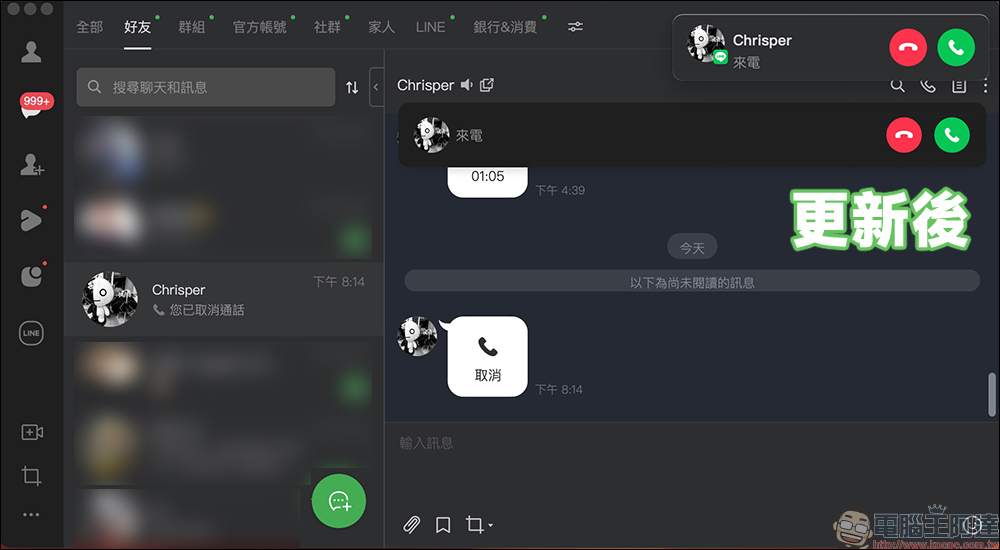
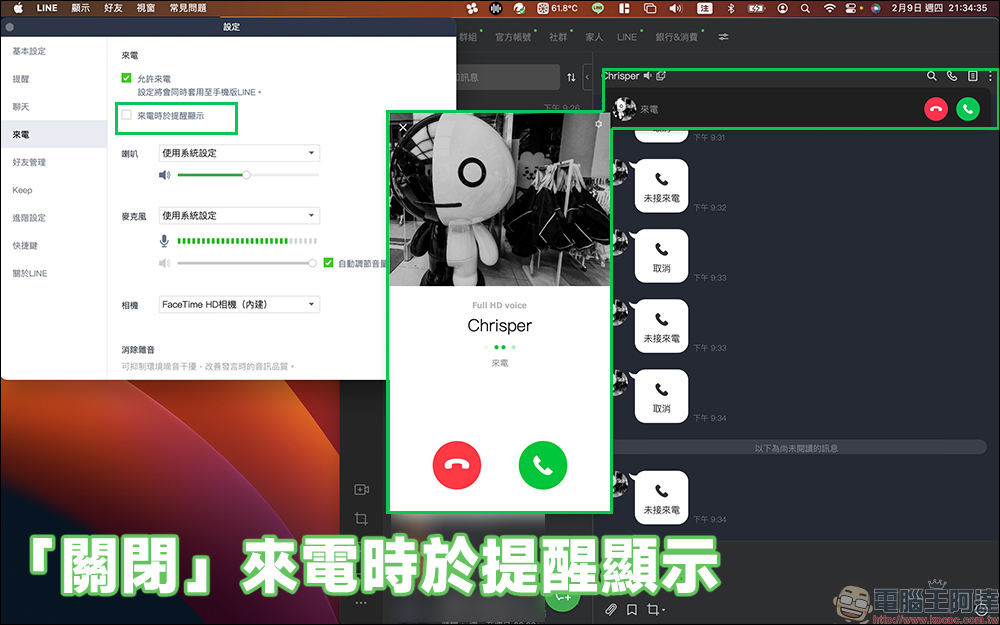
In addition, in response to the usage habits of different users, LINE also provides users with the option to further set “display reminders when incoming calls” in the “Settings” function. This function is turned on by default. The actual incoming call notification screen is as follows:
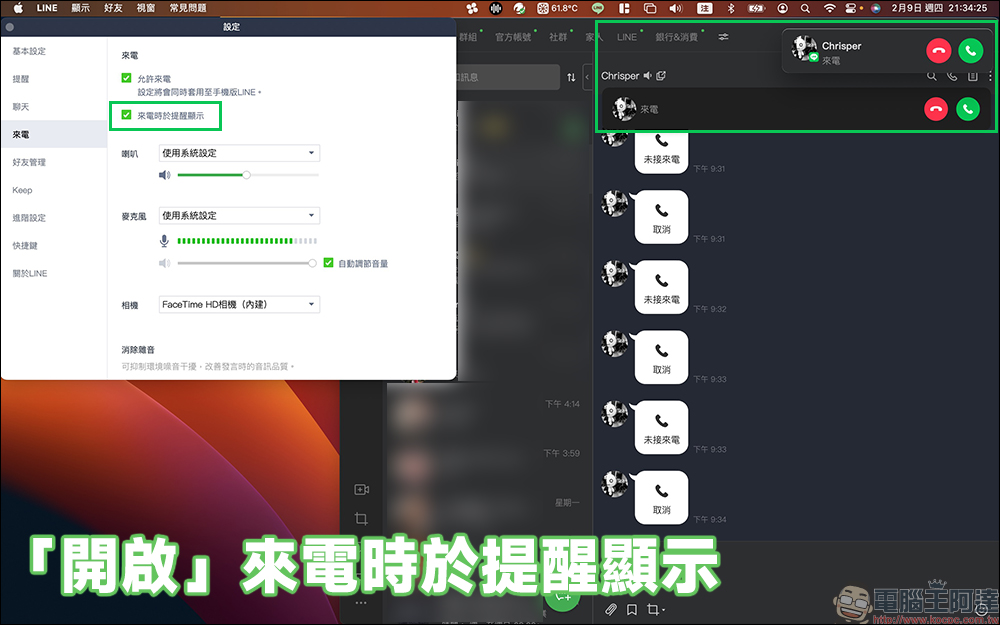
If the user turns off the “Display reminder when incoming call” setting is turned off, the notification window will still pop up on the screen when there is an incoming call, and the incoming call notification in the LINE chat room will still be displayed.
Function menu|Interface update
LINE previously announced that LINE HUB will terminate its service starting from February and will be replaced by LINE TODAY web version (click here to go)Continue to provide services. After the 7.15 update of the LINE PC version, several of the original LINE HUB service function buttons have been replaced with LINE TODAY buttons.
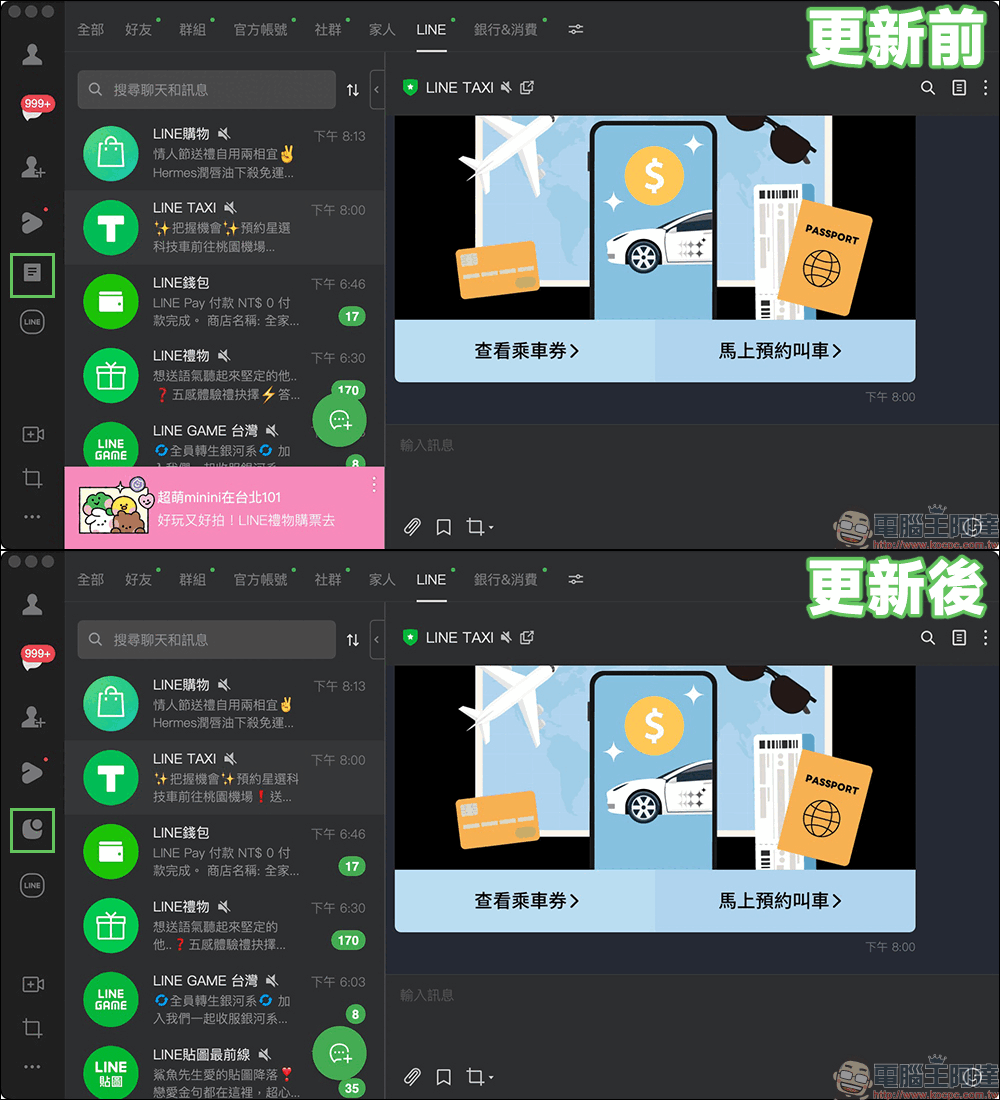
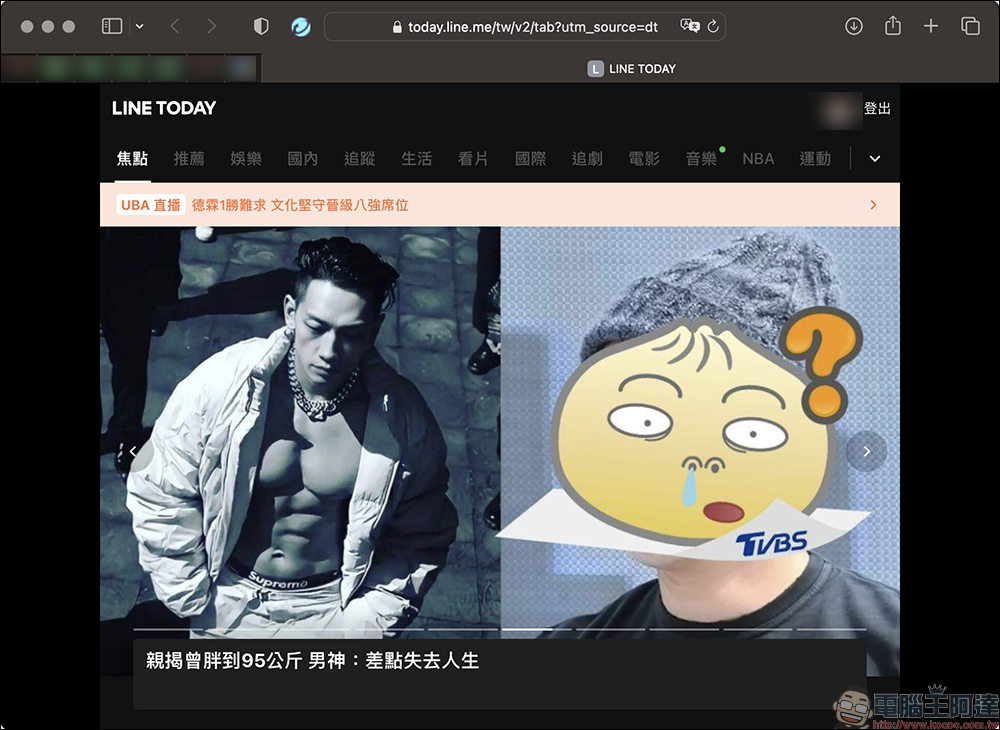
When the user clicks the LINE TODAY function button, it will be opened with the default browsing LINE TODAY web version。
Synchronize social data|New features
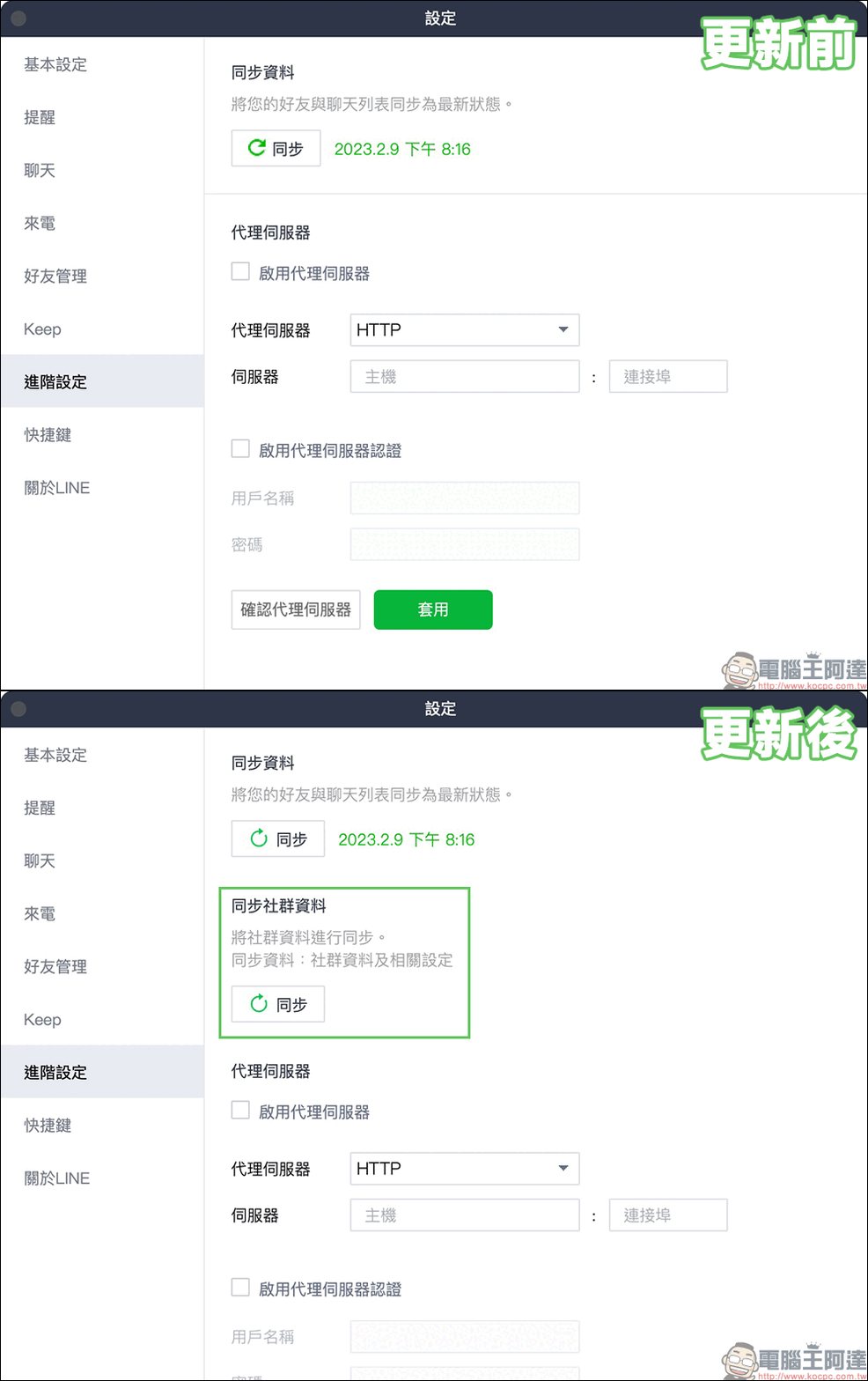
When users chatted happily with their friends in the mobile LINE community, but when they switched to the computer version to use the LINE community in the past, the data in the mobile interface would occasionally be out of sync. After the LINE PC version was updated to version 7.15, a new function of “synchronizing social data” was added. Users only need to manually synchronize LINE community data in the “Settings” > “Advanced Settings” page, allowing LINE PC version users to use the LINE community more smoothly without worrying about not being able to keep up with the latest topics in the community.

Source: KOCPC Chinese