


Unexpectedly, the big gift PTT gives you at the beginning of spring is that it suddenly stops granting approval for you (big mistake) – in fact, it is just to make up for the necessary information! Continue reading BePTT, JPTT and other mobile versions of PTT. Suddenly unable to log in? This article teaches you how to fill in the necessary information for your contact email, fellow villagers, hurry up and catch up! Report text.

BePTT, JPTT and other mobile versions of PTT suddenly unable to log in? This article teaches you how to fill in the necessary information for your contact email, fellow villagers, hurry up and catch up!
Although in fact, when the PTT station added the contact mailbox function to the system in 2021,Previewed, it is recommended that everyone update this information to avoid not receiving reminder messages such as password changes, mailbox changes, abnormal logins, etc. due to graduation or resignation, and being unable to reset passwords. Putting the account that everyone has maintained for many years into a crisis that may be lost.
However, it was not until this wave of official mandatory activation of the “Contact Mailbox” update function on 1/28 that everyone discovered that several PTT mobile app versions did not yet support such a setting page (in addition to the screen, there were also steps to receive a verification code…), resulting in the inability to log in normally, which caused a burst of mourning from the villagers. The following is officialAnnouncement content:
各位使用者好,新年快樂!
批踢踢在兩年前新增了“聯絡信箱”的功能,該信箱可以用來重置密碼以取回帳號、收到密碼異動、信箱更改以及異常登入等提醒訊息。然而至今仍有許多使用者尚未填寫“聯絡信箱”,或是所填寫的信箱,為學校或公司信箱,一旦畢業或離職,該信箱就被收回。有鑑於此,批踢踢一次性的邀請所有使用者填寫“聯絡信箱”。若您先前已經填寫過了,將會需要您再次確認並填寫能夠長期持有的信箱。選擇聯絡信箱時,建議您填寫能夠長期持有,並定期查看的信箱,一旦失去您所填寫的聯絡信箱(被機構或學校收回),您將可能永遠失去批踢踢帳號。提醒您,當天某些第三方的App ,有可能沒支援填寫“聯絡信箱”的頁面,造成您登入異常。若碰到這樣的問題,建議您先透過BBS介面,或是利用 https://term.ptt.cc/ 來填寫“聯絡信箱”。
感謝您的協助與配合。
Even the official instructions mention that the settings can be completed using the web version. However, due to specific mobile phone systems such as iOS (Okay, everyone can take acid) will cause a message to receive the verification code to pop up and the login to be disconnected, resulting in the inability to enter, causing great trouble.
Although the Android system can theoretically stay connected to complete the program, some exceptions should be avoided. I suggest that everyone, for this rare setting, just turn on your computer and use the desktop version to handle it! Below, we will briefly teach you how to log in and authenticate your contact email.
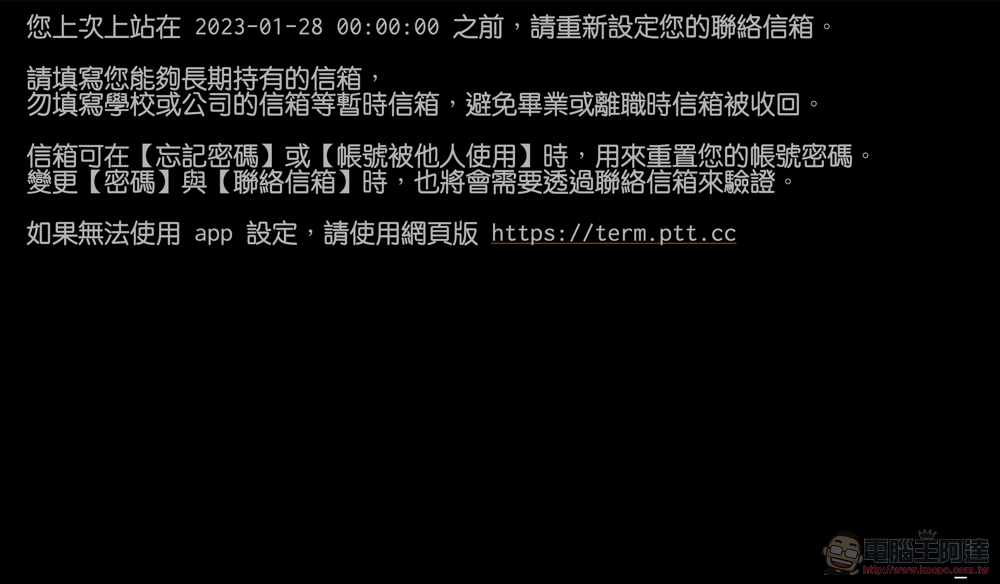
1. openWeb versionOr the desktop version of the PTT app, you should see the following notification:
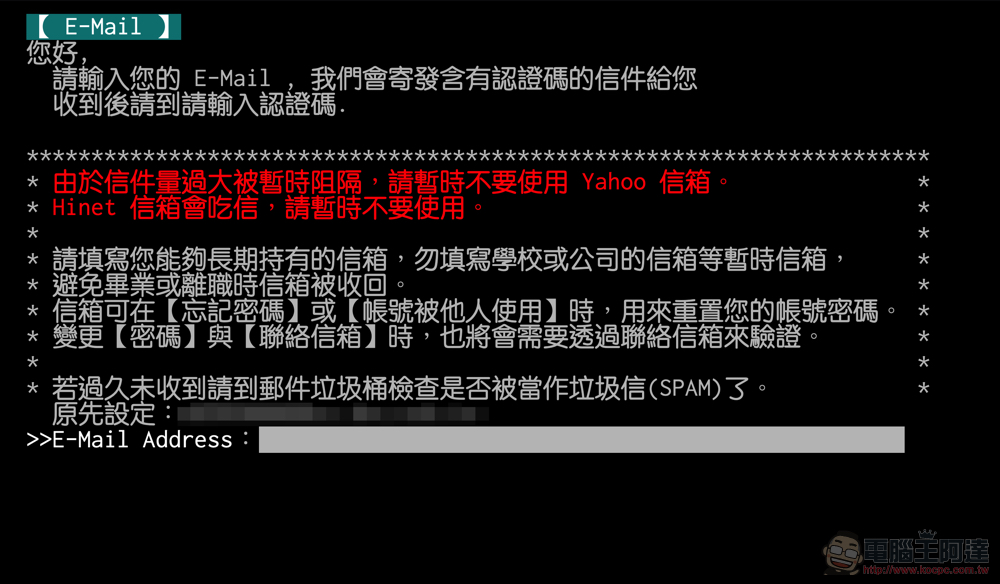
2. Then you will enter the screen for entering E-Mail – if you have entered it before, you can confirm the information (the editor’s is the school’s Mail, and it is really stopped… QQ):
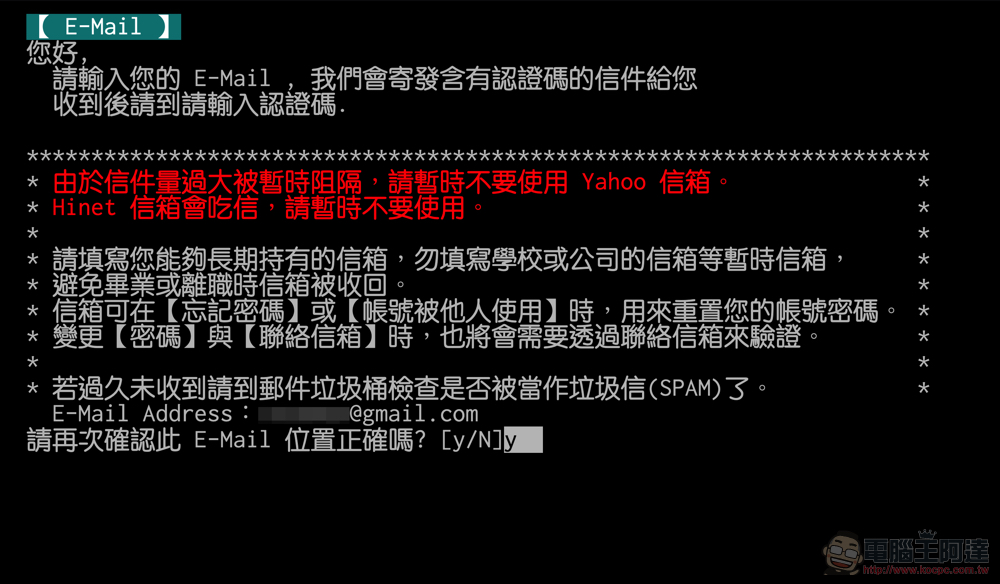
3. After the input is completed, you will be asked if it is correct – select “y” to confirm if it is correct (well… I am actually a little worried that everyone will not remember the original operation of BBS):
4. Next, you will enter the interface waiting for authentication – if you are using the mobile version, two situations may occur at this step. One is the aforementioned problem that the mobile version may be disconnected due to jumping out of the screen to copy the authentication code. Another problem is that the set mailbox may not be received because it is regarded as spam. Currently, the site recommends not using Yahoo due to excessive volume of mail being blocked. The author tested it myself using Gmail and there was no problem:
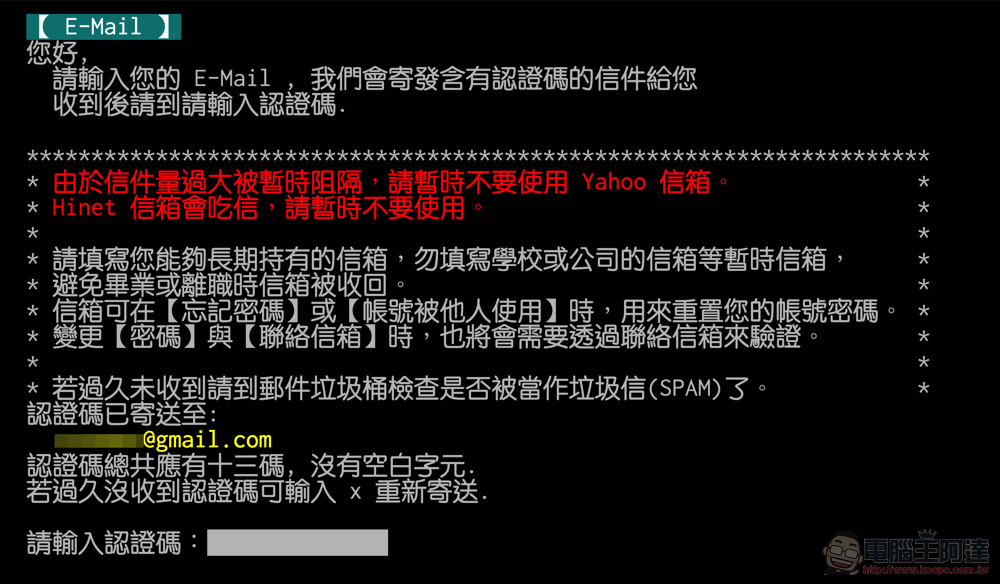
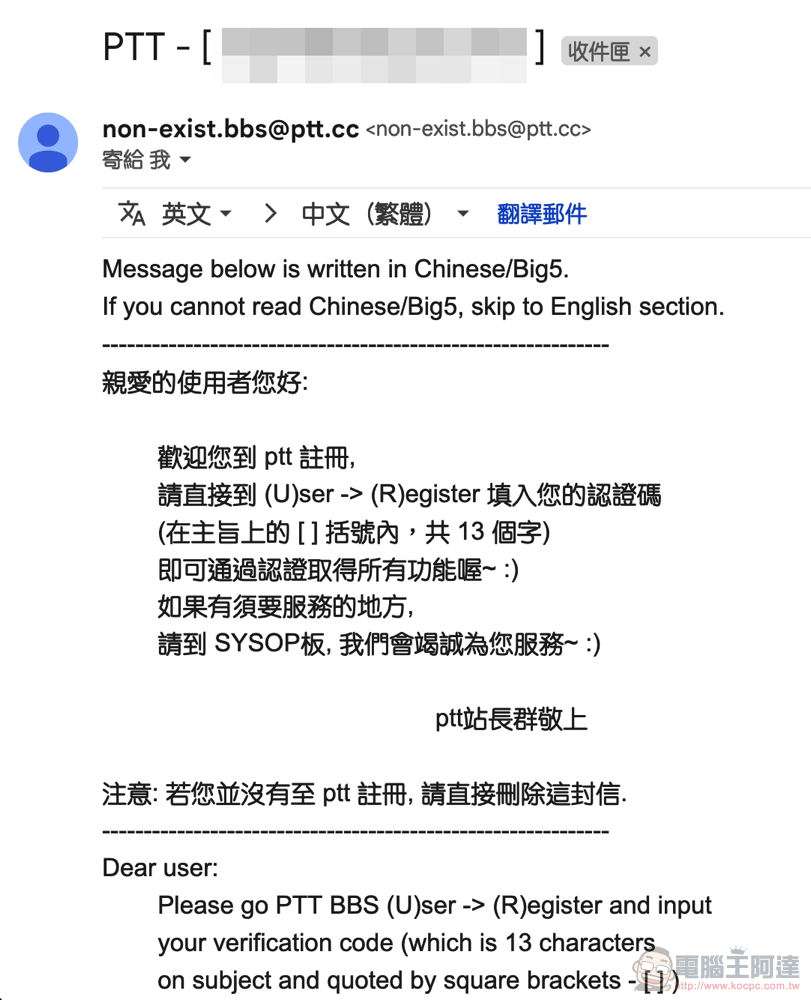
5. The certification letter looks like this – the certification code is in the “title” and contains 13 characters. Don’t be like me and spend a long time flipping through the letter without finding it.
6. Finally, jump back to the web version of PTT, copy and paste the verification code and press Enter (as mentioned above, if you do not receive the verification code, you can press “x” to resend it: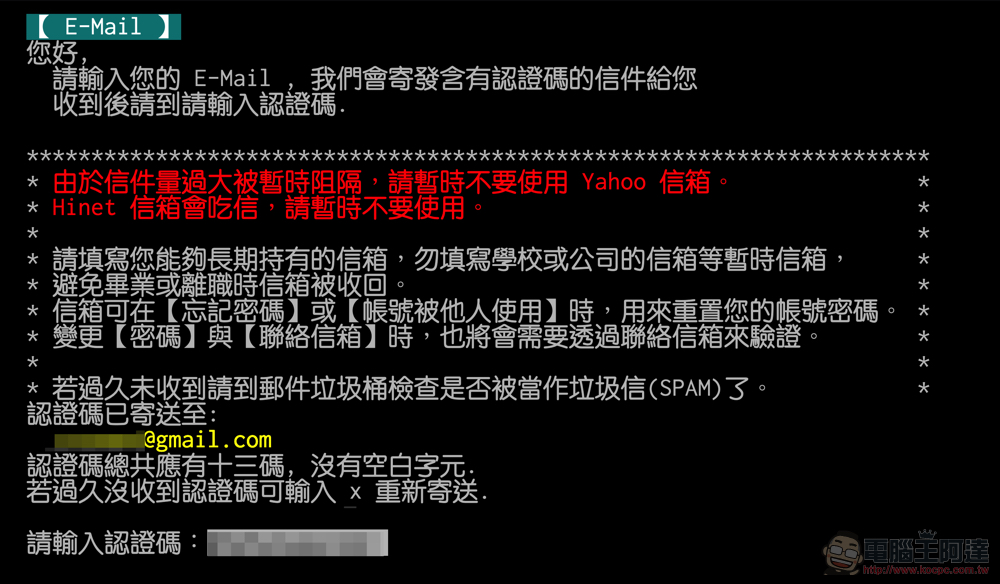
7. Finally, you can log in normally (spread flowers):
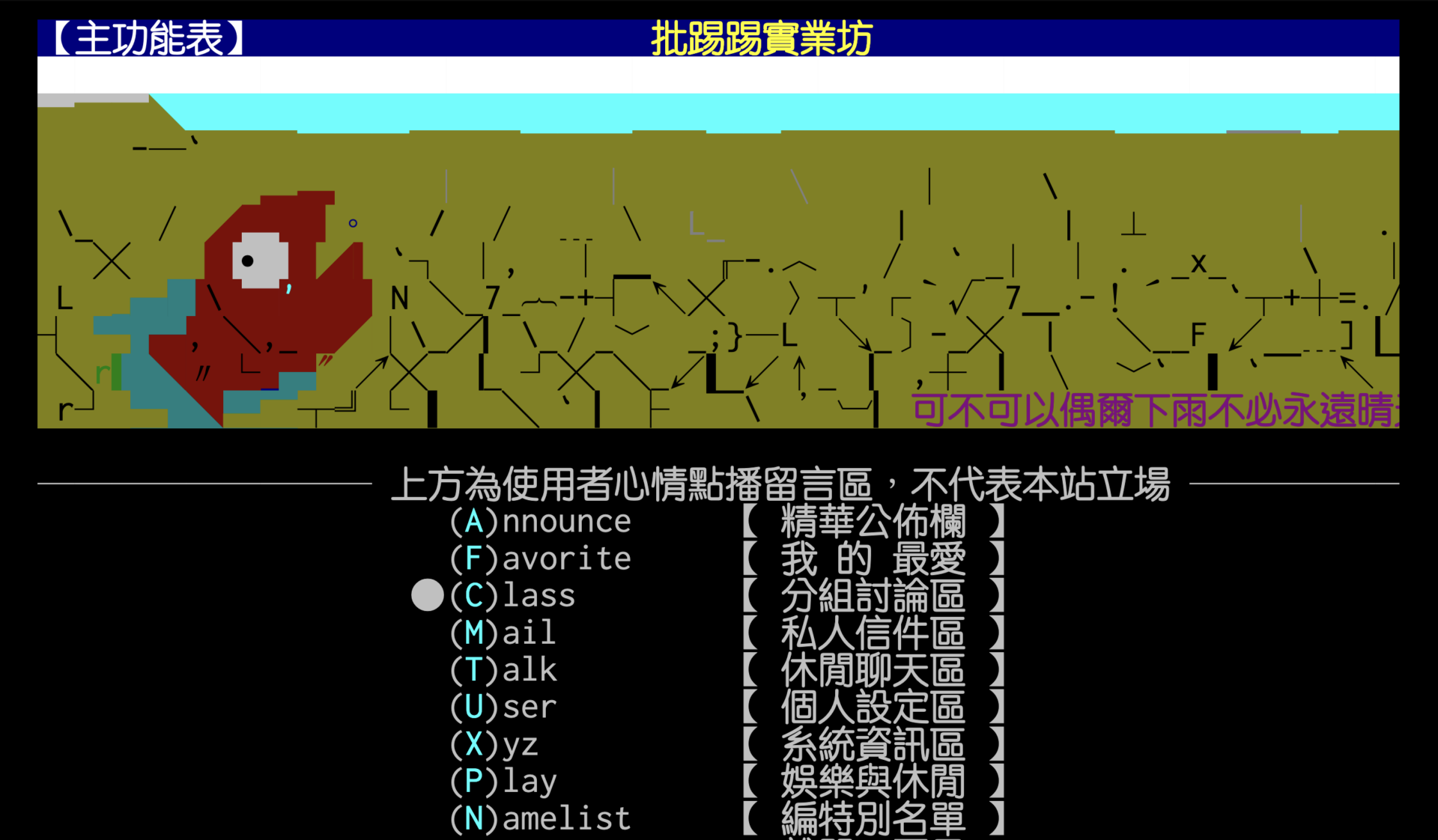
By the way, if you are using everything normally, but want to confirm the contact email, you can check the settings in the path below (I don’t know if the popular PTT mobile apps will add support for this function after this wave):
(U)ser【Personal Settings Area】> (I)nfo Set up personal information and password > (M)Contact email
Further reading:
Source: KOCPC Chinese