


Recently, LINE has quietly released an update to the mobile version! In this LINE 12.20.0 version update, in addition to the ability to directly block and report unfamiliar invitations to groups with one click, there are also adjustments and updates to the interface such as optimization for call testing and a new menu in the search bar.
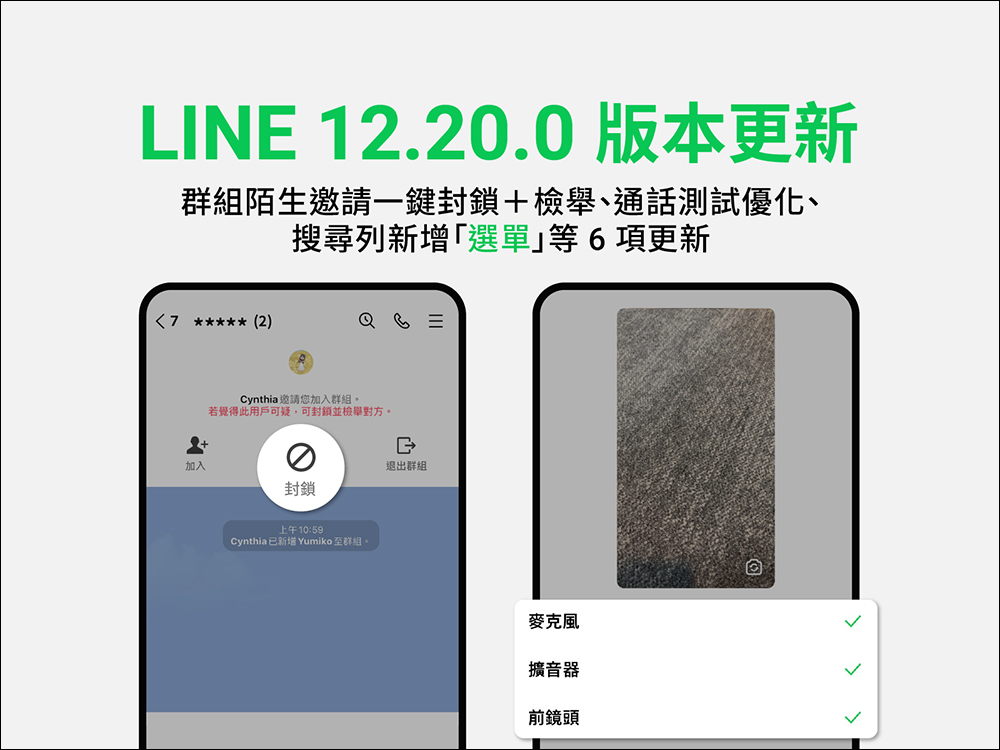
LINE 12.20.0 version update released: Group stranger invitations can be blocked and reported with one click, while call testing is optimized, a new menu in the search bar is added, and many other updates
Recently, the LINE 12.20.0 version update has been released. It has been fully released on iOS and Android dual systems. This time I will share with you the updated content!
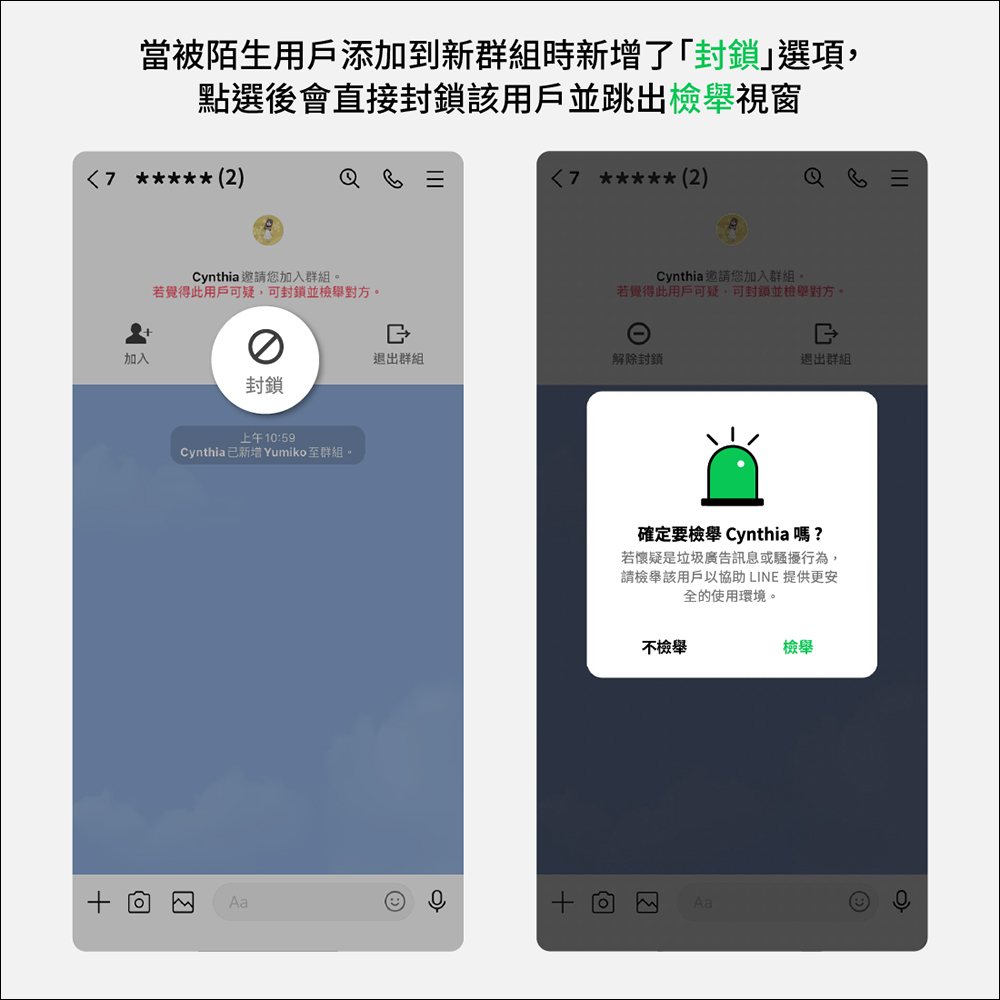
Group stranger invitations can be directly blocked and reported with one click
Whenever an unknown user is added to a new group and you want to block and report the other party, you have to go through two steps to complete it. However, with the update of LINE 12.20.0, you only need to click “Block” first, and the report window will automatically pop up. Click to report and solve the problem of unfamiliar scanning.
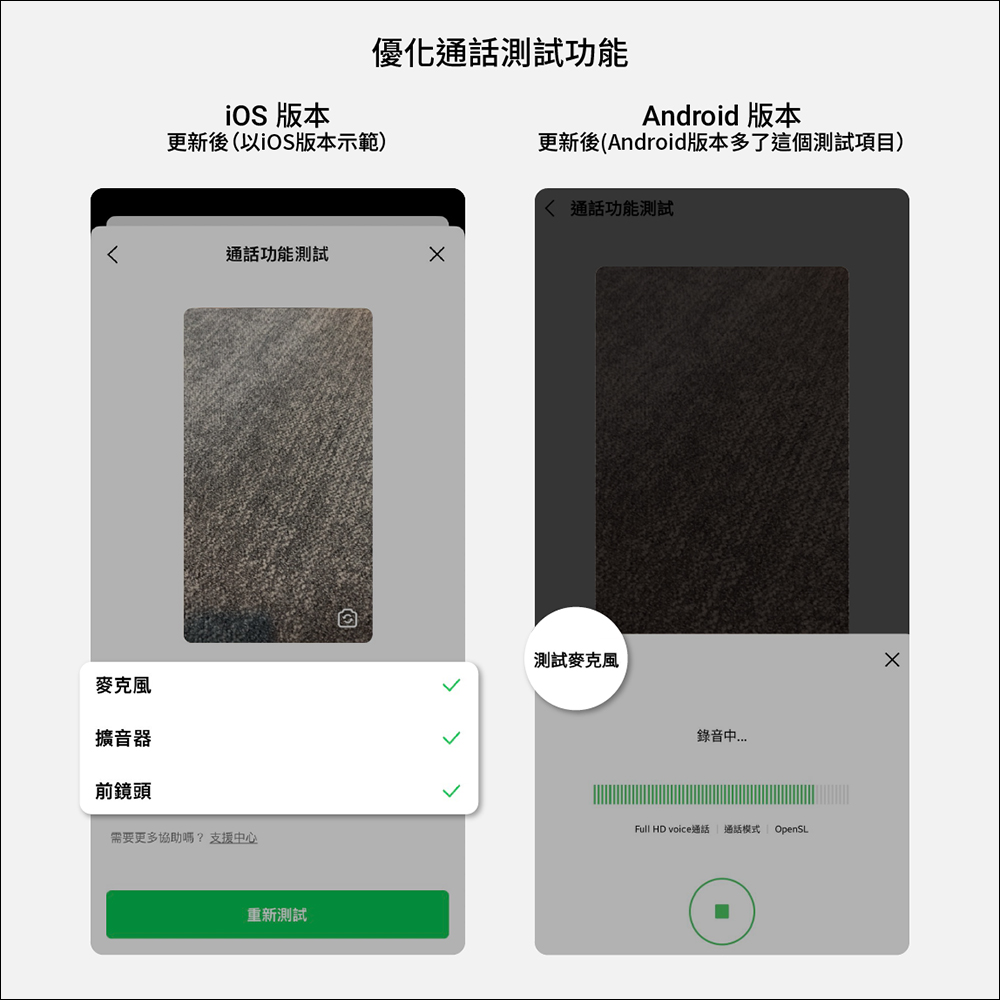
The call test function is optimized to test microphones, sounds, cameras and other equipment at the same time.
LINE’s free call function is a commonly used function by many users. However, in the past, when you wanted to test the call, you could only test the sound. Now after the update, you can click “Call Test” to automatically start testing the microphone, sound, camera and other equipment. In addition, if you are an Android user, there is an additional test item of “Test Microphone”, which can record and play the sound, and then check whether the sound sounds too loud or too quiet.
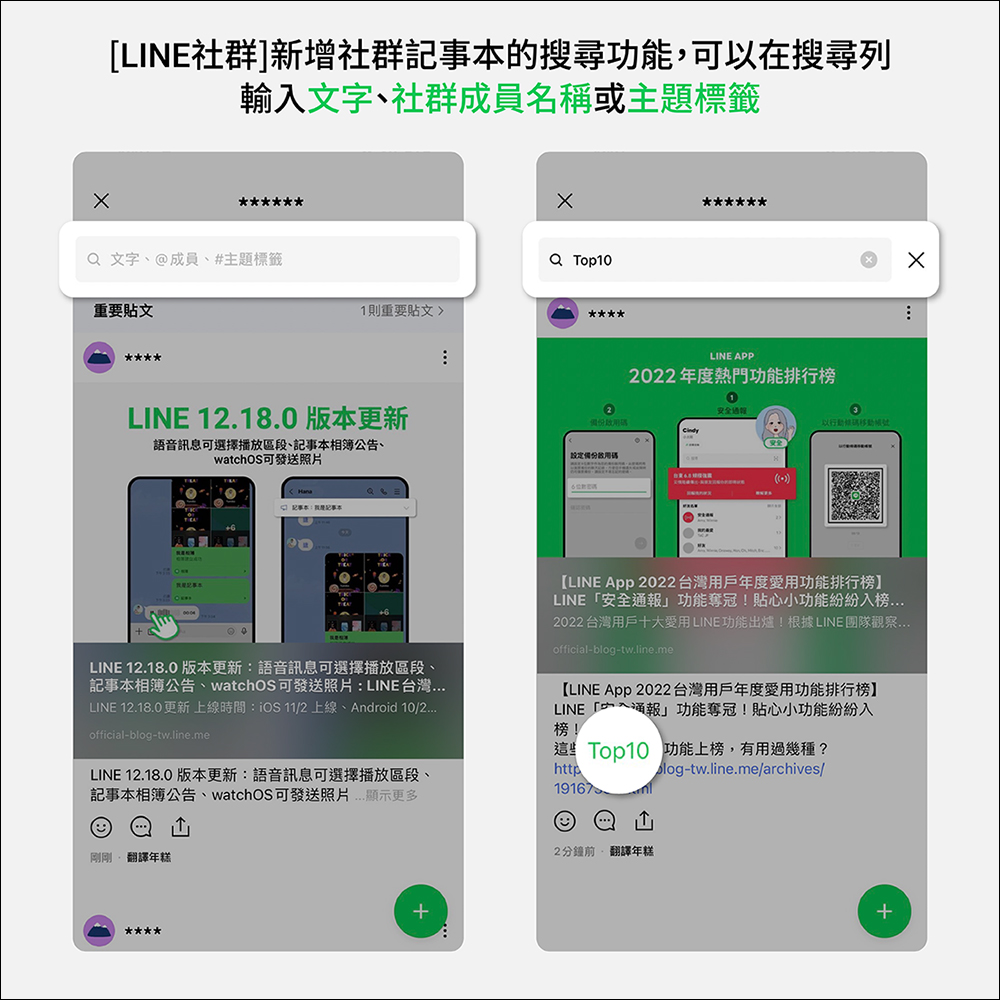
LINE community, added a search function for community notes
The “Notepad” in the LINE community has added a “search” function after the LINE 12.20.0 version update! You can enter “text”, “@member name” or “#theme tag” in the search bar above the notepad to quickly find the corresponding notepad content!
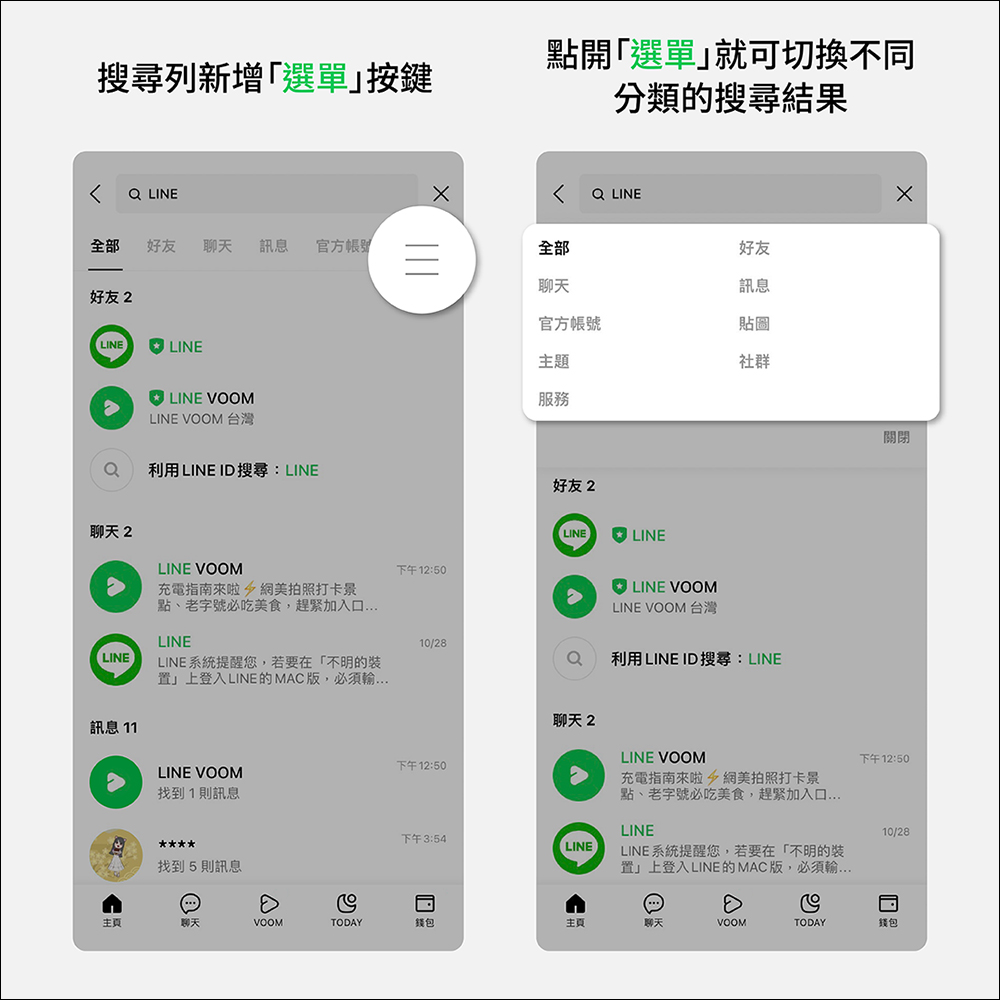
A new “Menu” is added to the search bar to quickly switch between category search results.
LINE’s search bar can be used on the “Homepage”, “Chat” and “TODAY” pages. Now, after the LINE 12.20.0 version update, a menu button is added to the right of the search bar. Click it to quickly switch search results of different categories.
LINE VOOM and picture selection interface support dark mode (Android)
In the past, even if the system selected dark mode for Android users, the picture selection interface in LINE VOOM and chat rooms still had a light background. Now after the LINE 12.20.0 version update, dark mode can finally be applied!

In addition to the above updates, Letter Sealing, LINE’s communication encryption function, has recently experienced some users encountering repeated authentication requirements when logging into the computer version of LINE. Now this problem has been fixed. Simply update the LINE App on your phone to solve the Letter Sealing login problem!

Source: KOCPC Chinese