


With Copilot integrated into Windows 11, many users are surely anticipating the ability to directly use Copilot to find files on their computer and even inquire about file contents in the future, which could save a great deal of time. Just recently, Microsoft finally announced that it will begin public beta testing of this feature, along with Copilot Vision on Windows.
Windows Insider users can now start experiencing the all-new Copilot File Search and Copilot Vision on Windows features.
Recently, Microsoft announced on its official blog to Windows Insiders that Microsoft Copilot will get two new features: “Copilot File Search” and “Copilot Vision on Windows.”
Just as its name suggests, Copilot File Search lets users search for files on their Windows 11 computer within Copilot. In addition to helping you locate files, it can also answer questions about them. For example, if you want to find out the information in your meeting records, you can ask: “Please browse my meeting records files and tell me which investment projects were discussed this time.”
This way, you no longer need to locate the file, open it, and search for the relevant content like before—Copilot can give you the answer in just a few seconds.
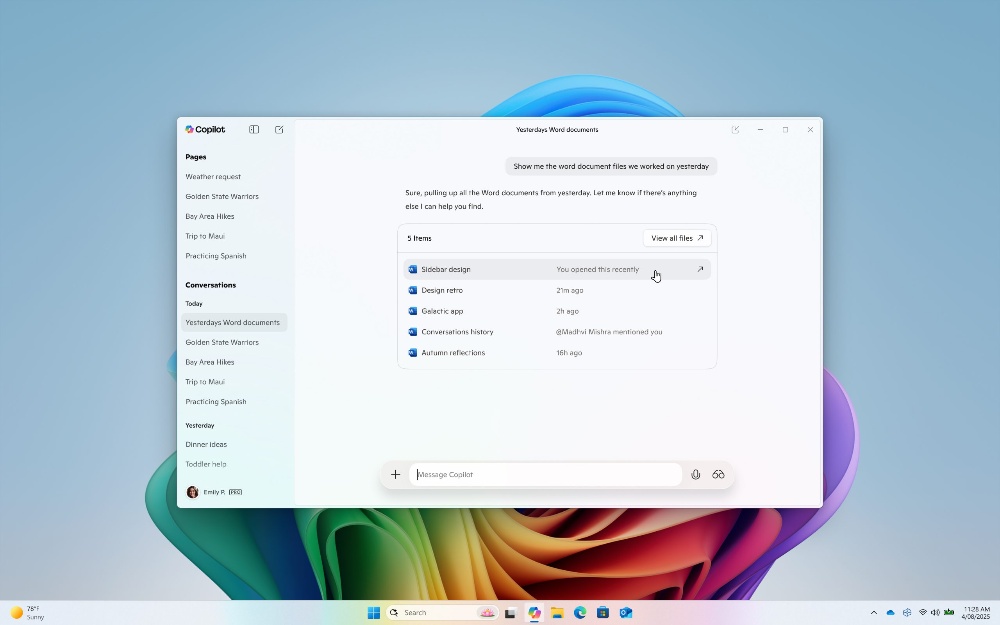
You can also set Copilot’s permissions. In Settings, go to “Permissions” to adjust what Copilot can access, retrieve, or read. For file search, most types are supported, and it can read .docx, .xlsx, .pptx, .txt, .pdf, and .json formats.
Microsoft also mentioned that users can ask Copilot, for example, “Can you help me find my resume?”, “Please open the travel planning document I was working on last week”, or “Please look at my budget file and tell me how much I spent on dining last month.”
Meanwhile, Copilot Vision on Windows lets users share their current screen with the AI, thereby solving various problems.
For example, after sharing your browser or application window with Copilot, Copilot can analyze the current screen, provide insights, or answer your questions, and guide you with voice instructions on how to proceed.
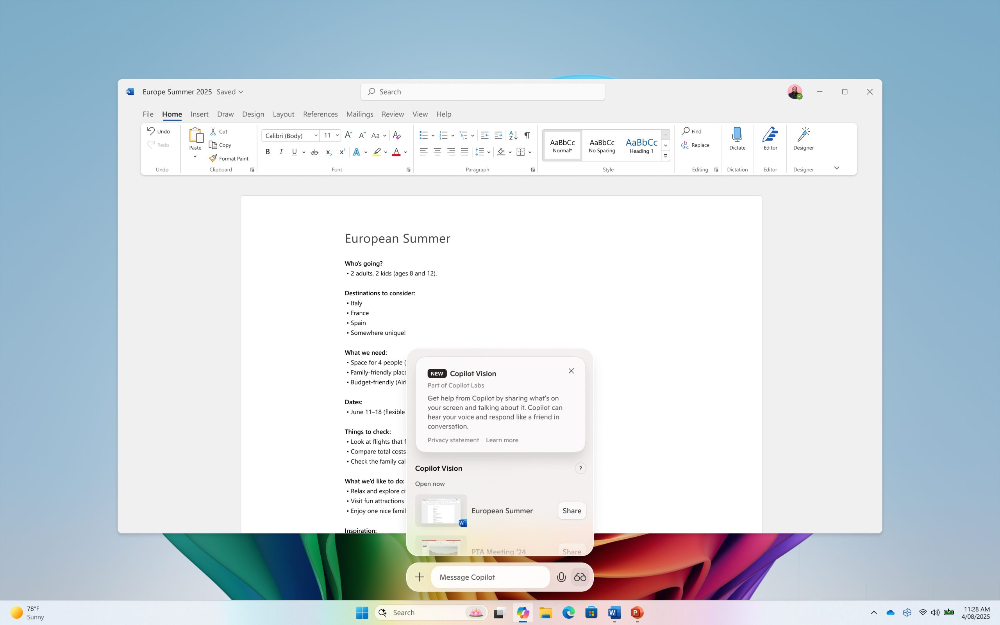
The usage is simple: click the glasses icon to select the browser window or application you want to share, then let Copilot assist you with your work. To stop sharing, just press “Stop” or “X”.
Windows Insider users, remember to update the Copilot app to version 1.25034.133.0 or later. You can check in the Microsoft Store.
One more thing to note: Copilot Vision on Windows is currently only being rolled out to Insiders in the US, while Copilot File Search is available to all Insiders globally.
Both features are being rolled out gradually, so not all Insider users will receive the update immediately. If you haven’t gotten it yet, just wait a bit longer.
Source:Microsoft Blog
Source: KOCPC Chinese