


Nowadays, it’s fair to say that more and more companies are releasing AI language models that are powerful yet suitable for running on phones—like Google’s latest Gemma 3 1b and 3b. As a result, many iPhone users will definitely want to give them a try. This article recommends a free app called PocketPal AI that supports downloading models from Hugging Face, meaning any AI language model available for download on Hugging Face can be installed and used on your iPhone through this app.
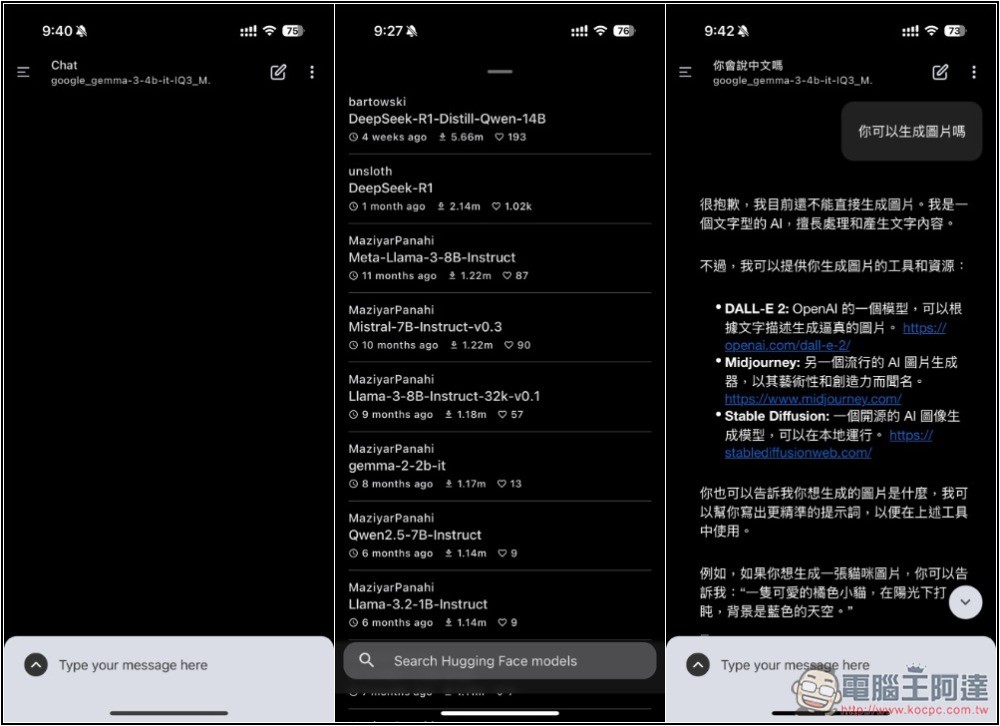
PocketPal AI is a free app that runs various AI language models locally on your iPhone.
PocketPal AI is an app touted as being built specifically for secure, private conversations with large language models, bringing cutting-edge AI technology directly to your iPhone while ensuring your chats always stay private and are processed offline—no need to upload anything to any server.
In addition to the default AI models, it also integrates with the Hugging Face database, allowing you to add GGUF-format models to your favorites or download them for use.
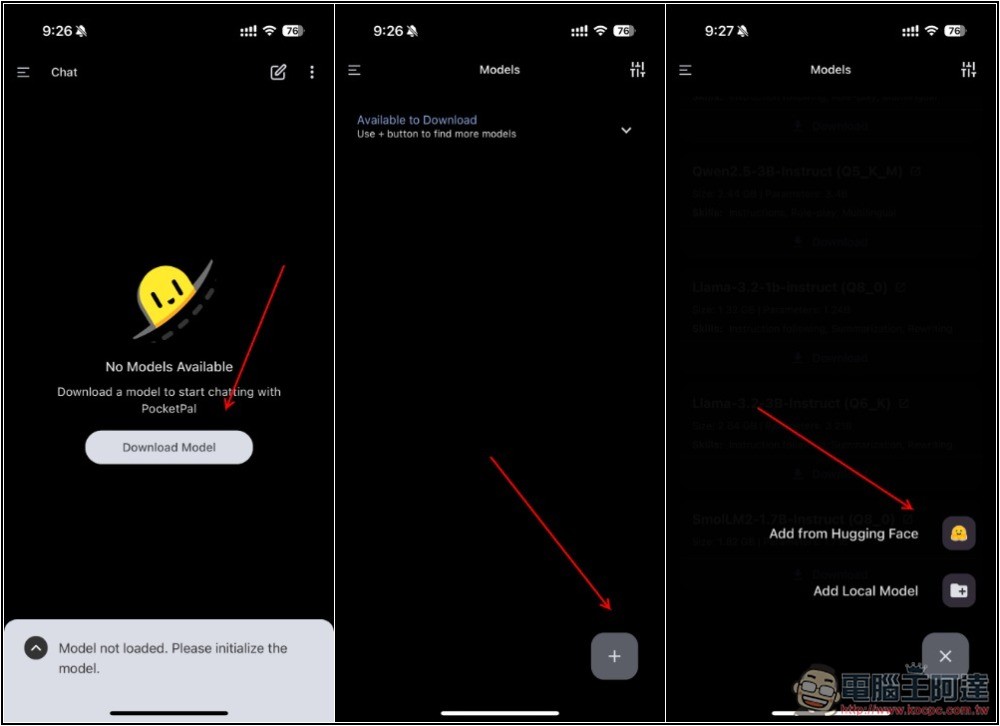
After opening the PocketPal AI app, no AI language models are available at first. Tap Download Model on the screen, then tap the + symbol in the bottom right corner. A prompt will appear to add from Hugging Face or from local storage. If you already have model files, you can add them directly from local storage; if not, use Hugging Face.
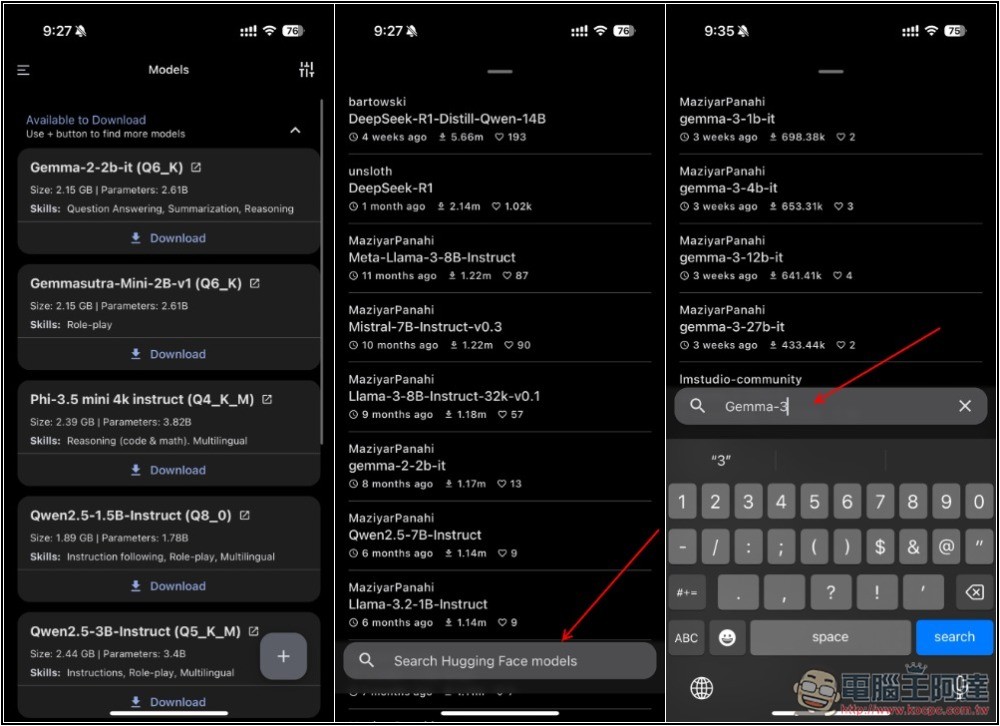
In the list that opens next, several popular AI language models suitable for running on mobile phones will be displayed by default, such as Gemma-2-2b, Phi-3.5 mini, Qwen2.5-1.5B or 3B, etc. If the one you’re looking for isn’t on the list, you can press the search function below and enter that model’s keyword. For example, if I’m looking for Gemma-3:
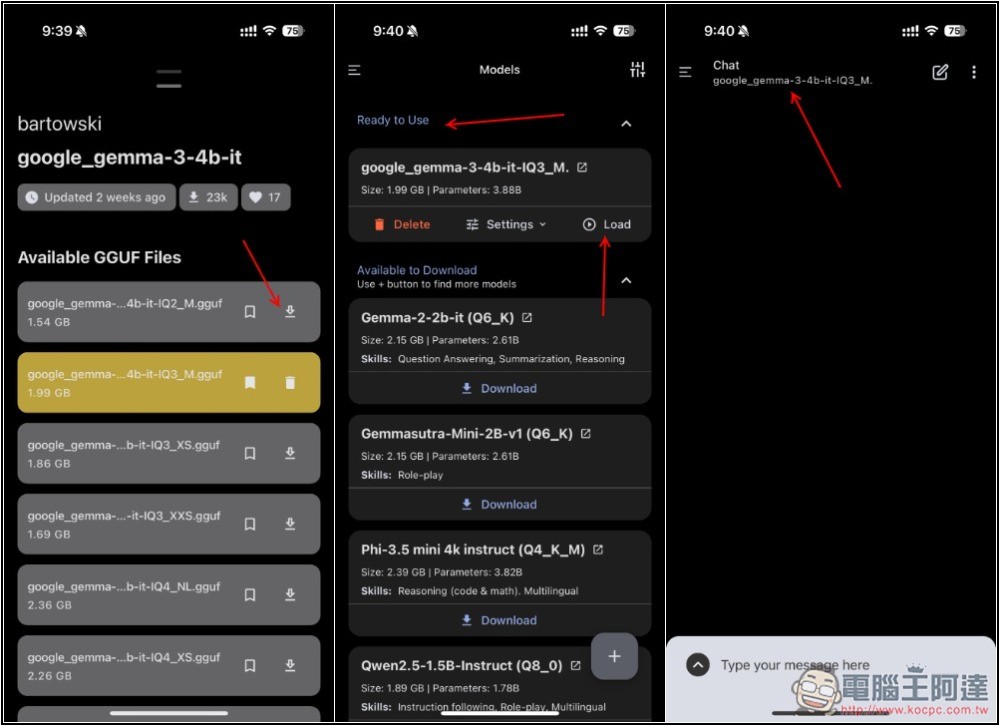
I originally had tested the model file provided by Google, but for some reason couldn’t download it, so I switched to a Gemma-3-4b-it provided by another developer. There are many versions; I chose Q3_M. After clicking the download button next to it, it starts downloading, then returns to the model list. Showing “Ready to Use” means the download is complete. Click Load to start chatting:
When selecting a model, it’s recommended to start with smaller, lightweight models. 1B is the safest, but for the iPhone 16 series, you can try 4B. For quantization, it’s also recommended to start with smaller numbers, such as Q2 being the smallest, Q3 a bit larger, and Q4 even better. Then test the response and running speed. If it works well, you can try a larger one.
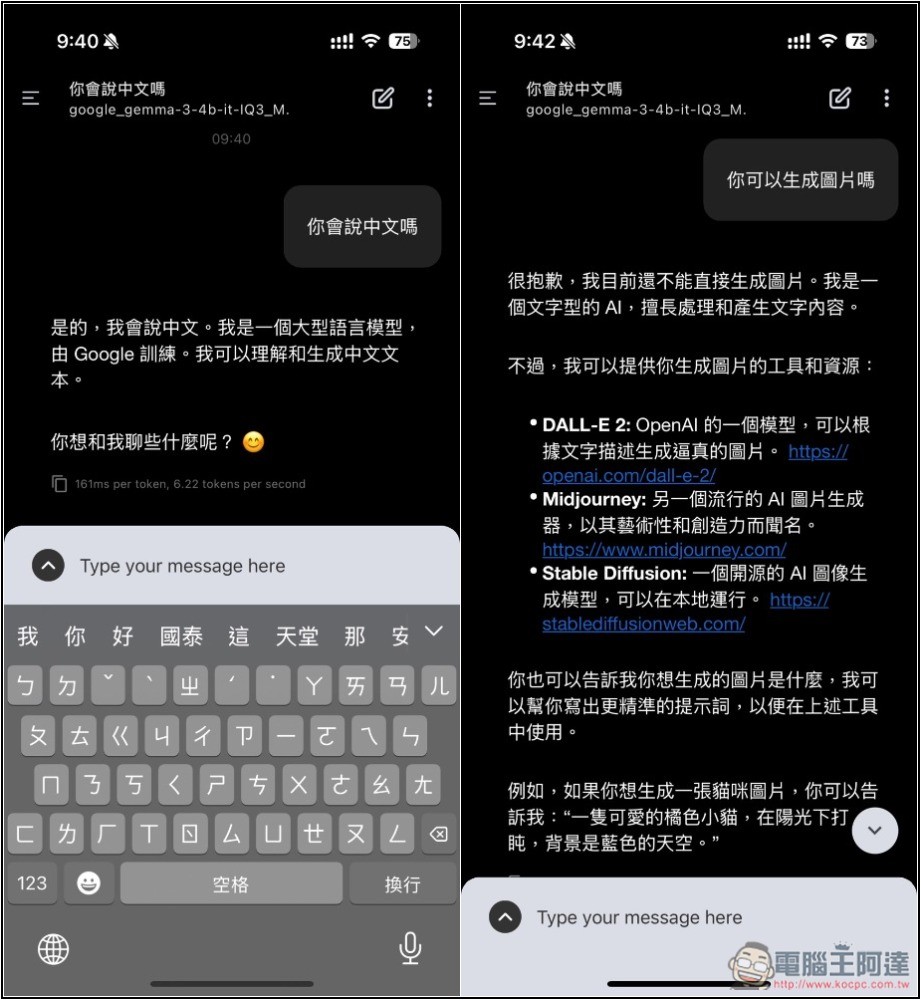
Gemma-3-4b supports Chinese. The Q3_M I’m using responds a bit slower, but it’s still acceptable, and the response length is quite sufficient:
One more thing to note when using it: since it runs locally, the battery drain can be quite significant, especially during long reasoning sessions. The iPhone might even get a bit warm. If it becomes noticeably hot, it’s safer to take a break and continue after a while.
Source: KOCPC Chinese