


Although it is still only allowed to be used when you are walking (I would say it would be cool to use it with driving), the AR navigation function of Google Maps is obviously many Road crazy A tool for finding your way/getting lost! Now, or to be more precise “from next week”, it will probably evolve into a fun tool. Because the new AR search function combined with Search with Live View technology makes the magical augmented reality function of Google Maps more practical! Continue reading Google Maps “AR Search” will be launched next week, allowing you to intuitively find directions to coffee shops, restaurants, banks, etc.
▲Photo source of this article: Google
Google Maps “AR Search” will be launched next week, allowing you to intuitively find directions to coffee shops, restaurants, banks, etc.
I wonder if you have actually used the AR navigation function of Google Maps? I believe that when you get lost, you can directly overlay the route with the real scene. It should be very helpful for friends who are always unable to quickly understand the map information and find the direction. As Google began to introduce intuitive location calibration display functions for the Live View street view interface, they further integrated Google Maps AR with the new interface of Live View to form a new AR search function.
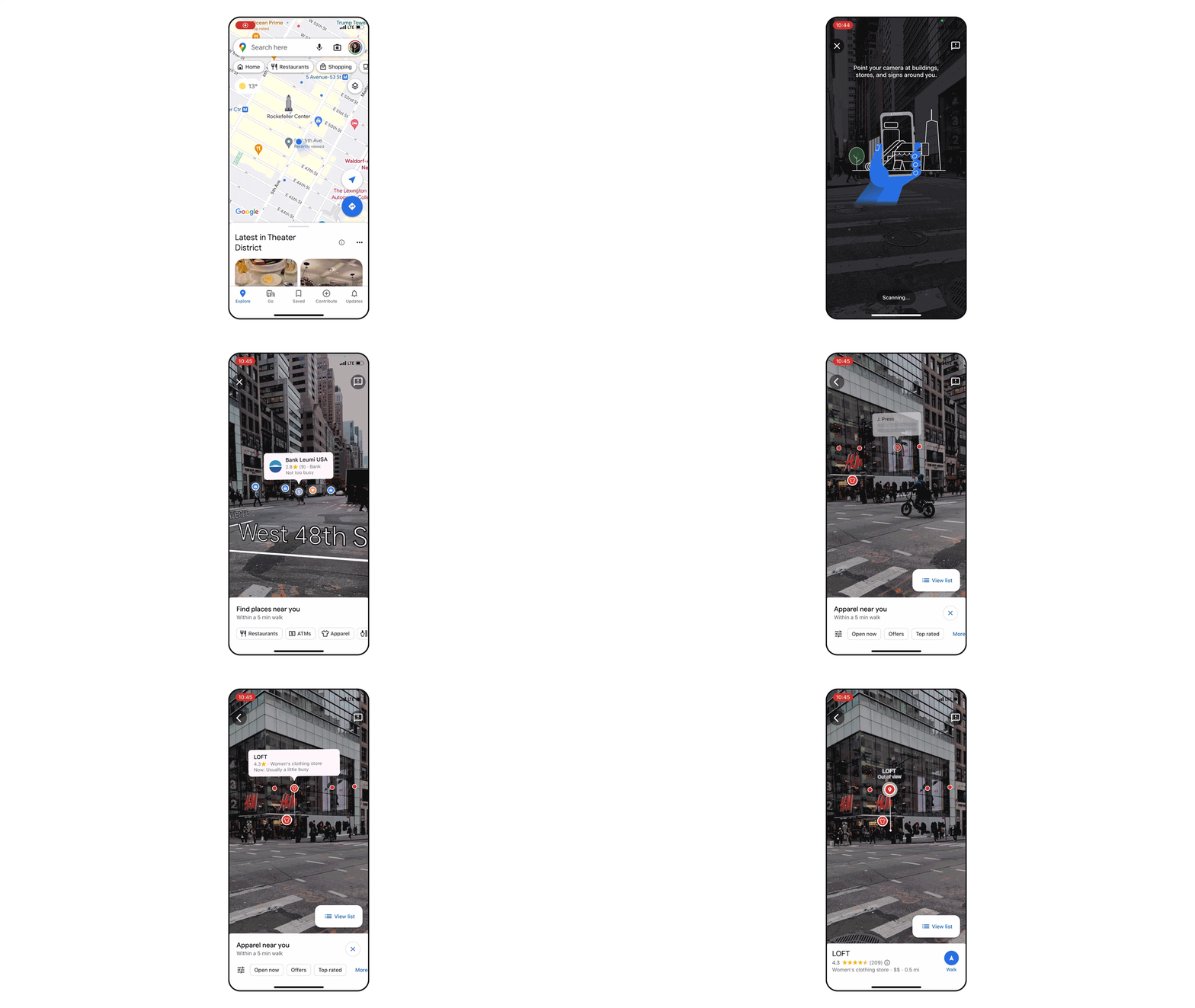
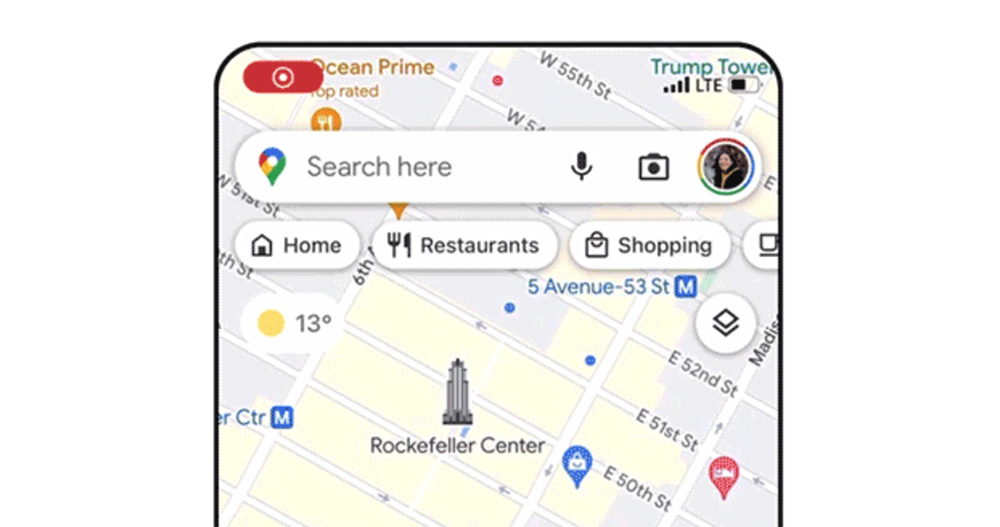
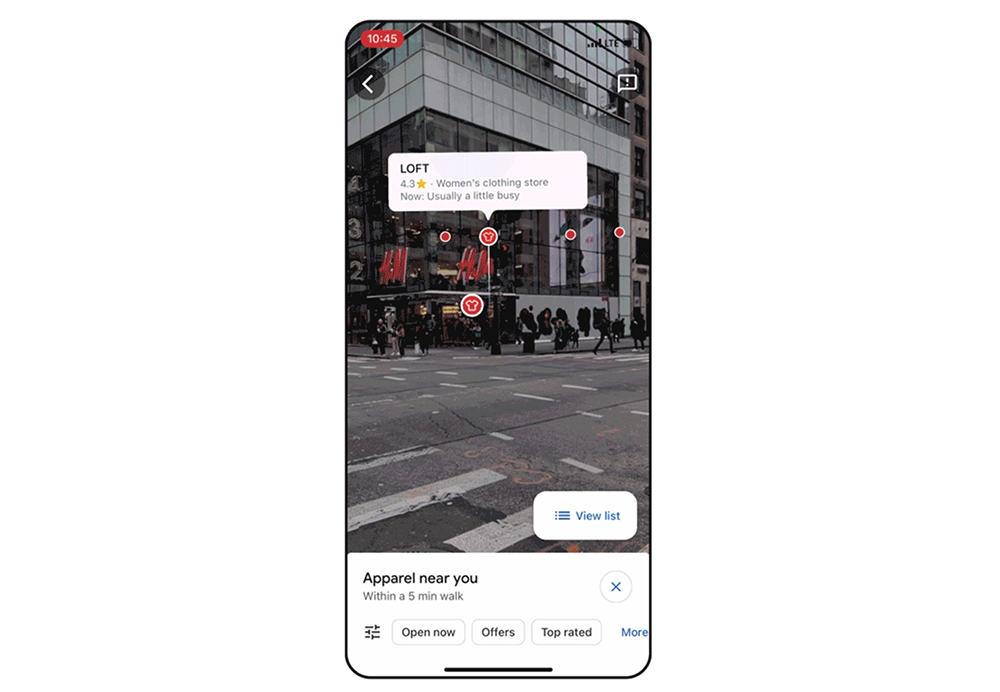
This feature currently adds a camera symbol to the right of the Google Maps search field. After clicking, an AR interface that directly uses the camera to sense the surrounding environment, including street names and scenery, will be launched. In addition to being able to intuitively see which stores, banks, ATMs and other conveniences are located in the building scenery in front of you. It can also go beyond the visual to display other location information that may be obscured by building scenery – then it will mark “Out of view” and display the distance line of the relative position to prevent you from walking into the wrong building (laughs).
The AR search function that supports the iOS and Android versions of Google Maps is currently confirmed to be supported in London, Los Angeles, New York, Paris, San Francisco and Tokyo starting next week. Although it is initially only available in these cities, since Taiwan currently also supports the Live View attraction search function, the editor quite believes that the local area will not miss out on the improvement of this feature in the future.
According to foreign media reports, a similar nearby scene search function can also be used in image search Lens to search for nearby restaurants – that is, if you search for dishes with images, it will help you find where to eat nearby. It is also a very convenient function.
The only problem is that it is currently only available in the English-speaking United States (no surprise to Google).
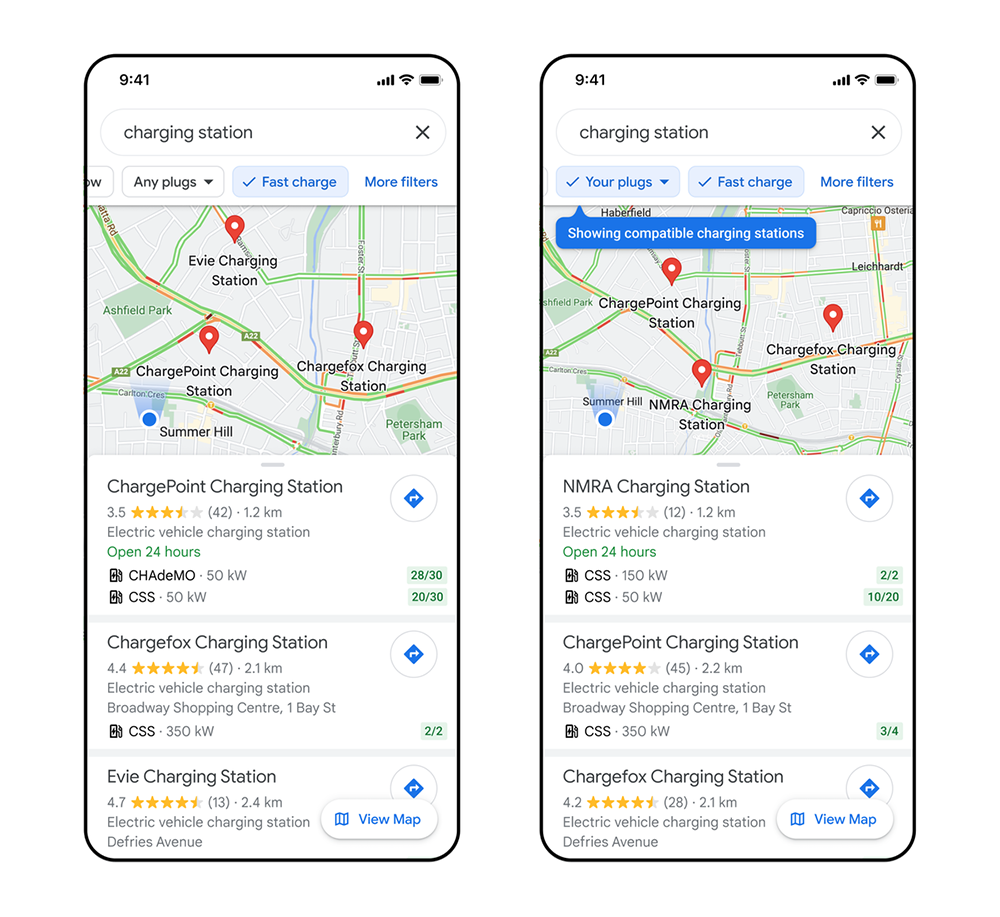
Back to this wave of enhancements to Google Maps again. I believe many friends have discovered that this map function has introduced relevant setting functions for electric vehicle charging heads (if you don’t know, you can check it in the settings). In the new version of Google Maps, you can find a filter button for fast charging stations in the search options for charging stations – as long as charging stations with a charging power of more than 50kW will be marked there.
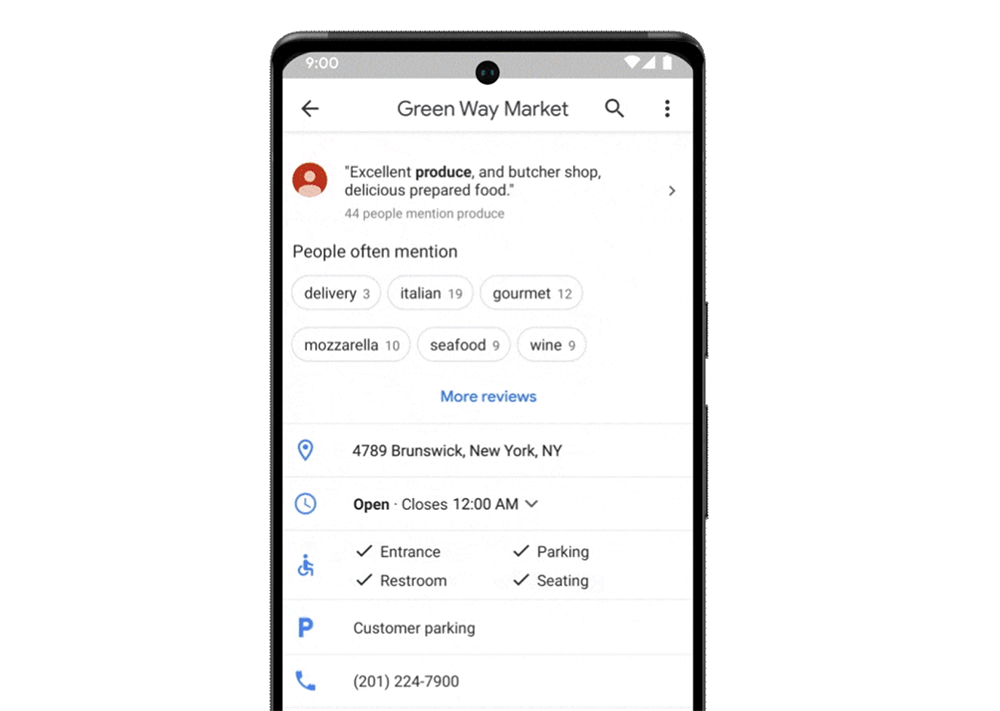
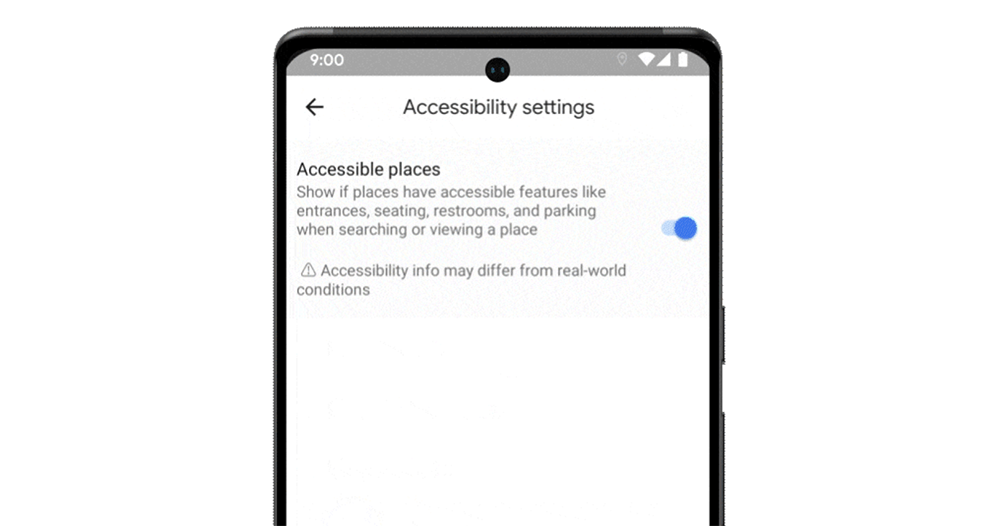
In terms of accessibility features, this time Google Maps announced that it will be limited to several countries and regions.Find an accessible location“Push to the world. Just find “Accessibility Settings” in the settings function and select “Accessible Places” to turn on. In addition to quickly indicating places with wheelchairs that support barrier-free facilities in the map information, you can also find list information of various barrier-free facilities in the detailed information.
Further reading:
Android Auto has a bug that prevents the turntable control from working properly on Google Maps
Source: KOCPC Chinese