


After Google officially upgraded Google Pixel to Android 13 in September this year, die-hard Android fans are all looking forward to Android manufacturers releasing upgrade information. Following Samsung’s recent announcement of the Android 13 (One UI 5.0) upgrade schedule in South Korea, Samsung Taiwan announced the One UI 5.0 release update schedule for Galaxy phones and tablets in Taiwan on November 10.
Which Samsung mobile phones and tablets in Taiwan can be upgraded to Android 13 (One UI 5.0)? What are the features of One UI 5.0? Here is a summary:
1. Taiwan Samsung upgrade list to Android 13:
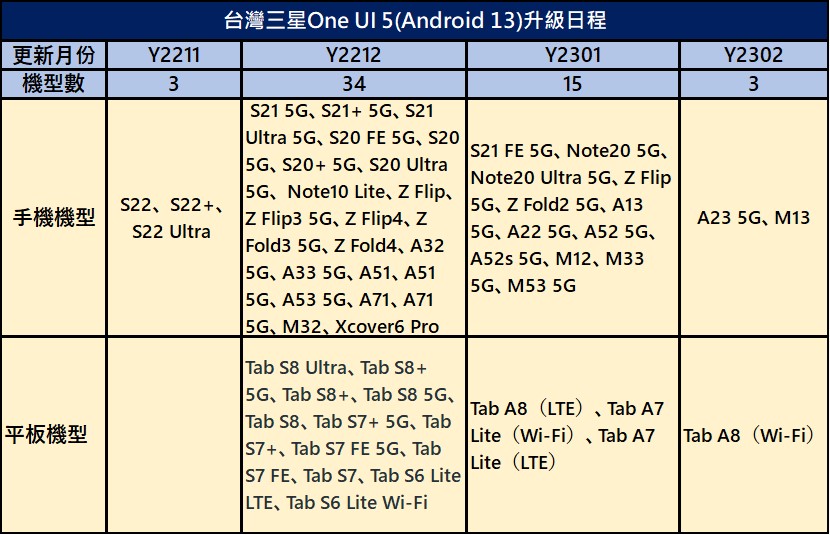
Samsung provides a 4-year system guarantee and 5-year security updates for flagship phones and A-series phones. Since October, it has started to launch Android 13 and One UI 5.0 new system update plans in the United States, Europe, South Korea and other places. Samsung Taiwan announced that 3 models will be upgraded in November 2022, 34 models in December 2022, 15 models in January 2023, and 2 models in February 2023. The upgrade list is as follows:
2. Samsung One UI5.0 features:
Samsung’s latest version of One UI 5 allows users to customize their devices as they wish through various advanced options. One UI 5 supports newNew Bixby Text Call, new widgets smart suggestions, smart text capture,New connected device menu, sharing panel, and other new features. Samsung One UI 5The main features are as follows:
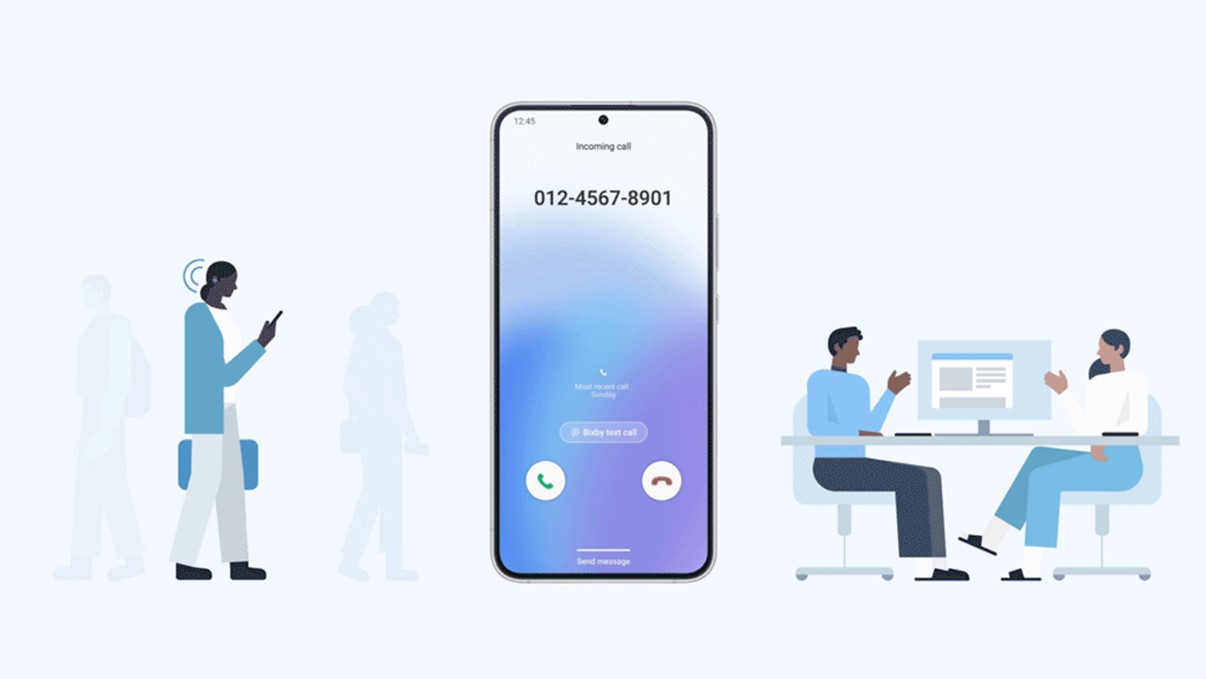
A.New Bixby Text Call, convert speech to text:
New Bixby Text CallAllow users to answer calls in the way that best suits their needs. If it is inconvenient for the user to make a call, he or she can just enter a text message, and Samsung’s smart voice assistant platform Bixby will automatically convert it into voice, “speak” to the caller for the user, and convert the other party’s reply into text display. When you need to answer calls in a noisy environment, you don’t have to worry about being interrupted or missing important messages.
B. New widgets smart suggestions:
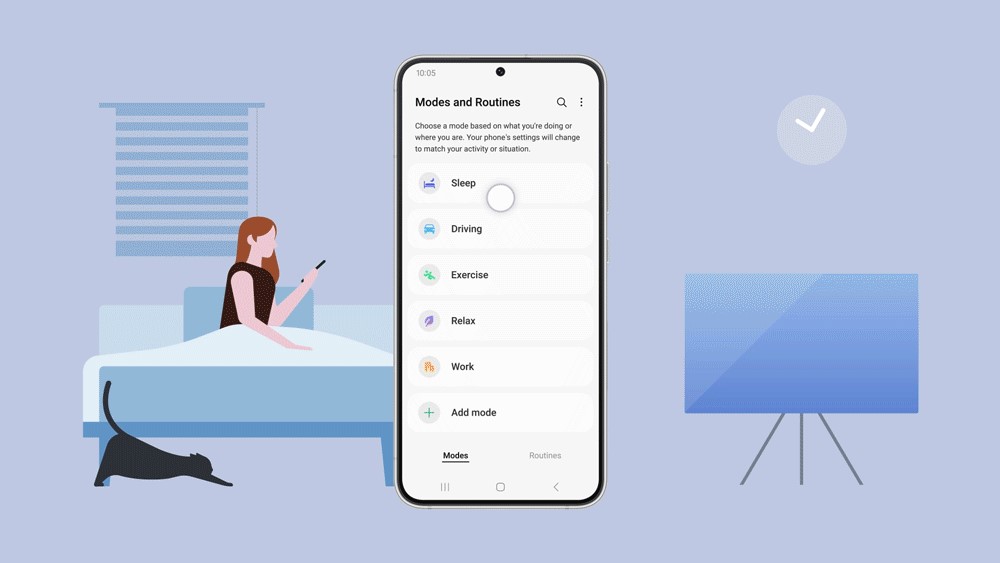
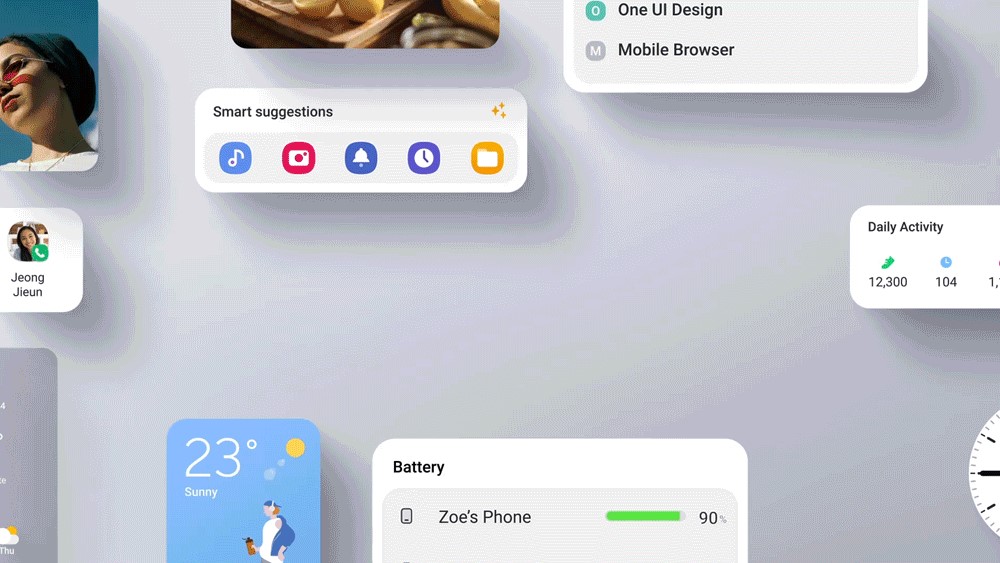
One UI 5 supports the new smart suggestions function of widgets. The system will automatically suggest relevant applications and actions based on usage patterns and activity content. Through the Routines function, users can pre-set the device to automatically perform a series of actions according to their daily habits, and can use One UI 5’s Modes to customize the states to be activated at each time period, such as sleeping, relaxing, exercising or driving.
C. Smart text extraction:
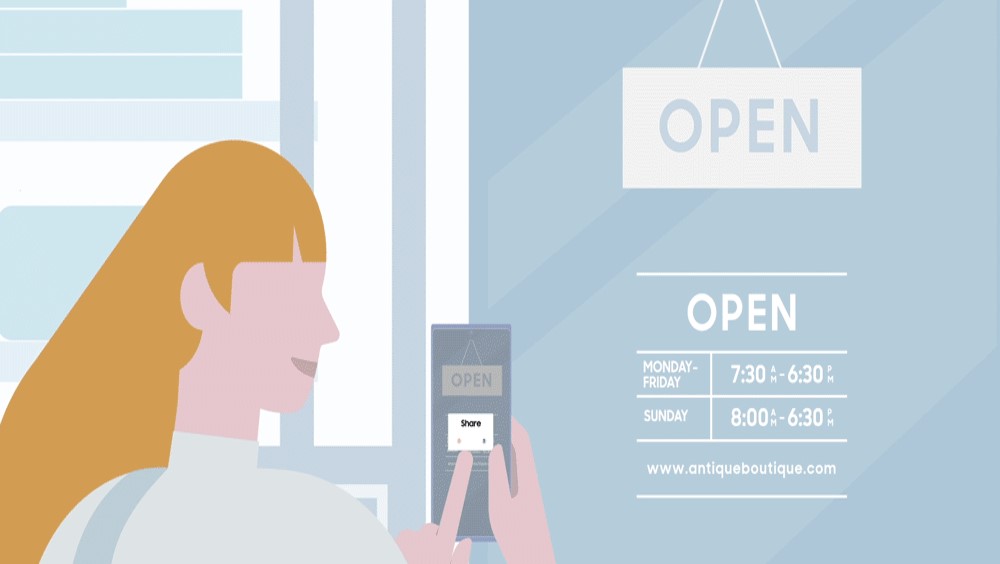
One UI 5’s smart text extraction function allows users to easily extract text from images and copy it to notes. Whether it is capturing information from event posters and forwarding them to friends, or directly storing the phone number on a business card, your work efficiency will be higher than ever before.
D.Brand new companyLine device menu, providing a more seamless user experience:
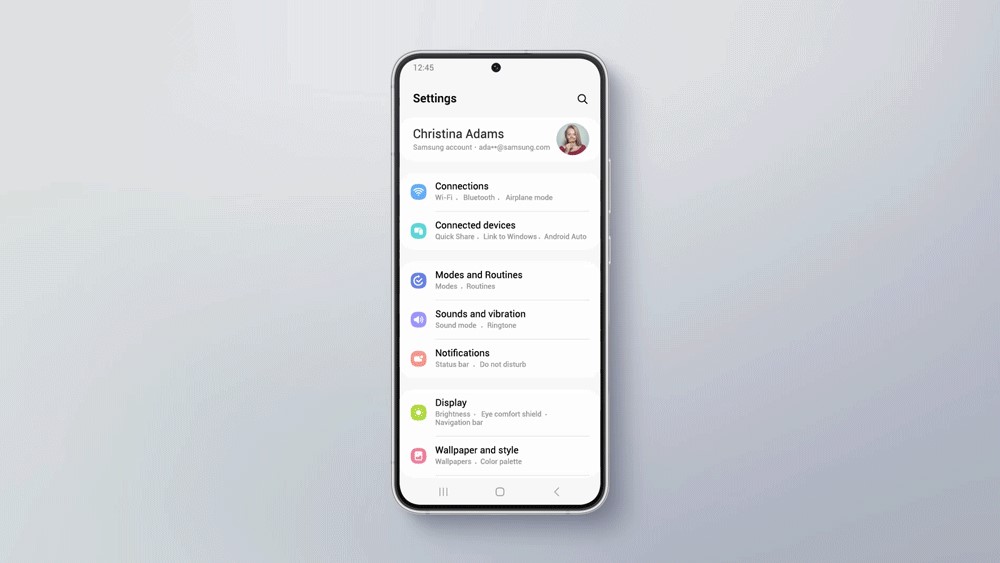
One UI 5 The new Connected devices menu allows you to quickly control all devices connected to your phone and access various functions connected to other devices, such as Quick Share, Smart View and Samsung DeX. You can also directly enter the Buds automatic switching audio menu, allowing Buds to automatically switch connections between different devices, achieving a smooth and seamless cross-device experience.
E. Customize lock screen:
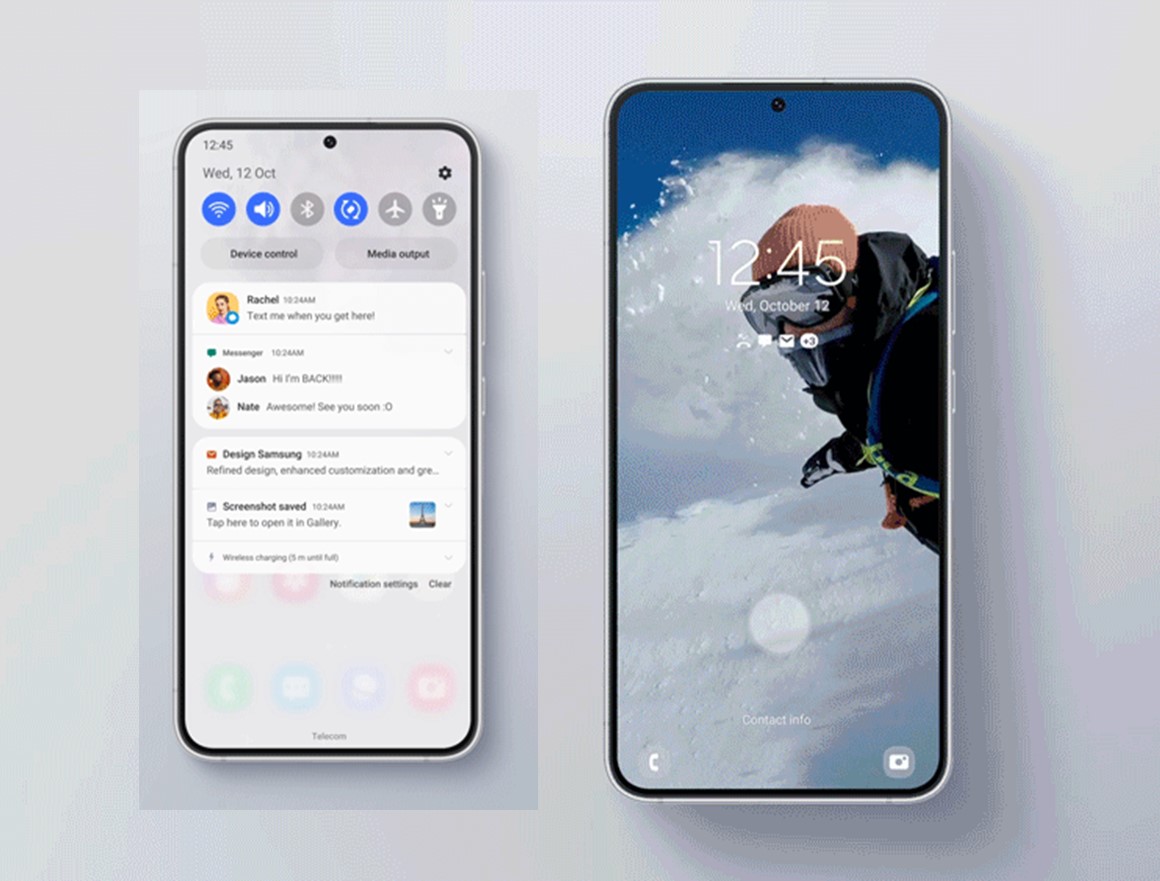
One UI 5 has redesigned the arrangement and display of the notification bar to make it look more intuitive, and when there is an incoming call notification, it has more obvious answer and reject buttons in the pop-up window. One UI 5 also allows users to adjust various personalized settings directly on the lock screen, making it easier to evolve the experience. Users can edit videos with just a few taps and keep beautiful memories vividly on the lock screen. They can also customize wallpapers, clock styles, and notification pop-ups to create a personalized lock screen.
F. Optimize Widgets experience:
One UI 5 optimizes the Widgets experience to keep the mobile phone desktop as tidy as possible. At the same time, based on the set Widgets functions, it will also provide automatic suggestions for APPs and operation planning. For text messages in images, you can copy and share the URL, phone number and other information in the image by directly selecting the copy content.
G. More secure privacy protection:
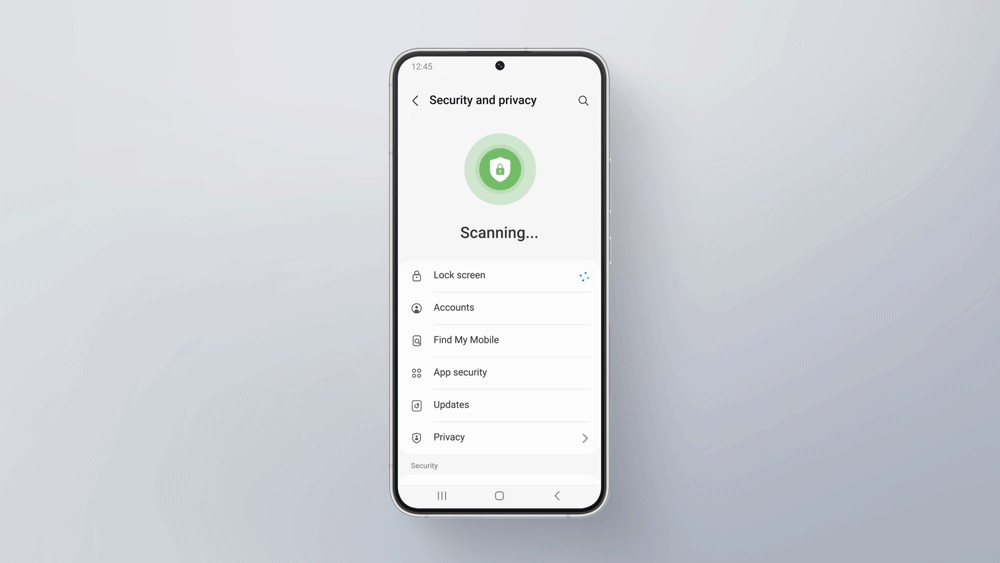
One UI 5 merges “Biometrics and Security” and “Privacy Settings” and launches a new privacy dashboard function, which can instantly detect potential risks on the phone and provide a simpler and more intuitive interface to quickly understand the privacy and security issues of the phone.
In order to prevent the leakage of personal information, One UI 5 has added a Share Panel notification function. If a user attempts to share photos containing sensitive personal information, such as credit cards, debit cards, driver’s licenses, ID cards, passports, etc., the panel will pop up a warning to remind users to pay more attention.
Source: KOCPC Chinese