


Recently, LINE 12.18.0 version update was released, bringing many useful new features! Now you can listen to voice messages and select the section to play without having to start from the beginning! At the same time, notepads and photo albums can be set as announcements in the chat room, so you don’t have to worry about being washed by chat messages. In addition, Apple Watch users can send iPhone photos directly!
LINE 12.18.0 version update released: voice messages can select playback sections, notepad albums can be set as announcements, and Apple Watch can send photos
This week LINE has released another software version update! This LINE 12.18.0 version update has been released on both iOS and Android platforms. This time it mainly brings three functional upgrades:
- Voice messages can be played in specific sections
- Supports notepad and photo album publishing announcement settings
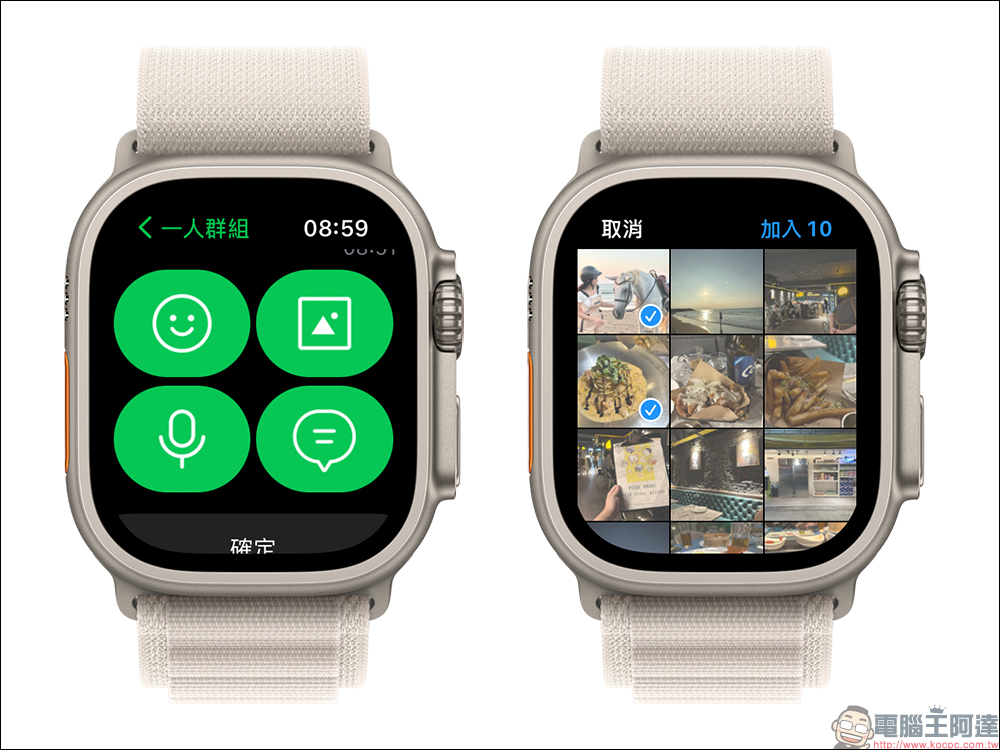
- Photos from iPhone photo albums can be sent directly to the LINE chat room on Apple Watch
Voice messages can be played in specific sections
I believe everyone has the following similar experience. When it is not convenient to type to send text messages, it is easiest to choose voice messages and speak directly! However, voice messages are convenient for you, but for friends in the chat room, it is a bit troublesome to play the voice messages. Whenever the content of the voice message is not heard clearly, you have to press play again and start listening from the beginning. If the number of seconds of the voice message is too long, it will be quite time-consuming.
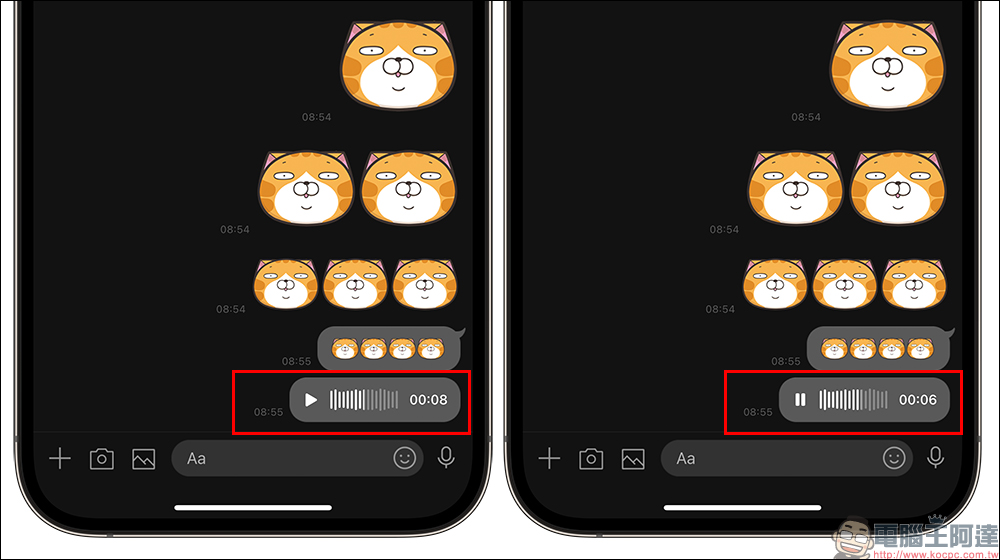
However, after the LINE 12.18.0 version update, users can slide directly from the audio track to the paragraph to start playing, no longer having to start from the beginning! It is also faster to find the key paragraphs of voice messages.
Supports notepad and photo album publishing announcement settings
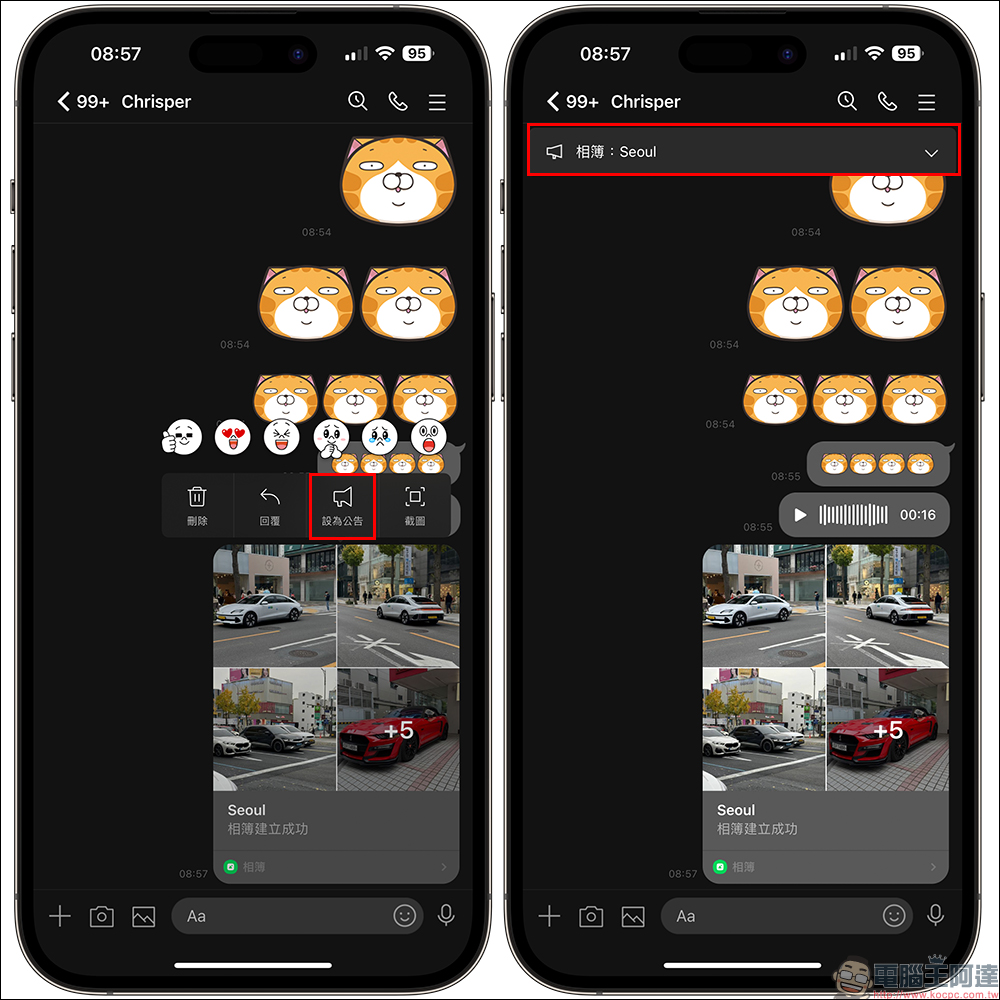
Whether it is a one-to-one or group chat room, when we have a large number of messages constantly updated in the chat room every day, important messages are often shuffled. If you don’t want to miss important matters, you can set the message as an “Announcement” and pin it to the top of the chat room for quick viewing. After the LINE 12.18.0 version update, users can also set the “Notepad” and “Photo Album” in the chat room as announcements. For example, if you send photos to the album while traveling, you can set it as an announcement.
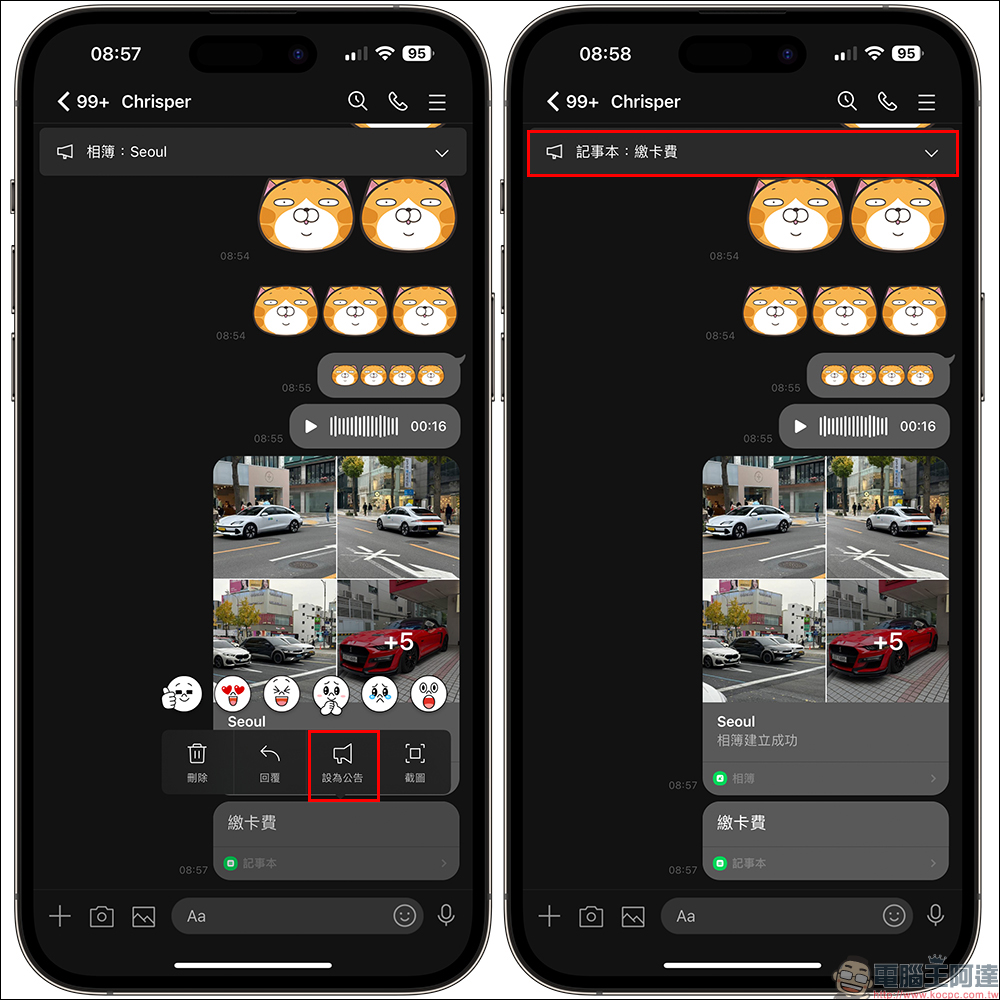
In addition, the content of the notepad can also be set as a notification pin on the chat room page, so that important matters are not forgotten.
Photos from iPhone photo albums can be sent directly to the LINE chat room on Apple Watch
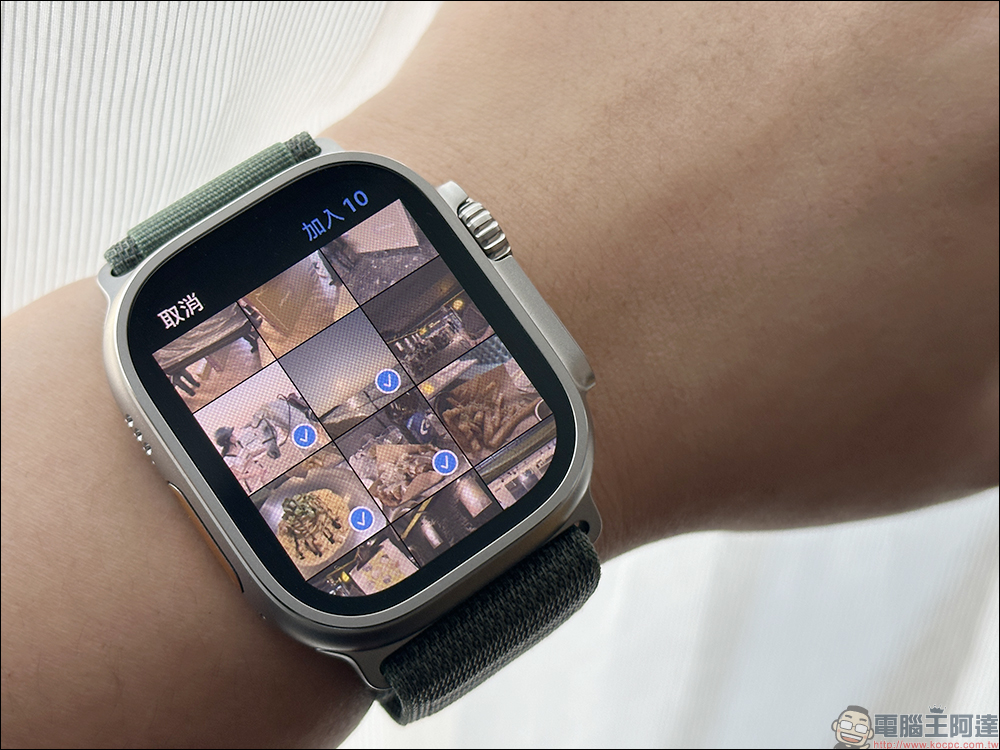
If you are a LINE user of Apple Watch, you have been able to directly reply to LINE messages through Apple Watch in the past. Now after the update, you can now send photos from your iPhone album directly on the LINE App of Apple Watch! A new image sending button has been added to the LINE chat room, allowing users to send up to 10 image messages at a time!
*Tips: Watch OS system needs to be updated to version 9.0 (inclusive) or above
Additional screening in the same scene: Supports large-image display of multiple LINE emoticons
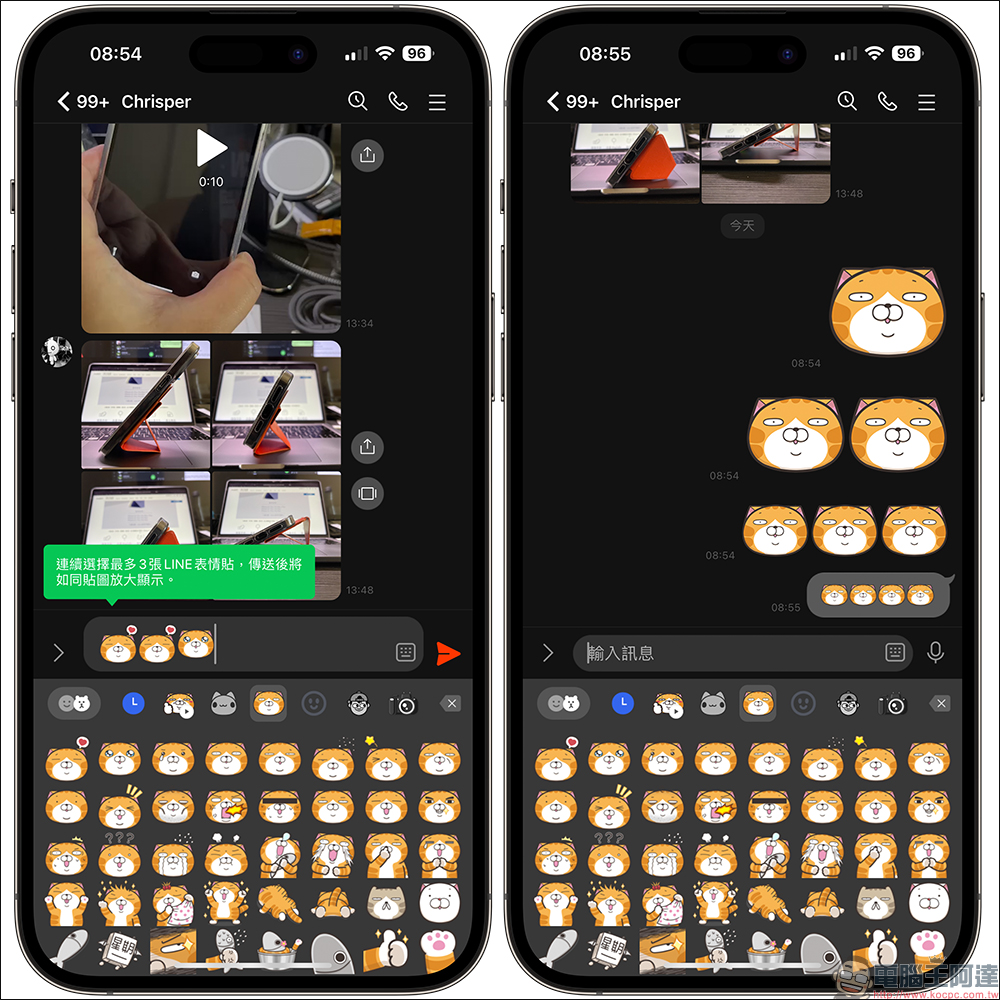
In addition, I would like to add a small update that many LINE users may not have noticed before, that is, LINE emoticons support the enlarged display of up to 3 stickers! When we send LINE emoticons, up to 3 pictures will be displayed as large pictures, and until 4 pictures are sent at a time, small LINE emoticons will be displayed.
Further reading:
LINE free sticker collection: 21 free LINE stickers available for download for a limited time

Source: KOCPC Chinese