


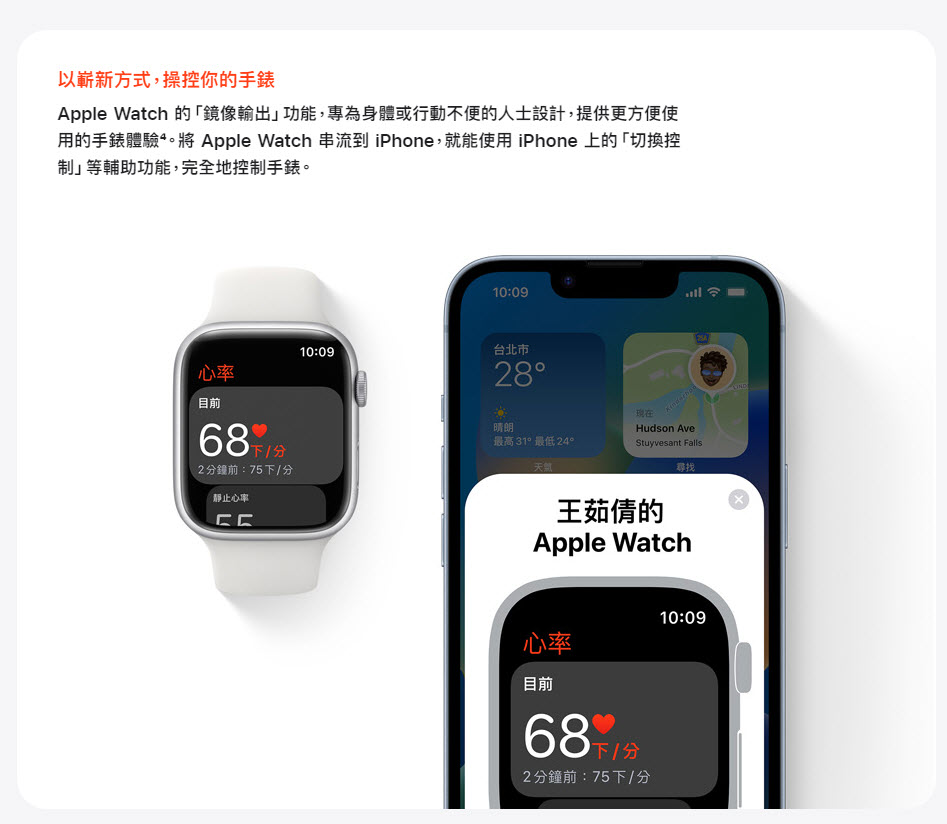
In conjunction with the release of iOS 16 for download on September 13, watchOS 9 is also available for Apple Watch download updates. In addition to enhancing more physical functions and adding family sharing functions and other settings, it can also stream Apple Watch to iPhone through Apple Watch’s “Mirror Output” function.

watchOS 9 will be available for download starting on the 13th. “Mirror Output” can stream Apple Watch to iPhone
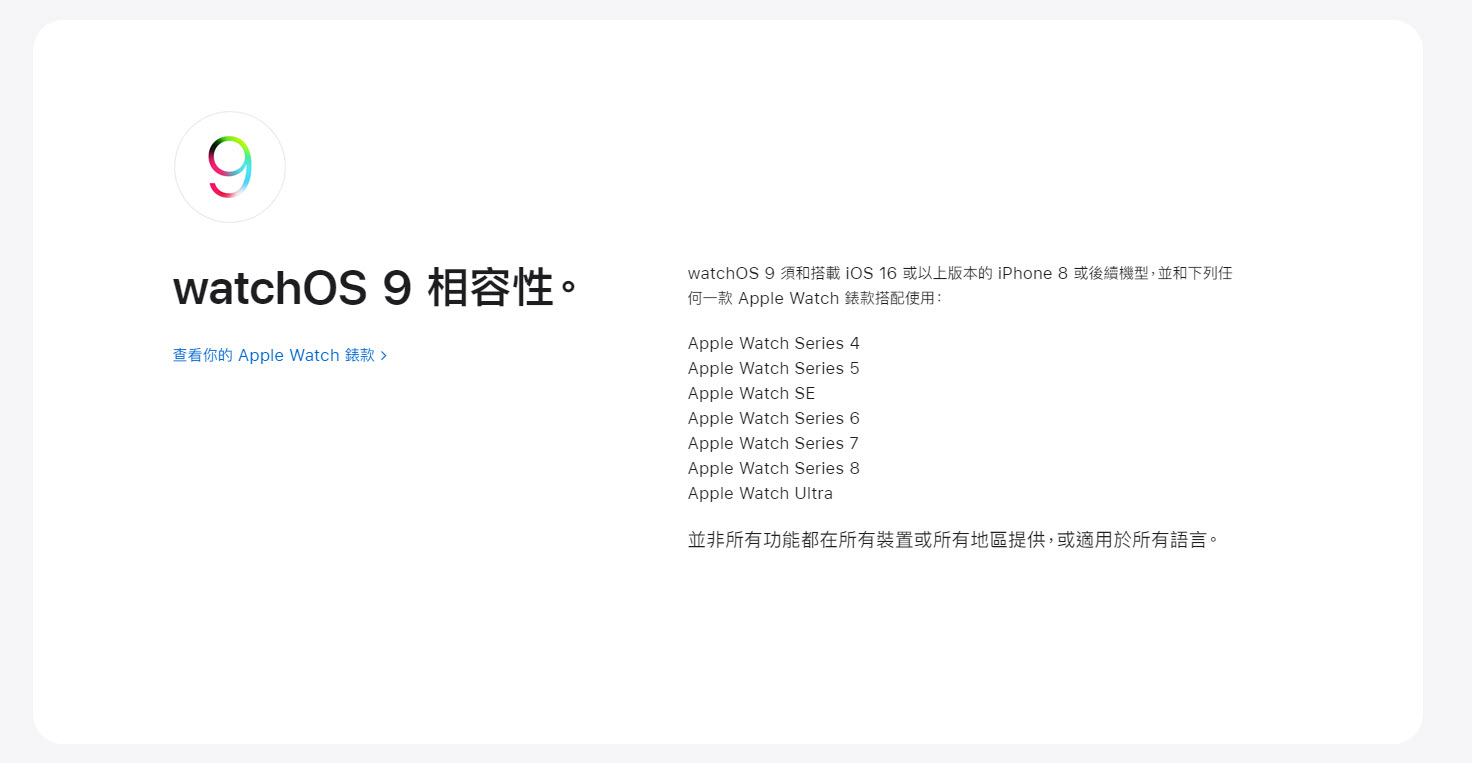
Every time there is a major update, there will also be problems with supported models. In order to use watchOS 9, in addition to being used with iPhone 8 or subsequent models with iOS 16 or above, it also only supports Apple Watch Series 4 or above, and not all functions are available on all devices or in all regions, or available in all languages.
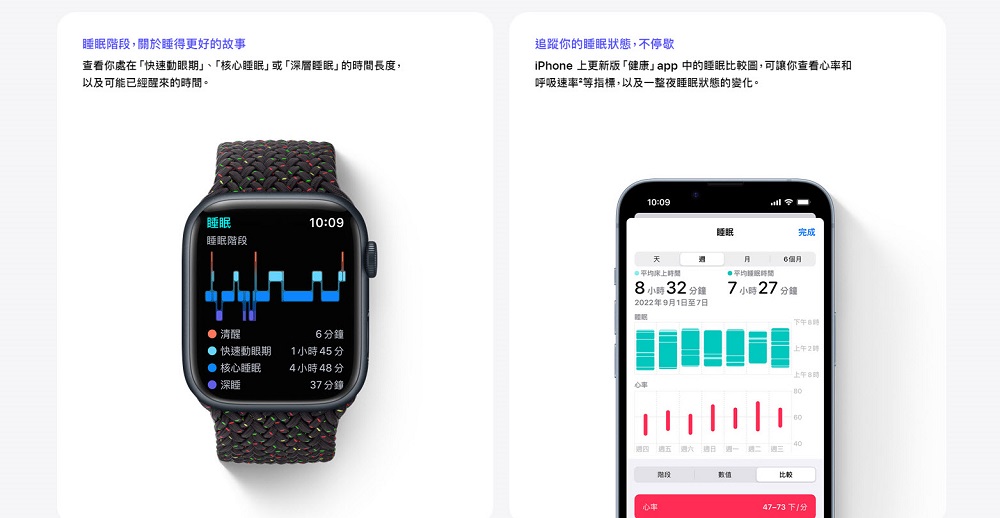
One of the purposes of many people buying Apple Watch is health monitoring and physical training, and watchOS 9 also has more designs for such functions. In terms of health monitoring, there are “medication” reminders in the “Health” app, which can track the intake of medicines, vitamins and health products and record them in reminders; for sleep status, you can check the length of time in “rapid eye movement period”, “core sleep” or “deep sleep”, as well as the time you may have woken up. The sleep comparison chart in the updated version of the “Health” app on iPhone allows you to view indicators such as heart rate and breathing rate, as well as changes in sleep status throughout the night.
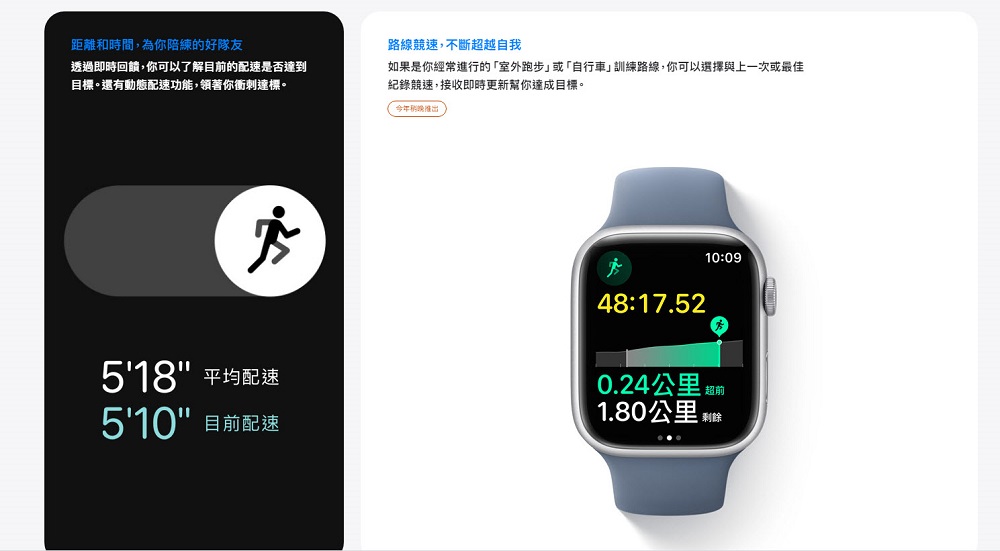
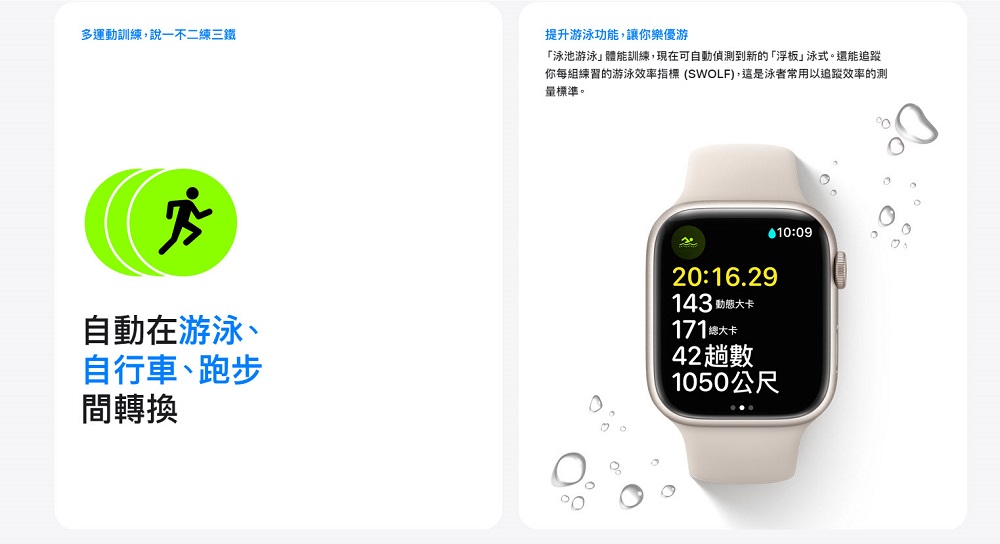
In the physical training section, the new physical training display allows you to see more information from the display screen during exercise. Just turn the Digital Crown to view new indicator displays, such as the Activity Circle, Heart Rate Zones, Power, and Altitude. There are also different enhancements for different types of physical training. For example, “pool swimming” physical training can now automatically detect the new “kickboard” swimming style. It can also track your swimming efficiency index (SWOLF) for each set of exercises; for “outdoor running” or “cycling” training routes, you can choose to race against the last or best record, and receive real-time updates to help you achieve your goals; “running power” can measure your running performance in real time, helping you maintain a sustainable training intensity.
In addition, if you want children who do not have an iPhone to use Apple Watch, you can now set it up through “Family Sharing”. For example, by adding the child as a member of the “Family” app, they can control the HomePod speaker, as well as smart home accessories such as thermostats and lights; put the keys to your home, restaurant, etc. in the “Wallet”, and the child can freely enter the door at any time.

Auxiliary uses include “Quick Actions” that can start physical training or taking photos with two pinches, and by streaming Apple Watch to iPhone, you can use auxiliary functions such as “Switch Control” on iPhone to fully control the “Mirror Output” function of the watch.
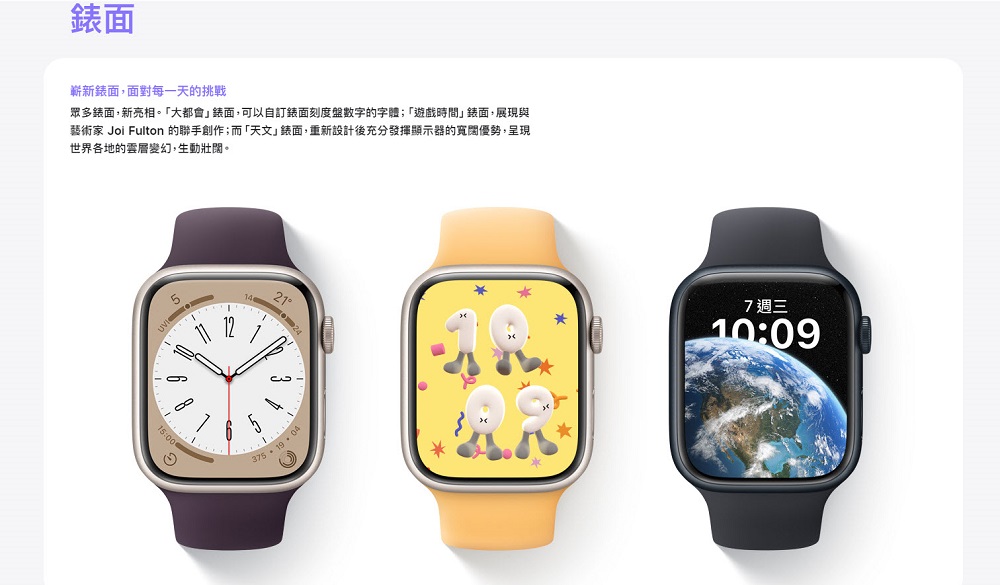
In addition, there are new surfaces such as “Metropolis”, “Game Time”, “Astronomy”, and “Lunar Calendar”, and related functions such as photos of your pet dog or cute cat can also be placed on the “Portrait” surface.
Since many functions of watchOS 9 are linked to the iPhone, some functions of watchOS 9 are necessary. Just remember to update your iPhone to iOS 16 first before updating your Apple Watch.
Source: KOCPC Chinese