


Previously, we introduced the well-known AI video generation service Pika, and recently it officially launched the Pika mobile app. Now, not only can you use Pika on your computer to generate images, but you can also use Pika on your phone! With the Pika app version, you can perform basic text/image-to-video generation, and also generate the previously introduced… Pikadditions、Pikaffects and many other effects. The Pika app has a clean interface and is very easy to use, so whether you’re a beginner or a pro, you can generate satisfying videos with Pika. Recently, Pika has also launched a new feature called Pikamemes, which lets you use photos to create all kinds of memes. If you’re interested in the Pika app and its new features, keep reading~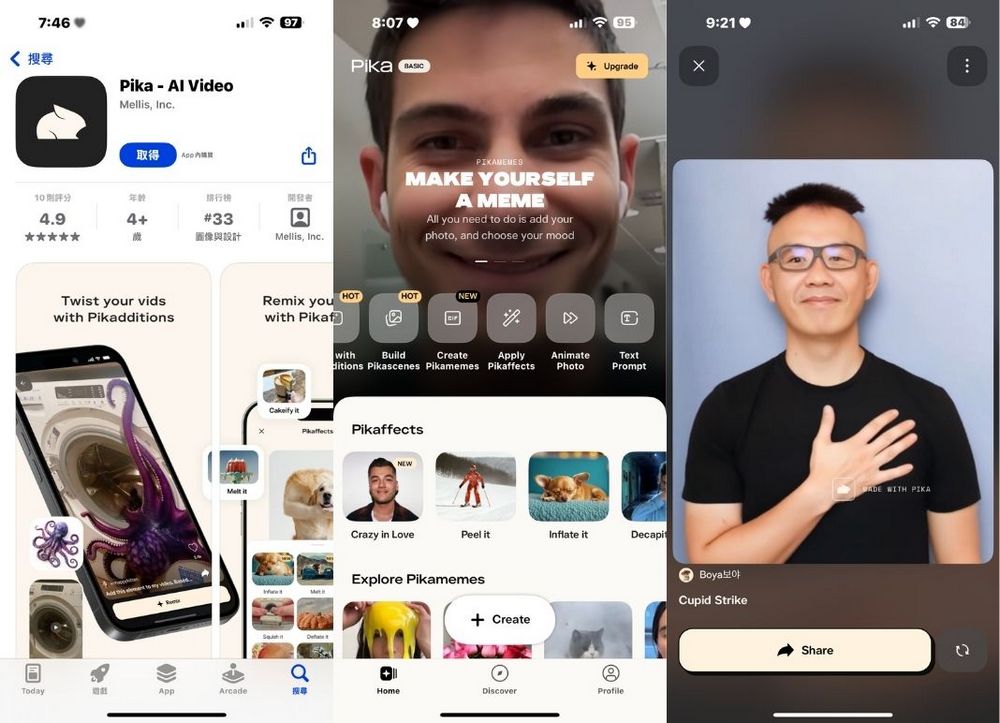
Pika Officially Launches Mobile App: Generate AI Videos Easily on Your Phone
Pika officially launched its official app on 2/19, allowing users to access Pikadditions and Pikaffects features on their mobile devices. Currently, Pika is only available on iOS, and the official Pika app can only be downloaded from the App Store. Apple users who are interested can click the link below to download the official Pika app.
Introducing the official Pika app!
Now our reality-bending features are available right where you post & share.
Download it now on the iOS app store. Link in comments. pic.twitter.com/57uKsIHLn5
— Pika (@pika_labs) February 18, 2025
Go to the App Store to download the official Pika app.
After downloading Pika’s official app, opening the app will show you the login screen. If you’ve used the desktop version of Pika before, just use the same account you logged into Pika with previously.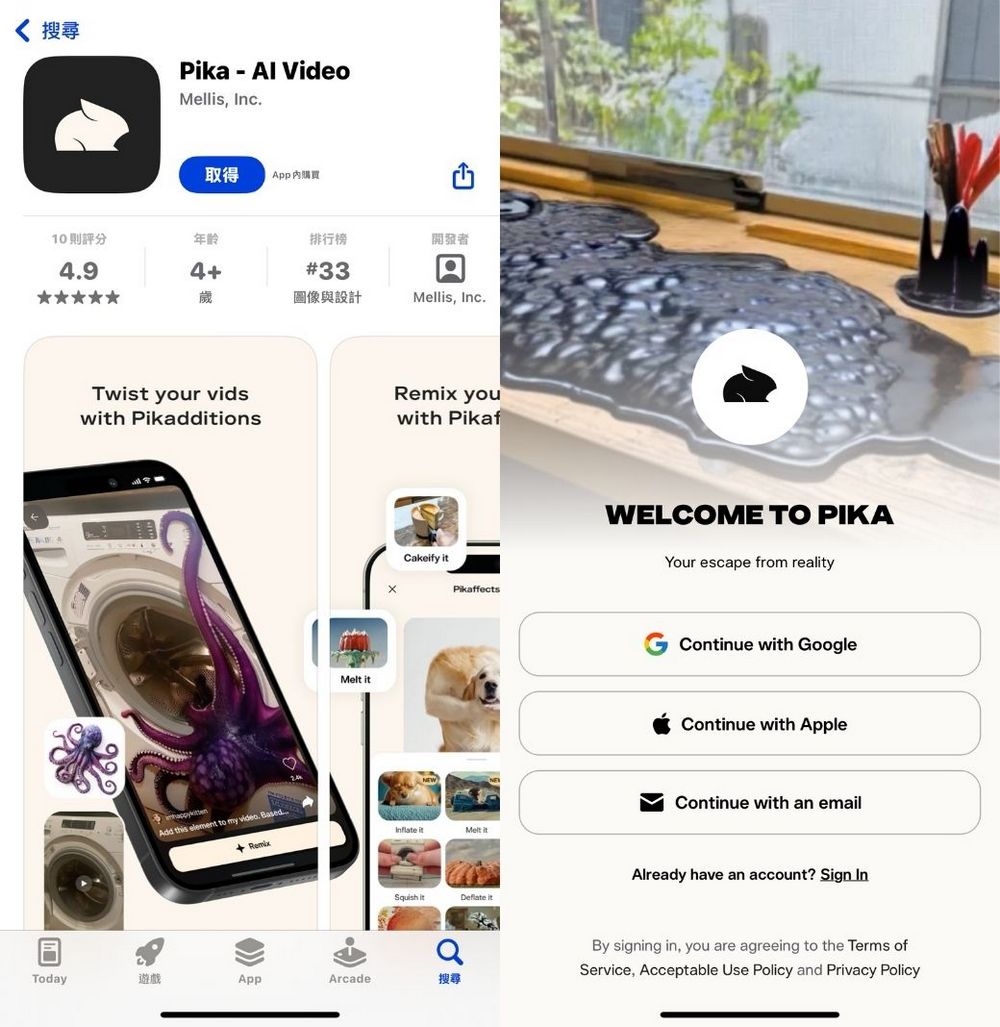
After logging in, you can start experiencing Pika’s features. Before you begin, I want to remind everyone that the Pika app version currently only provides 170 points per month, and using the Turbo model to generate videos with different effects costs different amounts of points. You might want to calculate beforehand so you don’t use up all your points at once.
- Text/Image to video generation costs 5 credits
- Pikascenes costs 10 points.
- Pikadditions costs 10 points
- Pikaffects costs 15 points.
- 1.0 Generation costs 15 points
Now that we understand the points required to generate videos, we can officially start using the Pika app. The main screen of the Pika app is shown below. Clicking “+ Create” lets you choose the Pika features you want to use, such as the ones we introduced earlier. Pikaffects、Pikadditions or perhaps the most basicText/image to video generationFunction.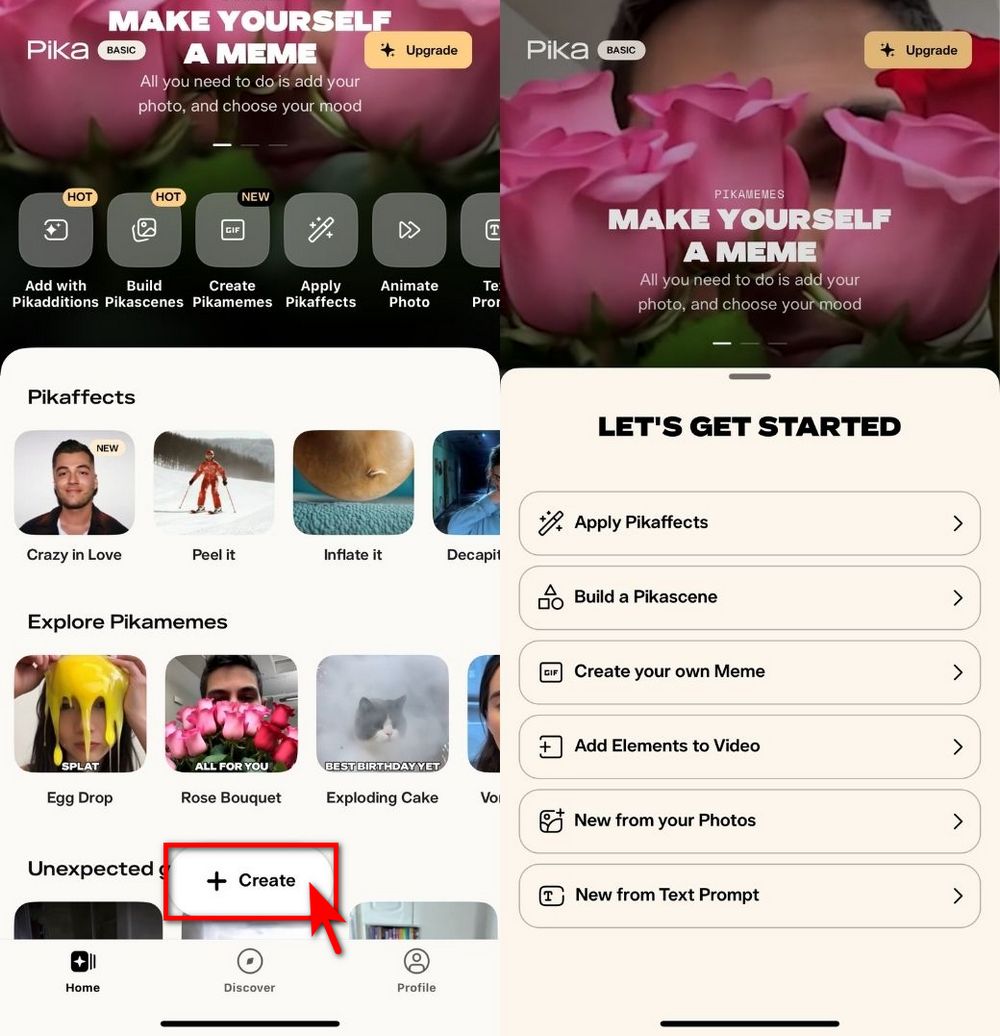
The Pika app is very easy to use. For example, the Pikaffects feature basically just involves uploading an image, selecting the Pikaffects effect you want, and then clicking Generate—Pika will create the video for you. There’s no need to enter extra prompts, making it perfect for anyone who wants to try out video generation.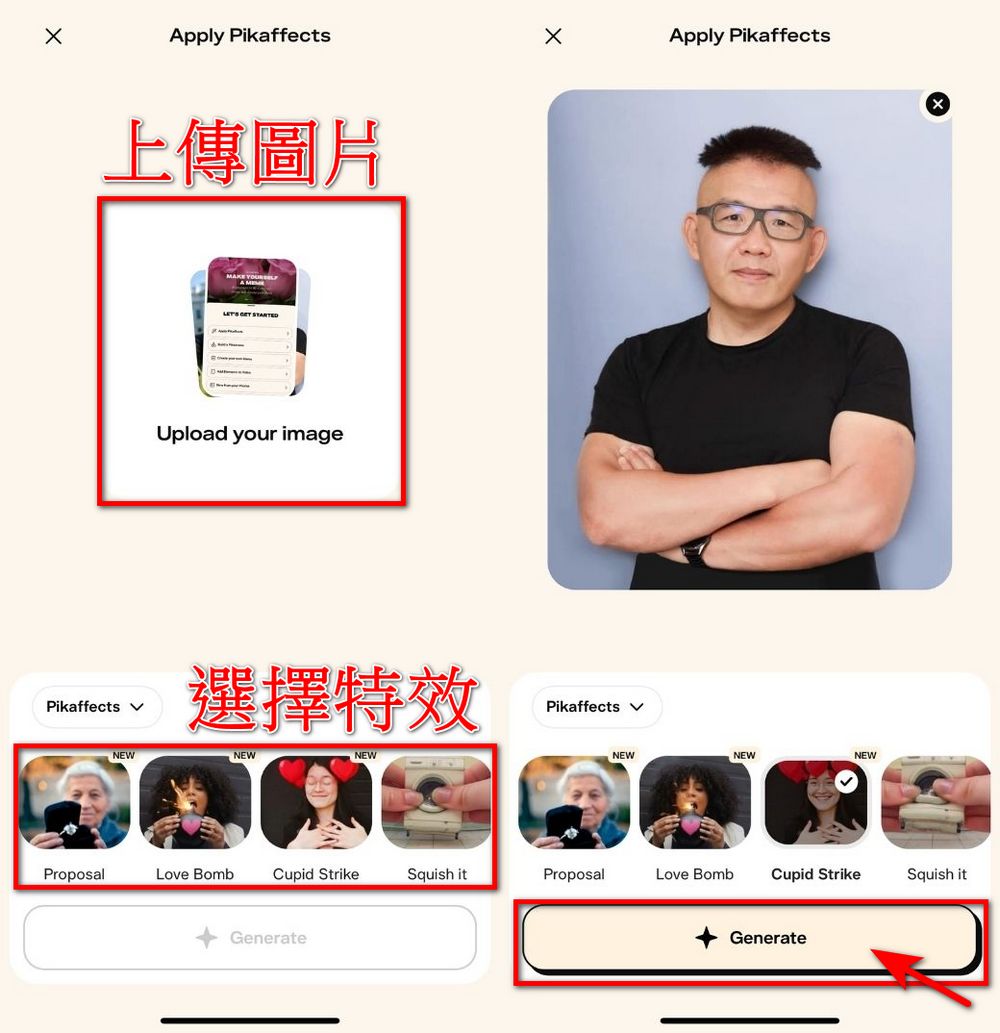
Here’s the editor’s video showcasing various Pikaffects generated using the Pika app, featuring the Cupid Strike, Rose, and Proposal Pikaffects effects:
Besides the Pikaffects effects, the ones we previously introduced Pikadditions Special EffectsYou can also experience it in the Pika app. However, Pikadditions generates more slowly, so you’ll need to be patient while waiting.
Recently, Pika launched a new feature called “Pikamemes” that uses your own images to generate fun memes. You can use your selfies to create personalized GIFs for various situations.
Your face says it all…so make yourself a meme! Introducing Pikamemes: personalized GIFs for every mood, made from your selfies.
Try it now on the iOS app. pic.twitter.com/qiEDOsohnM
— Pika (@pika_labs) February 14, 2025
Using Pikamemes is very simple: pick a selfie, zoom in on the face to roughly match the frame size, then choose the meme you want to generate. Once you’ve made your selections, click Generate to create your own meme. Pikamemes offers many options, letting you pick your preferred style to make GIFs.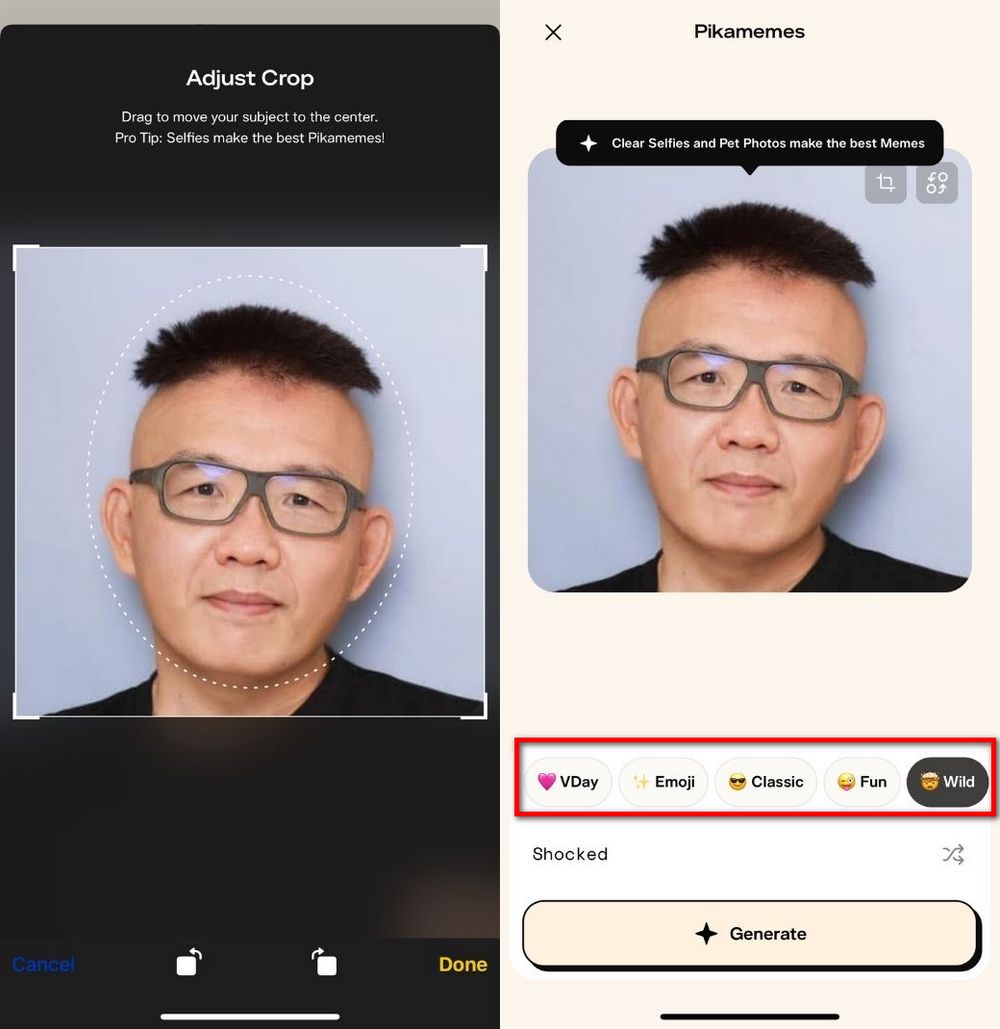
Pikamemes generation effect:


Interested friends can go to the App Store to download the Pika app. Currently, Pika only offers an official iOS version, and the Android version is not yet available (as of 2025/2/20). Although Android users can’t use it on their phones yet, everyone can still experience Pika’s various features on the desktop version. If you’d like to try it, click the link below—we’ve made tutorials before!
Source: KOCPC Chinese