


Do you all remember Dreamina AI, the image generation tool we shared before that can be used for free unlimited times? Besides image generation, Dreamina AI has now also introduced video generation and music generation features. Today we’re going to show you how Dreamina AI’s music generation feature performs—if you’re interested, let’s take a look!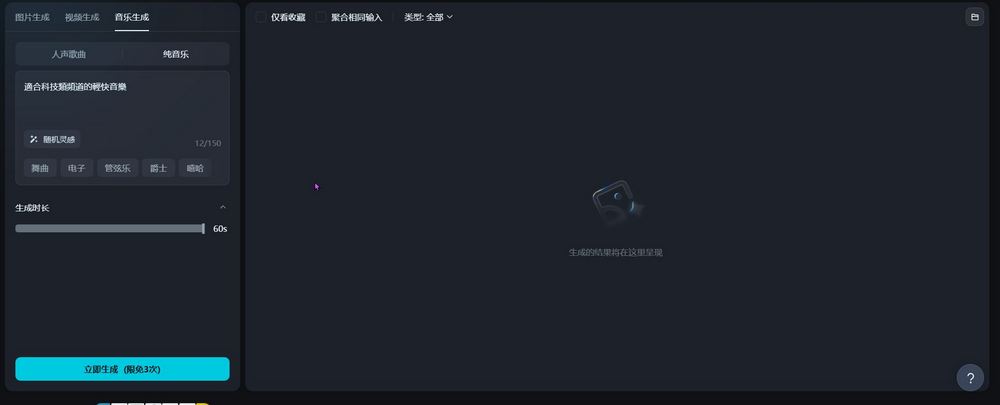
CapCut’s AI tool Dreamina AI has launched a music generation feature.
Have you tried Dreamina AI, the international version of the AI creative tool launched by ByteDance’s CapCut? We actually wrote about it before.IntroductionThe editor thinks Dreamina AI’s image generation feature works quite well. Actually, when we introduced it earlier, Dreamina AI already had options for video generation and music generation, but because these two features on the international version were still in Beta, we didn’t cover them at the time. However, the editor recently discovered that by using the Chinese version, Jimeng AI (the Chinese name for Dreamina AI), you can get early access to the music generation feature. So today we’ll share with everyone how Jimeng AI’s music generation feature performs.

Go experience Jimeng AI music generation now.
Remind everyone that to use the Chinese version of Jimeng AI, you need a Chinese Douyin account. If you don’t have one, you can first check the test results and wait for the music generation feature of the international version of Dreamina AI.
After logging into 即夢 AI, you can experience the music generation feature. 即夢 AI’s music generation feature offers options for vocal songs and instrumental music. First, let’s introduce the vocal song section. For vocal songs, there is a box for entering lyrics. Enter the lyrics you want to use in that box. If you don’t have any ideas, you can use the one-click lyric generation to have 即夢 AI generate lyrics for you.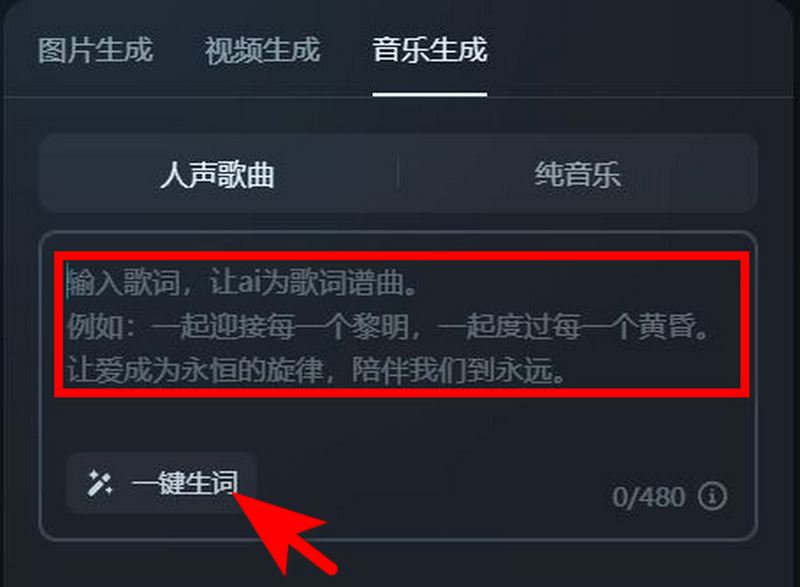
Entering “/” in the field allows you to select song structures such as intro, verse, chorus, etc., making it more convenient to fill in lyrics: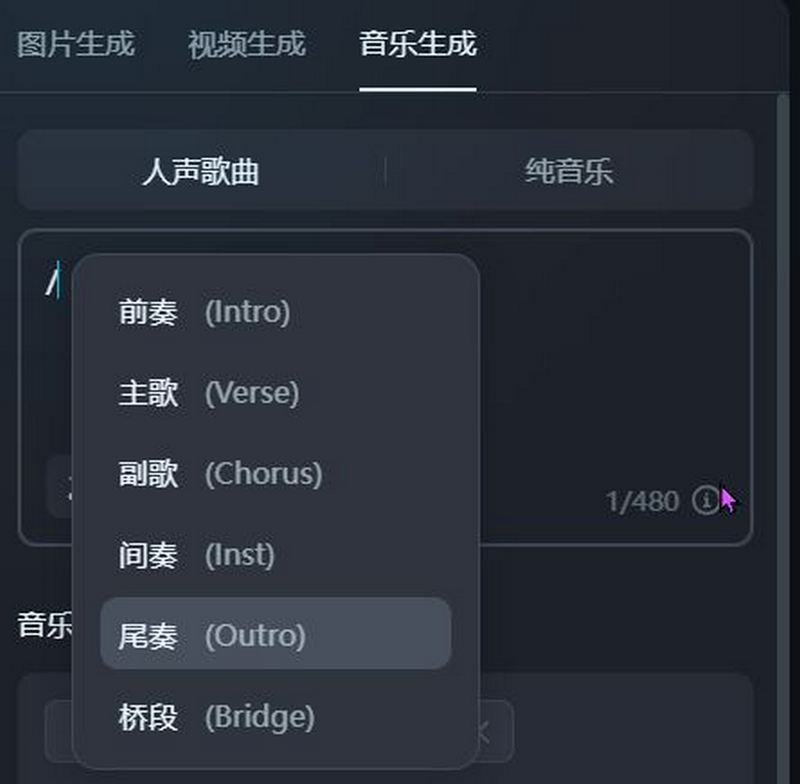
After filling in the lyrics, you can select the music style. Jimeng AI offers three options: genre, mood, and timbre. Compared to the music generation tool Suno we introduced earlier, Jimeng AI’s music generation options are fewer. You can only choose from the options provided by the system. While this makes it easier for those who don’t know how to write music prompts, friends who want to experiment with more variations might find Jimeng AI’s music generation feature a bit boring to use.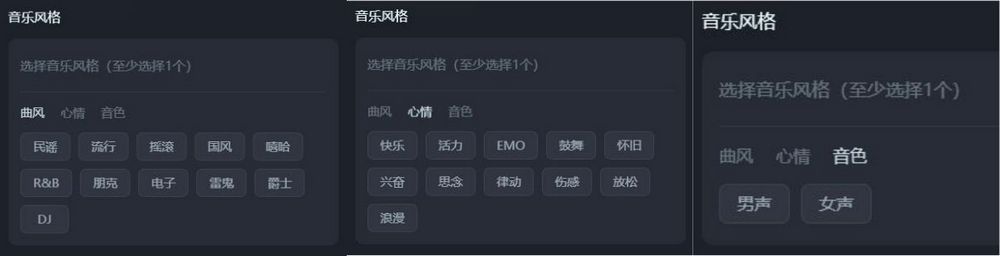
After filling in the lyrics and selecting the music genre, mood, and timbre, click “Generate Now” to get music created by Jimeng AI. Jimeng AI currently offers three free generation opportunities. After that, you’ll need to use Shells to generate music, with 10 Shells per song.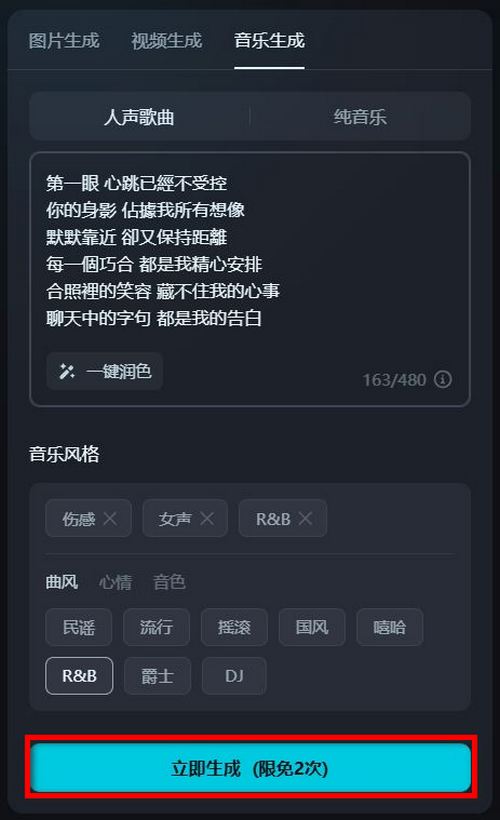
As for pure music generation, it’s relatively simple—just input the musical atmosphere you want, and Jiemeng AI can help you create a song: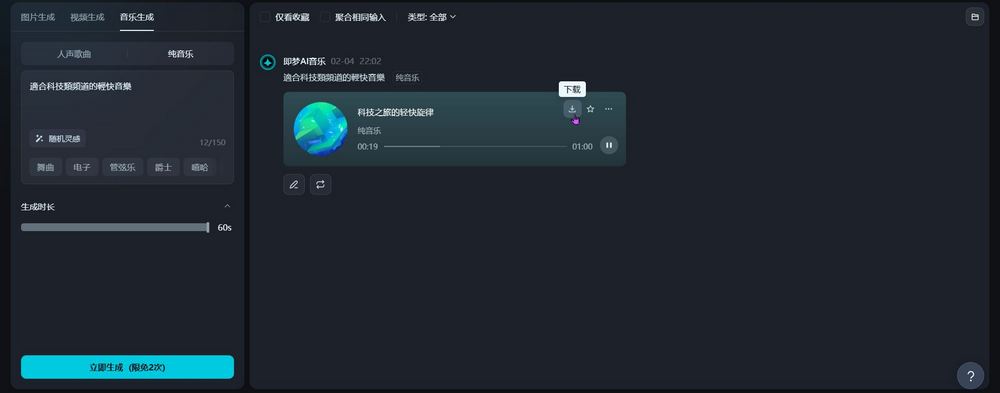
Here is the music our editor created using Jimeng’s AI music generation feature:
At the same time, the editor also used Suno to generate music with the same lyrics and music style options, so everyone can hear the difference. Interested friends who have a Chinese Douyin account can visit the Chinese version of Jimeng AI to try out the music generation feature themselves:
Source: KOCPC Chinese