


Are you thinking about how to convert video files? Here is an application recommended for you – Leawo Video Converter, which can convert between currently popular video and audio formats, MP4 to AVI, MPEG to MOV, MKV to FLV, F4V to WebM, MOV to MP3, RMVB to AAC, MTS to M4A, RM to OGG, etc. With the ability to convert so many formats, it makes sense that you need to purchase it to use it. But!!! Now Leawo Video Converter is holding a limited-time free event. Enter the authorization code to enjoy 1 year of free use. Don’t dare to click in to get it!

用 Telegram 訂閱【挨踢路人甲】最新文章:https://t.me/itwshare
First, enter the event website (the URL is at the end of the article), scroll down to see [How to…], and click [LINK-2].

After entering your name and email address, click [Sofort Erhalten].

It will jump to the following web page, copy the authorization code in the red box.

Return to the event webpage, scroll down to see step.3 and click [Itmcp_setup.exe] to download the file.

Before downloading, check [Agree License Agreement] and click [Install].

Wait a moment.

Click [Finish] to start the application.

After opening the program, click the golden key in the upper right corner and paste the copied authorization code in the blank space.

After clicking the down arrow, you can see that the video converter has been registered, so you can use its conversion toolbar.

After clicking [Convert], there is a row of options below to select the original file to be converted.

Click [Add Video] here, select the video you want to convert, and click [Open].

You can add more than one original file, which means batch conversion is supported.

Click the edit icon on the right side of the picture above to enter the editing area below. In [Video & Audio] you can adjust the speed and volume.

[Cut] allows you to select the clips you want to keep.

[Watermark] Provides text and picture versions of watermarks.

[Crop] allows you to select the size of the screen.

[Effect] You can adjust the brightness, saturation and contrast of the video.

[3D] can be converted into a picture that matches various 3D glasses. Click [OK] after all adjustments are made.

The output can be formatted, edited and changed.

Make settings according to your own preferences, and the format can also be adjusted to 2K4K, etc.

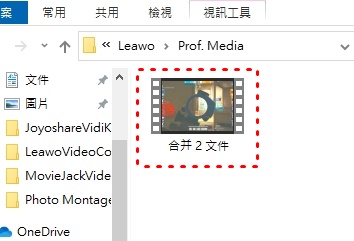
Click the icon on the right side of Convert to merge the two files, and finally click [Convert].

After selecting the file location, click the convert icon.

Wait a moment.

When finished, click the folder icon.

Find your own profile.
【Software name】:Leawo Video Converter
[Event URL]: Clickhere
Further reading:
- MovieJack Video Downloader ─ Youtube download tool free for one year only!
- ThunderSoft Video Editor video editing software, free for one year only!
- FlexClip is a simple, fast and installation-free online editor to easily create your own short videos.
- Abelssoft ScreenVideo 2022 screen recording program, free forever for a limited time!!!
Source: KOCPC Chinese