


In daily life or at work, we often encounter situations where we need a suitable image for a presentation, design, or social media post, but after searching everywhere, we still can’t find material that fully meets our needs. Even when we find a close match, issues with details, composition, or resolution may force us to settle for a suboptimal option. This selection process is not only time-consuming but also frustrating.
If there were a tool that could quickly generate multiple similar but optimized new images based on images you already have, would it significantly reduce your time and effort? The “Clipdrop Reimagine” being introduced today is precisely an efficient AI tool that solves this kind of problem!
Clipdrop Reimagine simply uses AI to generate multiple similar images with one click.
Clipdrop It is an online tool focused on a wide range of image processing technologies. Previously, I mentioned its features such as image enhancement, background replacement, and one-click background removal. These features are not only simple and easy to use, but also help users quickly complete basic image processing, allowing even those with no image editing experience to achieve in minutes what would normally require extensive professional software.
This time, we’re specifically introducing its advanced feature—”Clipdrop Reimagine.” This is an AI tool for image-to-image generation. With a simple image upload, users can quickly generate multiple new images that are similar to the original yet each with its own distinct style. It’s especially suited for scenarios where image variation, refinement, or quick alternative options are needed, helping users cut through the hassle and inefficiency of image selection.
Clipdrop Reimagine uses the open-source Stability Stable unCLIP model, and its generation process is highly distinctive. When a user uploads an image, the system encodes it and generates multiple images similar to the original based on that data. These generated images do not directly use any pixels from the original; instead, they present similar but different results with entirely new details and composition.
Compared to many traditional image generation tools, Clipdrop Reimagine’s advantage lies in:
- Quickly generate diverse images: users only need to upload an image once to get multiple options, saving a lot of time on manual editing.
- Combining detail and innovation: although the generated images maintain a similar foundational style to the originals, they feature significant changes in details and composition, meeting the needs of a wider range of use cases.
Usage restrictions
According to the official description, Clipdrop Reimagine offers both free and paid plans.
- Free plan: Users can generate 20 images using the Clipdrop Reimagine feature every 24 hours, but cannot download high-resolution HD quality images.
- Paid plans: offer higher generation limits and high-definition download options, suitable for professional users with higher quality demands.
Although the free plan has some limitations, these features are already quite sufficient for everyday needs. Whether you’re looking for creative images for social media platforms or want to test out different design styles, Clipdrop Reimagine helps users quickly meet their image diversification needs.
How to use?
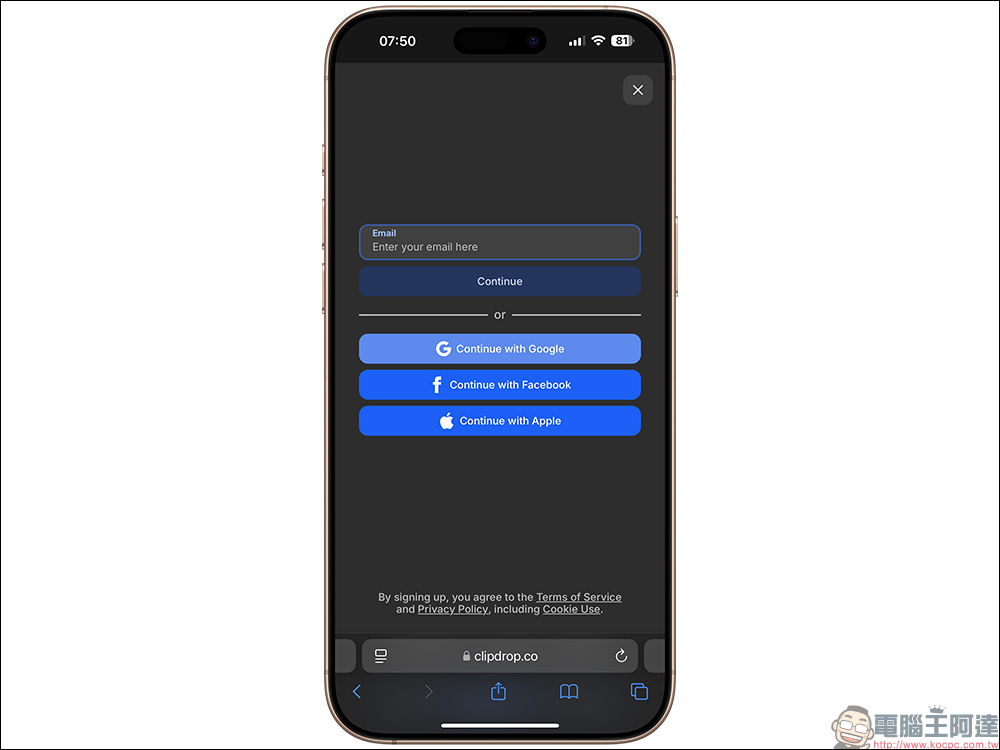
Using Clipdrop Reimagine is also very simple: go to “Clipdrop ReimagineGo to the page, then click Login. You can log in by entering your Email or using your Google, Facebook, or Apple account for quick login.
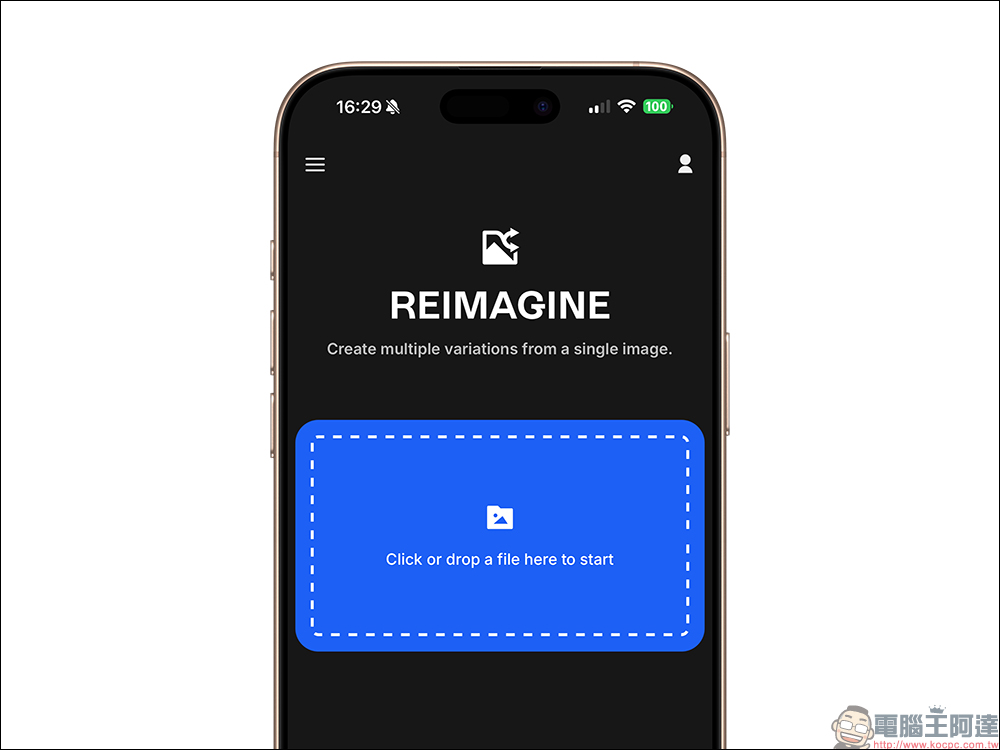
Next, click the “Click or drop a file here to start” area on the main screen to load the image.
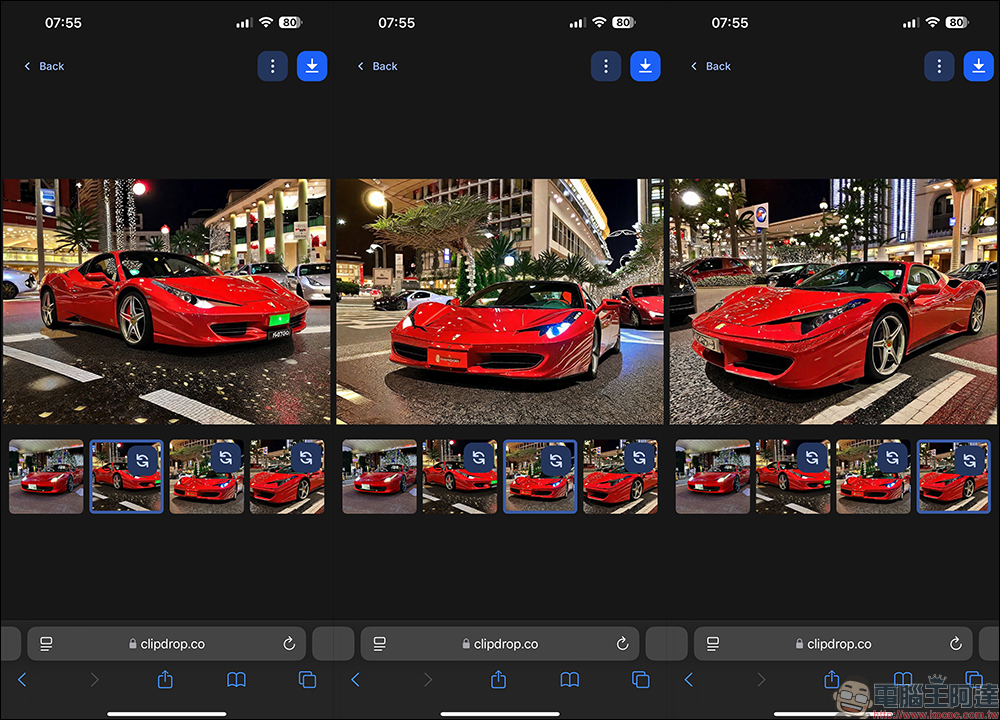
Using the iPhone as an example, it will open the photo album for users to select the image materials they want to generate. After making the selection, tap “Done” to start processing. The processing takes a moment, and then AI will automatically generate 3 images similar to the original.
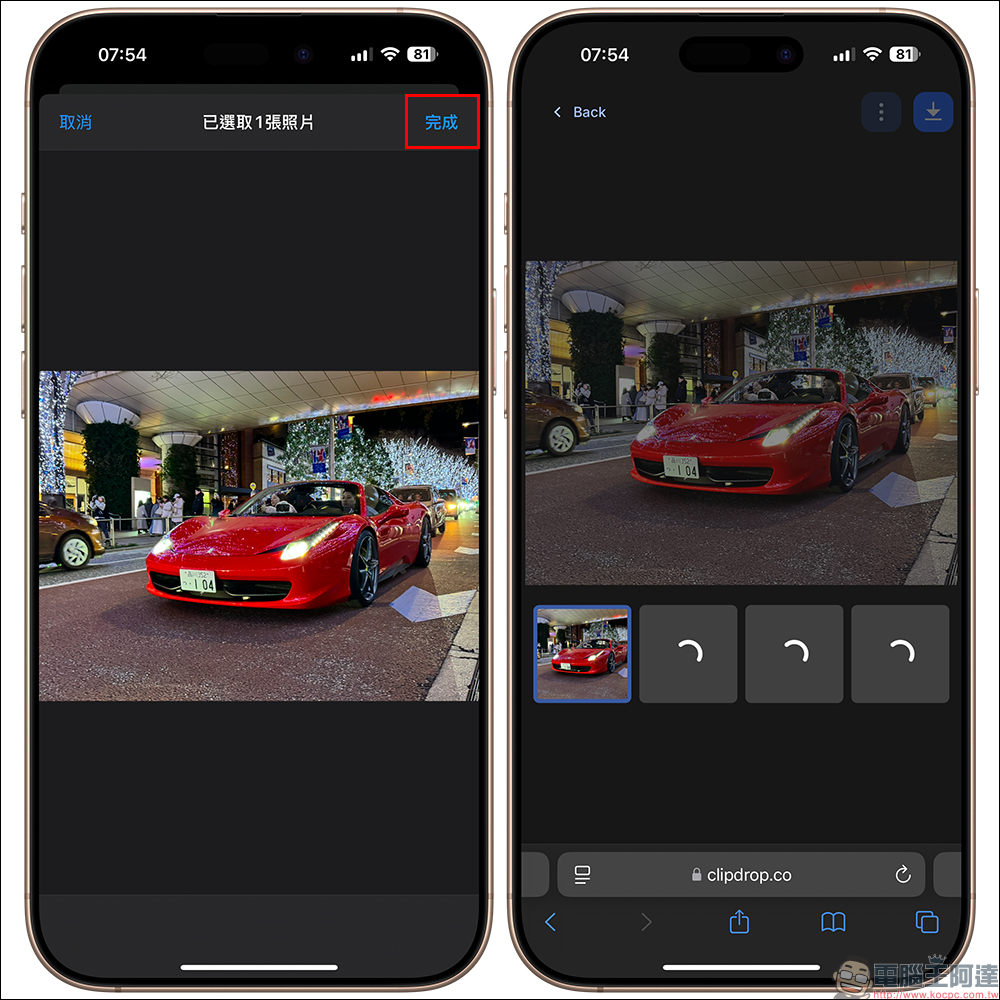
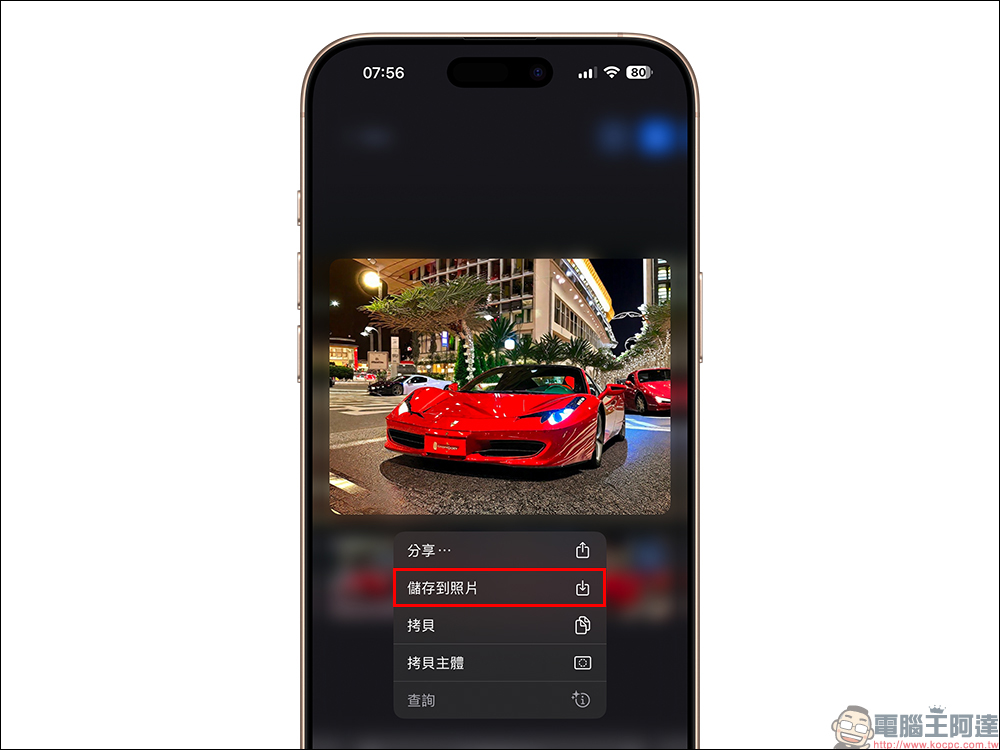
After generation is complete, users can click the regenerate button at the top right of the image to regenerate that image individually. If satisfied with the image, they can also download it directly to their device. However, for free users, remember not to click the download button at the top right. Instead, on mobile, long-press the preview image to save it, and on desktop, right-click and choose “Save image as.”
Taking iPhone as an example, long-press the preview image and tap “Save to Photos” to save the generated image! Although the quality isn’t the highest, in practice they all come out at 1024*768, which is enough for use on web pages.
The following are several images generated by Clipdrop Reimagine:



Conclusion
When you need a large number of images, you often spend a lot of time searching and filtering, yet still may not find the perfect assets. Clipdrop Reimagine offers a brand-new solution that lets users easily generate multiple similar images, no longer limited by the resources of image libraries. This not only makes everyday work more efficient but also opens up more possibilities for design and creativity. If you’ve ever struggled with choosing images, why not give this tool a try? It might bring unexpected changes to your workflow.
Clipdrop Reimagine

Source: KOCPC Chinese