


Many people use their mobile phones to read online articles during commuting, lunch breaks, or other trivial time. Although this is very good, most of the time is very short, and there must often be situations where certain articles cannot be finished at the moment. This article will recommend a very good free InfoFlow. The App not only allows us to save unread or interesting articles with one click, but also automatically saves them as a version that can be read offline. This means that you can continue reading even if there is no Internet. It doesn’t matter even if the article disappears from the Internet, this article has been permanently saved on your iPhone. (There is also a classification function)

Introduction to InfoFlow, a free app that can collect online articles offline
InfoFlow has a Chinese interface and supports automatic backup. All content will only be stored on your device or iCloud, which means that even if you change your iPhone, your stored content will be synchronized:

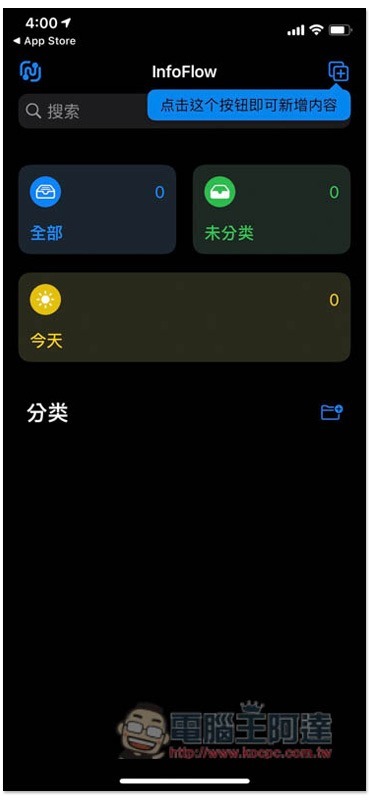
After entering the homepage, there is a function in the upper right corner to add article links, but I personally recommend that it is easier to join directly from the browser app. The App interface is very similar to Apple Reminders, and those who have used it should be able to get started quickly:
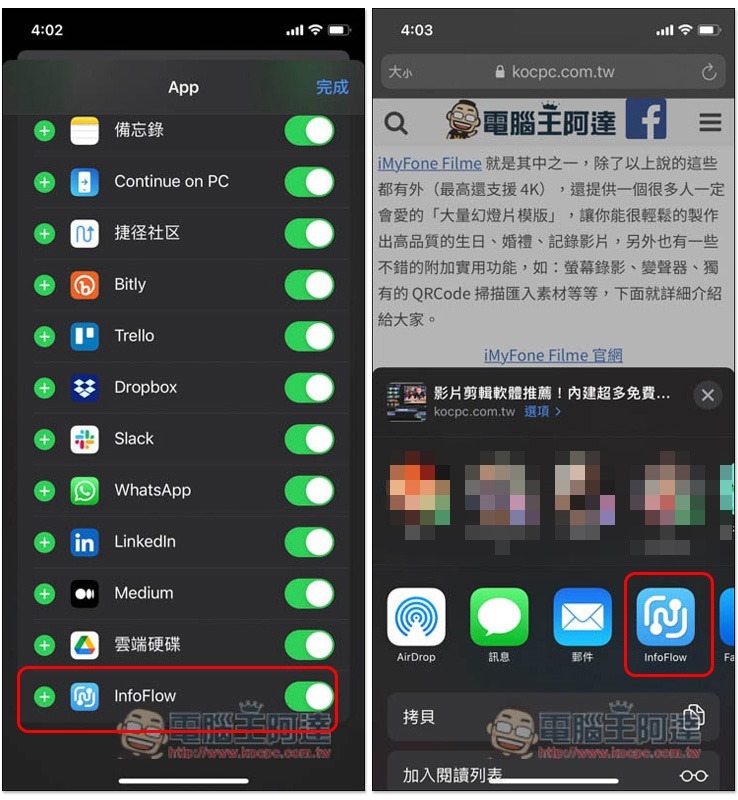
After the browser reads the article that you are interested in and want to collect, press the share function below to open the… More options at the end of the second column:

You can find the InfoFlow option inside, click Edit in the upper right corner, and then add it. When you want to collect articles in the future, you will see InfoFlow when you open the sharing function. If you don’t see the … More options, please close the browser app completely and reopen it, and it should appear:
The title of this article will be saved directly. Click “Select Folder” to add a category:

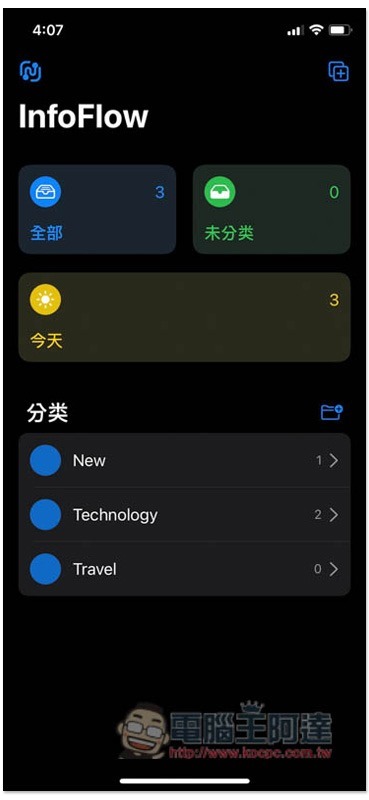
You can see this article after opening InfoFlow App:

However, please note that by default, only text content will be saved. If you want to include images, please go to the settings in the upper left corner of the homepage:

There is a “save method” below:
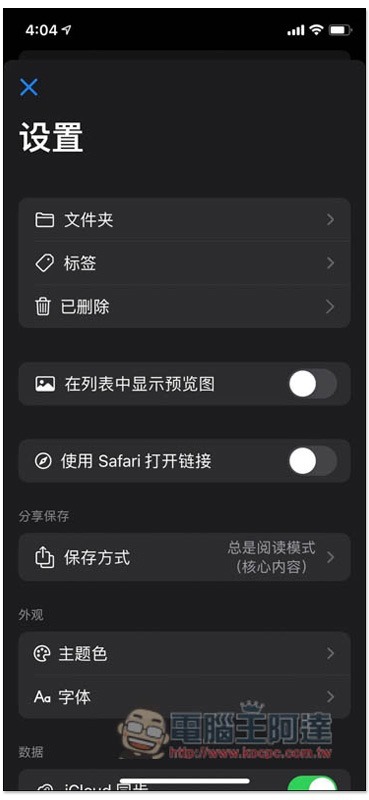
Just change it to “Always full text”:

Previous or future collections of articles will contain images. In addition, I also tested whether the picture below can be read offline, and it is true. I switched to airplane mode and turned off the Wi-Fi function, and I can still read it:

The folder icon at the bottom of the homepage allows you to create categories:
There are many options that can be adjusted in the settings, such as theme color:

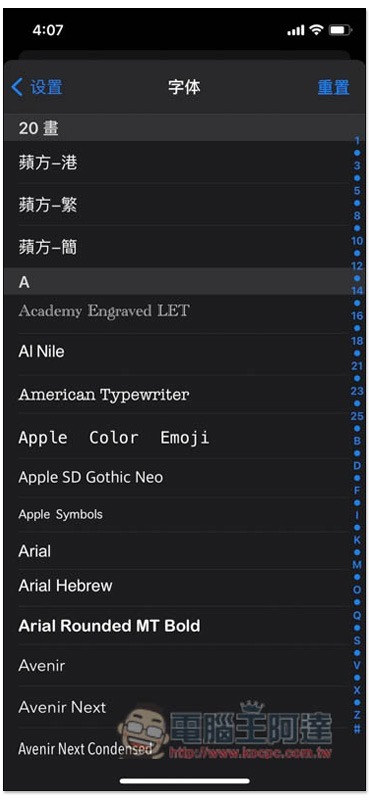
Even the display font works:
Source: KOCPC Chinese