


With the recent improvement in the level of epidemic prevention, people are required to implement the real union system when entering and exiting many places such as restaurants. The 1922 SMS real union system launched by the Executive Yuan has been on the road for a few days, allowing people to save the trouble of handwriting registration on paper or inputting electronic forms on mobile phones. As long as you open the camera app of your phone or a third-party app such as Google Lens, you can quickly complete the registration steps of the SMS real union system.
It’s super easy for iPhone users to just open the camera app, but recently, some PTT netizens also shared a shortcut script for “Quick SMS”, which allows users to scan QR codes and send text messages with just one click when going to indoor places to register for physical linkage. Even the steps of sending text messages are saved!
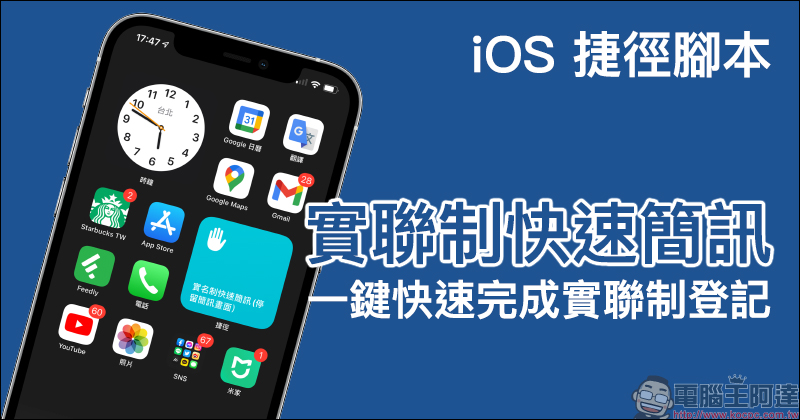
Tips for using iPhone: “Quick SMS” iOS shortcut script to quickly complete the registration of the Joint Stock Exchange with one click!
Although during the current epidemic, the best way to prevent the epidemic is to avoid going out and coming into contact with others, but it is inevitable that you still need to go out when you need to buy meals and daily necessities. At this time, in addition to wearing masks and maintaining social distance, entering indoor restaurants and other places requires registration for the real connection system. After these days of regulations on the road, most people have gradually become accustomed to it. Previously, Computer King Ada also shared a video tutorial on how iOS/Android users can use the text real connection system (please refer to the latter part of this article).
This time I want to share PTT netizens share iOS shortcut scripts for iPhone users, allowing iPhone users to quickly complete the QR Code scanning and SMS 1922 registration process with shortcut scripts.
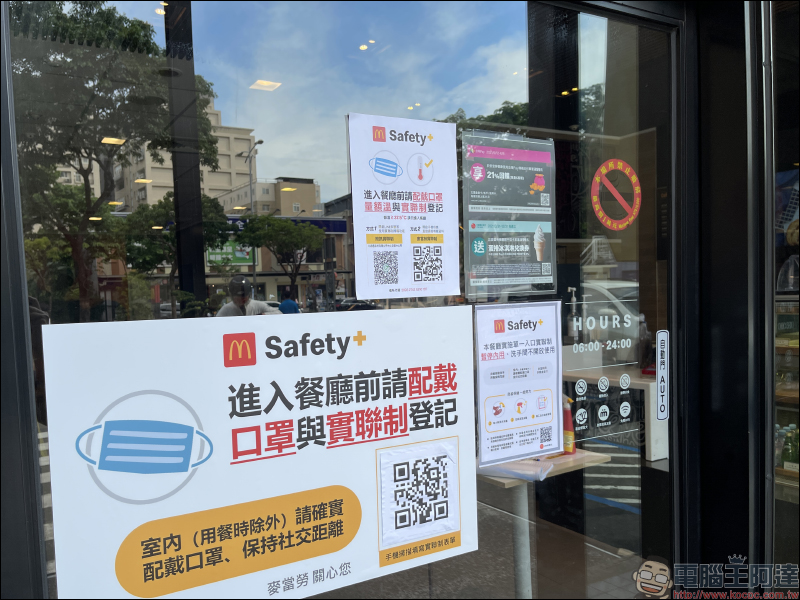
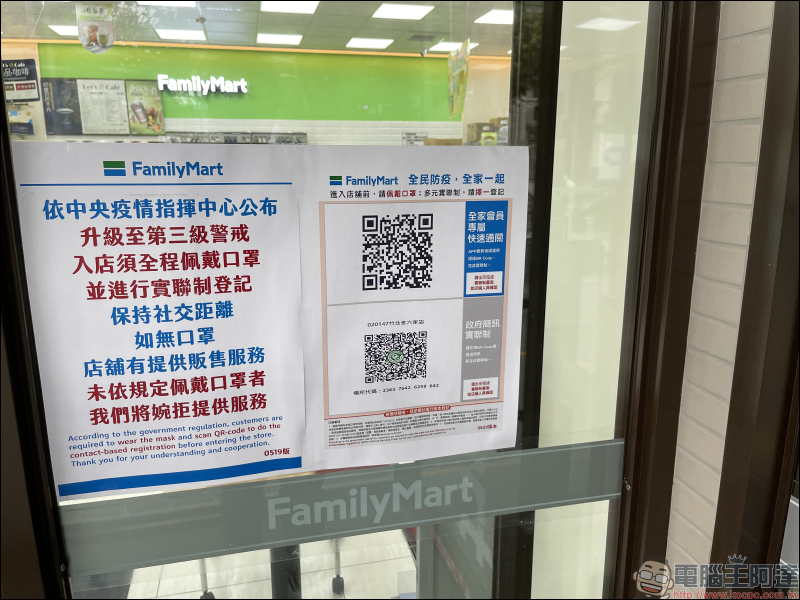
▲ Nowadays, the QR Code for registration under the real-link system will be posted at the door of restaurants, supermarkets and other places, making it easier for people to scan the code to complete the registration. But when this fast food restaurant posted a QR code on the electric door, I didn’t know whether to cry or laugh (wrong)
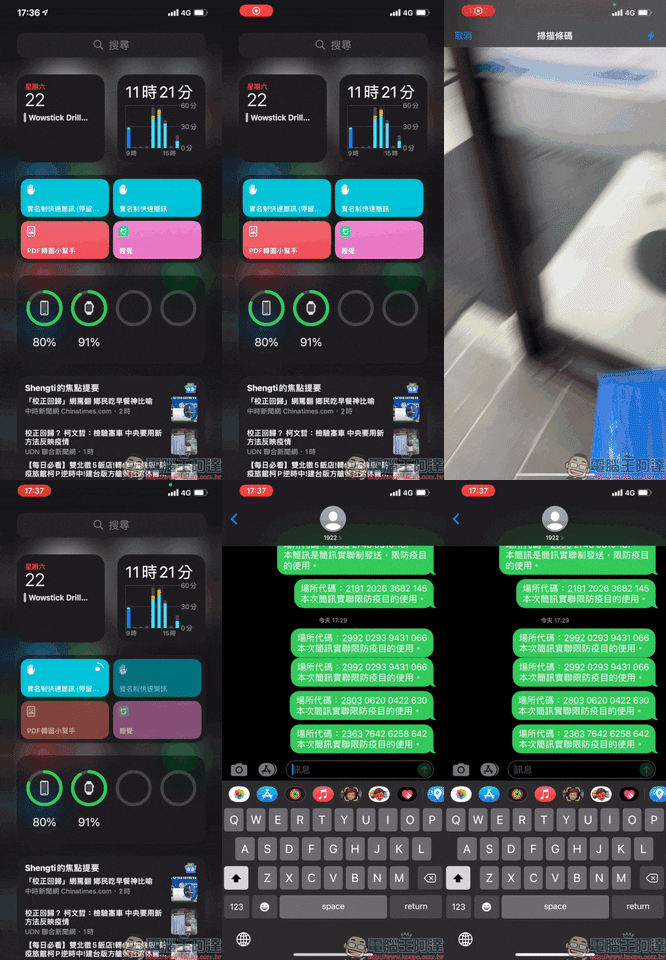
This PTT netizen shared two kinds of “real-name quick text messaging” iOS shortcut scripts (actually real-name linkage). One of them is to automatically turn on the camera after executing the shortcut script, complete the QR Code scan and send the text message directly, but the screen will not jump to the messaging (text) app; the other is a modified version that adds a stay on the text message screen (which is also the version mainly introduced in this article).
First, users using iOS 14 should download“Shortcut” App (Click here to download in App Store), then go to downloadA shortcut script for the real-world quick messaging (click here to download). At this time, the screen will jump to the step of adding a shortcut. Scroll to the bottom of the screen and click “Add Untrusted Shortcut” to add it to my shortcuts.
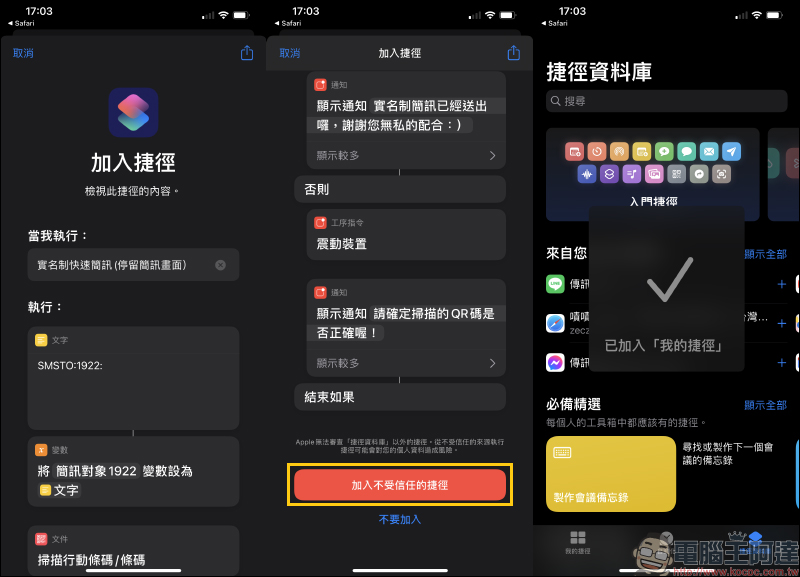
Then, as long as you click on the shortcut script, you can quickly scan the QR Code and send the text message directly to 1922 for text message integration.
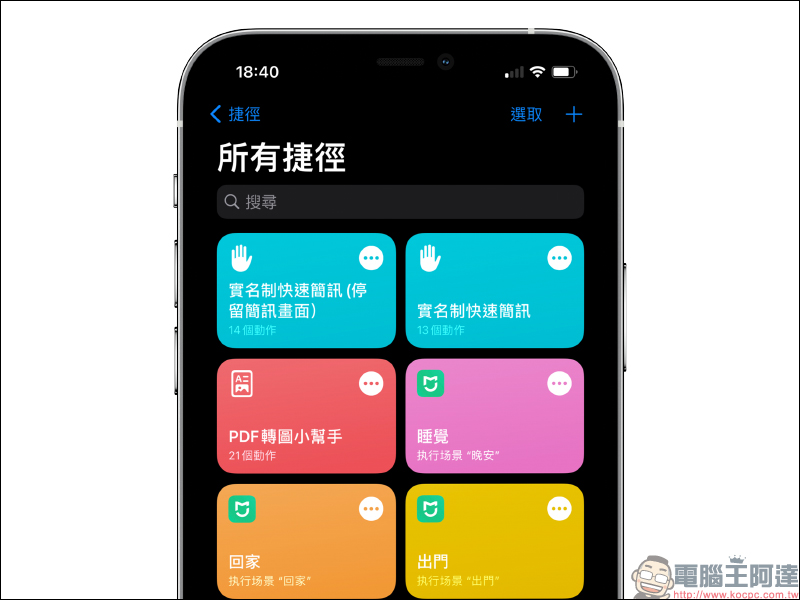
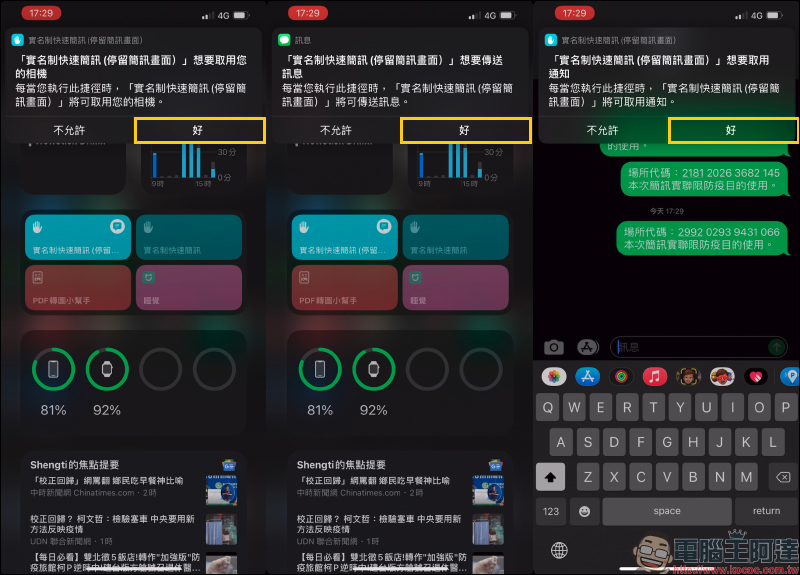
When you use the shortcut for the first time, you will need to allow permissions to access the camera, send messages, and access notifications. Click “OK” for all three:
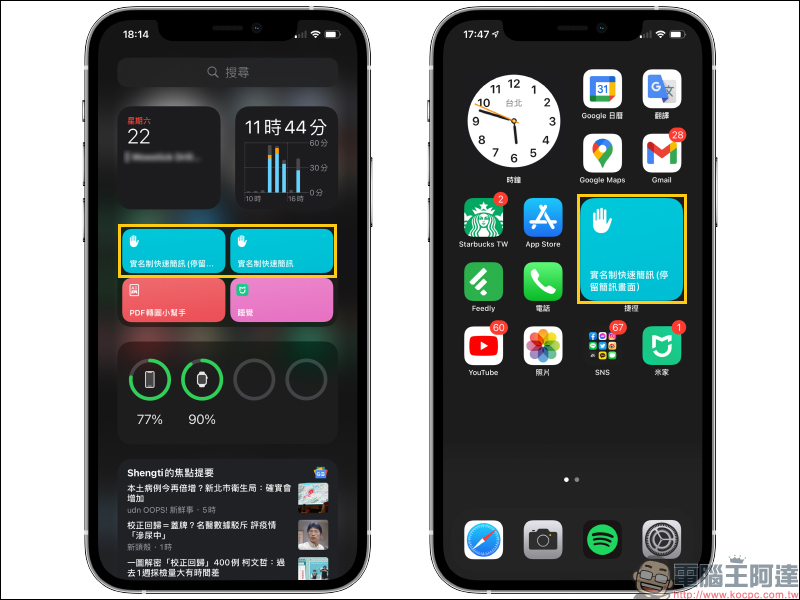
In order to make it easier to open, users can also add the “Shortcut” App to the iOS desktop gadget to the home screen:
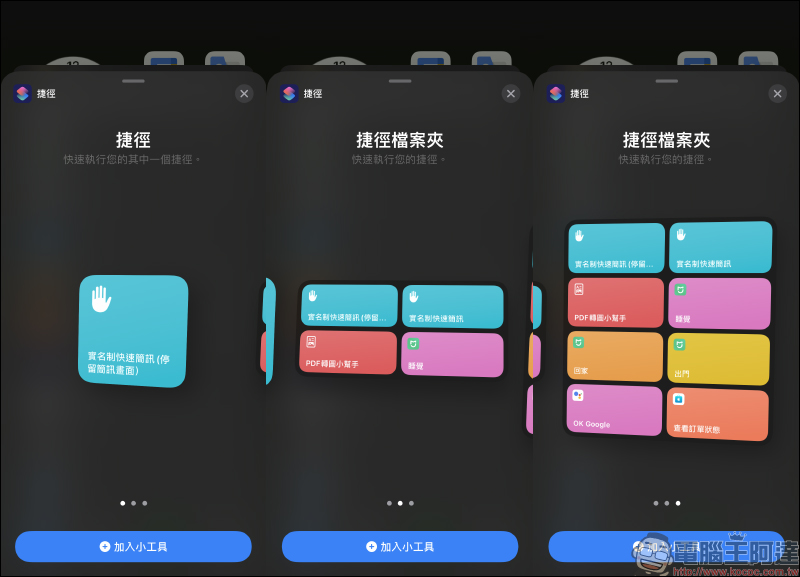
It can be placed where you are used to operating it, making the opening process smoother and faster.
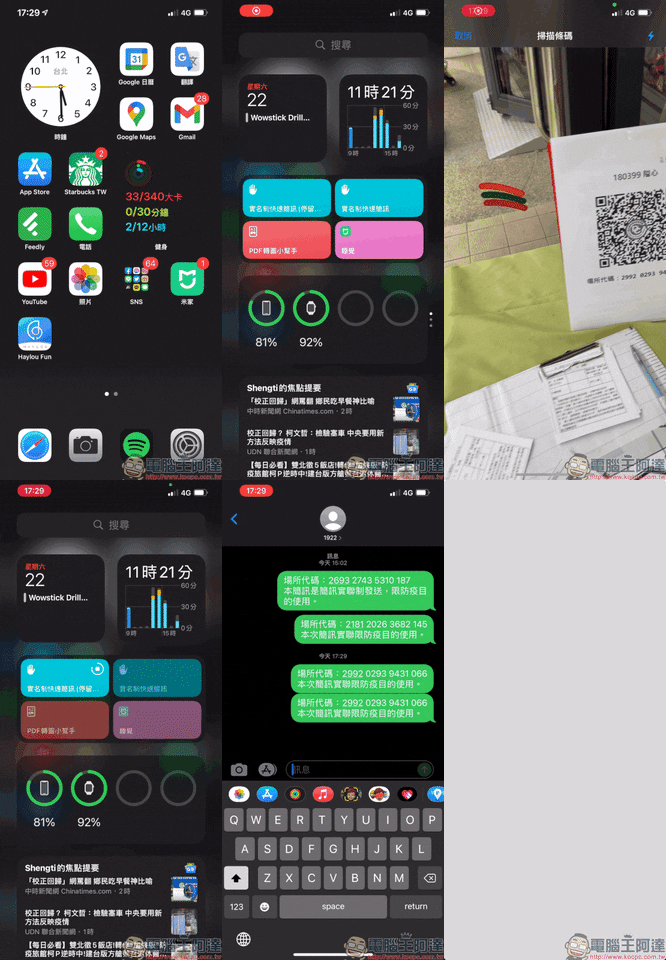
The actual operation process is as follows. After clicking the shortcut script, the camera will be opened directly to scan the QR Code barcode. After completing the scan, the SMS code will be sent to 1922 immediately, thus completing the SMS real-joint system registration! At this time, the screen will also stay in the messaging app, making it easier to provide store confirmation after entering the store.
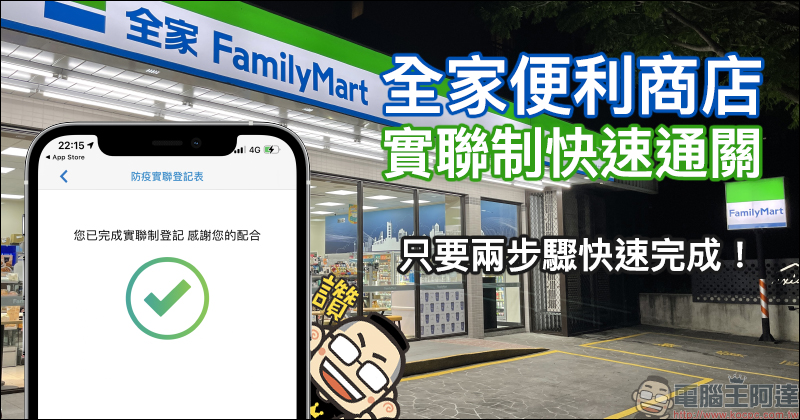
In addition, if you are going to a FamilyMart convenience store, in addition to the Executive Yuan version of the SMS real-linkage system, you can also use the FamilyMart App to use the exclusive real-time joint system quick clearance service.
Public Q&A Review
- Q: Are there any fees for sending text messages?
A: It’s completely free, and the SMS fee will be fully borne by the telecommunications provider. - Q: What can I do if my child doesn’t have a mobile phone and doesn’t want a paper connection?
A: You can directly add or reply to the sent text message. For example, “+2” means there are two people traveling together, and it will be saved in the text message record as a reference for epidemic control. - Q: Will telecom operators not use text message records for any purpose?
A: Not according to the law. These contents follow the guidelines of the epidemic prevention and control system. They are only used for epidemic investigation and the records will be deleted after 28 days. - Q: What should I do if I accidentally sent a text message and regretted not going into the store?
A: You can directly reply to the sent text message, such as “Not Showing Up” to save it in the text message record as a reference for epidemic control. - Q: What is the difference between the real-name system and the real-name system?
A: The real-name system is based on correct personal information, while the real-name system is based on correct contact information. For example, the real-name system this time is true. - Other related questions and explanations about the actual joint system of SMS:You can click here to learn more
Regarding the “Real Joint System Quick Pass” function launched by FamilyMart convenience stores, you can click on the picture below to go directly to read our previous articleTeaching articles (or click here to go)
In addition, computer king Ada also made a video to teach everyone how to use iOS/Android mobile phones to quickly complete the QR code scanning tutorial for text messaging:
Further reading:
Xiaomi Mi Watch Sports Edition is officially on sale in Taiwan: 1.39-inch AMOLED screen, AOD display support, 5ATM waterproof, 16-day long battery life, priced at 3,295 yuan


Source: KOCPC Chinese