


In recent years, more and more online services have so-called regional restrictions. That is, the content that can be seen in Taiwan is different from that in the United States, Japan, Australia and other countries. It can even only be used abroad and cannot be used in Taiwan. The most commonly heard ones are Netflix, Disney+ or LINE Japan-limited stickers, etc. In addition, China cannot use FB and Google services for the same reason, and VPN can solve this restriction. This article is recommended Ivacy VPN service, not only has high security, fast speed and stability, but also has a so-called streaming mode, which is specially designed for online video streaming. It can remove regional restrictions with one click, allowing you to enjoy foreign services and content no matter where you are.
This set also provides Taiwanese servers, which means that if you live abroad and want to watch LINE TV or Taiwan iQiyi, you can do so through this set.
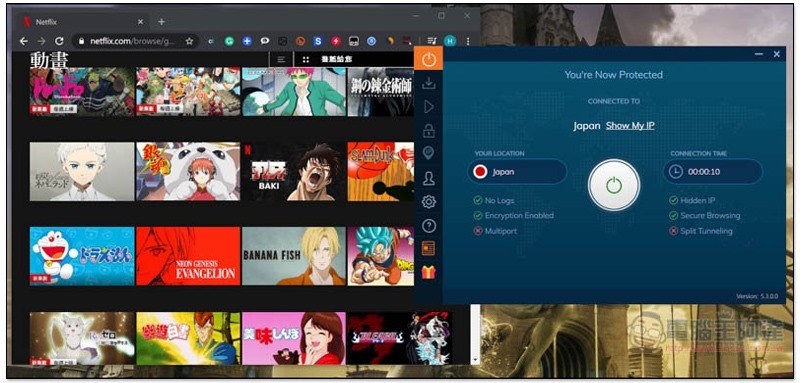
Before I start introducing Ivacy, if you don’t know much about VPN yet, let me explain briefly below.
What can I use a VPN for?
I believe many people probably know the regional restrictions mentioned at the beginning of the article, but in fact, the benefits of VPN do not stop there.
The original intention of VPN is to improve Internet security, that is, to hide your actual location so that websites and interested parties cannot track it.
The entire operating concept is roughly like this. You will connect to a VPN server. After connecting, all your Internet data information will be sent through this VPN server (intermediate bridge), which means that interested parties can only track the location of the VPN server and do not know where you really are.
In addition, all data will also be encrypted, making it more difficult to crack. This is an added bonus when using free Wi-Fi outside or making online shopping payments, greatly improving security.
With the increasing number of cases of cyber crimes and hackers stealing personal information in recent years, how to improve online security has become something that everyone must learn.
The following are the three major VPN advantages that I have roughly compiled
- Can solve regional content restrictions such as Netflix, Disney+, Hulu, LINE stickers, LINE TV, etc.
- Hide your true location and surf the Internet anonymously, making it impossible for interested parties to track you
- Encrypt Internet data to improve online payment and Wi-Fi security
How to choose a VPN?
Nowadays, there are many free VPN services on the Internet that you can use without paying any fees. Although they sound great, there are actually many hidden risks.
First of all, you have no idea whether this free VPN provider is upright. If it is not upright, when you connect to the server, your Internet data may be collected by them and then sold to other companies.
Secondly, free VPNs usually have very low security and are relatively easy to be hacked.
Finally, the stability and speed are not good, some have traffic restrictions (for example: only 100MB per day), the user experience is poor, and connection failures often occur.
Therefore, we always recommend paid VPN services. Of course, you don’t have to choose the most expensive and best one, there are also economical and affordable options, like the ones introduced in this article Ivacy It is one of them. Starting from as low as US$0.99 per month, you can enjoy a high-quality VPN server, and it supports up to 5 devices at the same time, which means that one server starts at only US$0.2 per month (about NT$6).
Introduction to Ivacy VPN
Ivacy It is a VPN service from Singapore, established in 2007 and very experienced. Their VPN servers have always been well received by users. Not only do they have many server options (including those in China), but their speeds are also stable. They can also circumvent the Chinese wall to use services such as Facebook, Google, and Instagram:
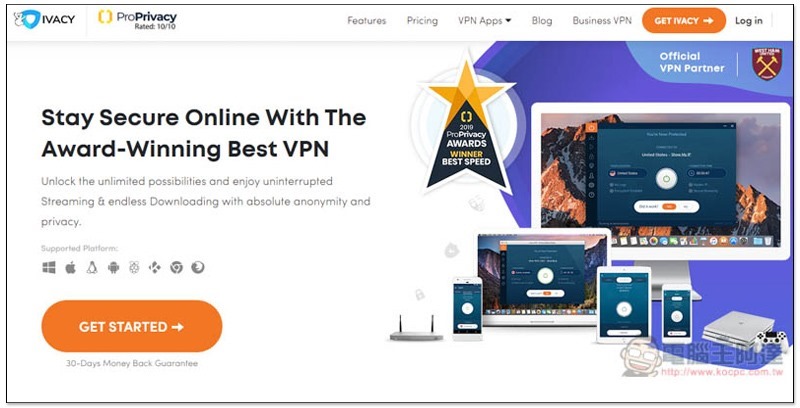
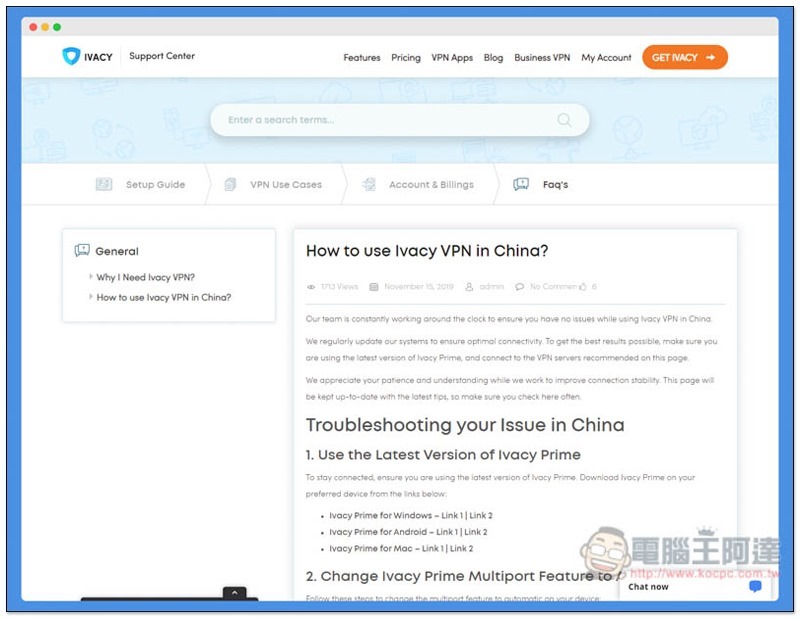
However, before entering China, remember to set up and install a VPN environment first, because the Chinese government also blocks most foreign VPN websites, which means you may not be able to connect to their official websites. If you are worried that you may encounter problems with subsequent connections, Ivacy also hasSet up a special web page, convenient for you to query:
How many VPN servers are provided?
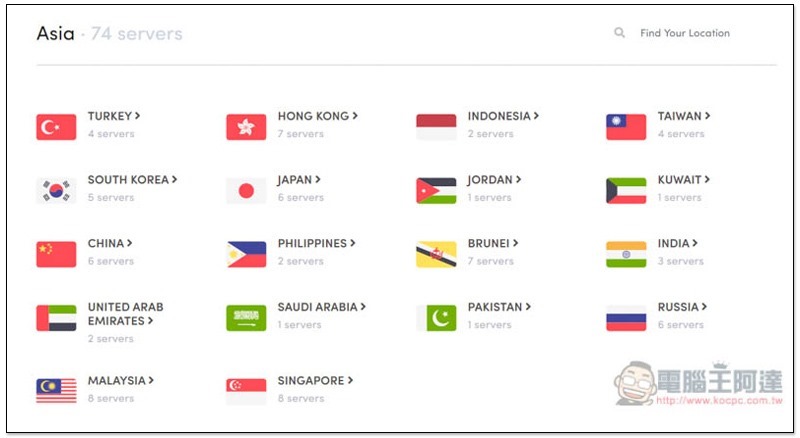
Ivacy has more than 100 servers in more than 100 regions, whether it is the commonly used United States, Canada, Germany, France, the United Kingdom, Japan, Taiwan, Australia, or the less popular India, Indonesia, Brazil, and Russia, it is definitely enough for you:
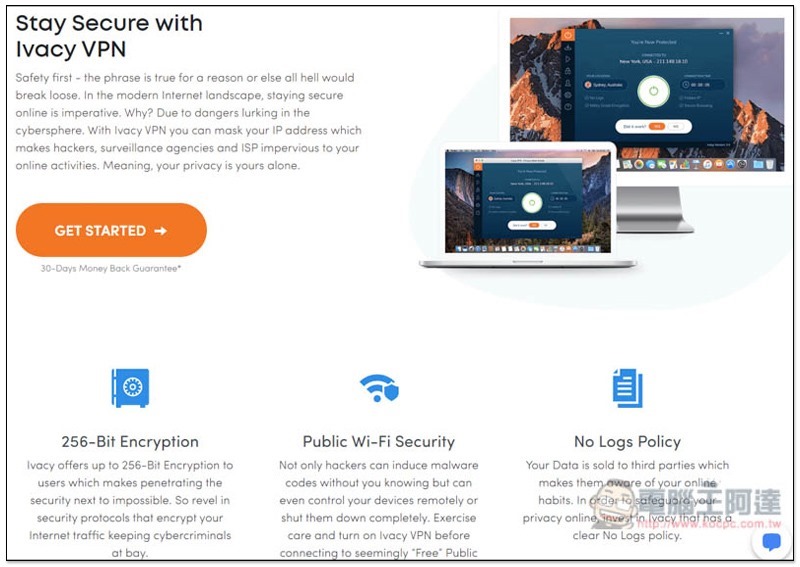
For the security part, it also has a “No Logs Policy”, which will never record any of your online data and sell it to third parties, so you can rest assured. In addition, there are IPv6 leak protection, secure DNS, DDoS protection, secure downloading, multiple protocols (such as: TCP, UDP, LTP, etc.) and Internet Kill Switch functions. Basically, it has everything you need to provide you with a safe Internet experience:
What operating systems are supported? Software interface introduction
It supports iOS, Android, Windows, Mac, Linux, PS4, xBox, smart TV and other platforms, and can also be set up on the router. All devices in the home connected to this Wi-Fi wireless network can immediately access the Internet with high privacy and security without having to install or set up anything. This is very convenient:
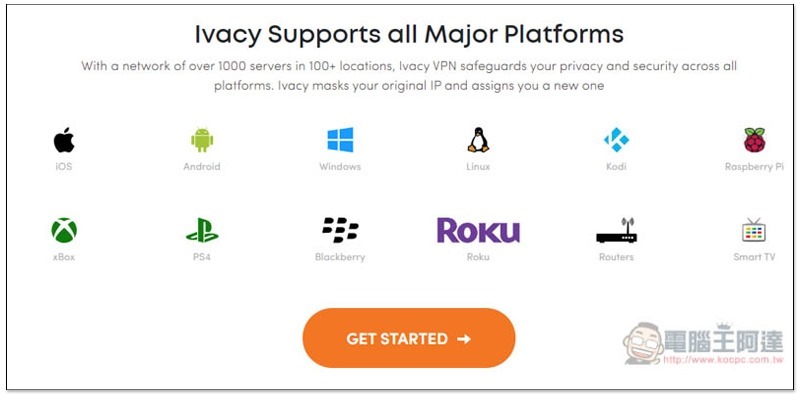
The software interface of each system is roughly the same. I use Windows as an example.
The setup method is very simple. After installing the software, log in with your account and password. That’s it. You can start VPN.
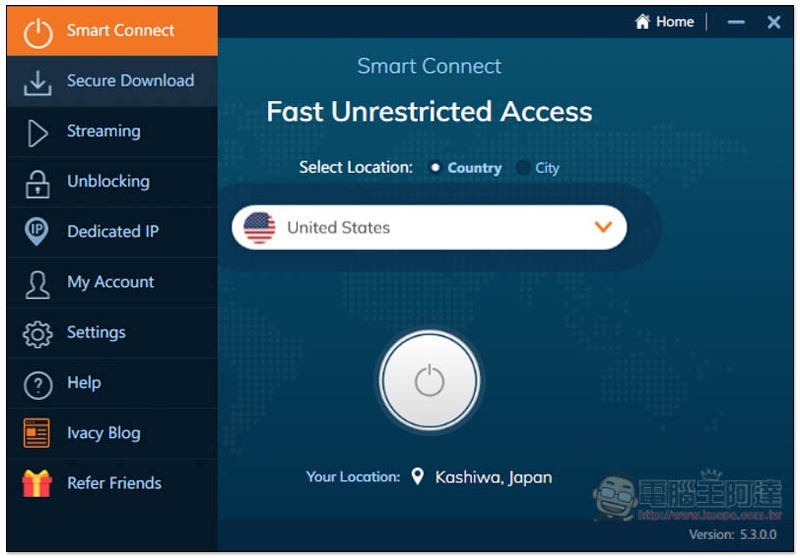
It provides the function of Automatically connecting to the VPN server and will find the most suitable choice on its own. If you just want to improve your online security and privacy, you can use this function and directly click the “power icon” below to connect:
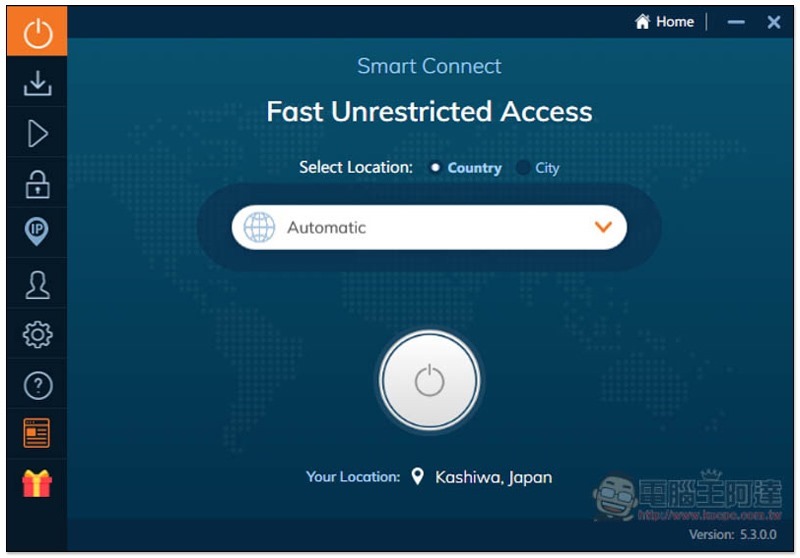
Opens a menu to specify the country to connect to:
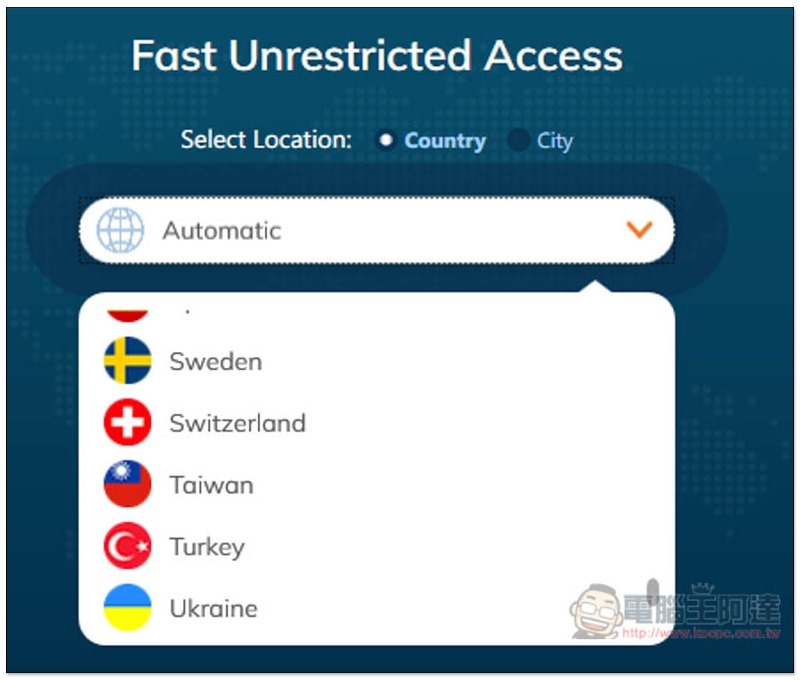
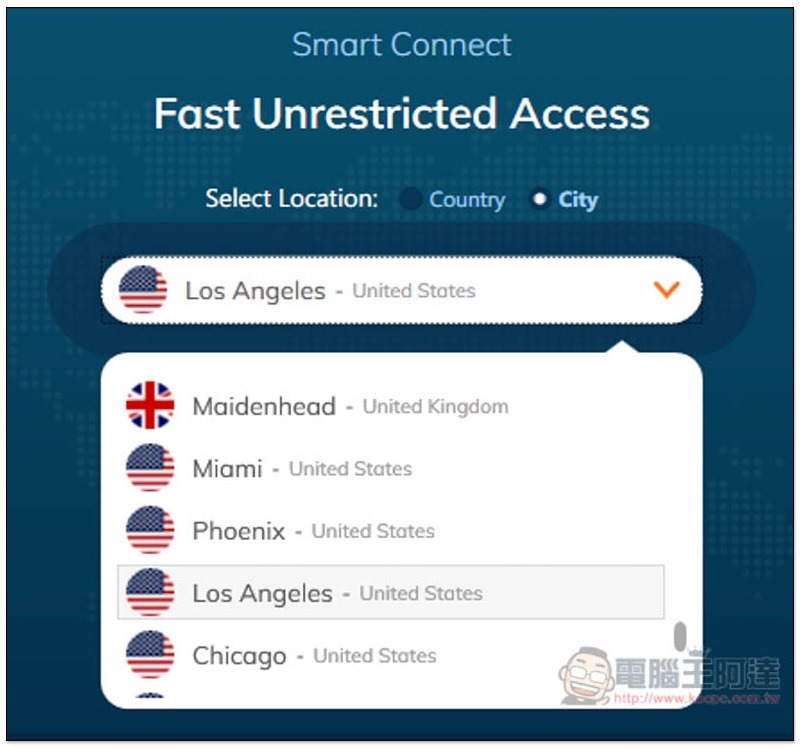
There is also a City option in Select Location. After switching it, you can specify the VPN server in which region/city in this country. For example, if you want to connect to the server in “Los Angeles, USA”:
In addition to the Smart Connect mode of manually or automatically selecting the VPN server, this set also has “Secure Download”, “Streaming”, “Unblocking”, and “Dedicated IP” modes:
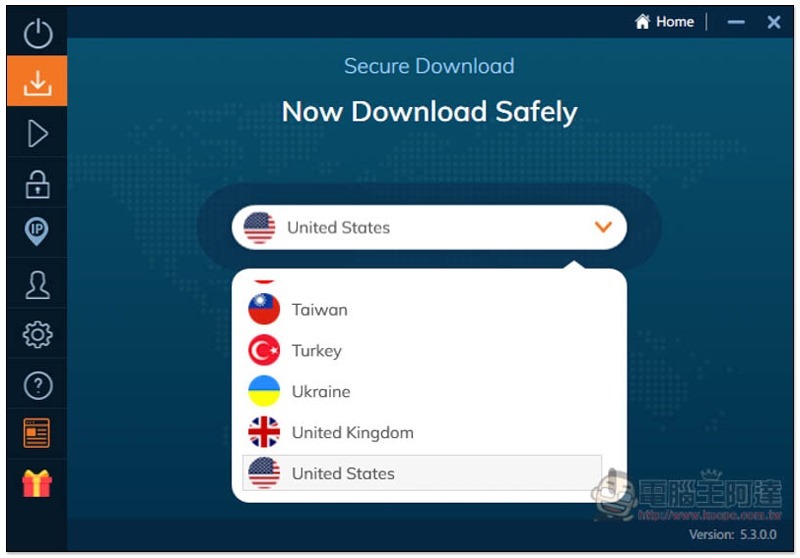
Secure Download secure download mode is, of course, used to improve the security of downloaded files and data.
Its biggest feature is that it will scan the file for you in advance. Are there any problems? Is there a virus or malicious code? You can download files with complete confidence, and email attachments are also supported. According to official instructions, it can currently detect and block more than 4 million viruses. This mode is really good. If you want to find some files in the future, but are not sure whether the source is clean, you can enable this mode:
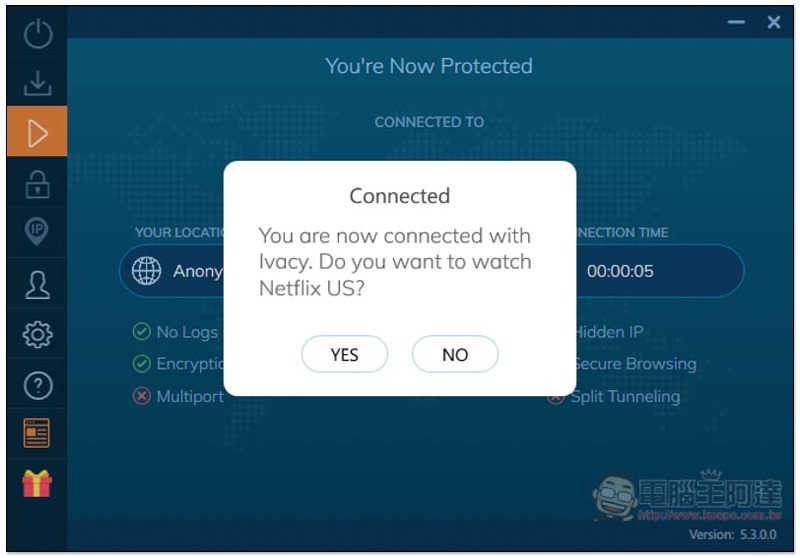
If you want to watch online streaming videos that are restricted by foreign regions, such as Amazon Prime US, Hulu, HBO GO, Netflix US, etc., it is highly recommended to use the Streaming streaming mode. It will automatically find VPN servers that are currently operating normally (make sure it can break regional restrictions) and have good speeds. You don’t need to spend time trying them one by one:
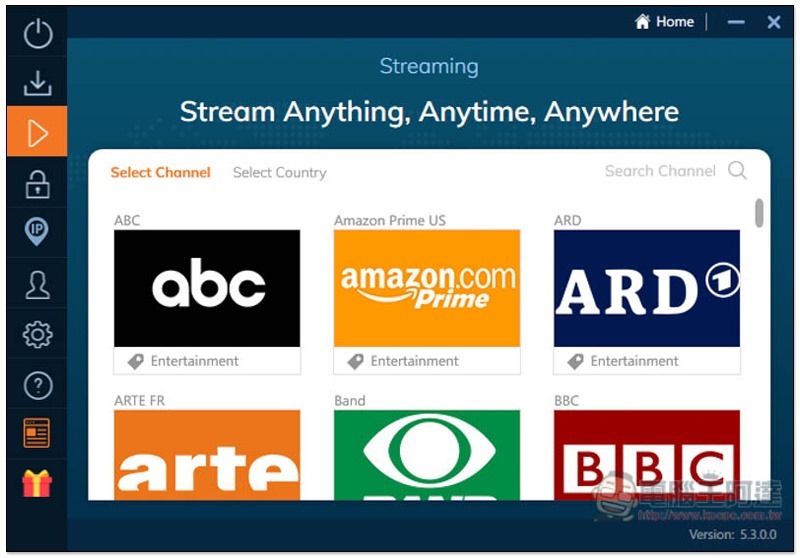
After connecting, it will also ask if you want to directly open the website to watch? Press Yes and it will open automatically. This function is very considerate:
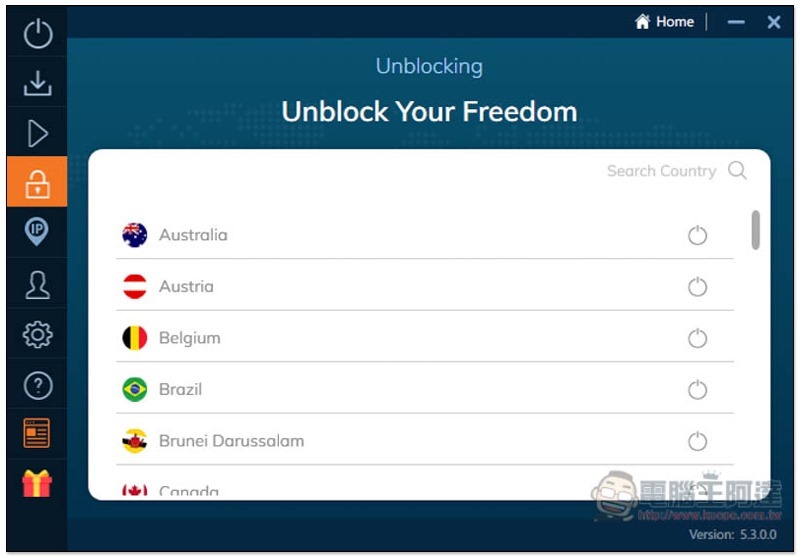
Unblocking is also used to solve regional content restrictions. If the streaming mode cannot find the service or website you want to use, you can use this mode instead:
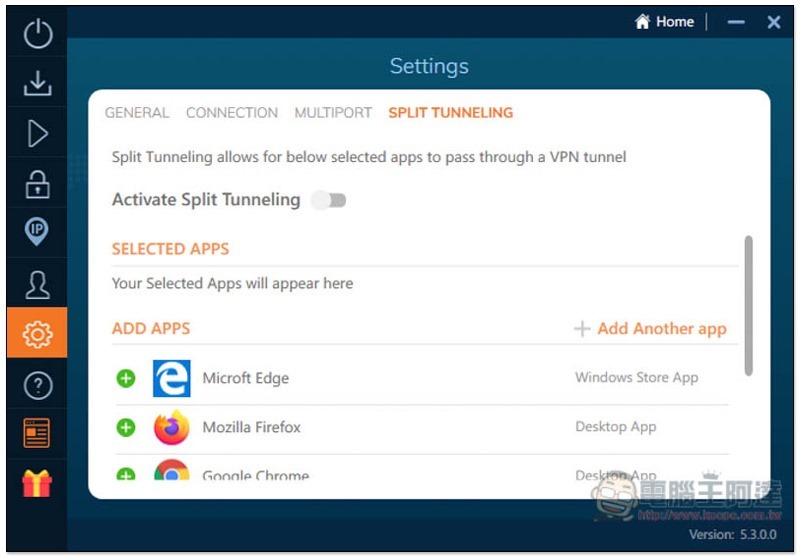
If you have any software that you don’t want to be affected by VPN, this set also provides the Split Tunneling function. Click the + on the left to add it to the list, and then enable Activate Split Tunneling:
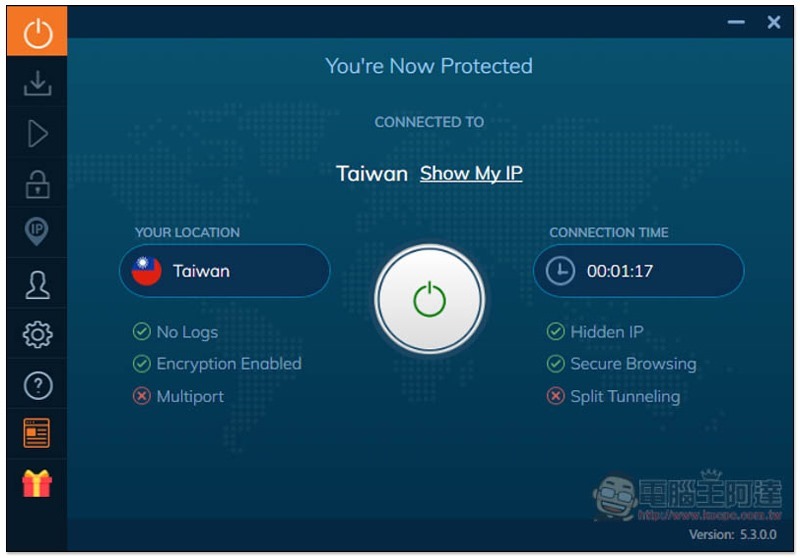
After the VPN is connected, the screen will display the location of the current connection and how long it has been used. The bottom left and right sides will also prompt what protection is obtained, such as: No Logs, Hidden IP, Encryption Enabled encryption protection, etc. I have not turned on Multiport and Split Tunneling, so X is displayed:
VPN speed test
Anyone who has used a VPN knows that VPN will reduce the speed of the network to some extent after bypassing the wall, so the “impact” is a very important thing.
Personally, I don’t think Ivacy is very big. Even when connected to a server as far away as the United States, the Internet access part is still smooth, and there will be no lag when watching online videos. Below is the actual measured data:
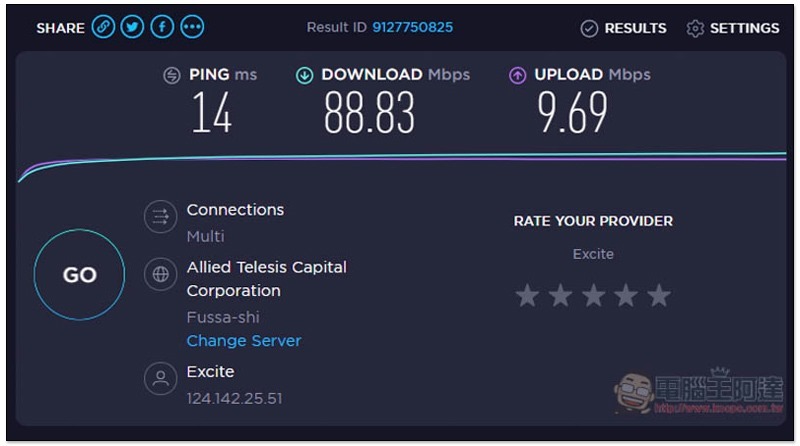
I am currently in Japan. Before Ivacy VPN was enabled, the download speed was 88.83Mbps and the upload speed was 9.69Mbps:
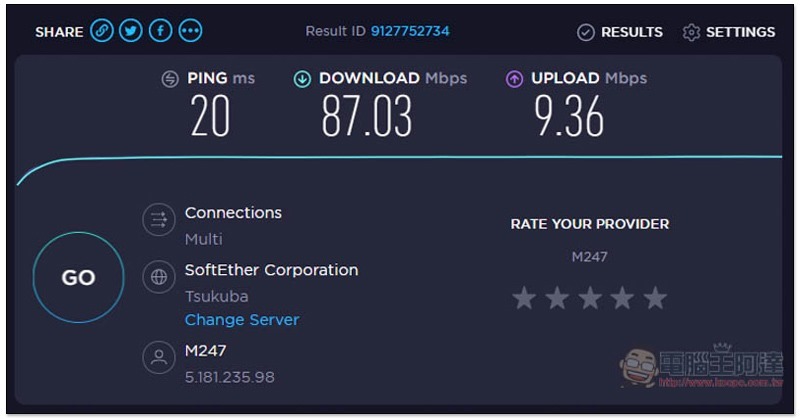
After enabling it, connect to the Japanese server (just to improve Internet security). You can notice that the IP location has changed below. The measured download speed is 87.03Mbps and the upload speed is 9.36Mbps, which is almost the same:
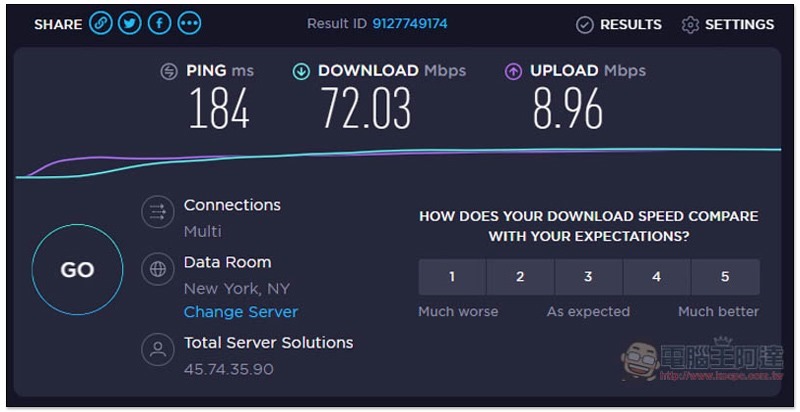
The download speed of the New York server in the United States is still 72.03Mbps and the upload speed is 8.96Mbps. You should be able to feel that Ivacy’s VPN server is quite good, with stable speed and fast speed:
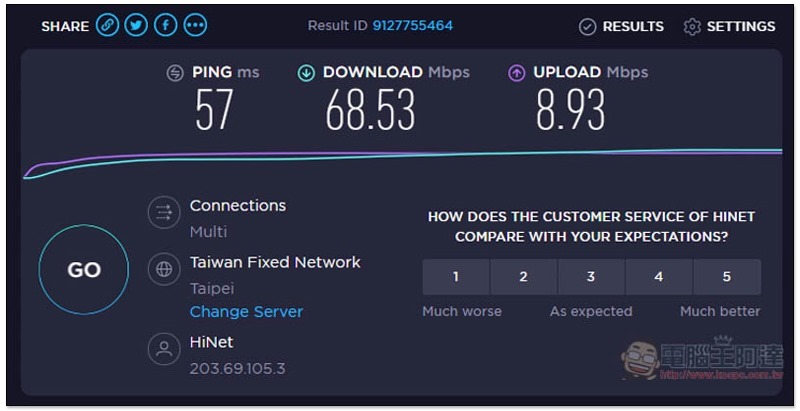
For those of you who are overseas and want to connect to a server in Taiwan, I measured download speeds of 68.53Mbps and upload speeds of 8.93Mbps. Although the speed has dropped a bit, it does not affect the Internet experience at all. Watching online streaming videos at this speed is absolutely smooth:
Actual test of lifting regional content restrictions
Now that we know the internet speed won’t affect it too much, let’s see if regional content restrictions can really be lifted, starting with Netflix.
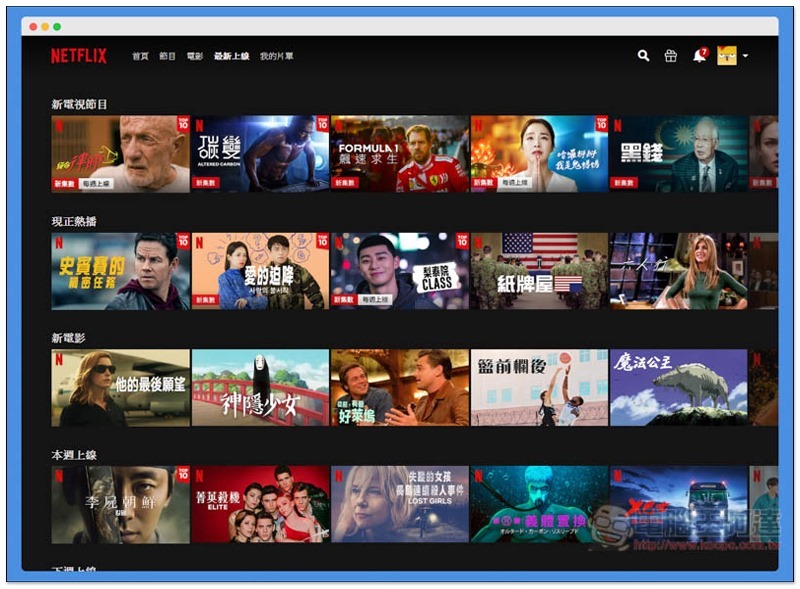
Below is the list of the latest movies released on Netflix Taiwan these days:
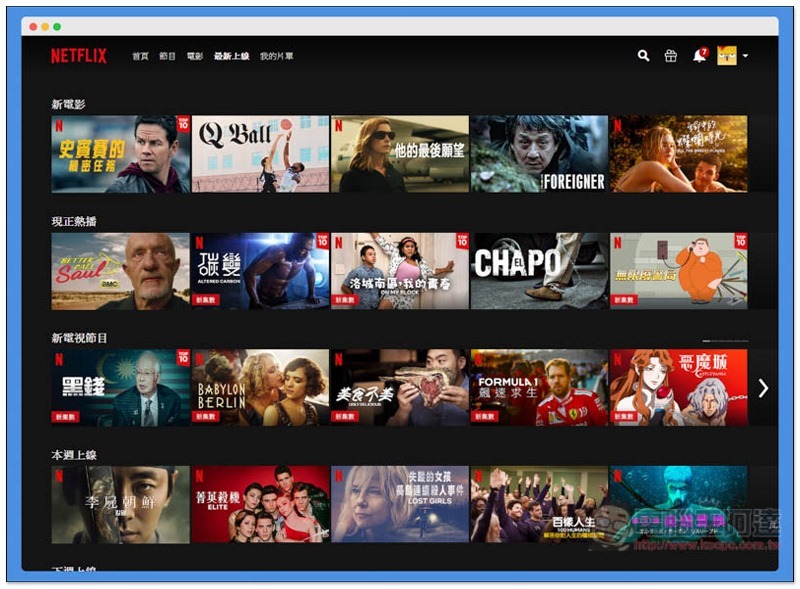
After connecting to the American server, the film list changed as expected, and there were a few more videos that could not be found in Taiwan, such as FOREIGNER and Babylon Berlin:
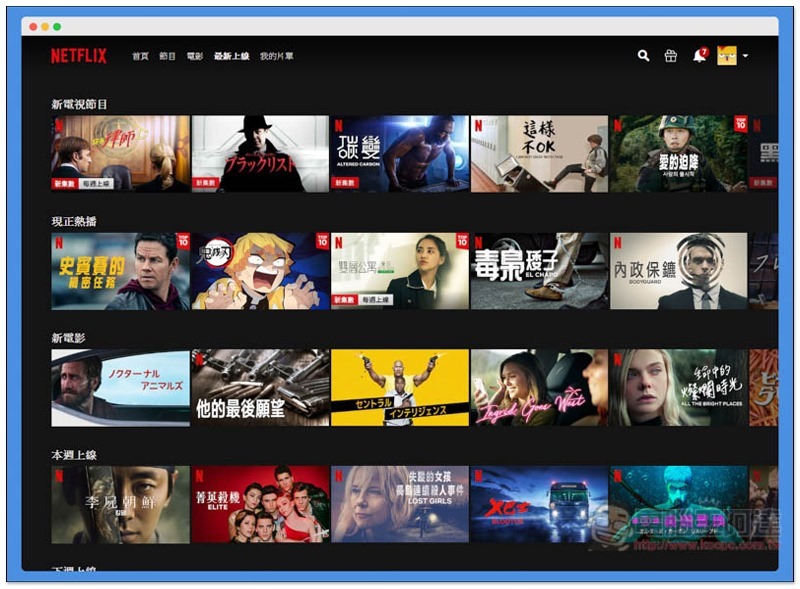
Japan’s latest online movie list also includes many movies that are not available in Taiwan, especially anime:
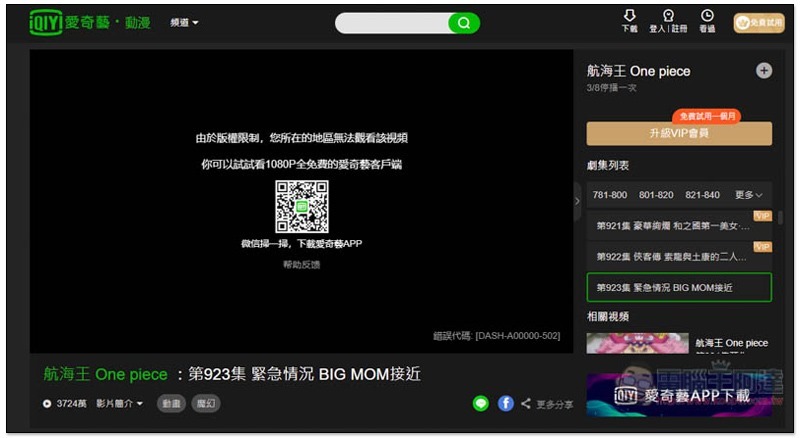
For friends who study and live abroad, if you want to watch services such as LINE Today, iQiyi, or certain YouTube videos, this screen will appear before using a VPN. This video cannot be played in your country:

iQiyi, due to copyright restrictions, this video cannot be viewed in your region:
After connecting to Ivacy’s Taiwan server, the problem was solved immediately and you can watch LINE Today’s video:

iQiyi also plays normally:

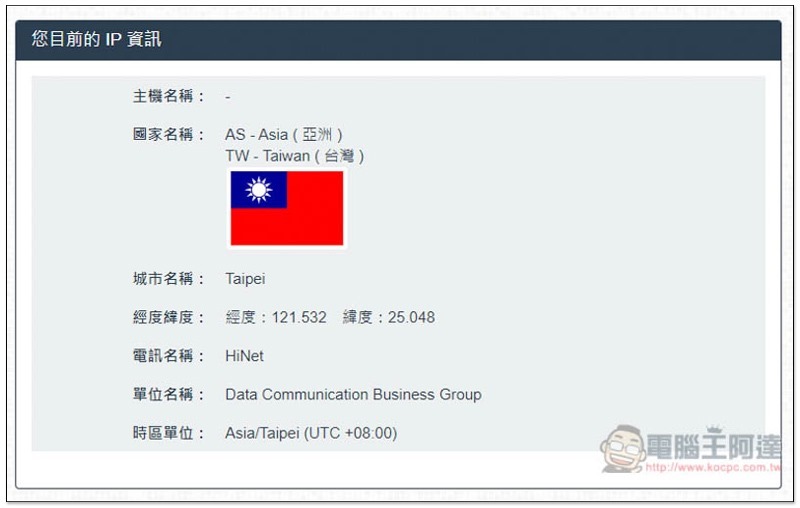
Checking the IP location turns out to be in Taipei, Taiwan:
Subscription plans and payment methods
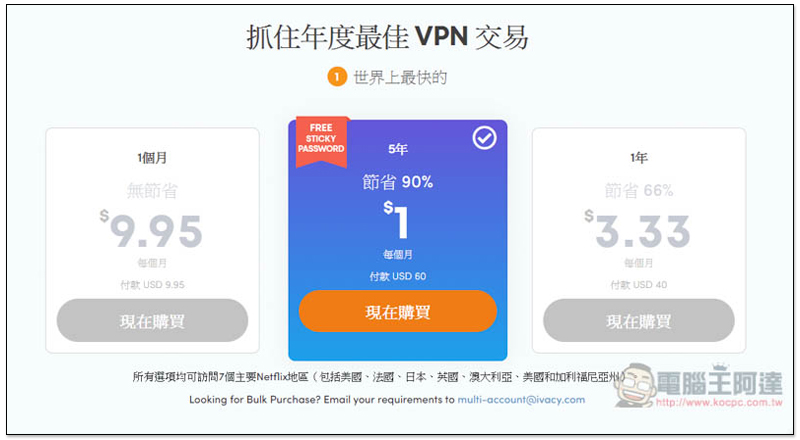
Ivacy There are three basic subscription plans forThe 5-year plan is the most cost-effective, and it only costs US$0.99 (approximately NT$30) per month., if you still think it’s a bit expensive, I personally recommend you to join a joint venture with a friend. You can connect up to 5 devices at a time, so it’s no problem to find two or three to buy together. 1 year is 3.33 US dollars per month, 1 month is 9.95 US dollars:
There is also a 30-day refund guarantee, which means that if you are not satisfied after purchasing, you can apply for a refund within 30 days and get your money back. You can also use this period as a trial period:

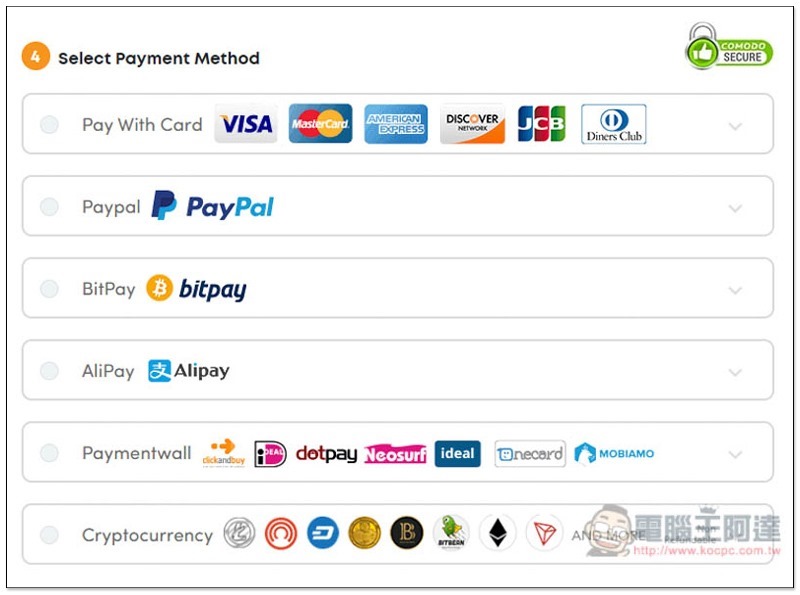
The payment methods are also quite diverse. In addition to credit cards, they also support PayPal, BitPay, Alipay, cryptocurrency, etc.:
If you encounter any problems during use, the official website also provides 24-hour online customer service:
in conclusion
After actual testing, I have to say that at this price,Ivacy It’s really a great value. For about 30 yuan a month, you can greatly improve online security and privacy, and even download files are protected. In addition, it can solve regional content restrictions. It is highly recommended, especially for those who often travel to China on business. With this VPN, you no longer have to worry about circumventing the wall, and you can surf the Internet without restrictions in China (the speed is still very good).
However, you still need to be aware that the Chinese government will suddenly block some foreign VPN servers from time to time, so sometimes you may still be unable to connect, but it will usually be repaired in a short time or the next day. It is recommended tothis pageAdd to my favorites. If this happens, Ivacy will update this page at any time.
Source: KOCPC Chinese