


Although the automatic sleep function of Windows computers can help save power, many times we just leave for a while or just do other things. At this time, if we happen to be downloading something or doing some work such as converting files, the work will be interrupted and we will have to start over. This is really very annoying.
Adjusting the power options of Windows is one way, but there is a high chance of forgetting to adjust it back. Therefore, I personally prefer to use some small tools to achieve it. Turn it on when needed and turn it off when not. The operation is simpler. If you are also troubled, this article has compiled 3 sets of free tools that can prevent Windows from going to sleep. Continue reading.

3 Free Tools to Keep Windows from Sleeping
1. Awake
Awake is a set of installation-free tools. After downloading it from this website, open it with two clicks, and it will automatically run in the background. No windows will appear, and no settings are provided. This means that Windows will not enter sleep mode and the screen will always be on until you turn it off.
You can find this set in the menu in the lower right corner. Open the right-click menu and you will see the Close function:

2. Coffee
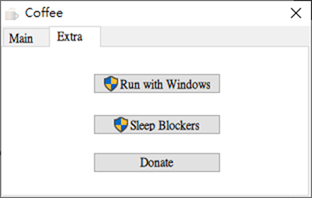
Coffee needs to be installed, just click Next during the installation process. The biggest feature of this device is that in addition to avoiding falling asleep, it also has the function of instant upload and download speed, and it can also limit the speed according to your needs. It is quite rich in functions. However, it is necessary to install this, which I personally find a bit troublesome. I personally prefer the previous set.
Provides two modes: Run with Windows and Sleep Blockers:
3. Insomnia
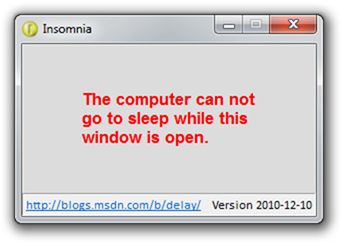
Insomnia is also installation-free and does not have any other functions or settings. It is very similar to Awake. However, this set provides tool window prompts and says “When this window is open, the computer cannot enter sleep mode.” It is very suitable for forgetful people. This way, you don’t have to worry about forgetting to turn off the tool after finishing important things, causing the screen to stay on. Awake may have this risk.
Source: KOCPC Chinese