


ChatGPT has finally joined the ranks of map apps! Recently, a new “Maps” feature has been added to ChatGPT. As long as you allow access to precise location, ChatGPT can get your current location, and then you can use natural language to get any information you want. For example, you can have the AI help plan your itinerary for the next few days, find nearby restaurants that meet your requirements, or figure out which store to go to for something you want to buy. It can be used without logging in, and logging into a ChatGPT account lets you add places to your favorites.
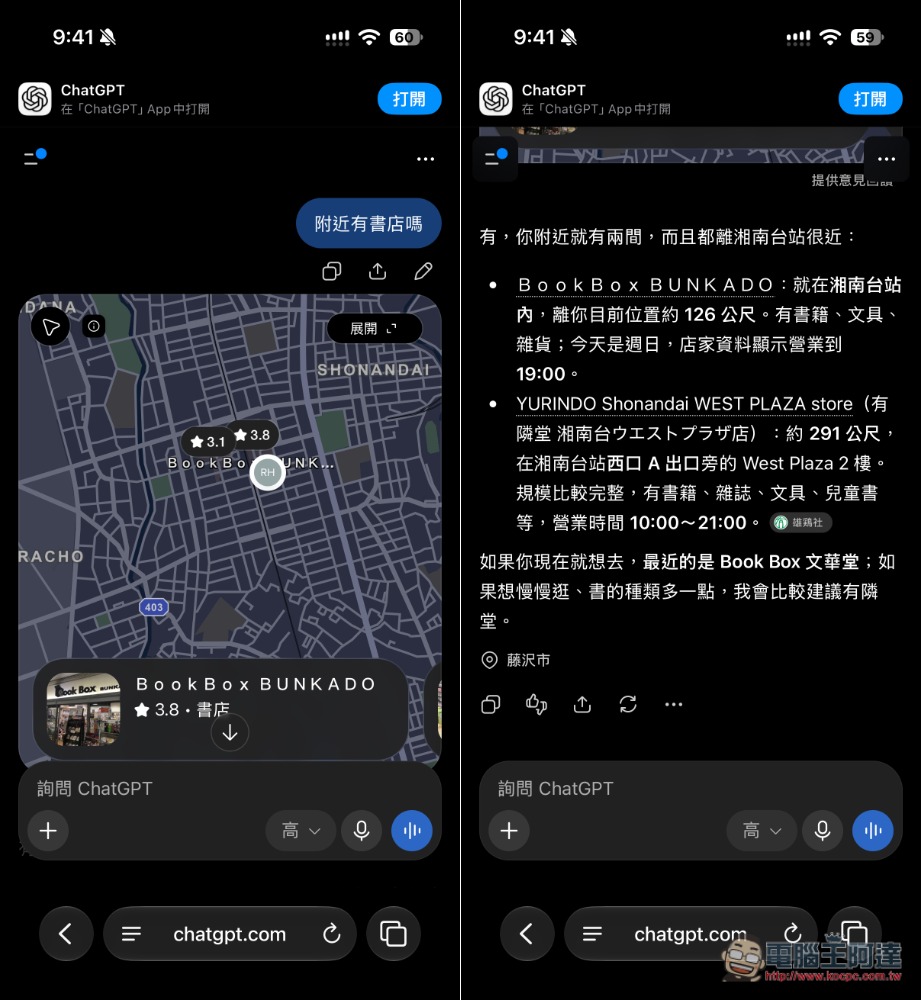
ChatGPT’s new map feature has quietly launched! Quickly plan itineraries, explore nearby stores, and get various recommendations.
ChatGPT Maps is a map search and local discovery feature that OpenAI launched for ChatGPT. You can think of it as directly combining ChatGPT’s strength in natural language understanding with maps and nearby place search. Unlike traditional map services, where you first need to enter a restaurant name, attraction, or keyword, ChatGPT Maps’ biggest feature is that you can describe what you need in the way you normally speak, letting the AI understand your conditions and find suitable places.
For example, you can directly ask, “Is there any Japanese curry nearby that’s suitable for one person and under 1,500 yen?”, “Find me a café that’s still open after 9 p.m.”, “What nearby attractions are good for a rainy day?”, or even “Help me plan a two-day, one-night itinerary nearby, with no more than one hour of travel to each attraction,” and ChatGPT can search for places based on your needs and present the results along with a map.
Of course, if you don’t want to share your precise location, you can also just enter the city, station, administrative district, or postal code directly in the question.
Another convenient thing is that search results can be modified through continued conversation, without having to reset a bunch of filters. For example, after the AI replies, you can then say, “Only keep ones within a 10-minute walk,” “No chain stores,” “Change the budget to 2,000 yen,” or “The second one is too far, find a closer one,” and ChatGPT can carry over the previous search conditions and keep adjusting.
Key Features
- Supports natural language search for nearby places.
- Can provide local recommendations based on your current location.
- Search restaurants, cafes, attractions, and shops.
- Can check nearby news and weather information.
- Location search results can be displayed directly alongside the map.
- Supports compound conditions such as price, distance, business hours, etc.
- You can continue to narrow the search scope through follow-up conversation.
- You don’t need to know the store name to describe your needs directly.
- Great for travel planning, finding restaurants, and exploring nearby attractions.
Here, I’ll use the ChatGPT mobile web version as an example. After clicking the link above to enter the ChatGPT map feature, allow access to your precise location, then scroll down to find some preset questions:
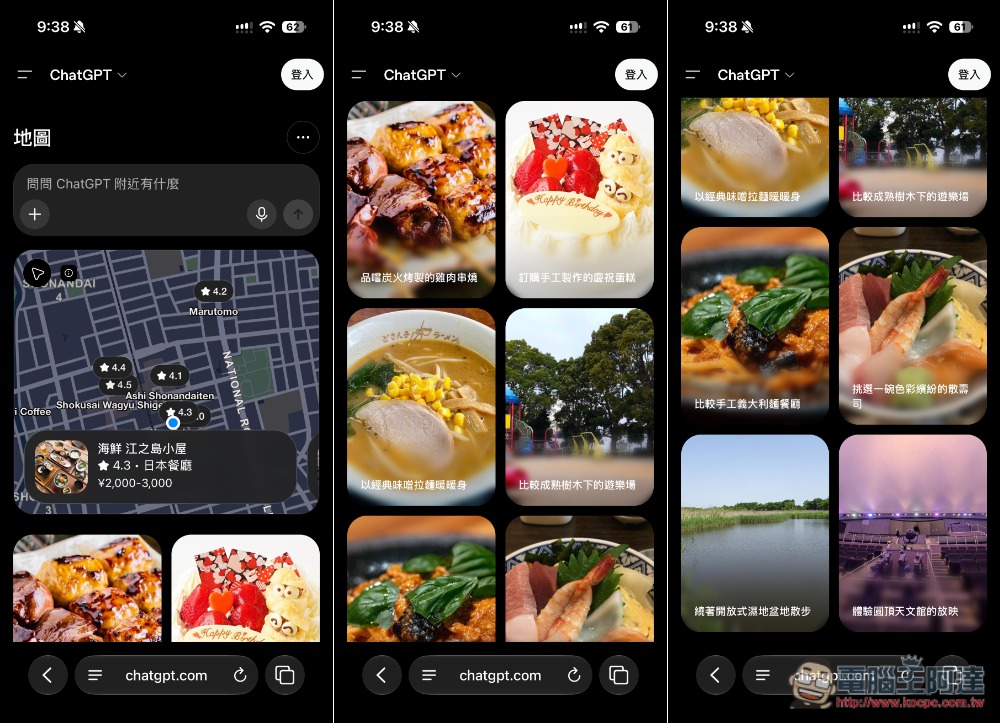
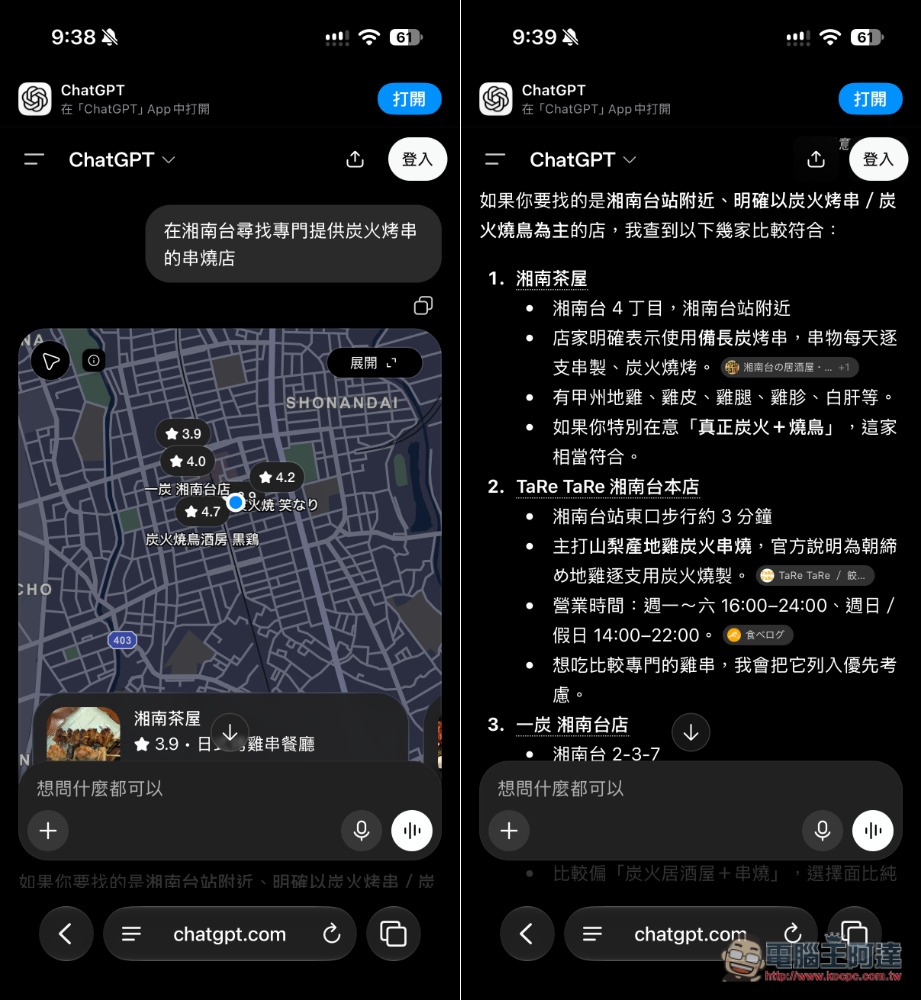
You can tap to ask directly, or type in what you want to ask. When I tap “Find nearby yakiniku restaurants that offer charcoal-grilled skewers,” ChatGPT will find restaurants near me that serve charcoal-grilled skewers and list the relevant information:
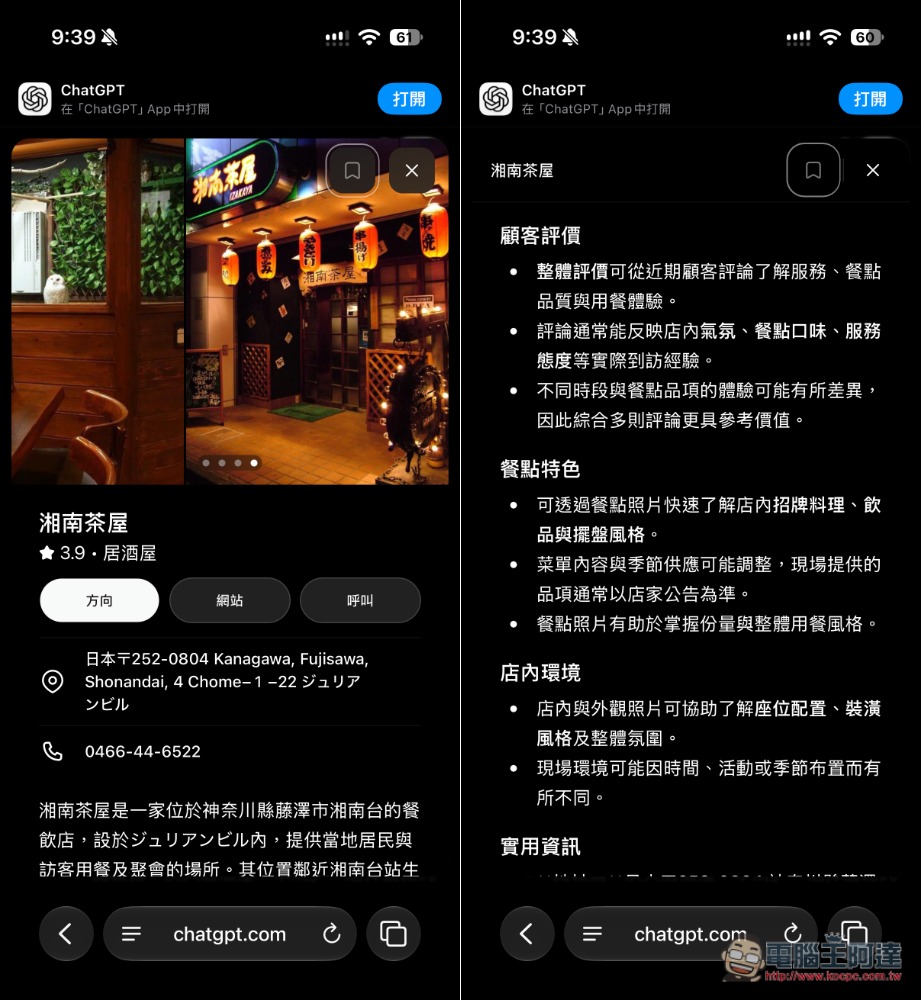
When you open the store list, it also shows a brief introduction, customer reviews, and food highlights. However, ChatGPT Maps does not support navigation, so if you click the “Directions” button, it will use Google Maps instead:
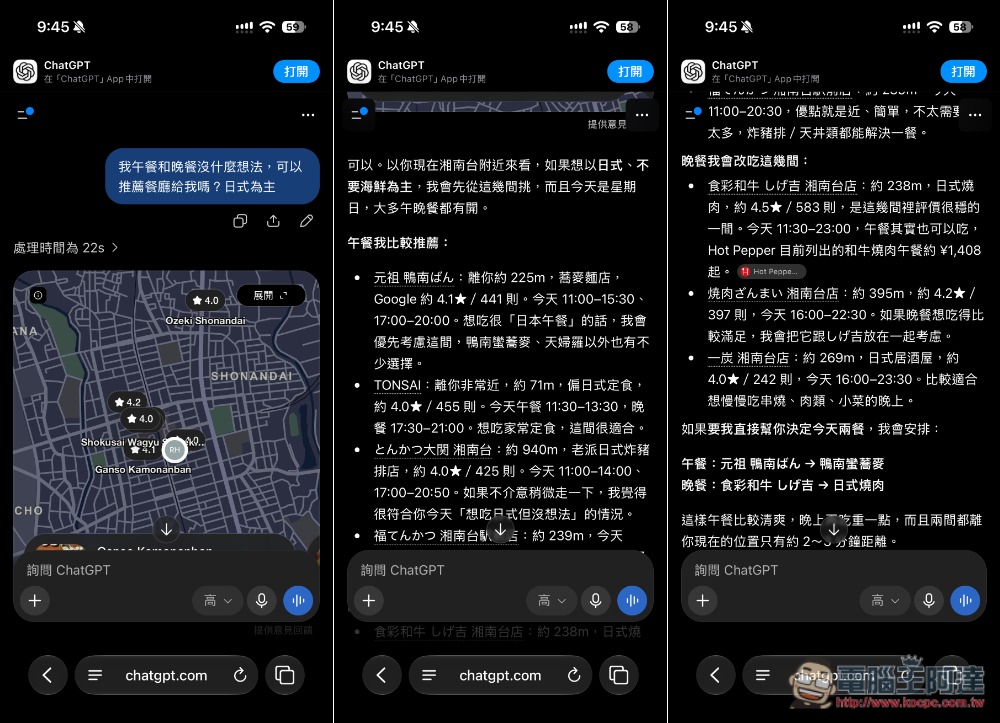
Sometimes, when you have no idea what to have for lunch or dinner, you can also just ask the ChatGPT map feature to recommend nearby restaurants, which is especially useful when you’re out and about:
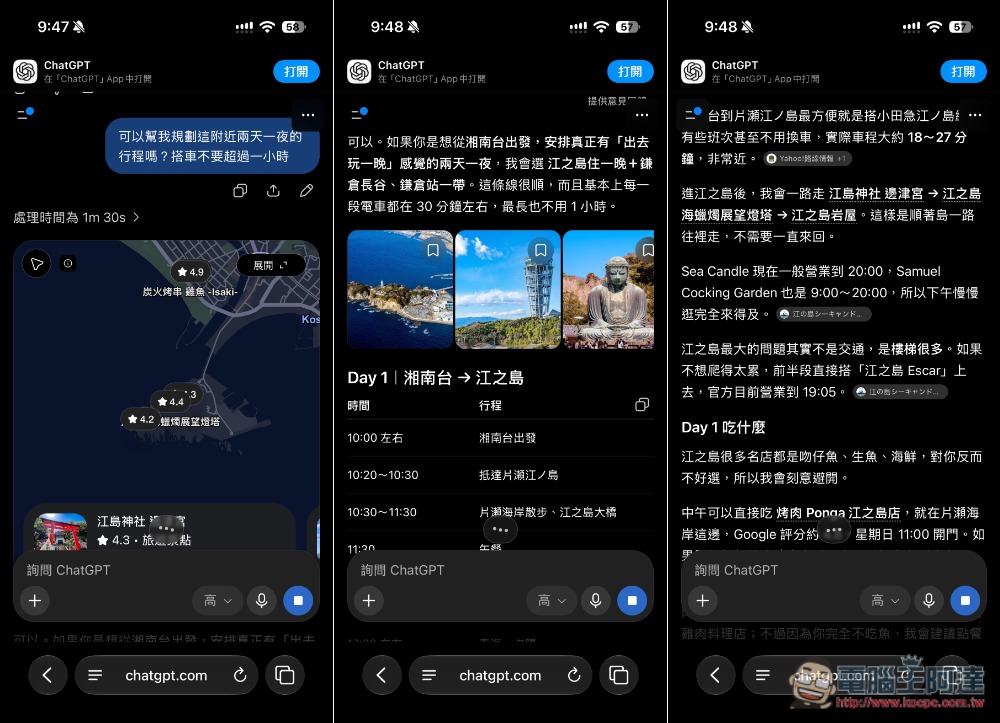
You can even ask it to plan a two-day, one-night itinerary around here, which ordinary map apps simply cannot do:
In fact, as early as last month, there were reports overseas that ChatGPT had introduced a map feature, but at that time it wasn’t available to all users. These past few days, it seems to have been rolled out to everyone; when I open it on several of my accounts, I can see this feature.
Source: KOCPC Chinese