


When using AI agent tools like Claude and Codex, you often need to check how much quota remains. Although there’s a built-in way to check, the process is somewhat cumbersome, especially when using multiple AI tools at once—checking each one manually is a hassle. If you’re on a Mac, this article recommends a very useful free open-source tool: OpenUsage. It supports all popular AI tools on the market, and even covers Z.ai, OpenRounter, and OpenCode. Once installed, it automatically retrieves quota information from your AI tools on your Mac and displays it directly in the menu bar, letting you quickly see how much quota remains for each AI agent tool at any time.
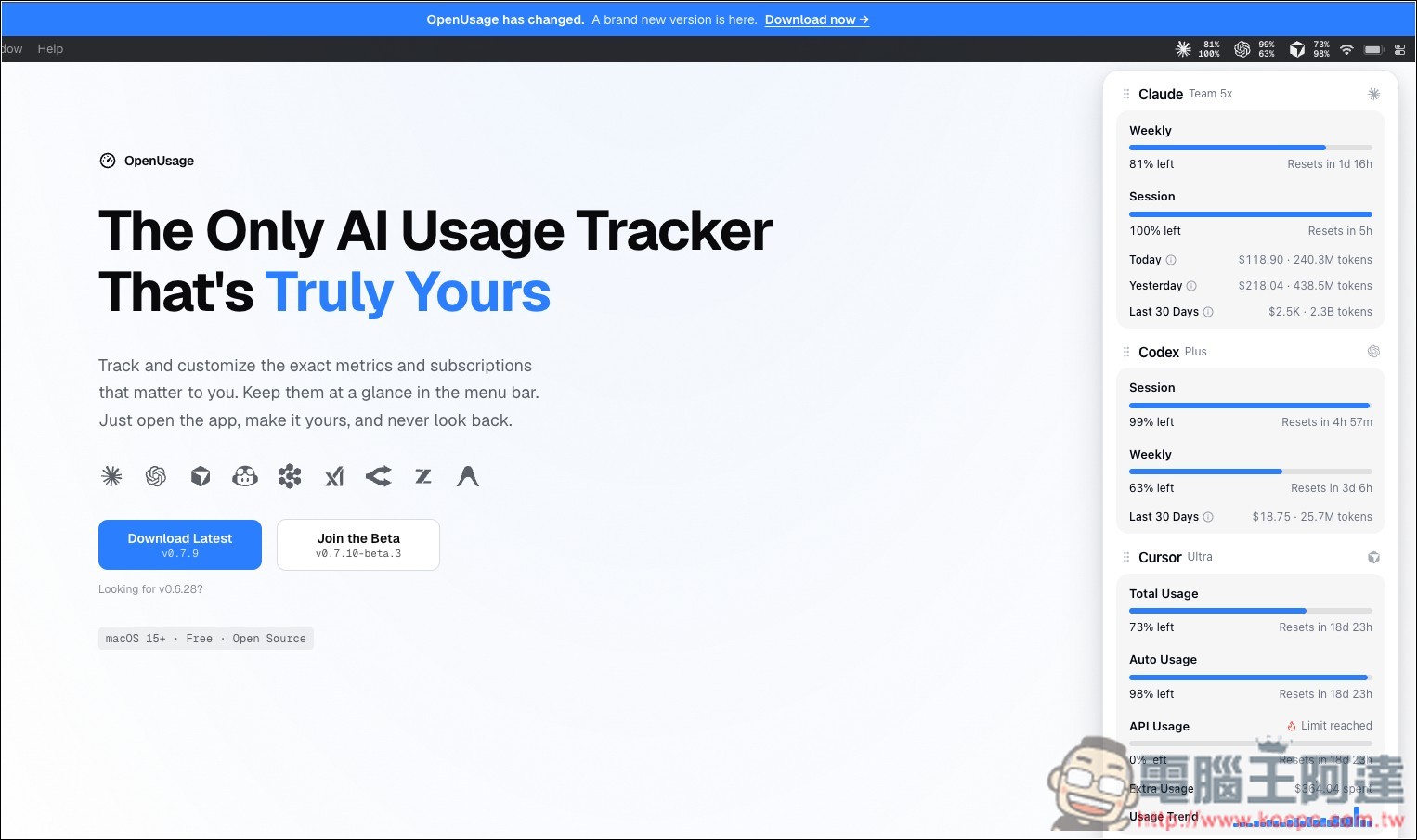
Introducing OpenUsage, the free AI quota tracking tool! Check your remaining Claude, Codex, Cursor, and Grok credits directly from the Mac menu bar.
OpenUsage is a free, open-source macOS menu bar tool designed specifically for tracking AI tool usage quotas. It consolidates usage information from different AI services like Claude, Codex, Cursor, Grok, and OpenRouter, all displayed in one place. For people who regularly use multiple AI tools, there’s no need to visit each provider’s website or backend to check remaining limits—just look at the Mac menu bar to quickly see how much you have left and when it will reset.
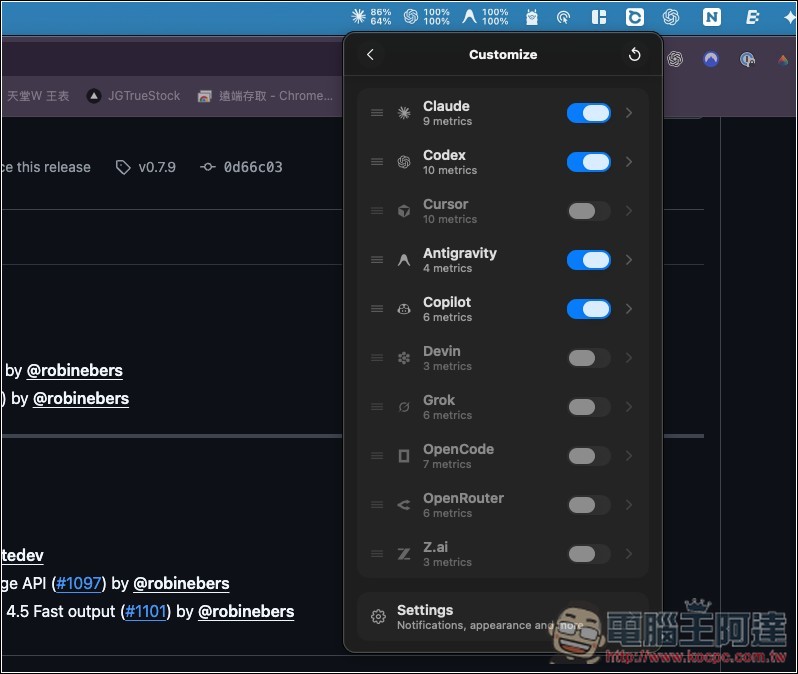
OpenUsage currently supports services such as Claude, Codex, Cursor, GitHub Copilot, Devin, Grok, OpenRouter, Z.ai, and Antigravity. The information available varies by platform—for example, Claude and Codex allow you to view usage limits and reset times for Session, Weekly, etc., while Cursor can display total usage, Auto Usage, API Usage, extra usage, and more; some services also show token counts, costs, and recent usage history.
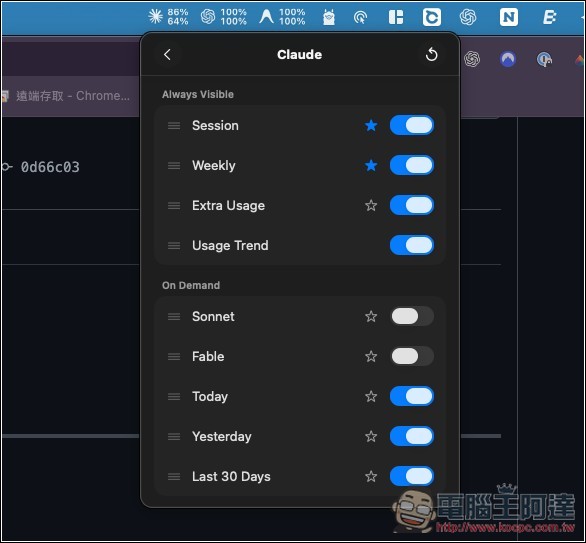
In addition to viewing basic quotas, OpenUsage also lets users customize which services and metrics to display. Important information can be pinned directly to the menu bar, so there’s no need to open the full interface every time.
Main Features
- Free and open-source use: licensed under the MIT License, free to use without payment.
- Always in the macOS menu bar: no need to open a webpage—just click to view your AI quota.
- Centrally manage multiple AI tools: supports Claude, Codex, Cursor, Copilot, Grok, OpenRouter, and other services.
- View Remaining Quota: Quickly see your Session, Weekly, and plan usage ratios at a glance.
- Display reset time: instantly know when your quota will be restored.
- Track tokens and spending: Some services can display tokens, costs, and usage records.
- Customizable interface: choose which services and metrics you want to track.
- Supports local API: allows usage data to be integrated into other programs or scripts.
- Continuous service expansion: the Provider architecture makes it easy to add more AI platforms in the future.
Go to the OpenUsage official website.
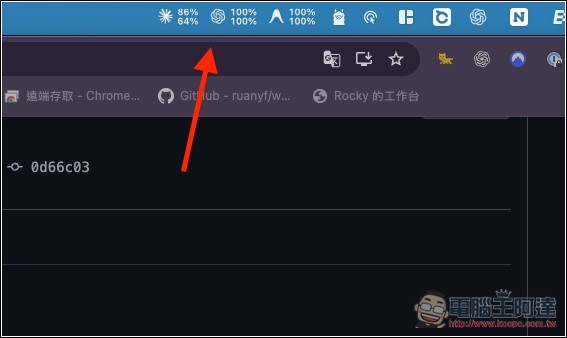
OpenUsage is very simple to use. Once installed, you’ll see the quotas for each AI tool in your Mac’s menu bar. For example, my Mac has Claude, ChatGPT, and Antigravity installed, and those are the small icons shown from left to right in the menu bar below. From now on, if I want to know how much quota is left for a particular AI tool, I just look up:
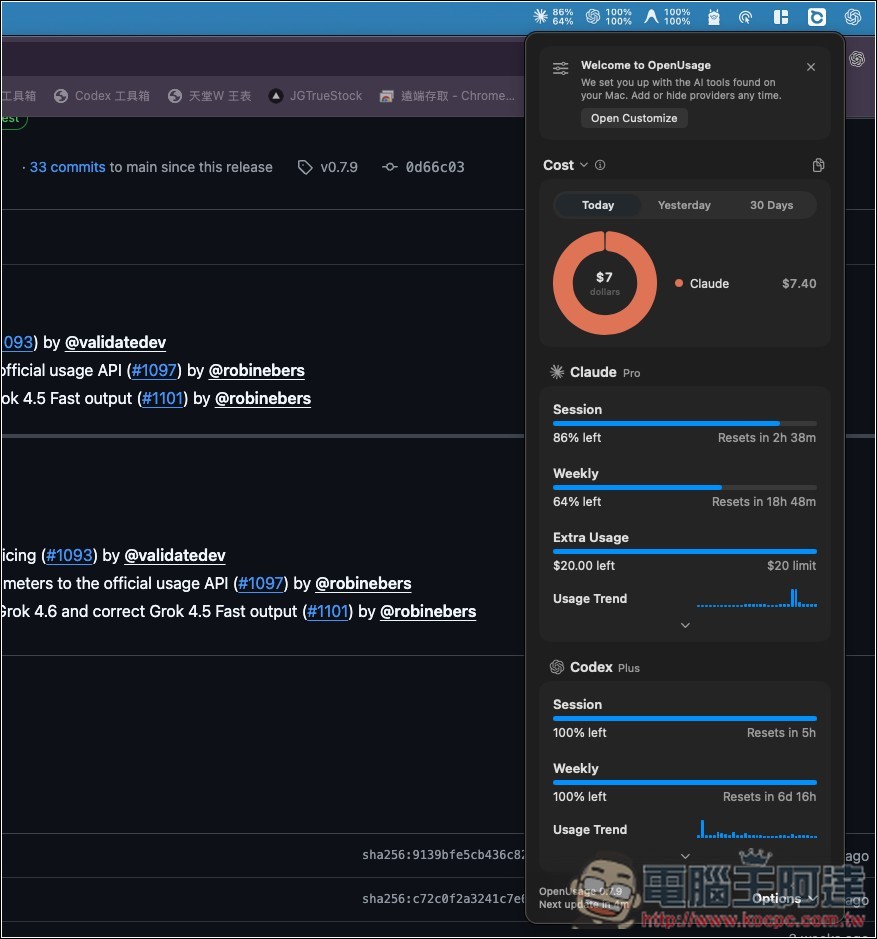
After opening the menu, you can get more information, even down to how much Extra Usage is left in Claude.
Switchable data statistics for today, yesterday, and 30 days:
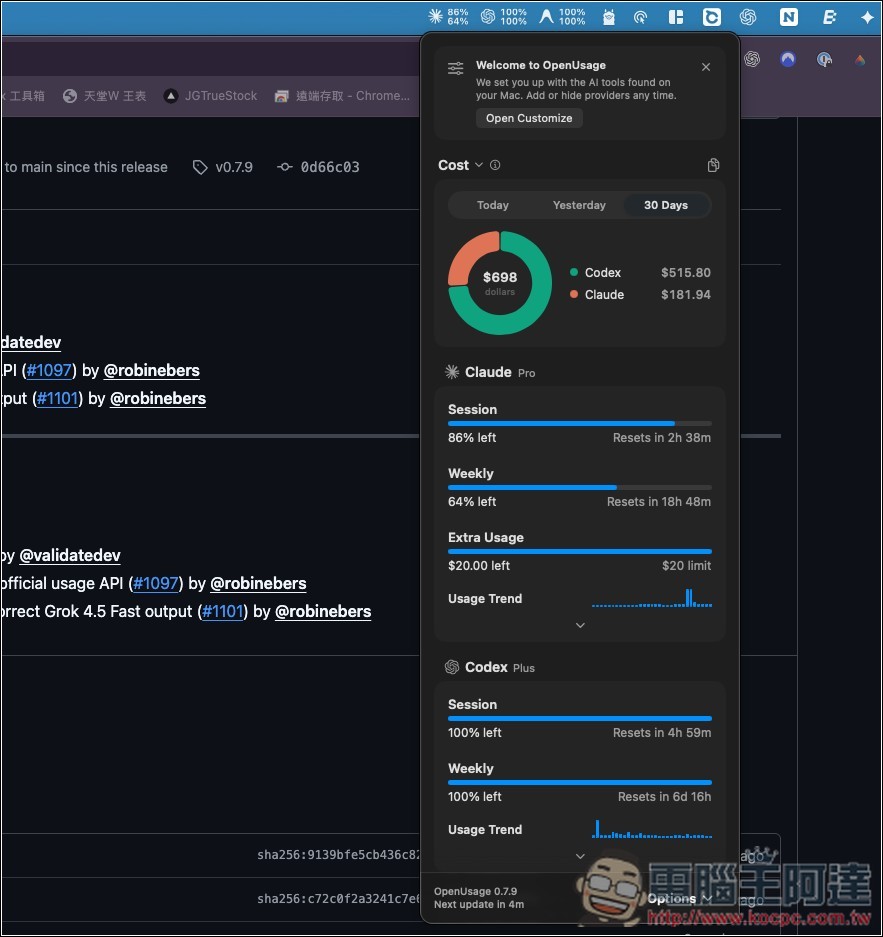
Of course, you can specify which AI tools to display:
And in each AI tool, which data should be displayed:
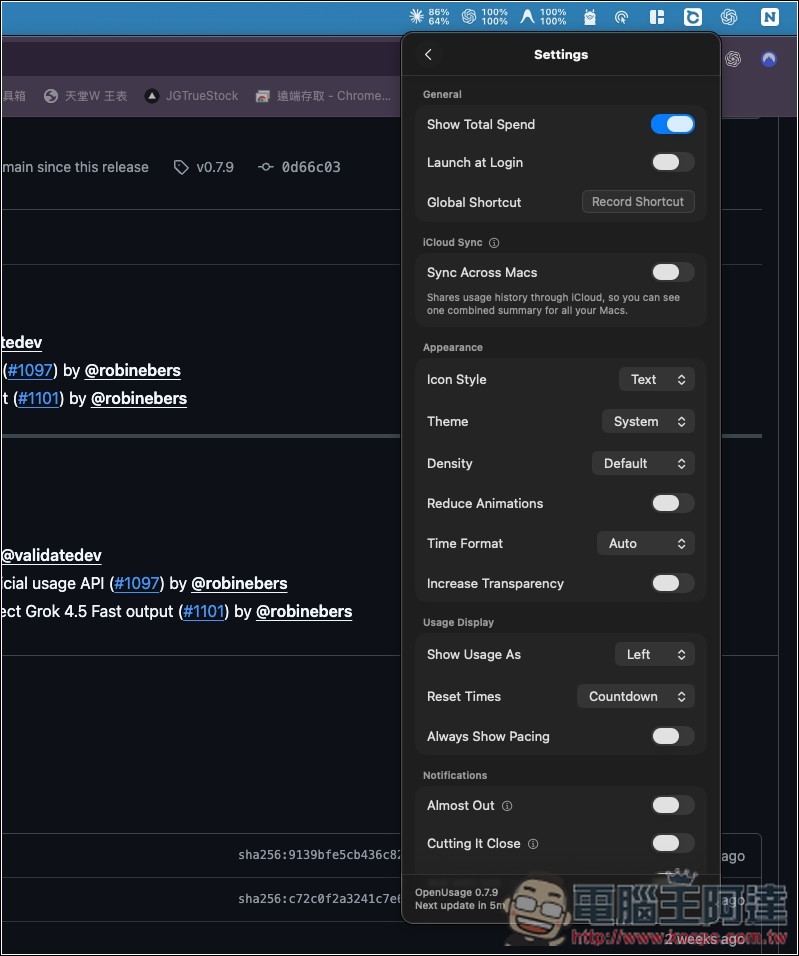
And in the settings, there’s also one I think is pretty good: Sync Across Macs, which uses iCloud to sync the summary data from each of your Macs:
Source: KOCPC Chinese