


We previously introduced that a single image can be used to create… LINE One Click Sticker for stickers, which many people have used to create stickers. But previously, because Google tightened Nano Banana Free image generation credits caused the service to no longer be free. But recently, since Google reopened free image generation, the service has come back to life. The latest version now adds eight cute sticker styles and can properly display Chinese text. Here’s a quick share again.
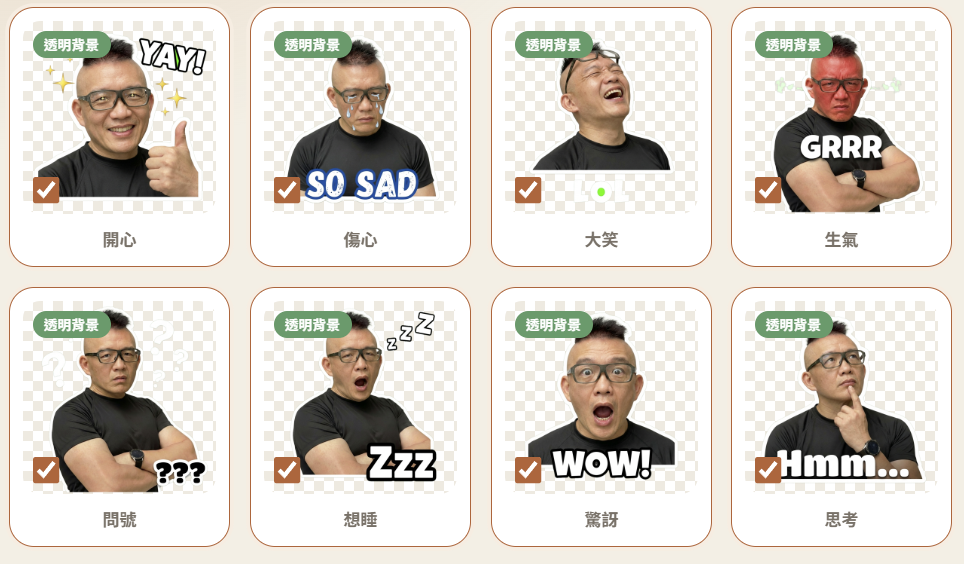
One Click Sticker V5 — Create Your Own Exclusive LINE Stickers for Free
One Click Sticker is an online sticker generator developed through Gemini Canvas, powered by Nano Banana 2 Lite, and can be used by logging in with a Google account. The generated stickers also come with built-in one-click background removal and packaging features, which is very convenient.
After clicking the link above to enter One Click Sticker, upload a reference image on the left; it also supports the camera capture function:
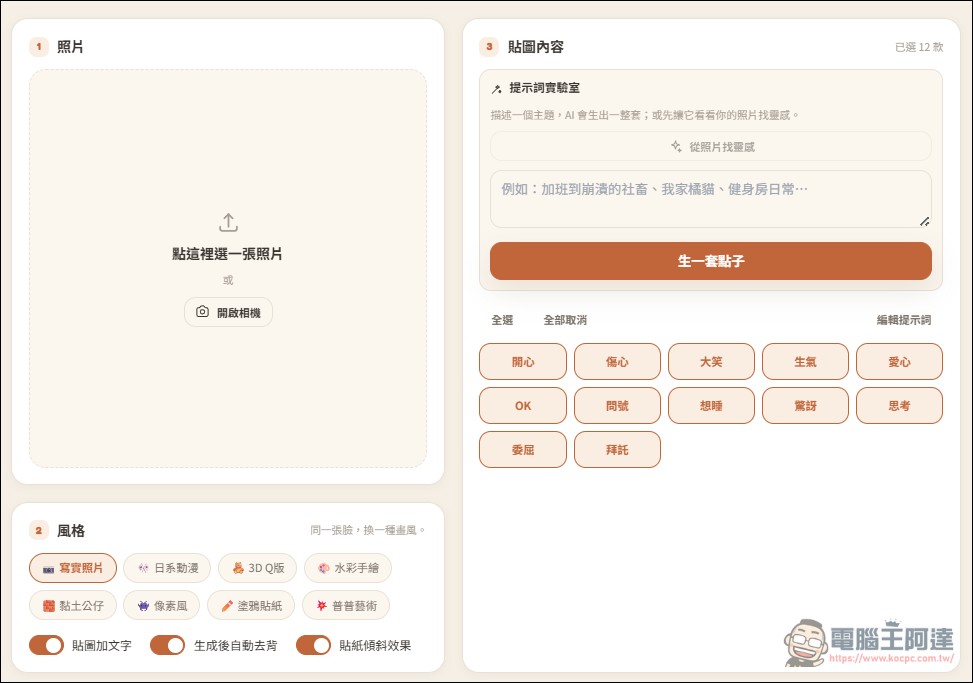
By the way, you can also do it by opening the page above on your phone—it’s very convenient:
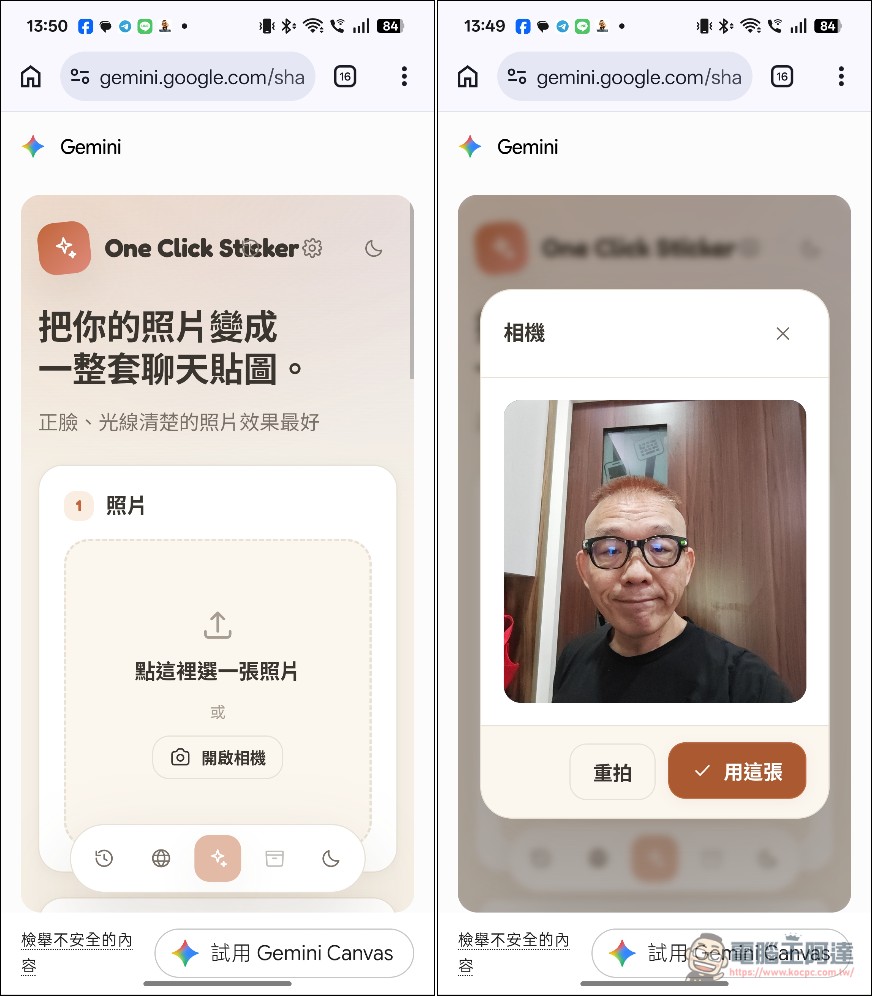
Next, use Ada’s photo. On the right, select the type of stickers to generate. There are already 12 common reactions preset, including happy, sad, laughing, angry, heart, OK, etc. All are generated by default. If there are any styles you don’t want, click on that option to cancel that sticker. In the bottom-left corner, there are eight styles to choose from, including realistic, anime, chibi…
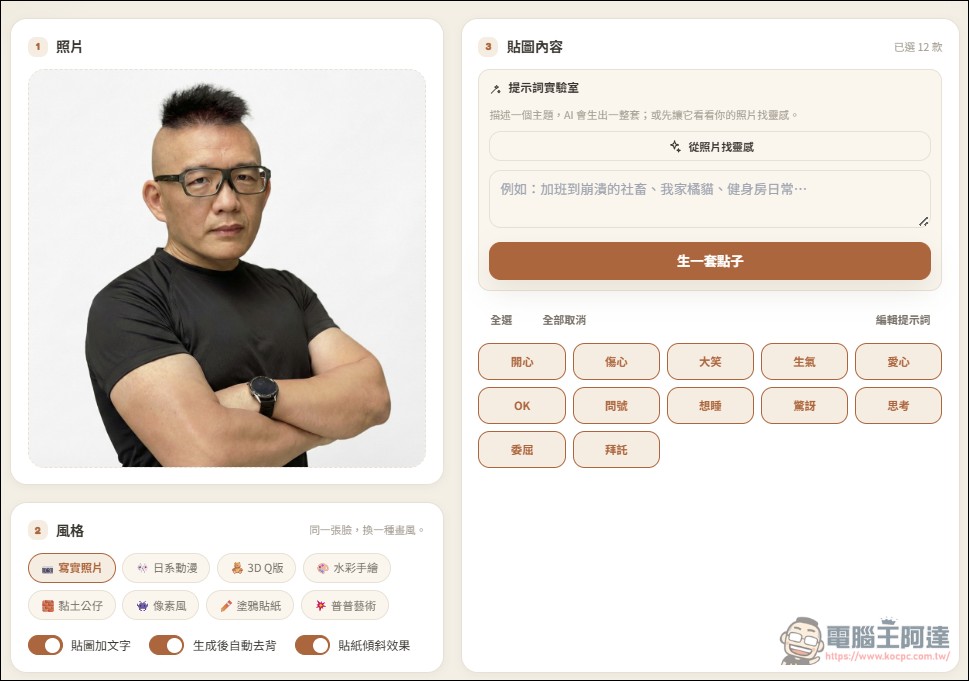
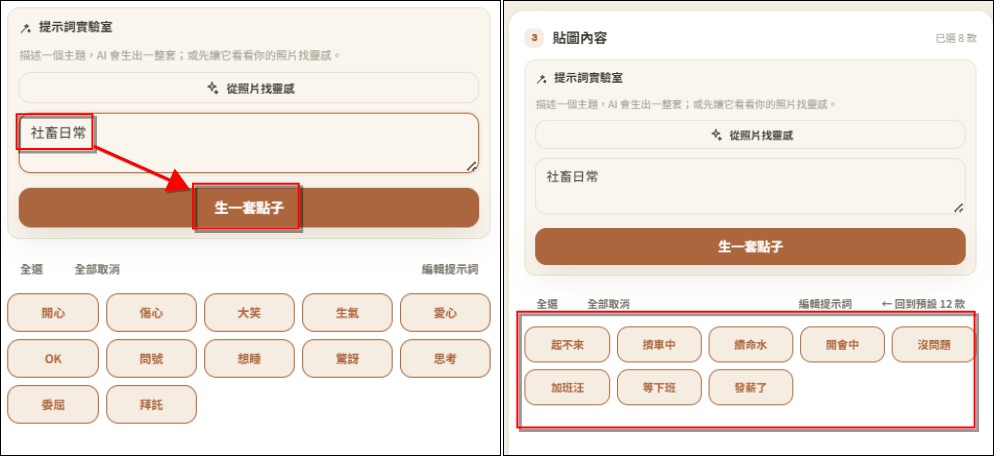
If you don’t want the default sticker pack, you can type the theme you want in the prompt lab on the right. For example, I typed “office drone daily life,” then pressed “generate a set of ideas” below, and several sticker reactions suitable for work showed up. If you’re happy with them, press the “generate stickers” button, and it will start generating.
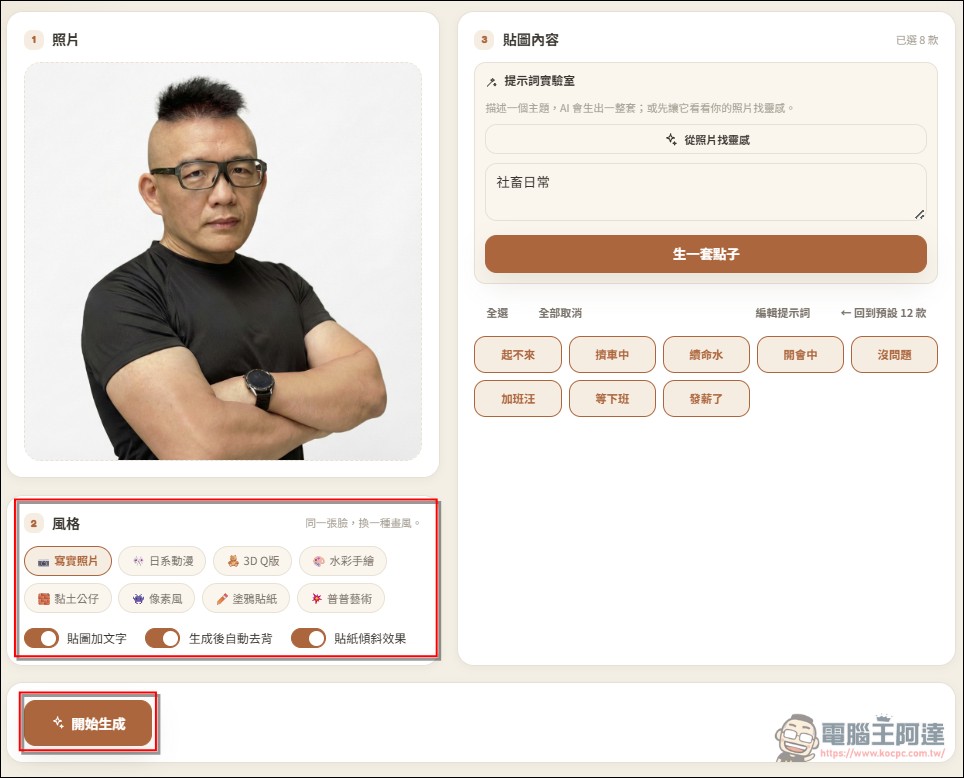
In addition, default stickers automatically have effects like text, background removal, and tilt added. If you don’t want that, remember to uncheck the boxes. This time, select the realistic photo style, and finally click “Start Generating”:
Below will start generating one by one. Keep this window open during the process. The generation time depends on the number of stickers you selected—basically, it will be done in a few dozen seconds:
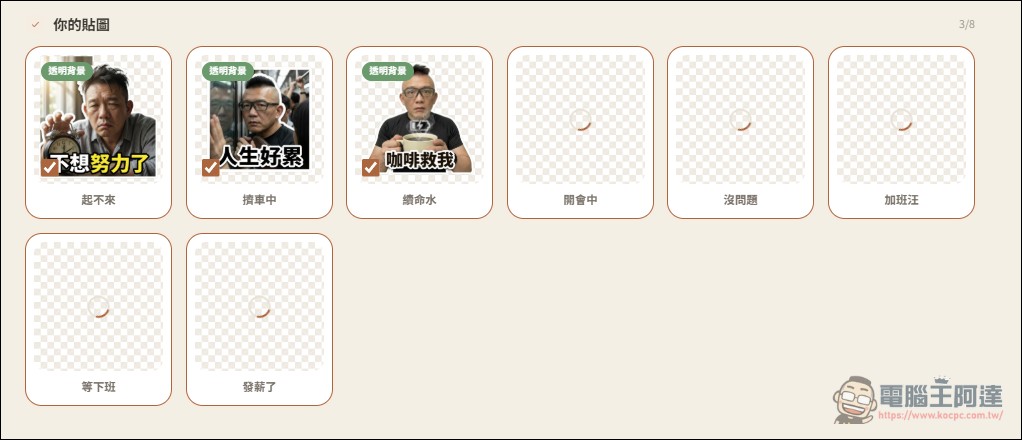
Just like that, Ada’s custom work stickers are ready. Each one is super practical, and the expressions and movements are on point. Currently, free users should be able to generate about 20–30 stickers a day. Give it a try yourself (I’m a member, so I’m not allowed—don’t test me).

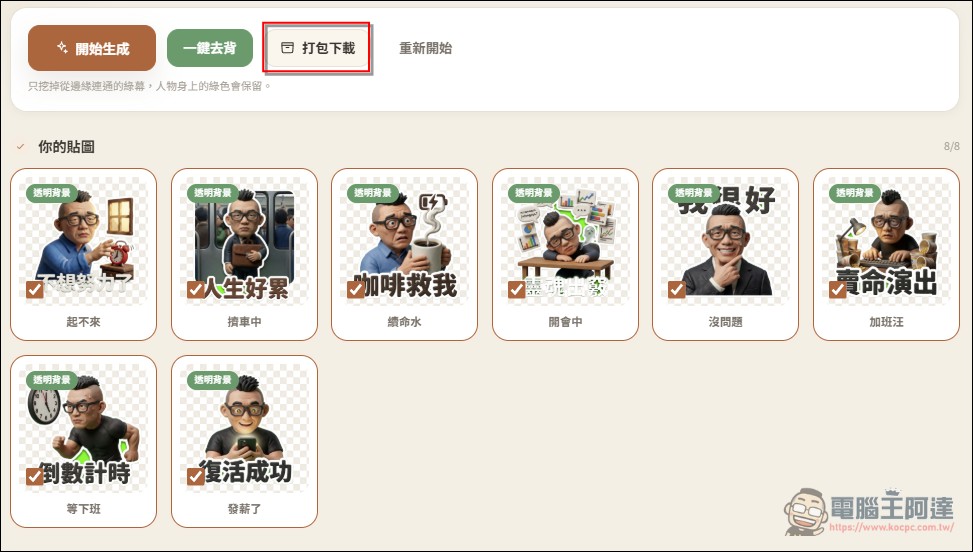
The current version has already removed the background for you. All you need to do now is click “Package Download” to save it for personal use or upload it to the LINE Store to share with friends and family (images have been converted to a clay figurine style):
Go to One Click Sticker
As for how to publish on the LINE Store, you can refer to this video:
Source: KOCPC Chinese