


Previously, Valve did not open SteamOS used in the Steam Deck to all PCs, so if you wanted to install and recreate the SteamOS experience on a gaming laptop, the difficulty was quite high. The only options were to mod with game-oriented Linux systems like Bazzite, or to research various unofficial installation methods on your own.
With SteamOS 3.8 expanding hardware support, it has officially become easier than ever to install SteamOS on more non-Valve PCs with AMD graphics chips. Many people will surely wonder if it’s feasible to install it on a laptop. The YouTube channel ETA Prime recently put this to the test using a Strix Halo gaming laptop, and both its gaming performance and battery life were quite impressive. Here’s a summary for you below.
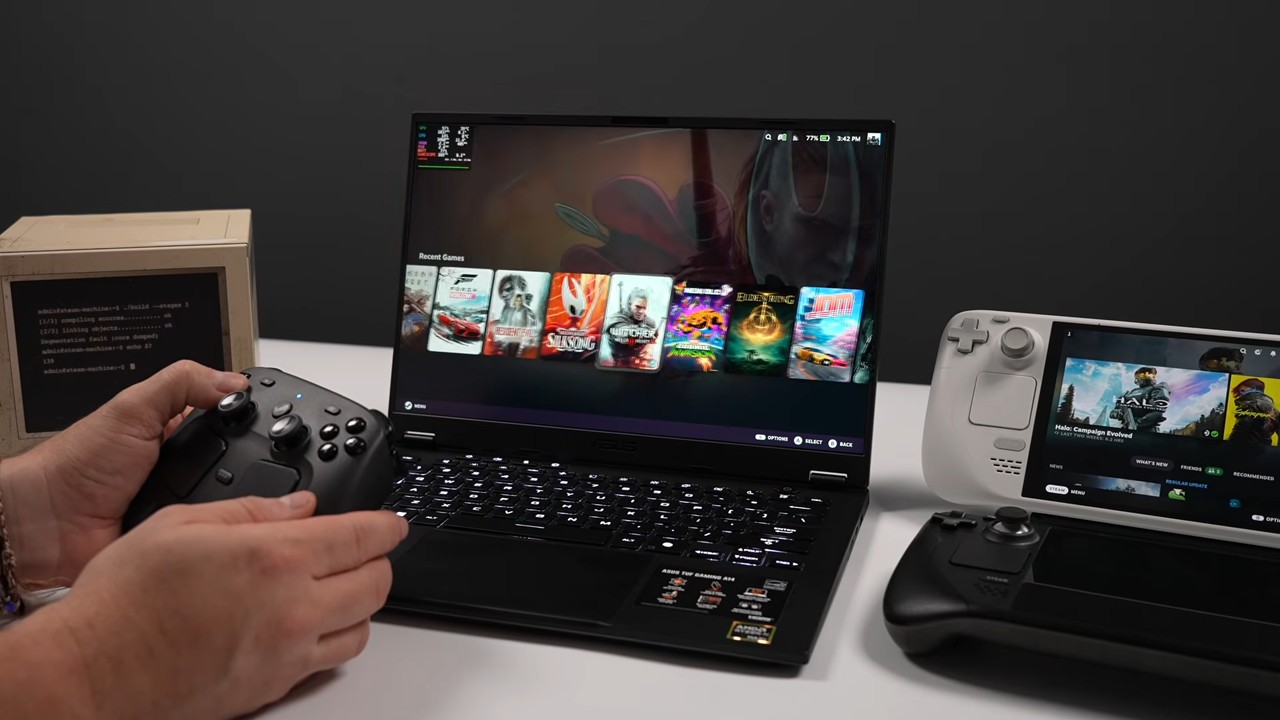
AMD gaming laptop tested with SteamOS, exceeds 80 FPS in 1440p games.
Valve had previously announced that starting with SteamOS 3.8, players can build a Steam Machine-like gaming PC using PC parts of their choosing. However, there is still a clear limitation on the parts mentioned here: only AMD GPUs are currently supported, and Valve is still working to expand the range of compatible hardware.
The overseas ETA Prime channel installed SteamOS 3.9 on a 2026 Asus TUF Gaming A14 FA401EA gaming laptop, which is powered by an AMD Ryzen AI Max+ 392 processor featuring a 12-core, 24-thread Zen 5 CPU with a maximum clock speed of 5.0GHz, and also integrates a Radeon 8060S graphics chip.
Although the Radeon 8060S is an integrated graphics chip, its performance is actually quite good. It has 40 RDNA 3.5 compute units and uses a unified memory architecture, sharing LPDDR5X memory with the CPU.
First is Halo: Campaign Evolved, a new title that remakes the original Halo campaign. At 1440p with “High” graphics quality and FSR set to Medium, equivalent to Balanced mode, the frame rate sits at roughly 70 FPS.
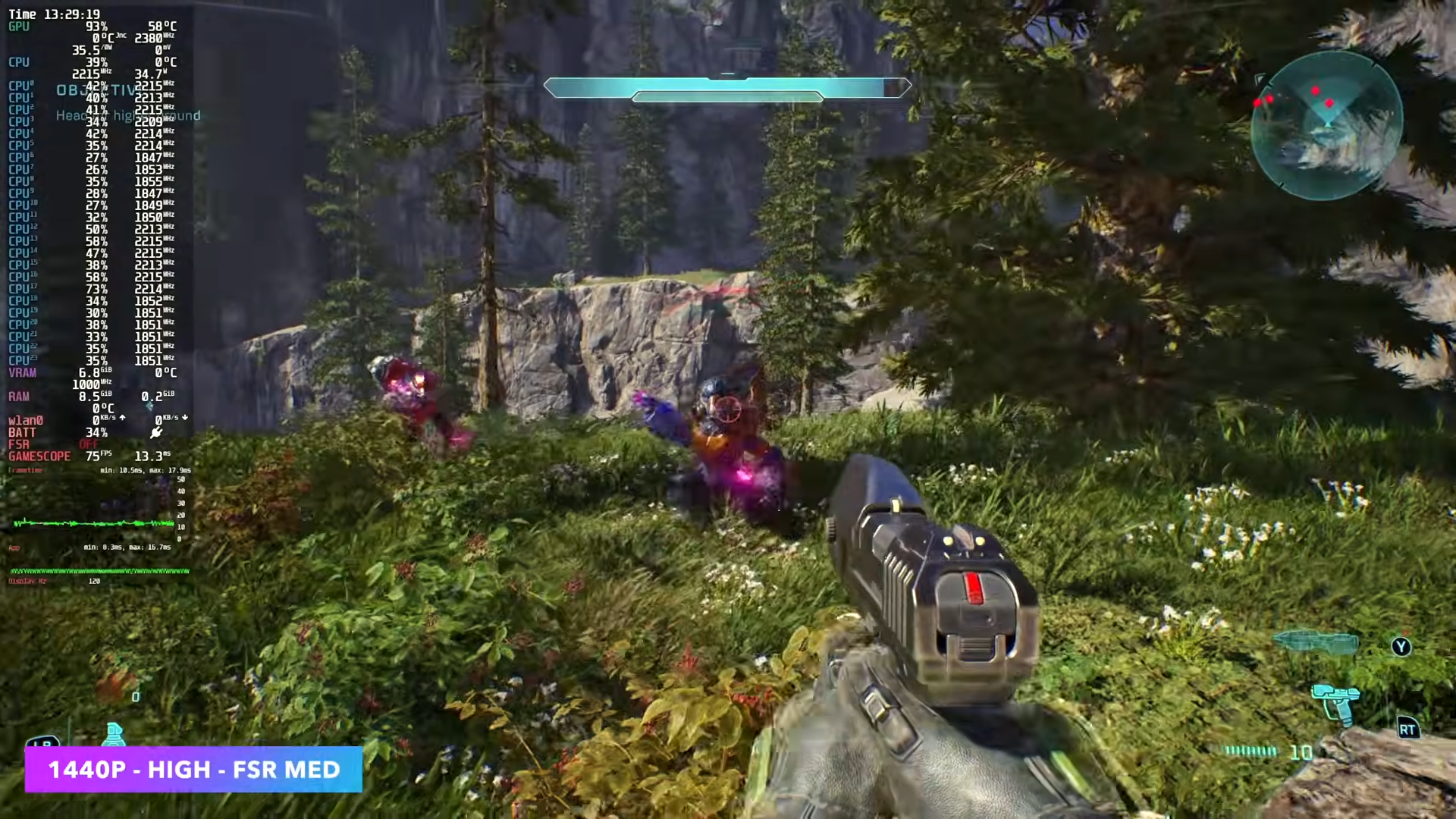
ETA Prime believes this performance is slightly lower than expected and mentioned that with FSR frame generation enabled, frame rates could nearly double. However, to keep testing conditions consistent across different games, frame generation was not enabled this time.
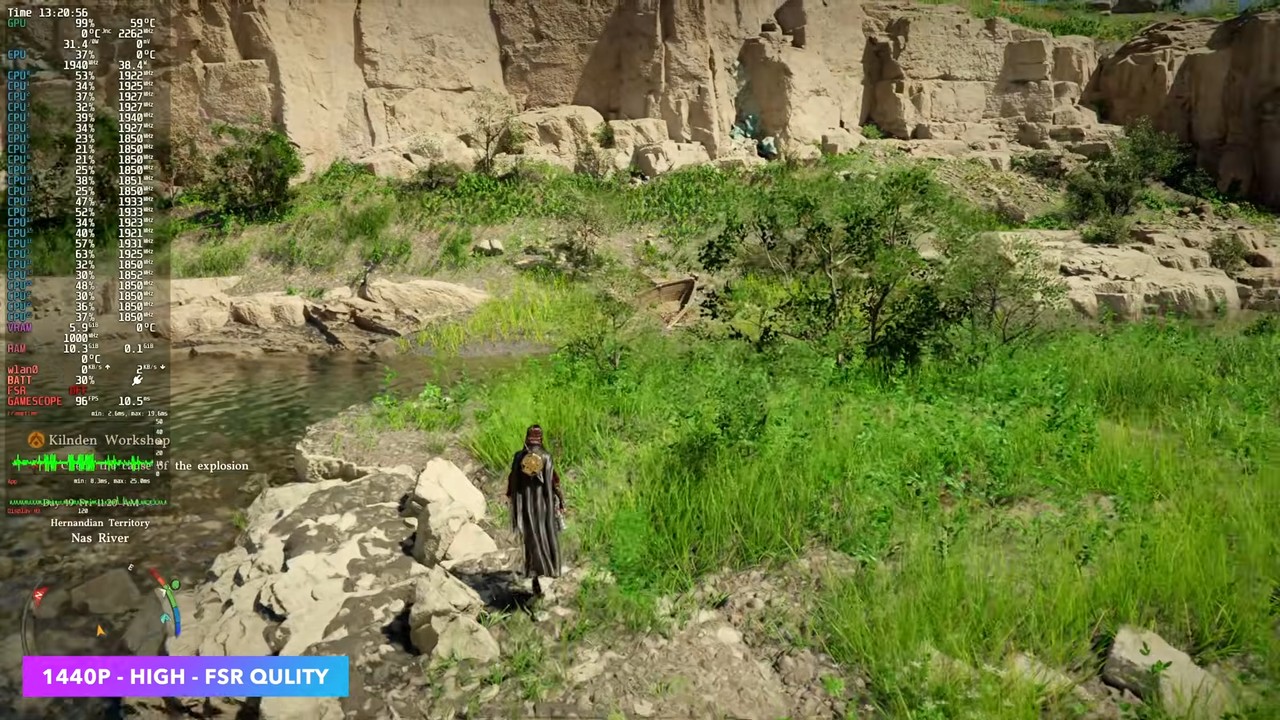
Crimson Desert runs at 1440p with “High” graphics settings and FSR Quality mode. ETA Prime stated that the game maintains frame rates above 60 FPS, which is fully playable.
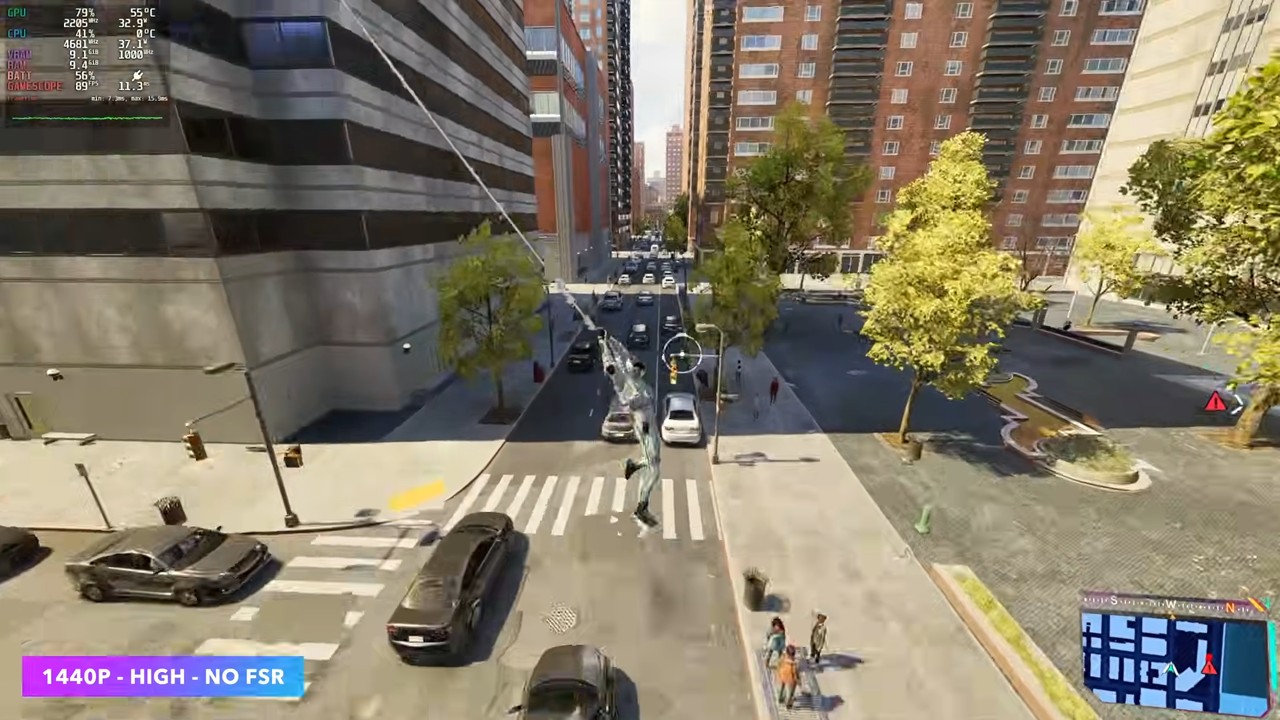
Marvel’s Spider-Man 2 at 1440p resolution with “High” graphics quality, and with AMD FSR upscaling completely disabled, still averages over 80 FPS:
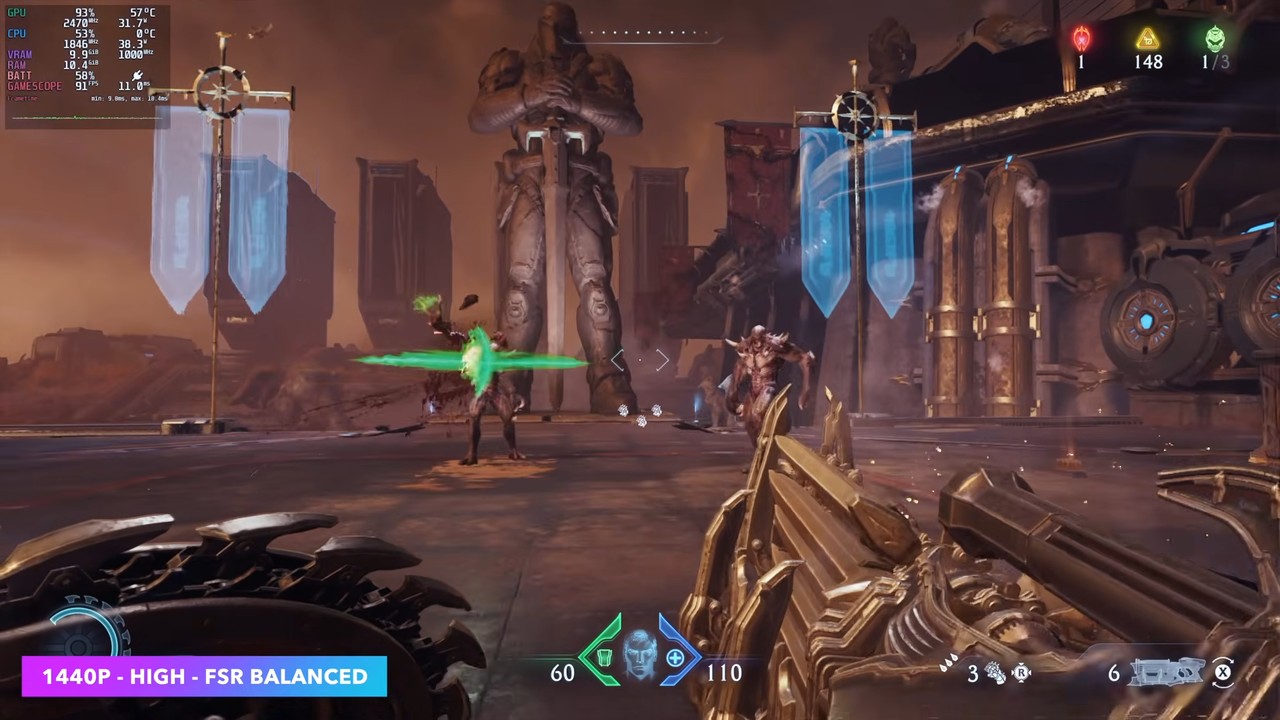
Before testing DOOM: The Dark Ages, ETA Prime first allocated 16GB of video memory to the Radeon 8060S, then ran it at 1440p, “High” quality, and FSR Balanced mode. The actual result was about 89 FPS, already close to 90 FPS:
“Cyberpunk 2077” was tested using the 1440p “High” graphics preset, which includes FSR 2.1 Quality mode. ETA Prime says that some scenes with heavy particle effects bring the framerate close to 60 FPS, but during the video test the number never actually dropped below 60 FPS, and overall the game remained smooth.
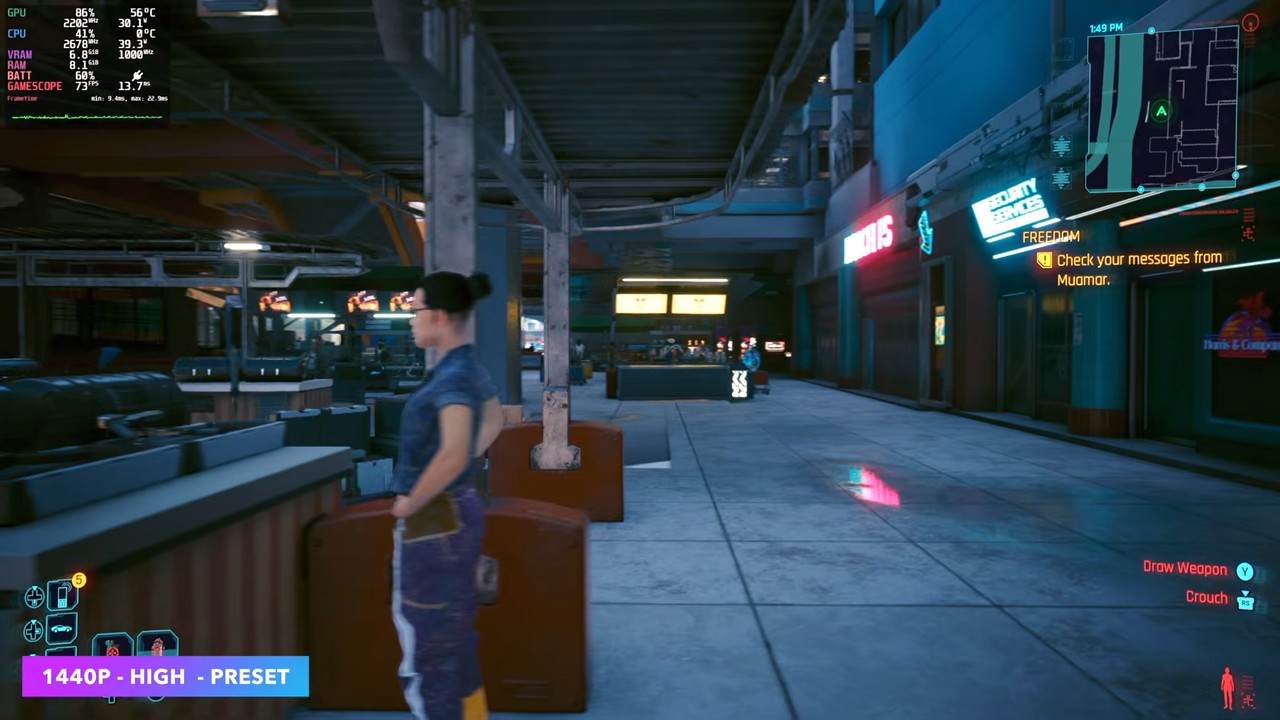
He also compared FSR 3 in practice, and while the image quality was better, the frame rate was actually a bit lower, so he switched to FSR 2.1.
Beyond performance, ETA Prime also tested battery life for unplugged gaming. The entire test used SteamOS’s factory default power settings, with no manual TDP limit or additional power management tweaks.
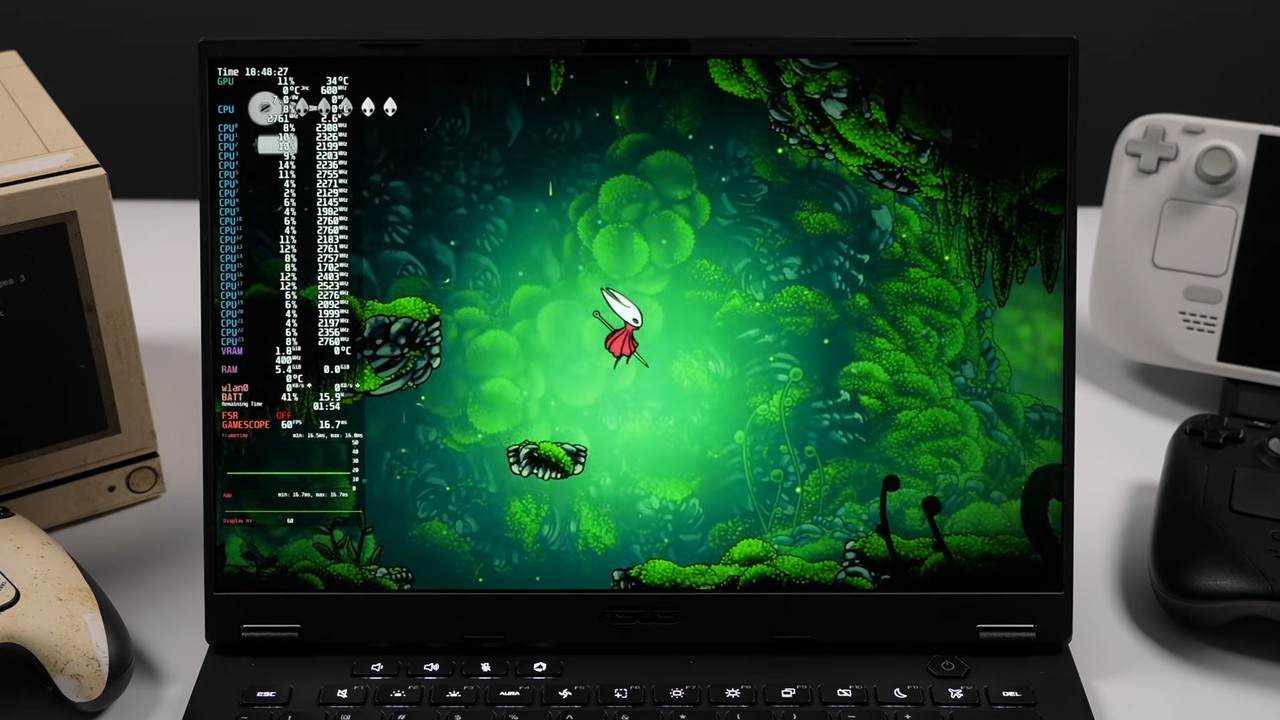
In the indie game section with lower loads, Hollow Knight: Silksong runs at 1200p resolution locked to 60 FPS, with system power draw staying under 16W. After aggregating test results from multiple indie games, ETA Prime estimates battery life to land around 4–7 hours, though actual duration will still vary depending on game load.
For a heavier load in Cyberpunk 2077, ETA Prime used the Steam Deck’s quality presets and capped the frame rate at 60 FPS. With the TUF Gaming A14’s 73Wh battery, they estimated about 2 hours and 25 minutes of playtime at 800p resolution; bumping it up to 1200p dropped the estimated battery life to around 1 hour and 40 minutes.
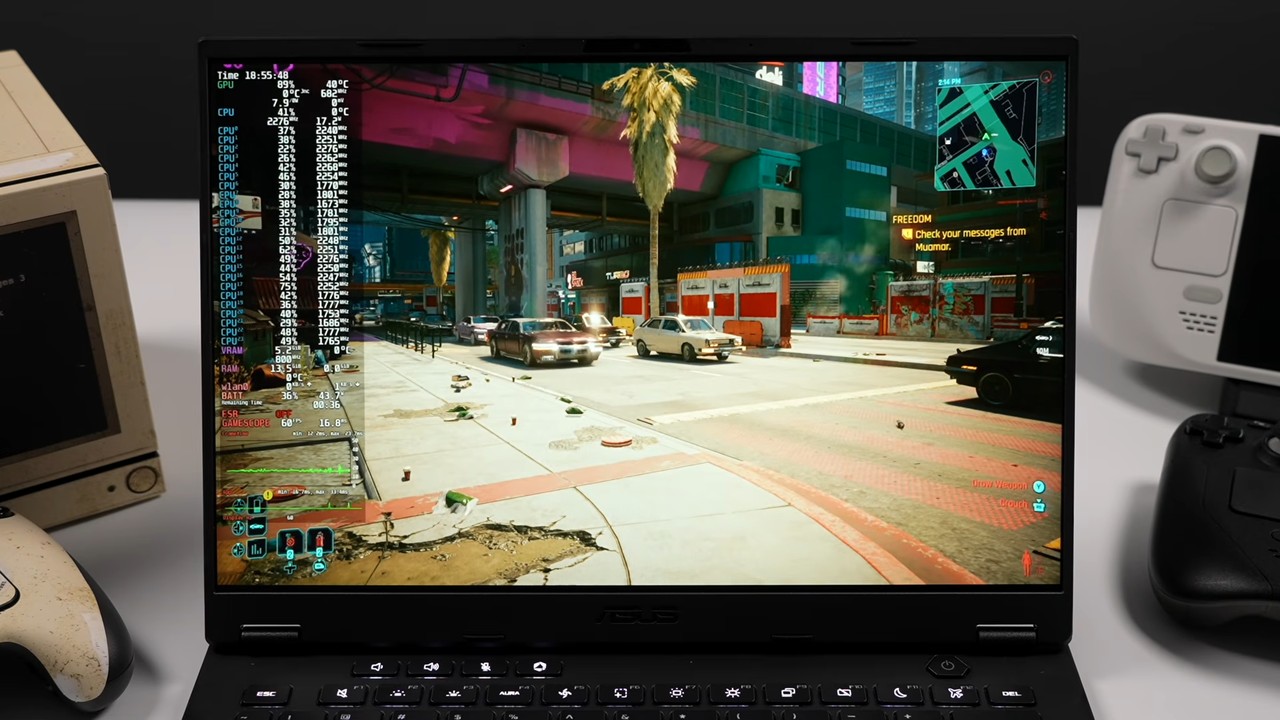
ETA Prime also mentioned that further use of TDP control could theoretically extend battery life, but that setting was not tested this time.
Looking at this test alone, SteamOS, without any deep tuning of TDP or power management, was already able to deliver excellent gaming performance with the Radeon 8060S at 1440p.
After unplugging, indie games should last around 4 to 7 hours, while AAA titles like Cyberpunk 2077 can hold out for roughly 1 hour 40 minutes to 2 hours 25 minutes depending on resolution. For a system that’s only just starting to support standard PCs, that’s a pretty solid result.
Source: KOCPC Chinese