


Modern people are inseparable from communication software every day, such as LINE, Messenger, Instagram, WhatsApp, etc. When a message comes, people always hesitate: “Do I want to reply right away?” Sometimes I just want to see the content of the message, but I feel pressured because it shows “read”, and I even worry that the other party will feel ignored. If you also have such troubles, then the “Just Read It” app will be your best solution!
This app supports a variety of major communication software, including Facebook Messenger, LINE, Instagram and WhatsApp. No matter which chat tool you use, you can enjoy a more free message browsing experience. With a simple setting, messages can be “read without reply” and display unread status, giving you more space to respond and no longer being bombarded by messages that affect your life.
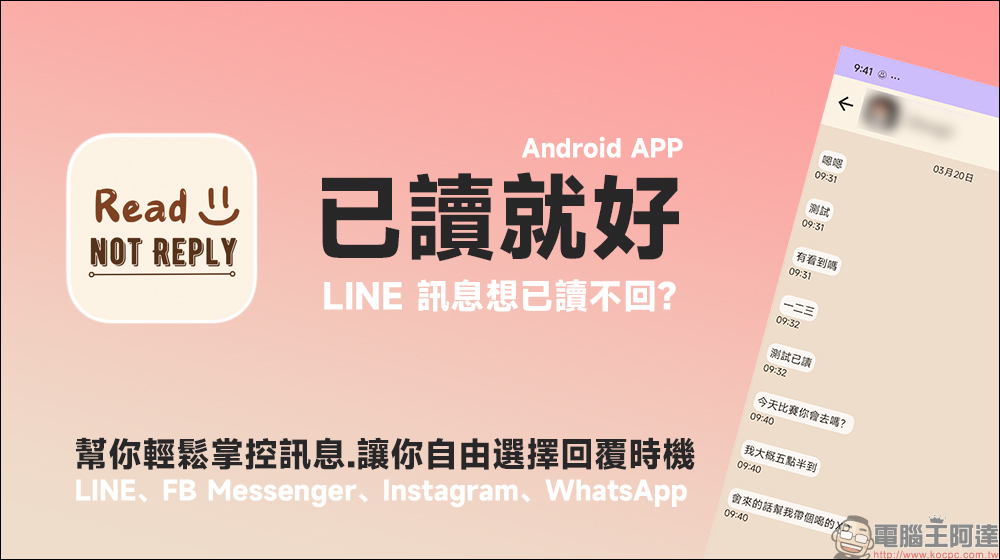
Don’t think you can read the LINE message? This “just read it” Android App helps you easily control messages and allows you to freely choose the time to reply!
In modern social life, communication software such as LINE, Instagram, WhatsApp, etc. have become the main tools for people’s daily communication. However, although the “read” function of these applications facilitates message transmission, it may also cause some troubles. For example, when we read a message but are unable or do not want to reply immediately, the other party already knows that we have read it, which may cause embarrassment or misunderstanding.
The biggest feature of “Just Read” is that it allows you to view messages without the other party finding out. You can browse the content of the message with peace of mind and decide when to reply without worrying about the social pressure caused by “read not reply”. Whether you are busy at work, chatting with friends, or just don’t want to be harassed, “Just Read” can help you manage messages easily.
When you check a message on LINE or Messenger, the other person will usually see a “read” mark, which makes you think about whether to reply immediately. But sometimes you really don’t want or can’t respond right away, and that’s when “just read” comes in handy. It allows you to read messages freely without triggering read notifications, giving you time to think about how to respond. “Just read it” is not just designed for LINE, it supports a wide range of areas, including:
- LINE
- Facebook Messenger
This means that no matter which platform you are communicating with friends, colleagues or family, you can enjoy this convenient feature.
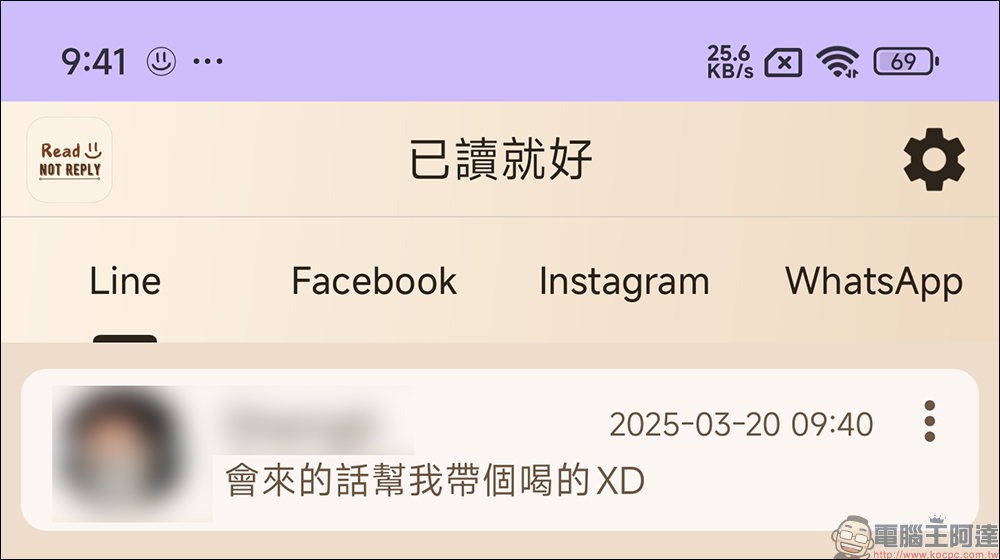
“Just read it” is not only a tool for coping with social pressure, but also suitable for the following situations:
- Busy at work and unable to respond immediately: When you are in a meeting or handling official business, you can read the content of the message first and wait for the appropriate time before replying without being rushed by the other party.
- Too much pressure to chat and don’t want to reply right away: Sometimes there are a lot of messages from friends or family, but you are not in the mood to respond at the moment. This app gives you more freedom.
- Don’t want the other party to know that you have read the message: In some cases, you may not want the other party to know that you have read the message. In this case, “Just read it” is your best choice.
The key point is that this Android App is free to download and easy to set up, without any additional costs or cumbersome setup procedures. As long as it is installed and permissions are turned on, it can be used immediately, helping you better control the timing of replying to messages.
How to start using Just Read It?
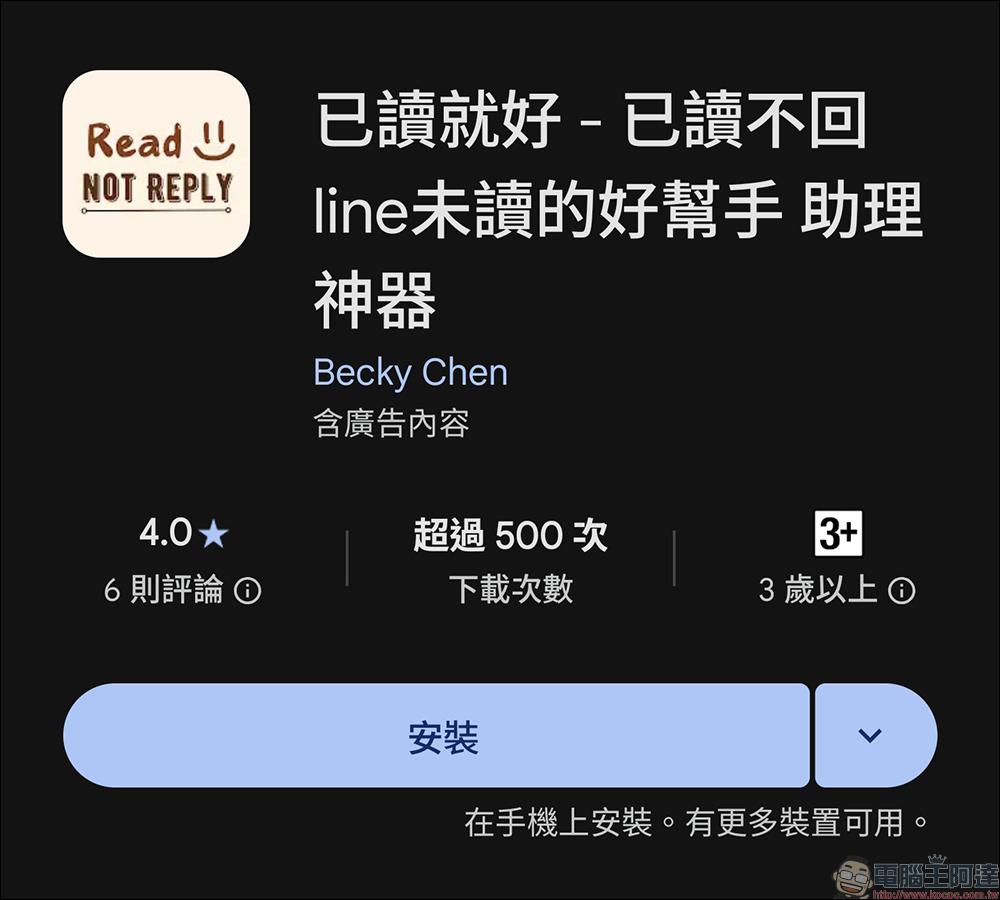
If you can’t wait to own this “read-no-return artifact”, you can go to the Google Play Store now to download “just read it”:
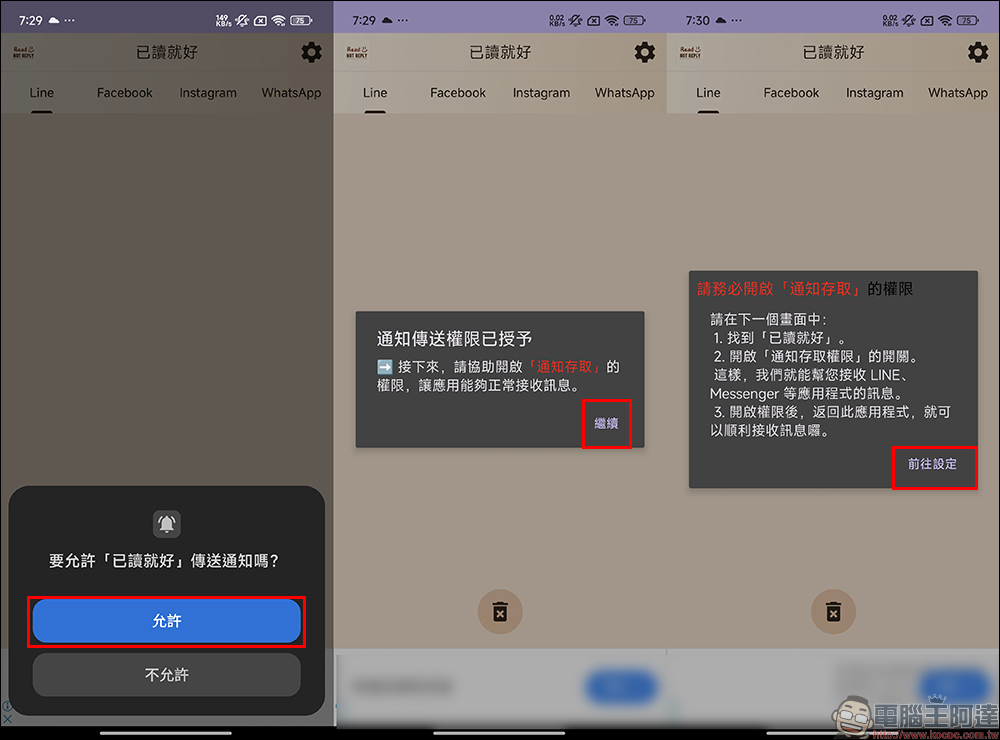
After installation, follow the steps below to set it up. First, open the “Just Read” App and follow the instructions to grant the necessary “Notifications” access permissions:
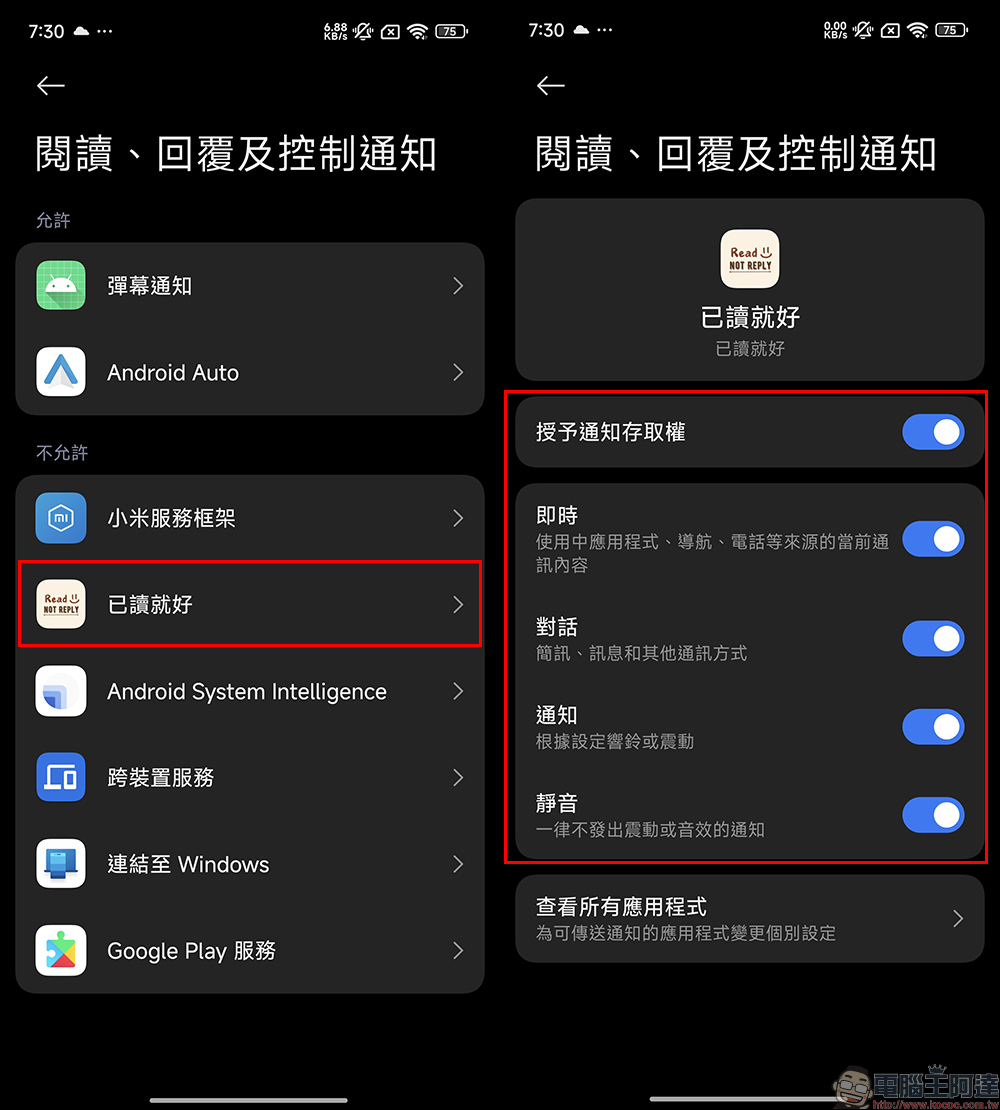
Return to the “Just Read” App and click the settings button (gear icon) in the upper right corner, click “Battery Settings” > “Go to Settings”: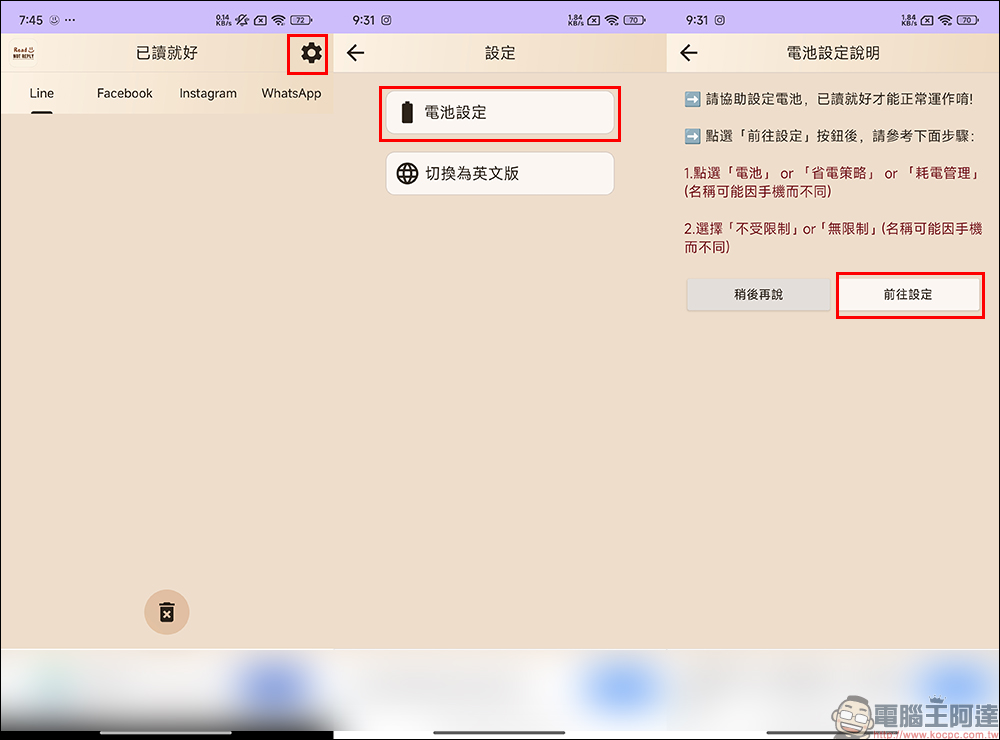
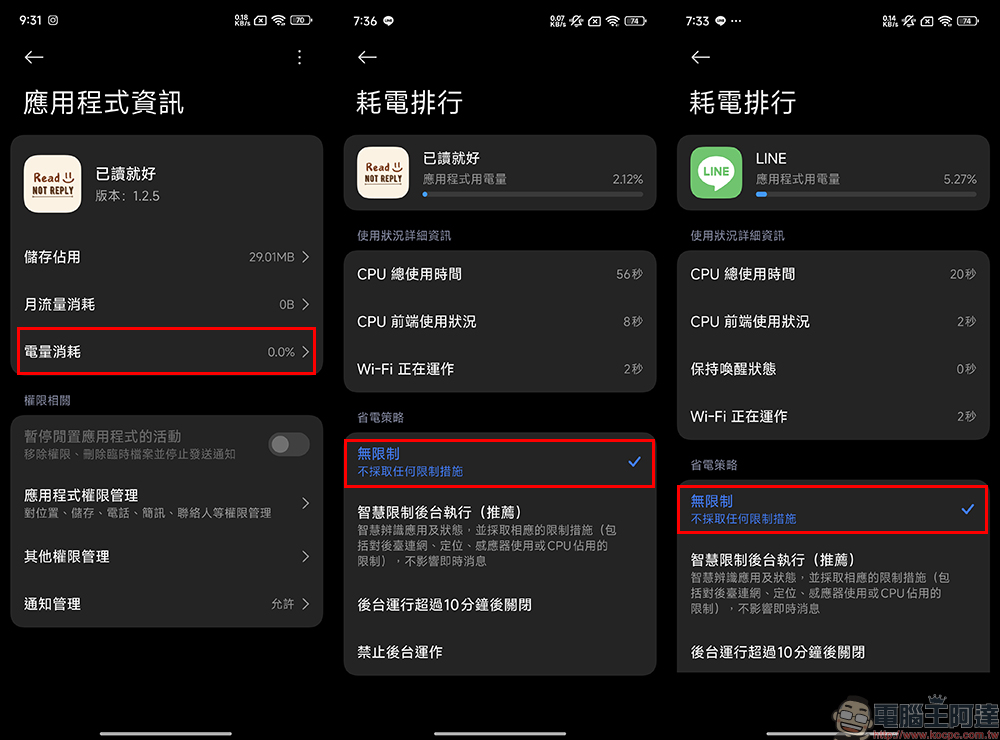
The system names here are slightly different according to different brands of Android mobile phones. Taking Xiaomi as an example, click “Power Consumption” and select “Unlimited” for the permissions under “Power Saving Strategy”. Then make sure the notification function of LINE, Messenger, Instagram and other communication software is turned on so that the app can help you read the messages:
After the settings are completed, you can ask your friends to send a message using LINE to test it out. If successful, in addition to the notifications from the LINE App, the notification center will also display a notification with a little face icon.
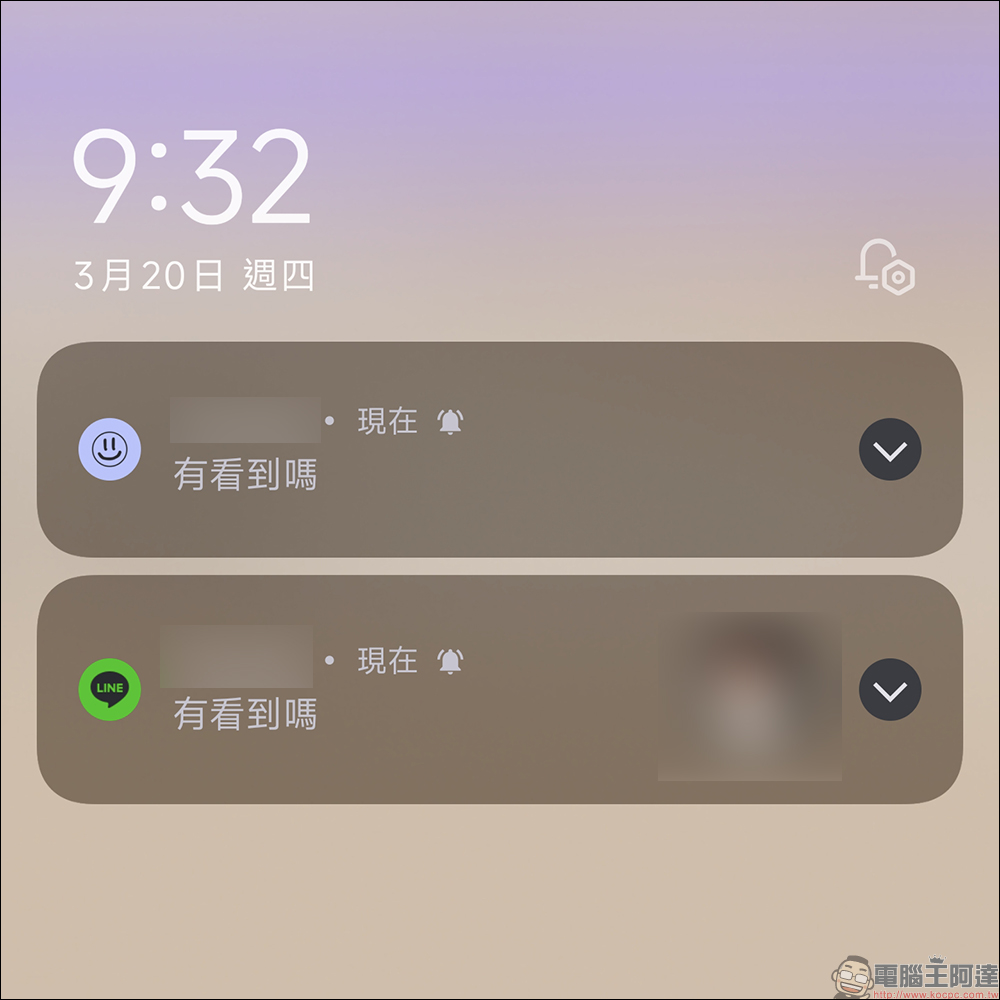
The following are the actual test results. You can see that the party sending the message has sent the message. On the receiving party, you can browse multiple complete messages from the “Just Read” app. This also avoids the situation where apps such as LINE can only see the latest unread message. However, even after checking all the messages on the “Just Read” App, the messages seen on the other party’s LINE still do not show the “Read” status.
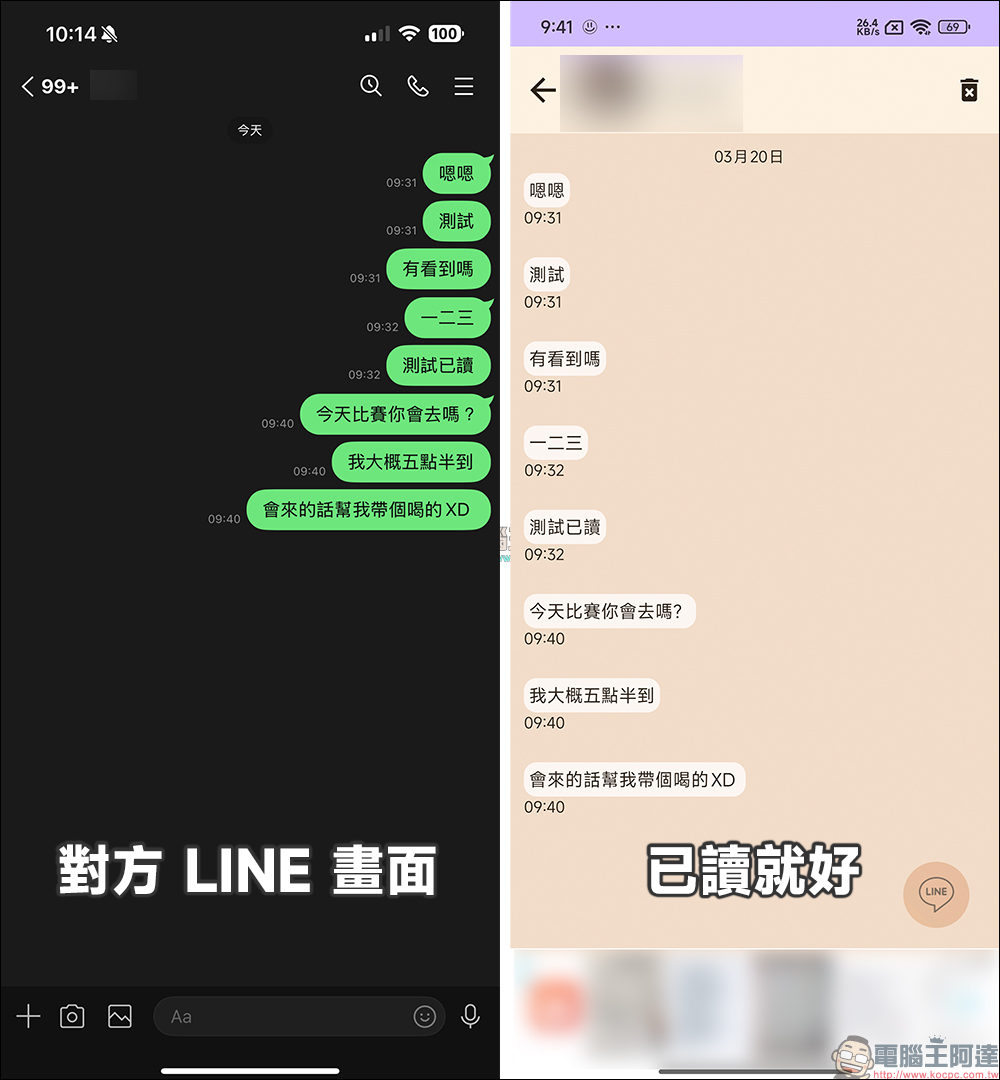
In addition to LINE, the “Just Read” App has been tested using Instagram messages. It can also view the complete content of the message without the other party noticing that it has been read.
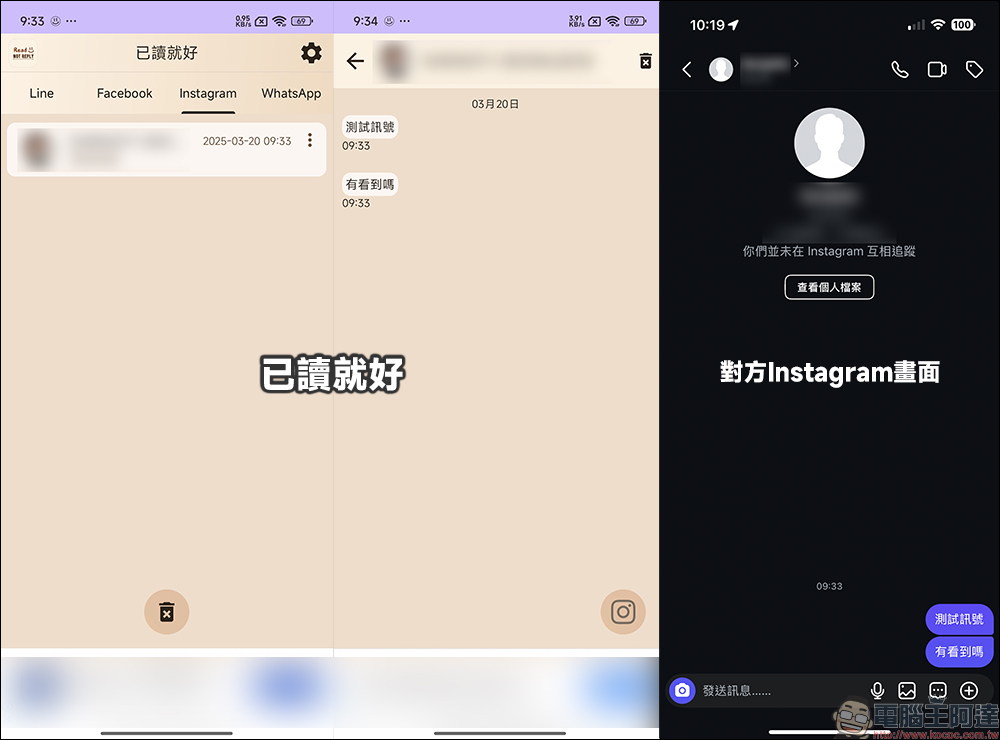
During the testing process, we also found that sometimes the messages could not be successfully redirected to the “Just Read” App after the settings were completed. If the test finds that all the settings have been followed, but new messages cannot be displayed normally in the “Just Read” App, you can check the above settings again. If it still doesn’t work, you can try deleting the app and then reinstalling and setting it up.
Currently, the “Just Read It” App can be downloaded for free on the Google Play Store. Of course, there will also be ads displayed in the App, but they will not affect the user experience.
If you all want to avoid “read” being discovered, you might as well give this app a try!
Just Read Android App Download (Google Play Store)
Further reading:
Xiaomi Mi Walkie-Talkie 3 Chat Edition is launched: lightweight body, super long-lasting battery life, and explosive CP value!
Source: KOCPC Chinese