


Many people watch YouTube videos every day, but sometimes they are in a hurry and want to watch an entire video quickly. Users can adjust the video playback speed in the settings. From the early presets there are speed options of 0.25, 0.5, 0.75, normal, 1.25, 1.5, 1.75 and 2x,In late October this year, the PC version also took the lead in supporting 0.05x speed fine-tuning., it was also quietly supported in the YouTube mobile app earlier!
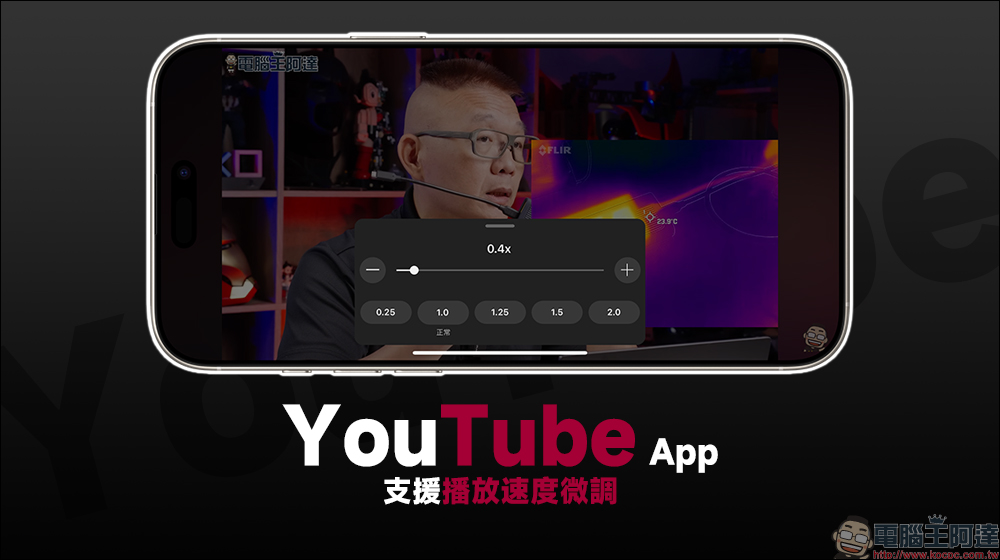
YouTube mobile app update supports fine-tuning of playback speed
When you usually play YouTube videos, what speed do you use? Sometimes in order to quickly obtain the key information of a video, but the host of the video speaks slowly, we will try to adjust the playback speed to 1.25x, 1.5x or even faster. However, in the past, the YouTube App had limited playback speed options. If you wanted to use faster playback speeds, there were only 1.25x, 1.5x, 1.75x, and 2x, while the slow playback speeds were only 0.75x, 0.5x, and 0.25x. For viewers, some speeds would inevitably feel too fast or too slow. However, YouTube first provided the computer version in October this year to use more detailed playback speed fine-tuning, and now it is finally available on the mobile YouTube App!
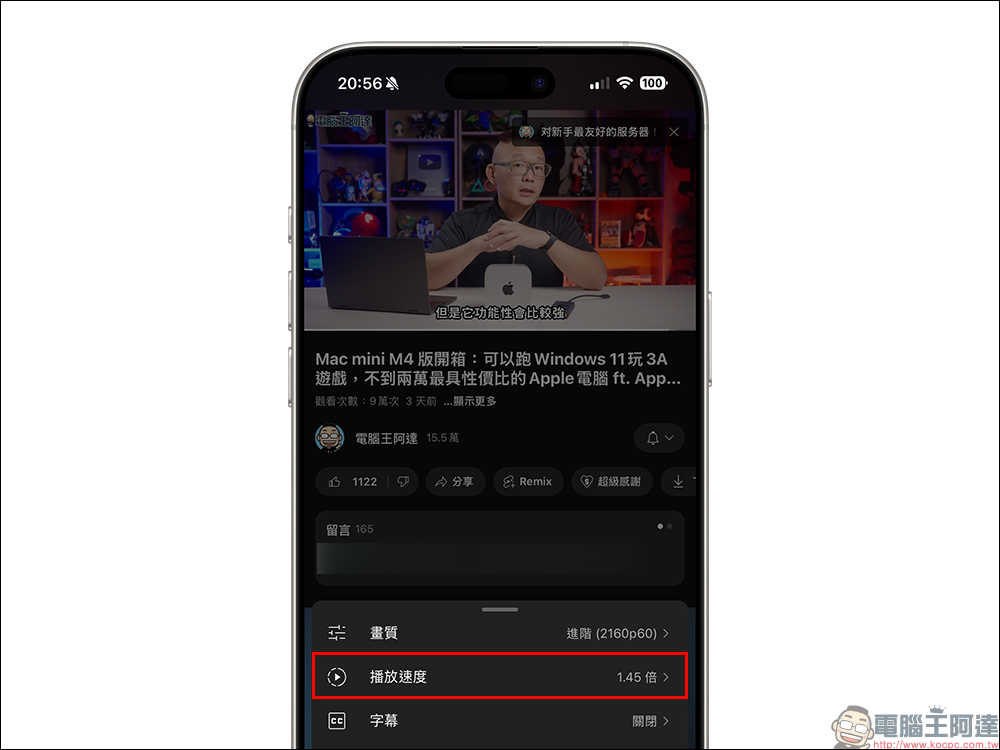
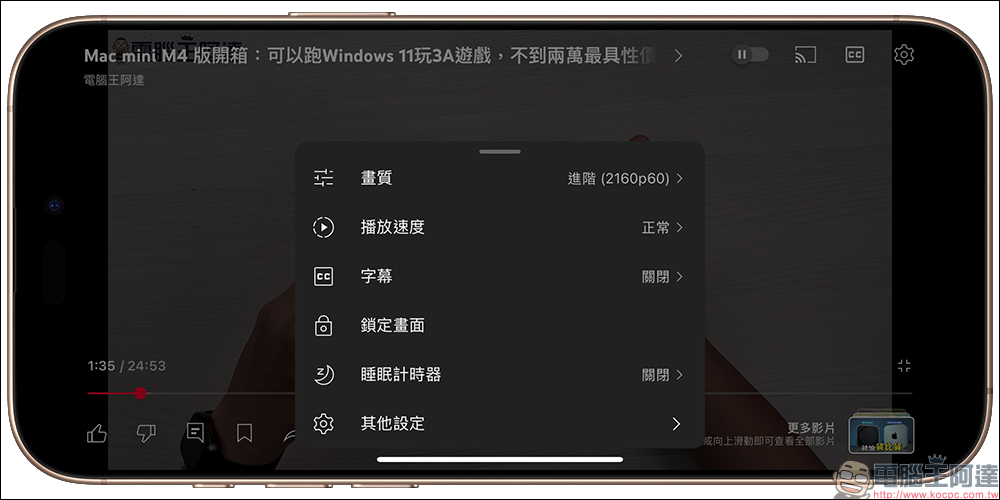
When users click the “Settings” button on the screen when playing YouTube videos, they can find the “Playback Speed” option. The default playback speed is usually “Normal (1x)”.
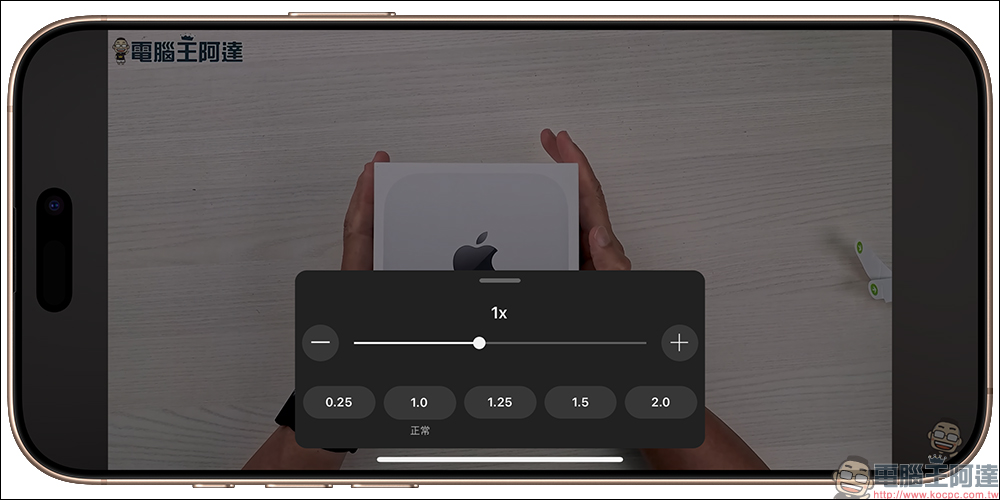
If you want to adjust the playback speed, click Playback Speed Settings to open the speed adjustment control page. The new YouTube playback speed setting panel retains the original default playback speed options (0.25/1.0/1.25/1.5/2.0). Users can adjust the video playback speed by simply sliding the playback speed lever above or clicking “+/-” on both sides!
From now on, the playback speed can also be set to 0.05x fine-tuning in the YouTube App. For example, it can be adjusted to 0.4x, 1.55x, or 1.7x. Users can adjust the video playback speed that best suits them according to the video being played and their usage needs.
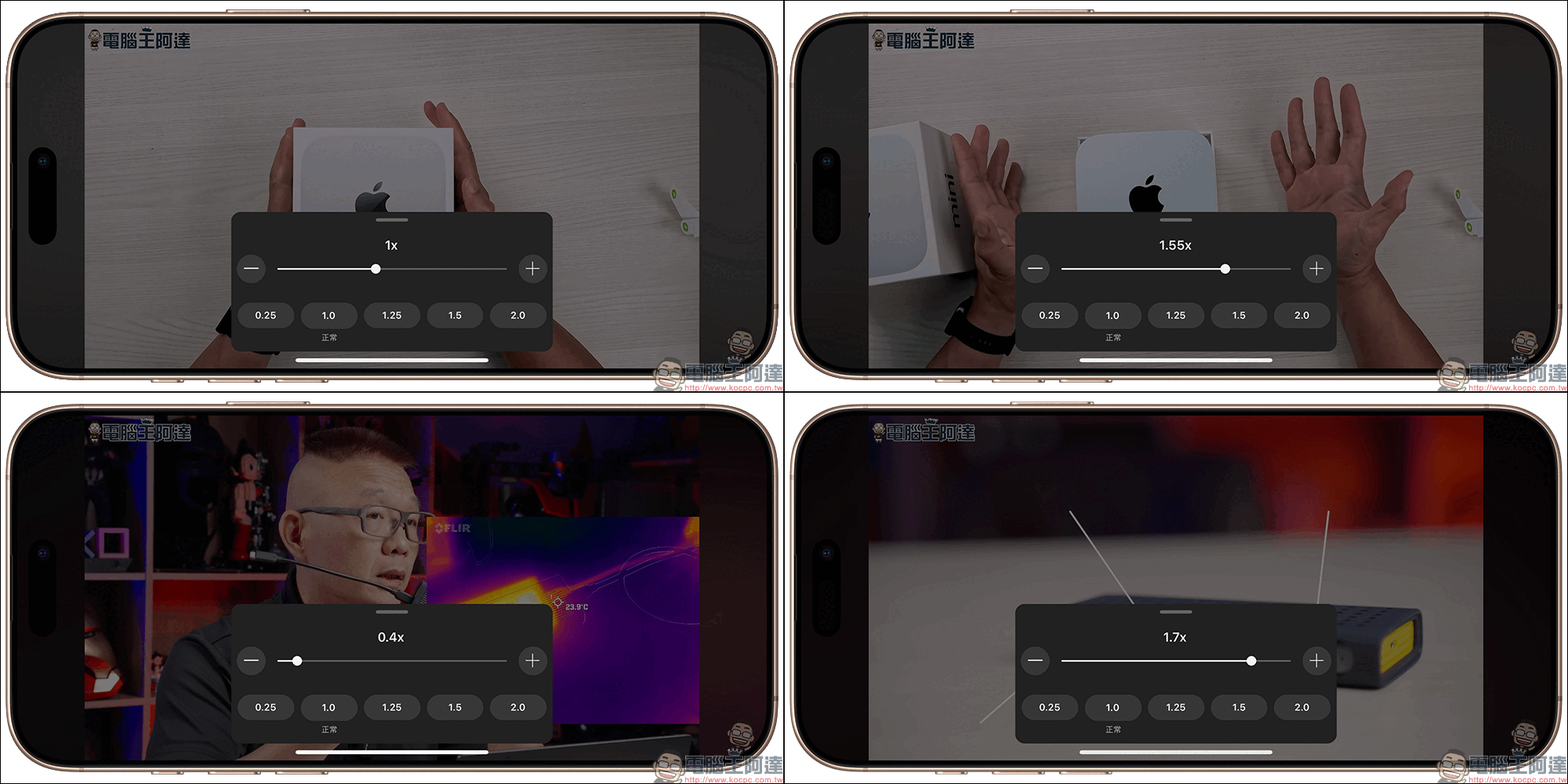
It is a pity that YouTube does not provide a higher playback speed option even in the mobile app. The fastest one is that it can only play videos at 2x speed. Even so, it provides users with more diverse playback speed options so that everyone does not miss any key details when enjoying the content. We look forward to YouTube continuing to listen to users and provide more useful playback settings in the future!
As both the YouTube PC version and the mobile version app support more customized playback speeds, you can also pay attention to whether the Google TV version of the YouTube App will follow suit. Otherwise, YouTube on Google TV still only has the traditional 0.25x, 0.5x, 0.75x, normal (1x), 1.25x, 1.5x, 1.75x and 2x options.
Further reading:
LINE mobile app text effects grammar teaching: learn 9 combination effects of bold, italics, strikethrough, red text, and outline!
Source: KOCPC Chinese