


In the past, to get professional portraits, you had to spend money at a photo studio, or take photos yourself with a professional camera and then meticulously edit them using retouching software, which was very troublesome. With the ability to maintain character consistency… Nano Banana Once the model is created, you can now simply drop an image into Gemini AI and get it easily. However, if you just ask for professional portrait photos, the results aren’t quite satisfactory. Earlier… Gemini Just shared 5 key prompt tips in the official community. As long as you follow these principles, you’ll get the professional portrait photos you want. Here they are, compiled below for everyone.
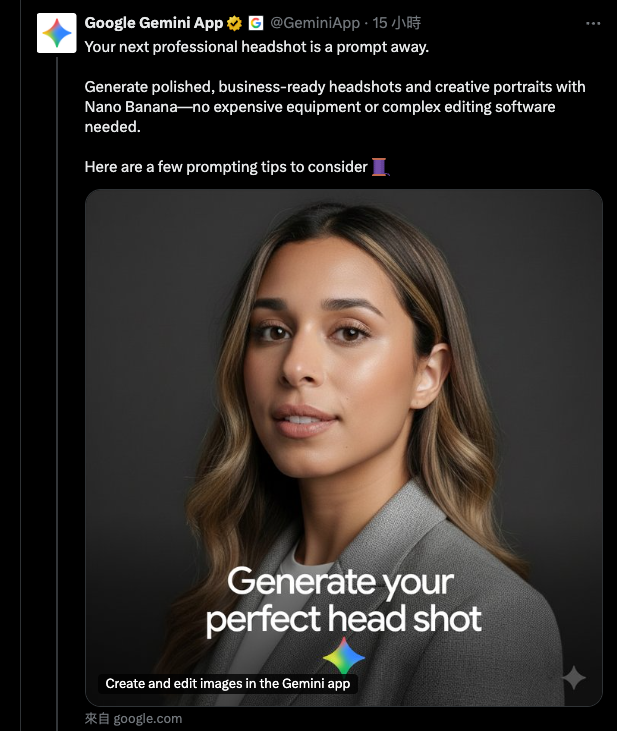
Remember these 5 key prompt points to easily generate professional portrait photos with Nano Banana.
Before we start sharing, let me also remind you that there are already many experts online who have created one-click tools for generating professional portrait photos. If you don’t want to go through the trouble of writing your own prompts, using these tools is more than enough, and the results are pretty good too, like the one we introduced before, “Photo Sprite“, there are professional ID photos inside.
The 5 key points of the prompts shared by Gemini are:
- Lighting is key.
- Understand your perspective.
- Dress for the job you want.
- Focus on the face.
- Putting it all together
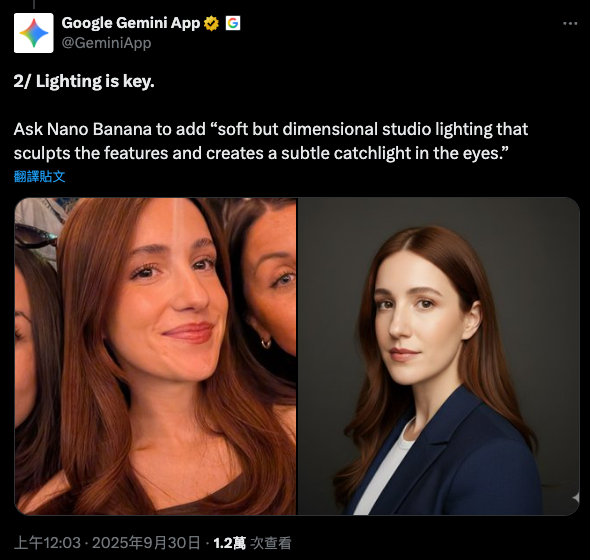
In “Lighting is Key,” Google says it can give Nano Banana “soft but layered studio lighting that defines facial features and creates subtle highlights in the eyes.” Soft lighting makes skin look better and contours more defined, and paired with highlights in the eyes, it makes people look energetic and more trustworthy:
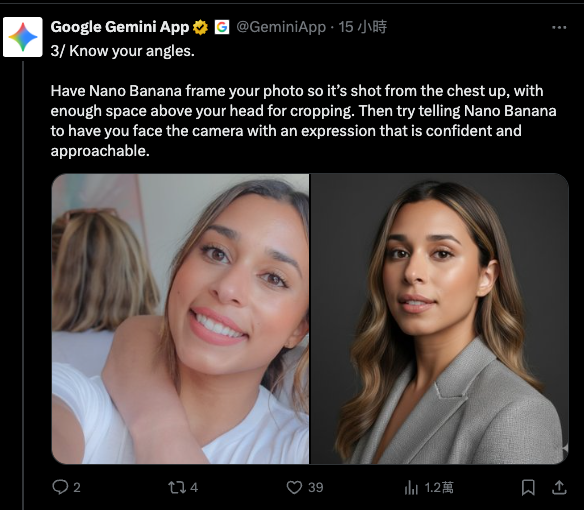
For the “angle” part, it depends on where you want to shoot from. Here’s an example from Google: “Have Nano Banana frame the shot as a composition from the chest up, leaving enough headroom above your head. Then try telling Nano Banana to face you toward the camera with a confident yet approachable expression.”
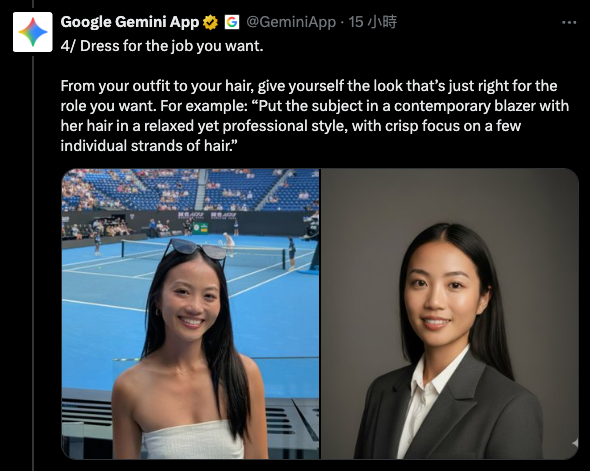
The “dressing for the job you want” part is very important. Please describe in detail, from clothing to hairstyle, how to present yourself in a way that matches the role you want. Google example: “Have the protagonist wear a contemporary-style blazer, with hair styled in a natural yet professional way, keeping a clear focus on some strands of hair.”
The key to “focus on the face” is to make Nano Banana generate a neutral, solid-color studio background, thereby avoiding a cluttered background.
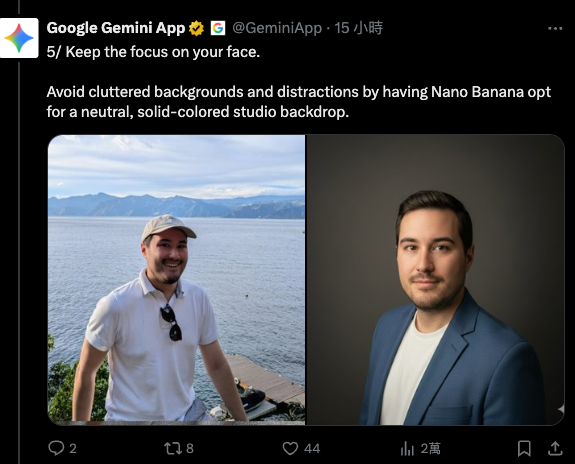
The final “combine it all” step, of course, is to consolidate the four key points above. Below is a sample prompt from Google (translated into Chinese):
一張專業的高解析度個人頭像照片,完整保留輸入影像中人物的臉部結構、身份與主要特徵。造型風格為專業攝影棚拍攝,穿著兼具正式與休閒的西裝外套。背景為純色「#141414」的中性色棚背景。拍攝角度略高,使用明亮通透的柔和漫射棚燈光,溫柔地照亮臉龐,並在眼睛中營造出細微的高光,傳達清晰感。採用 85mm f/1.8 鏡頭,以淺景深呈現,眼睛聚焦銳利,背景形成柔美的散景。西裝布料的質感細節、部分髮絲與自然真實的膚質皆能清晰呈現。整體氛圍散發自信、專業與親和力。色調經過乾淨明亮的電影感調色,帶有細微的暖意與平衡的色彩層次,營造出精緻且現代的質感。
I’ve broken it down into the 4 key points mentioned earlier, so you can better understand which is which:
1. Light is key
- Use bright, airy soft diffused studio lighting to gently illuminate the face, creating subtle highlights in the eyes to convey a sense of clarity.
- The color palette features a clean, bright cinematic grade with subtle warmth and balanced color layers, creating a refined and modern texture.
2. Know your angle
- The shooting angle is slightly high.
- Employing an 85mm f/1.8 lens, presented with shallow depth of field.
3. Dress for the job you want
- The styling is shot in a professional studio, wearing a blazer that balances formal and casual.
- Textural details of suit fabric.
4. Focus on the face
- A neutral-toned studio background with a solid color of “#141414”.
- The eyes are sharply focused, with a soft bokeh forming in the background.
- Some hair strands and the natural, realistic skin texture are all clearly presented.
5. Other
- A professional, high-resolution personal portrait photo that fully preserves the facial structure, identity, and key characteristics of the person in the input image.
- The overall vibe exudes confidence, professionalism, and approachability.
You can see that after splitting, this large chunk of prompt is randomly made up of multiple parts. This also means that when writing a prompt, you don’t need to write it all in one go from start to finish. You can first break it into these 5 parts, and once they’re all done, it’ll be easier to put them together.
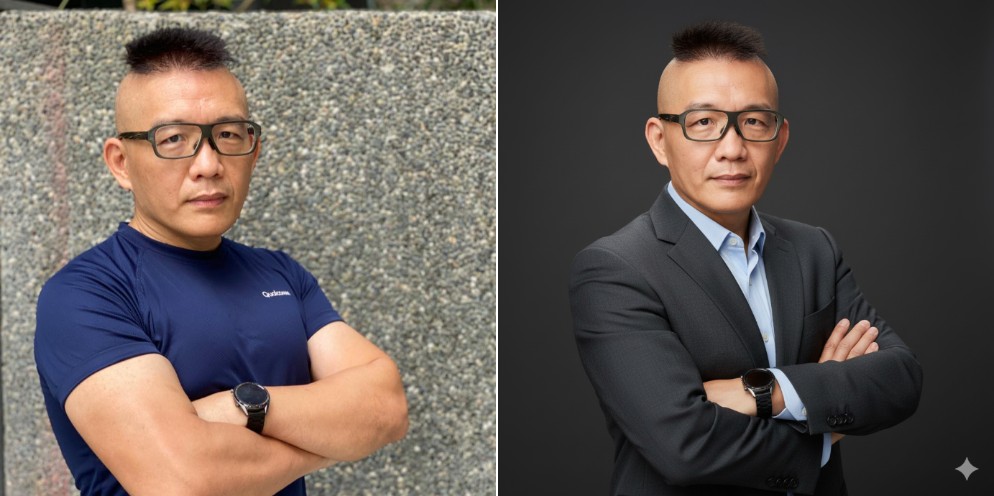
Below is the professional portrait image of Ada I generated using this prompt:
Source: KOCPC Chinese