


Did you click the download icon on an image in Gmail but it didn’t save to your phone? There could be many reasons for this, but the most common ones are that your network connection isn’t working properly or that Gmail can’t access your phone’s storage. Next, the author will tell you how to solve the two problems obtained above, as well as some other situations to help you solve the problem of Gmail on Android not being able to download pictures.
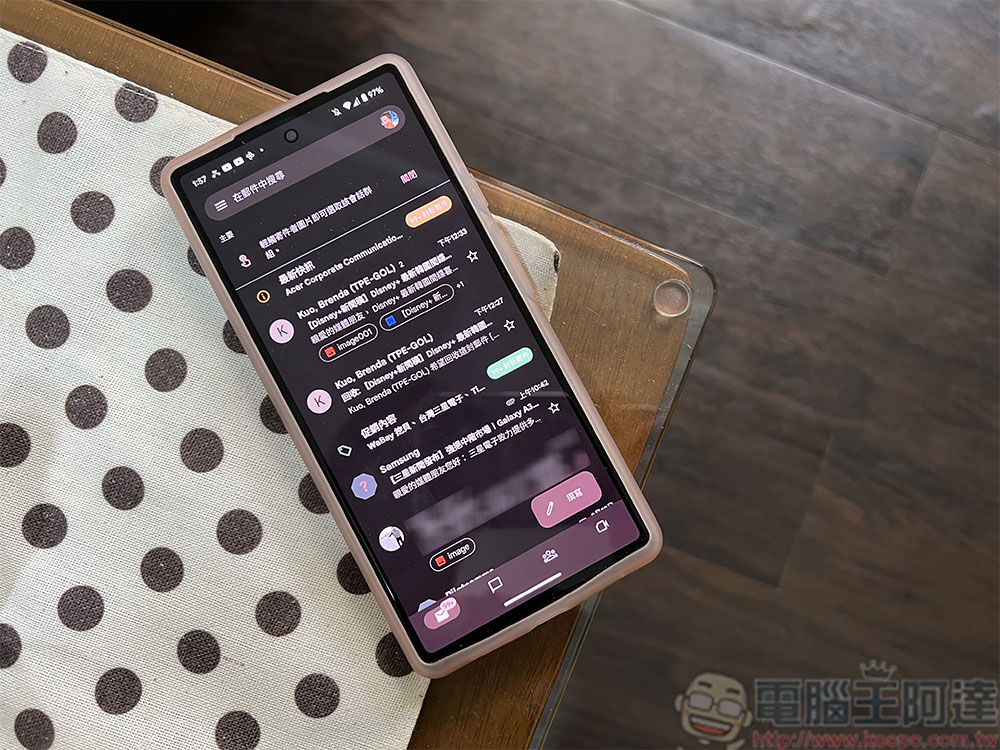
Can’t download images from Gmail for Android? Teach you how to fix it
★ This tutorial uses Pixel 8 as an example. Other brands should be similar, or there may be slight differences in function settings.
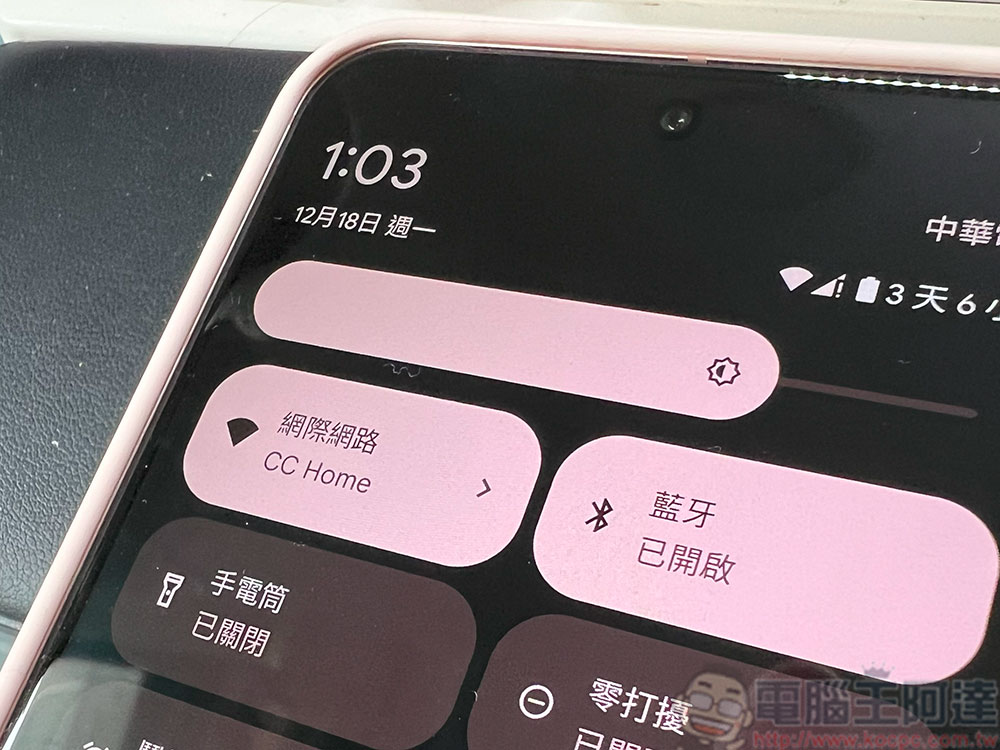
Check your phone’s internet connection
Gmail requires an Internet connection to download email attachments. The easiest way to check your phone’s internet connection and make sure it’s working properly is to open a web browser and open a website. If the website isn’t loading, there’s a problem with your internet connection. The first thing you have to do is make sure your phone is connected to Wi-Fi or enable mobile networks on your phone to resolve network connectivity issues. If the network settings on your phone are normal, please try restarting the router. If it still fails, you may want to contact your network service provider to find out if there are any problems with the local network.
Allow Gmail to access your phone’s storage
Gmail needs permission to your Android phone’s storage to save email attachments. If you haven’t granted this permission to your application yet, just turn it on.
- Open “Settings” and click “Applications”.
- Select “Gmail”.
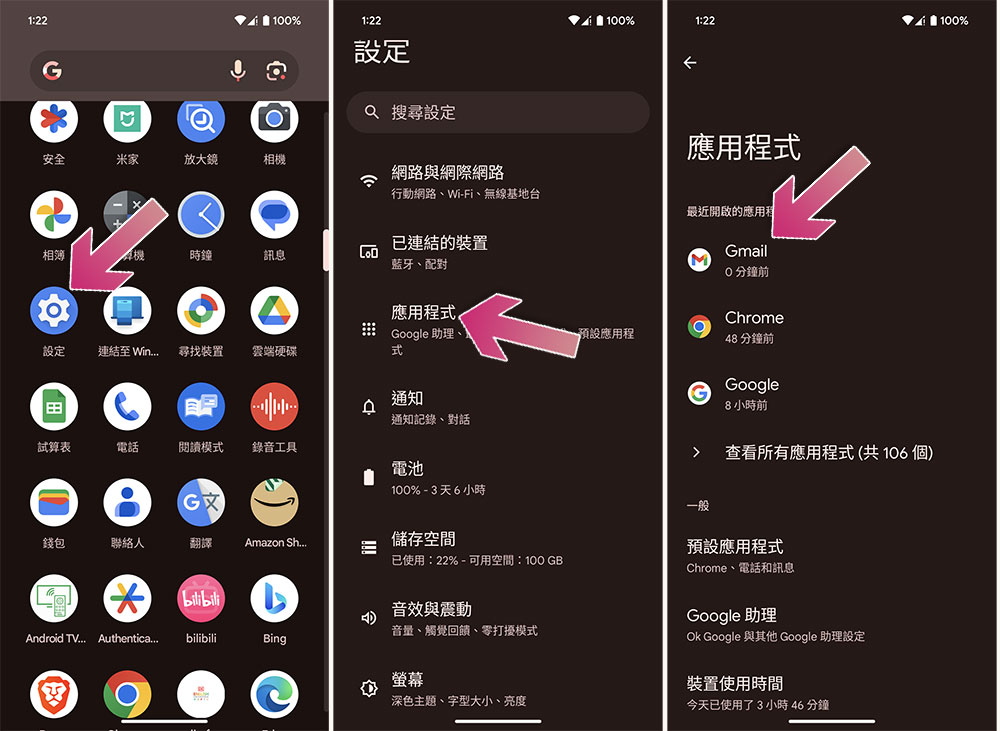
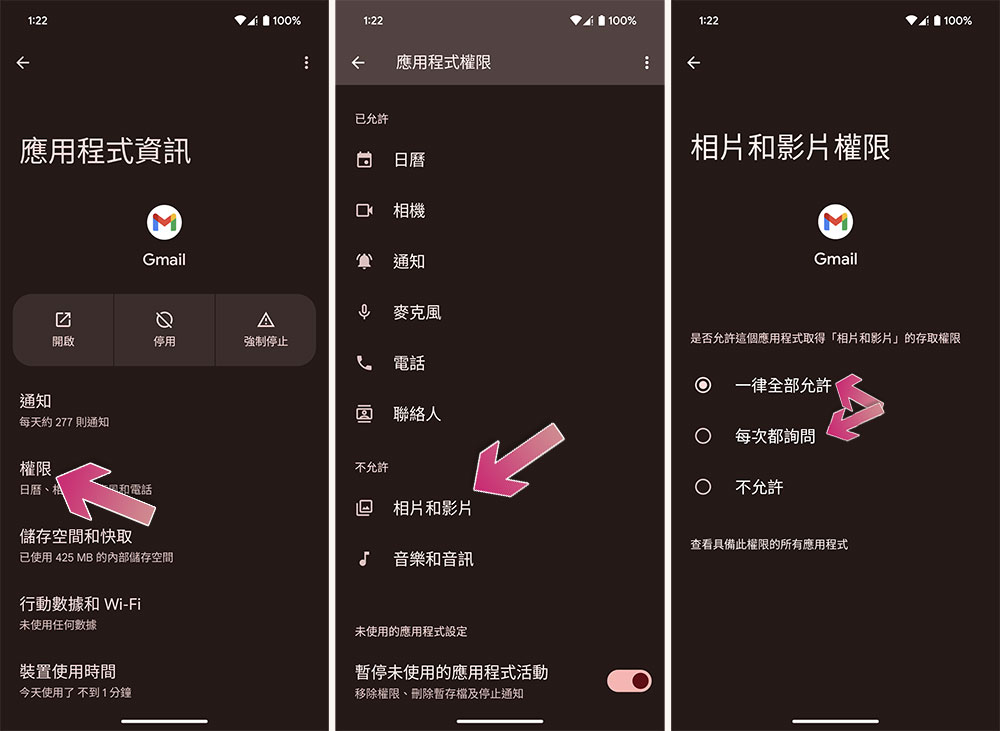
- Click “Permissions”.
- Go to Photos & Videos.
- If you have certain judgment ability, you can choose “Always allow all”; if you are worried about accidentally loading harmful attachments, you can be conservative and choose “Ask every time”.
Clear the Gmail app cache
Gmail temporarily stores various files, such as images, to help the application load content quickly. If the cache is corrupted, you may encounter various problems in the application, in which case you can delete these site archives. Rest assured that you won’t lose email or other data by clearing your cache.
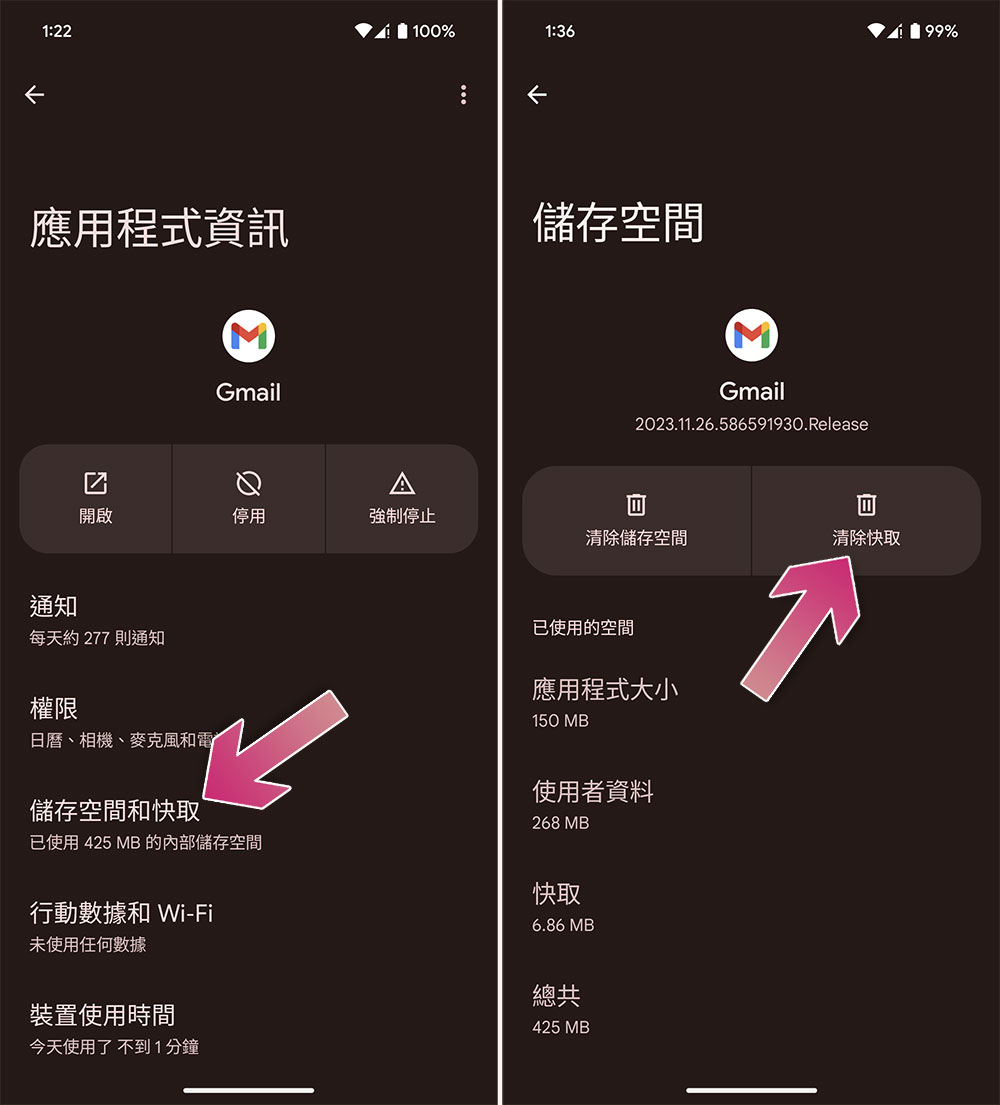
- Open “Settings” and click “Applications”.
- Select “Gmail”.
- Click “Storage and Cache” and then select “Clear Cache”.
Update the Gmail app
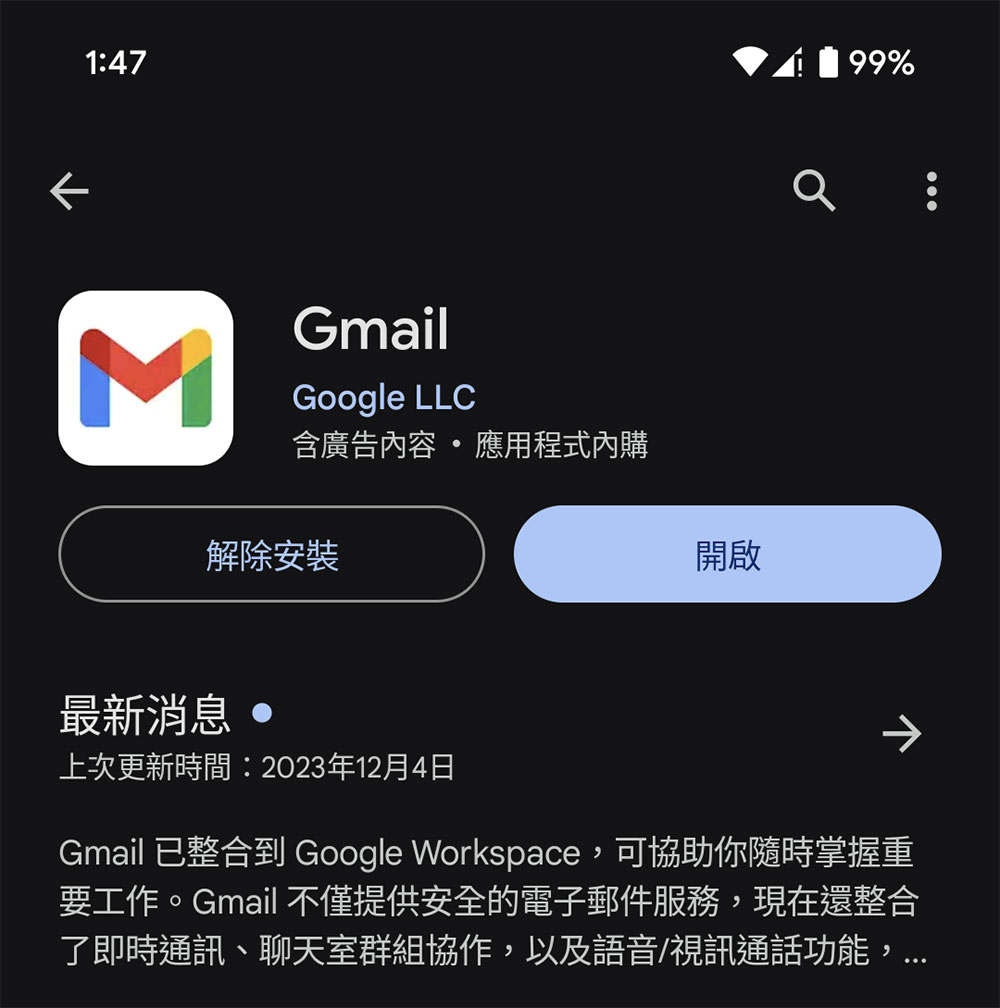
Older, outdated Gmail apps may have bugs that cause various glitches. You can try updating the app to fix these errors. Open the Google Play Store on your phone, find Gmail and click Update. If you don’t see the update button, you’re using the latest version from Google.
Reboot
System issues sometimes affect installed apps. Many minor system issues can be resolved by simply restarting your phone. Press and hold the power button and select “Restart.”
Free up storage space on your phone
Downloading new content on your phone requires available storage space. If you don’t have enough space, this may be why Gmail can’t download the image. You can solve this problem by deleting unwanted content from your phone.
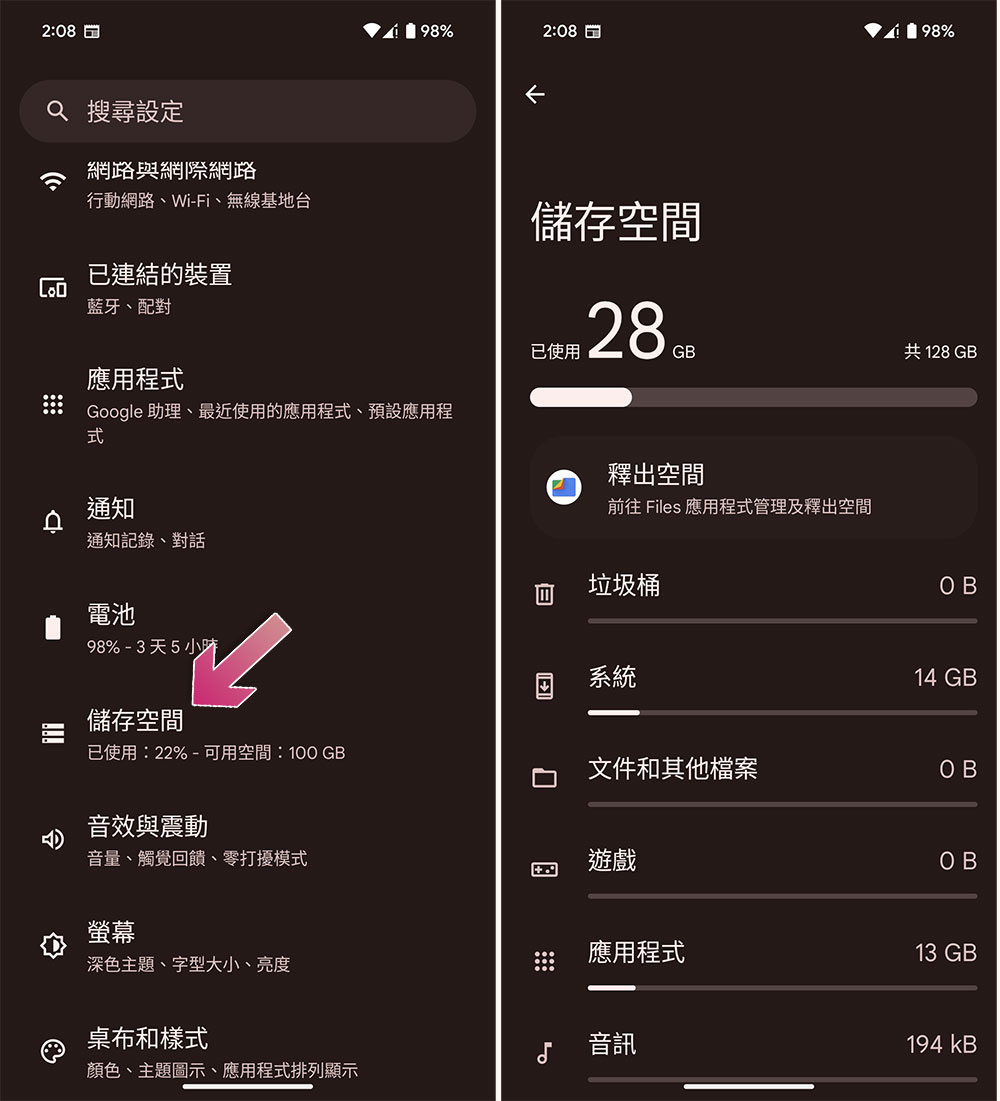
- Open the Settings app and click “Storage”.
- Then you can see the analysis of the storage space on your phone here, and click on a single item to clear unnecessary content.
- You can also click “Free Up Space” at the top to go to Files to clear photos, videos or other downloaded files stored on your phone.
Update Android operating system
Finally, make sure you’re running the latest version of Android on your phone so that any known system bugs can be patched (which can cause issues with Gmail).
- Open the Settings application, scroll down and click System.
- Click “System Update”, if there is an update, please download and install it.
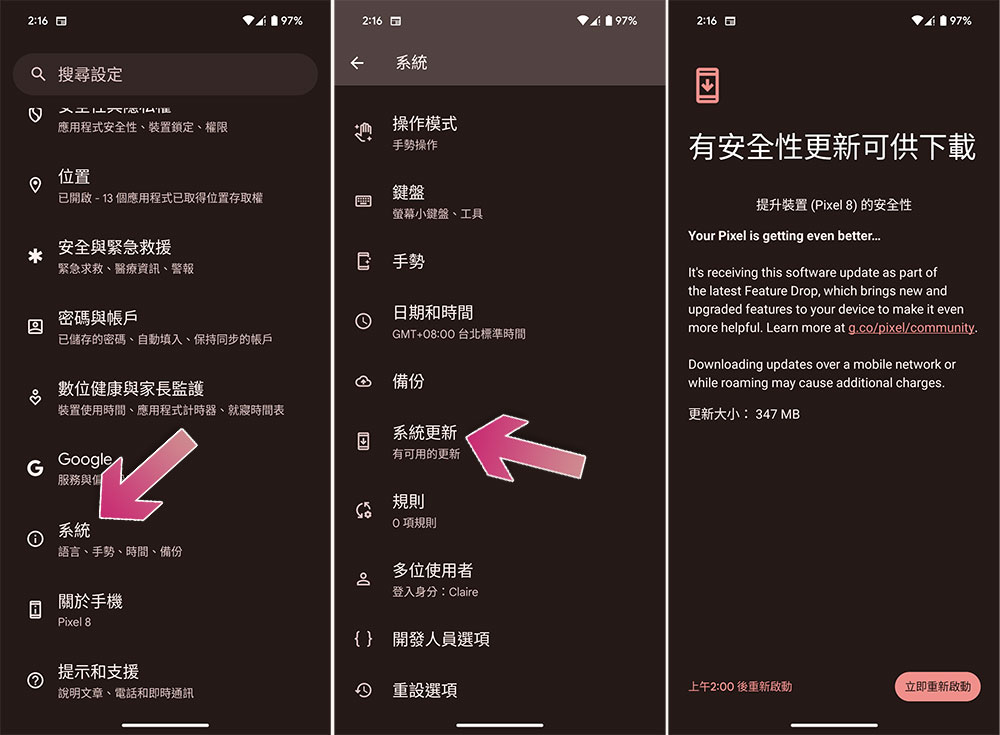
Source: KOCPC Chinese