


LINE can be said to be one of the most important social tools for everyone to communicate with family and friends on a daily basis, so if your account is compromised, it may be more devastating than losing money. Once your LINE account is compromised, you may not know how to deal with it except for the chat history and friend list. If it’s really unfortunate LINE account stolen, recently LINE officials also thoughtfully shared the correct way to deal with it.
What should I do if my LINE account is stolen? Officials share the correct handling methods. Please be careful when encountering these 3 situations!
How long do you spend using LINE to communicate with friends every day? Whether it is used for daily communication or work communication, a LINE account can be said to be one of the most valuable assets for many people. What should I do if my LINE account is stolen by someone else? And what are the situations that may cause LINE account to be stolen?
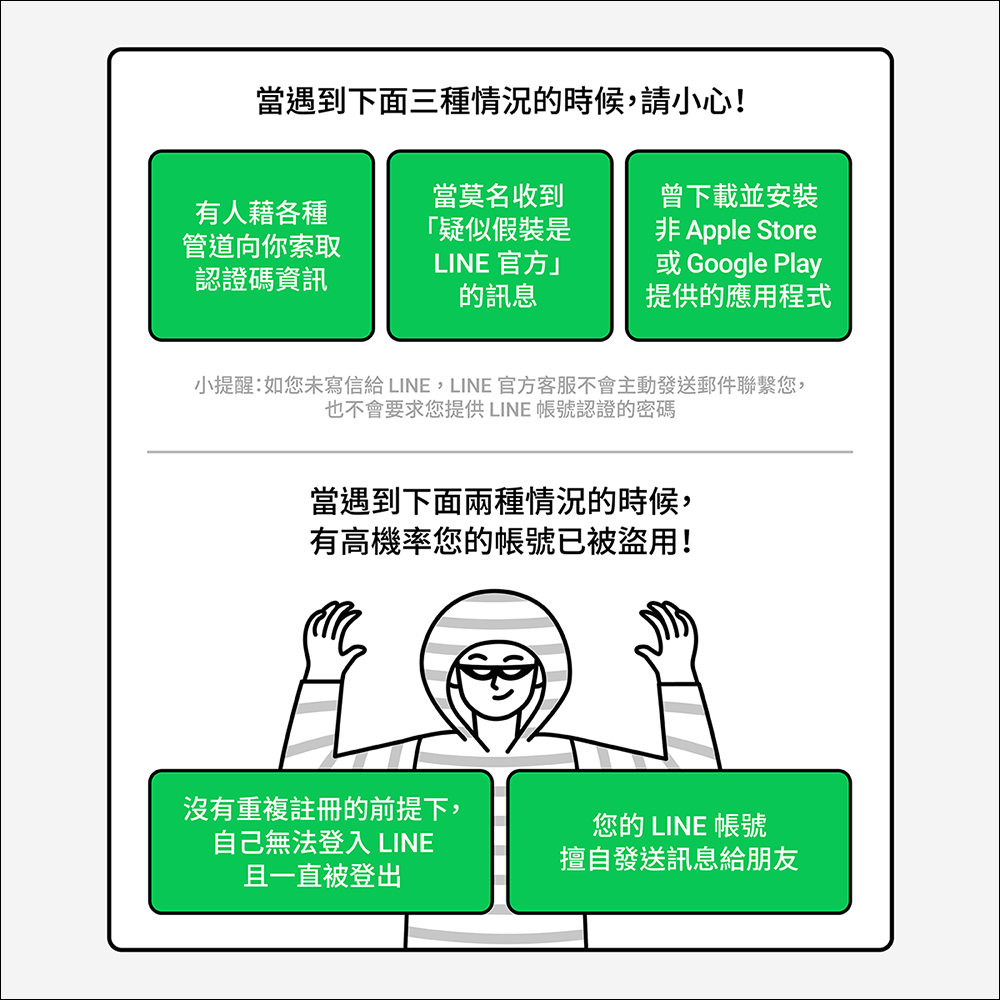
Please be careful when encountering the following 3 situations! Because this is very likely a prelude to account being stolen:
- When someone asks you for verification code information through various channels
- When I inexplicably received a message “suspected of pretending to be LINE official”
For example: If you have not written to LINE, LINE official customer service will not proactively send email contact, nor will it ask for the password for LINE account authentication. - When you have downloaded and installed an app that is not available in the Apple Store or Google Play Store
When encountering the following two situations, there is a high probability that your LINE account has been compromised:
- Without repeated registration, I cannot log in to LINE and am constantly logged out.
- Send unauthorized messages to friends using your LINE account
What three important pieces of personal information should you not share in your daily life?
No matter how good your relationship is, and you usually use LINE to share interesting news, videos, pictures and other Internet memes, there are still some things you can’t share with anyone!
- Do not share the “phone number” set in your LINE account with anyone
- Do not share the “password” set for your LINE account with anyone
- Do not share the “SMS verification code” set in your LINE account with anyone
What should I do if I find that my LINE account has been compromised?
If you unfortunately find that your LINE account has been compromised, don’t panic and find the right way to deal with it as soon as possible. First, “I” must report it to LINE customer service in person. The reason why the user is required to send a report in person is to protect the security of the user’s account, and LINE customer service must also verify the user’s identity first.
Step 1. Go to LINE “Response Form”:
First, go to the LINE “Report Form” (click me to go to the report URL), and then select “Continue without logging in”. Because after your LINE account has been compromised, you may no longer be able to log in to your LINE account. Next, enter the contactable email addresses in the problem response form, select “account compromised”, and fill in the form content.
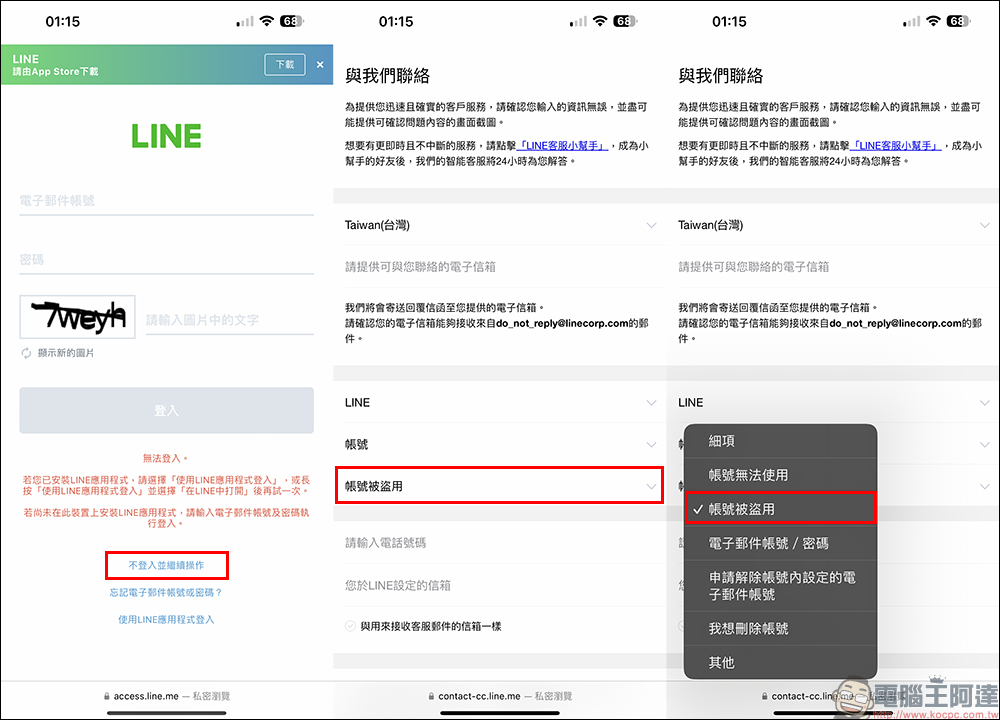
Step 2: Fill out the LINE “Problem Response Form” and completely fill in the form content:
In order for LINE customer service to clarify the user’s account problem as quickly as possible, please fill in the form as completely as possible.
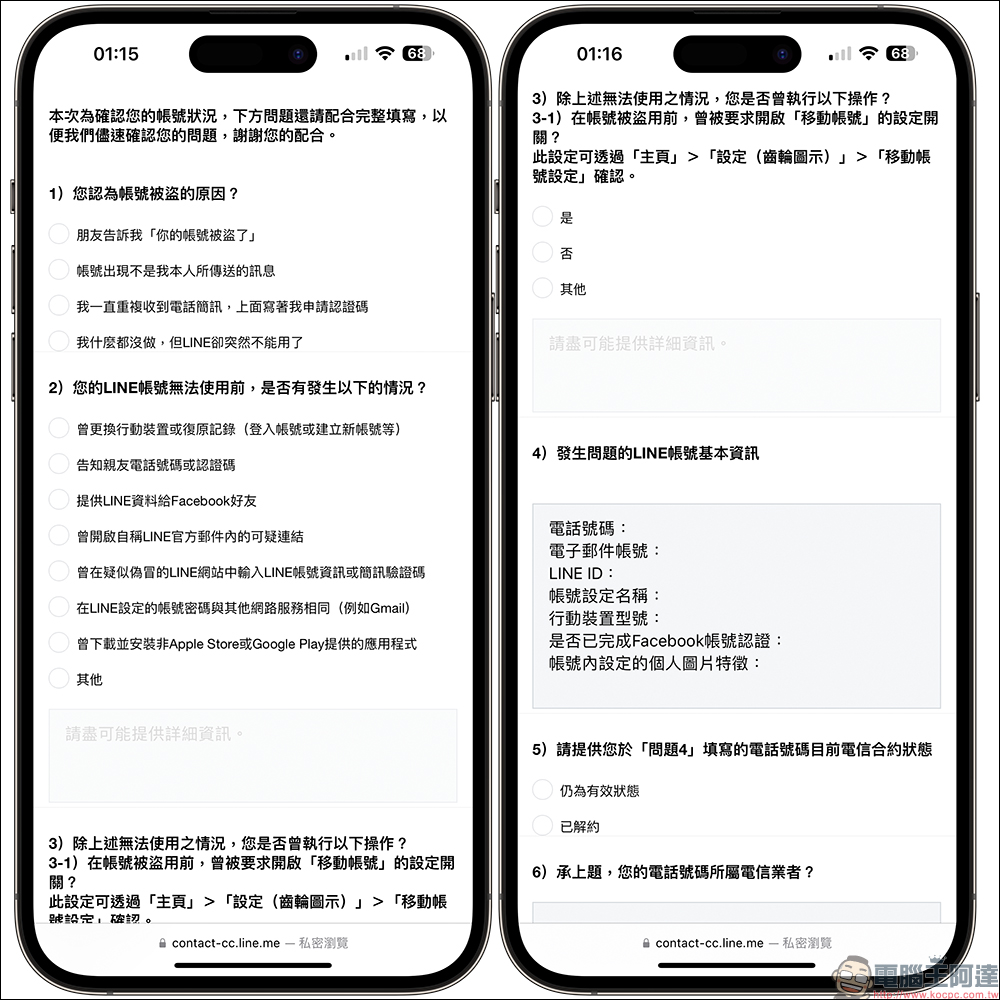
Step 3. Complete the LINE “Problem Response Form” and click Send:
After completing this LINE problem response form, click the “Send” button to complete the report to LINE customer service. Generally speaking, LINE customer service will respond within 24 hours and inform the user of the current status of their account. Therefore, this LINE problem report form must be filled in as detailed and correctly as possible with the information you know.
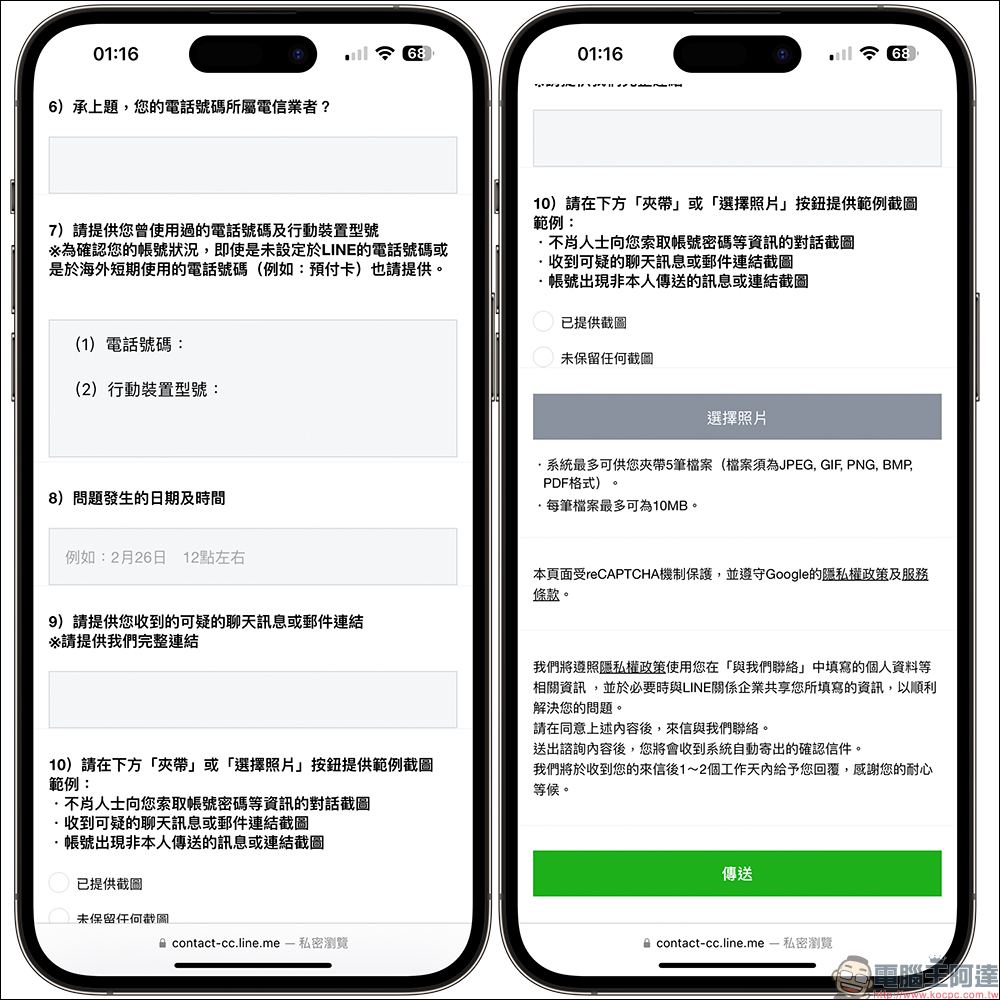
LINE Customer Service “Problem Response Form”:please click me
What will happen if it is confirmed that my LINE account has been compromised?
If LINE customer service confirms that your LINE account has been compromised, the account that was originally compromised will be disabled first. The user will then be guided to create a new account. At this time, please write again and customer service will assist in transferring paid products to the newly created account. This step usually takes 7 to 14 working days, and “paid products” include stickers, emoticons, themes, LINE POINTS, and LINE Credit. In addition, if services such as LINE Pay are bound, customer service will guide you to the corresponding window for contact.
Further reading:
Rip YouTube free video download tool: supports free downloads of up to 4K YouTube videos and music, no ads, and super simple operation

Source: KOCPC Chinese