


After joining the LINE community, have you found that the number of unread messages on LINE every day always explodes to tens of millions and you can’t finish reading them? In addition to choosing to directly press the “Mark as Read” button to clear it once, you can actually easily manage LINE message notifications with just 2 simple steps, so that unread messages no longer drown out other important LINE messages! If you have any related troubles, you may wish to continue reading this article to make LINE community management easier.
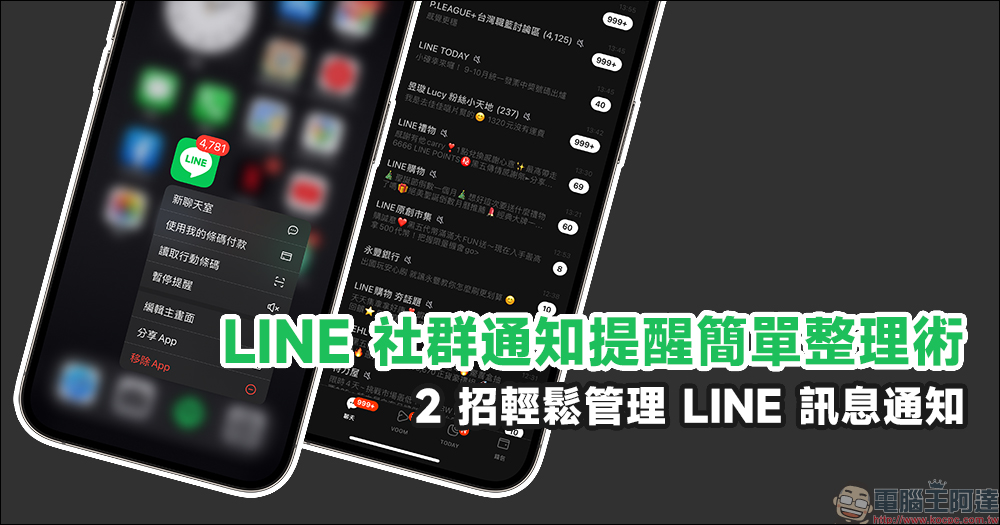
A simple way to organize LINE social notification reminders, 2 easy ways to manage LINE message notifications
Have you joined any LINE communities on LINE? I believe that after you join the large LINE community, in addition to having new friends from all over the community to discuss topics of common interest and share trivial matters in daily life to pass the time, it may also cause your own troubles in using LINE. For example, the LINE community has a huge amount of messages. If you often open your phone, you will see thousands of unread messages waiting for users to read. Today I’m going to share with you two simple tips to make organizing your LINE community easier.
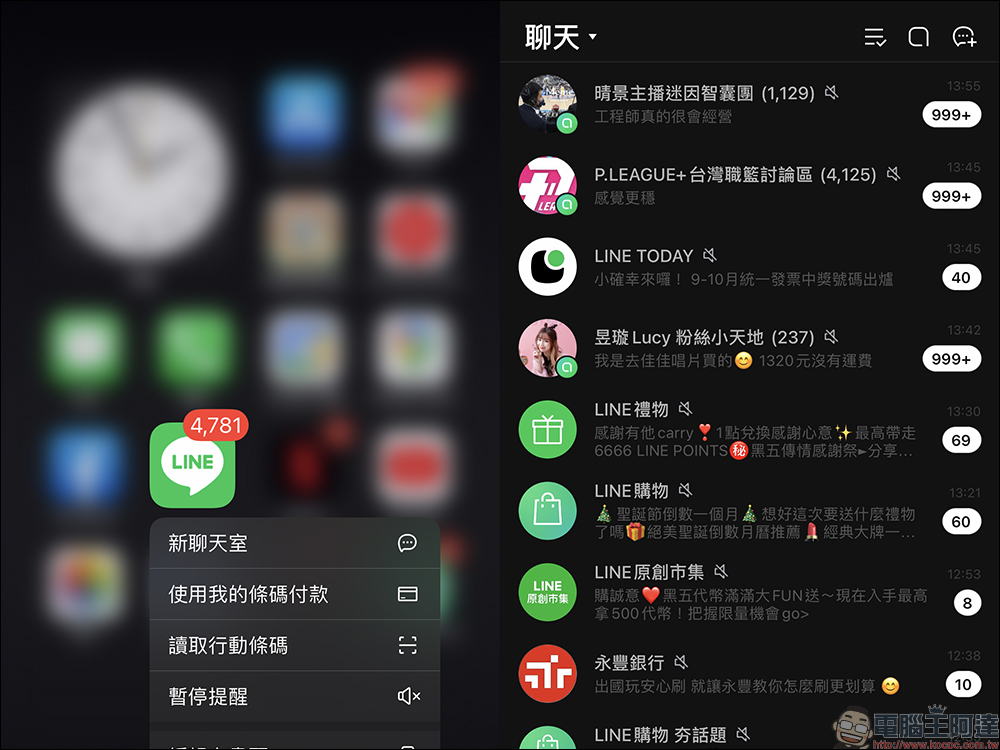
If after joining a LINE community, they find that there are too many unread messages, some people choose to directly mark the community as read. However, this may also cause users to forget other important information such as friends and groups at the same time. Sometimes there are also fewer opportunities to contact close friends, which affects the management of personal relationships.
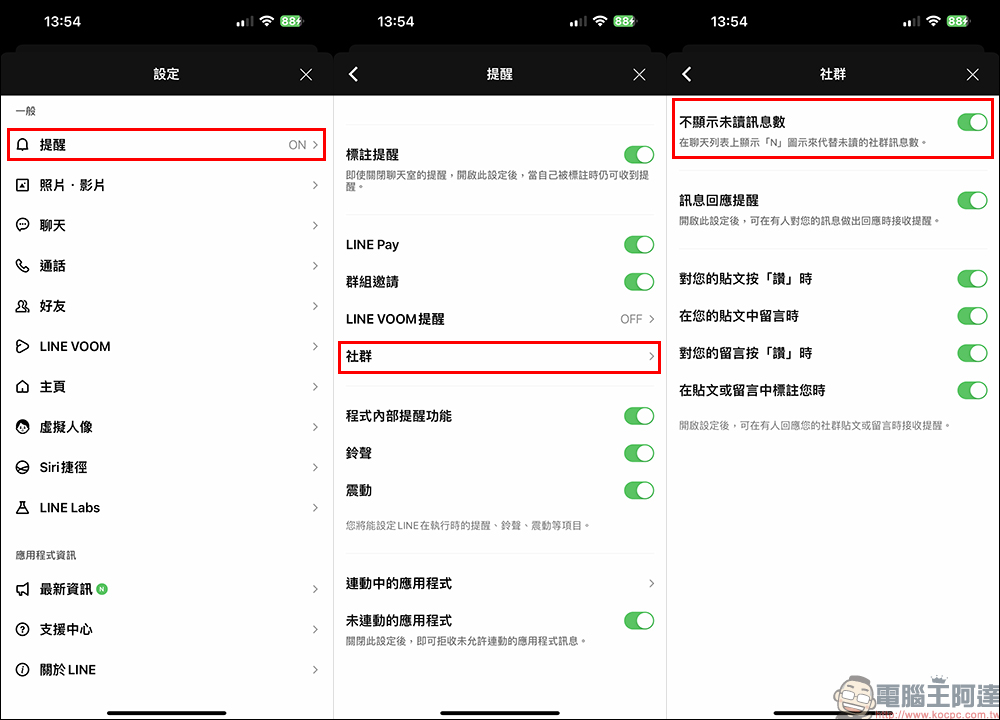
If you want to avoid being disturbed by unread messages, you can first find “Reminder” in the general settings in “Settings”, then click on the “Community” settings, and then turn on the “Do not display the number of unread messages” function.
Once the “Do not display the number of unread messages” function of the LINE community is turned on, the number of unread messages in the LINE community will be directly converted to “N”. It is no longer true that all unread messages will be displayed. At the same time, sharp-eyed readers should notice that after the author simply set up the LINE community. The number of unread messages on LINE has been significantly reduced.
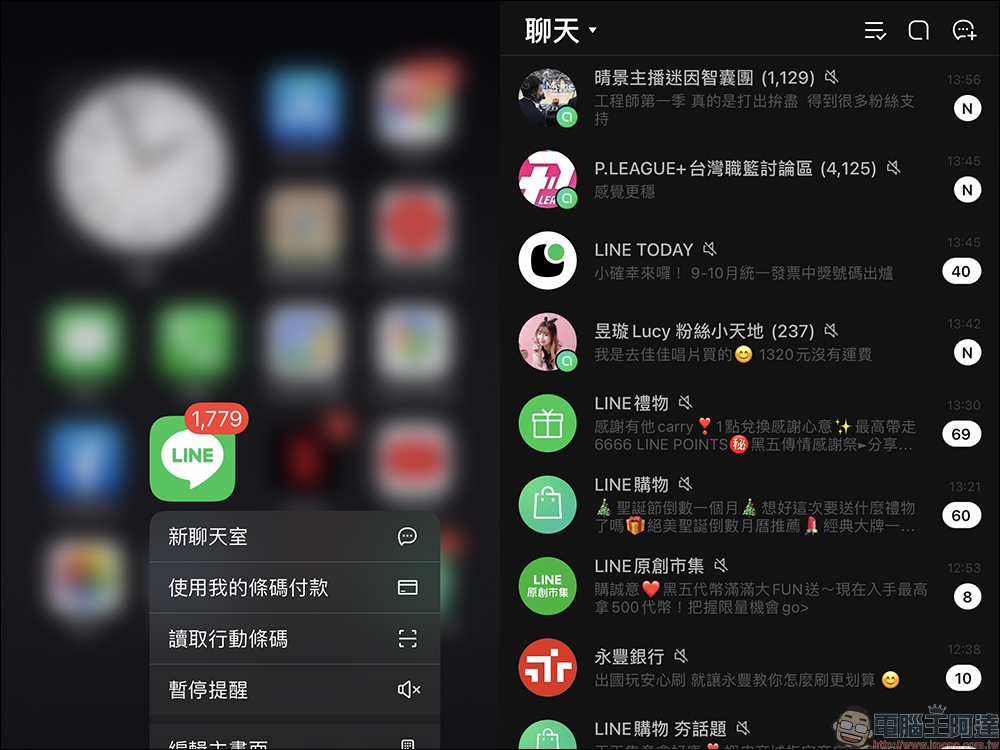
With the “Hide the number of unread messages displayed in LINE community” feature enabled, all LINE community users can finally have the number of unread messages no longer occupy the original unread message statistics. In addition, it is believed that the user’s LINE account message sources, in addition to messages from friends, groups, and official accounts, are always in a messy order. When selecting messages, you can use “Chat Room Classification” to distinguish them.
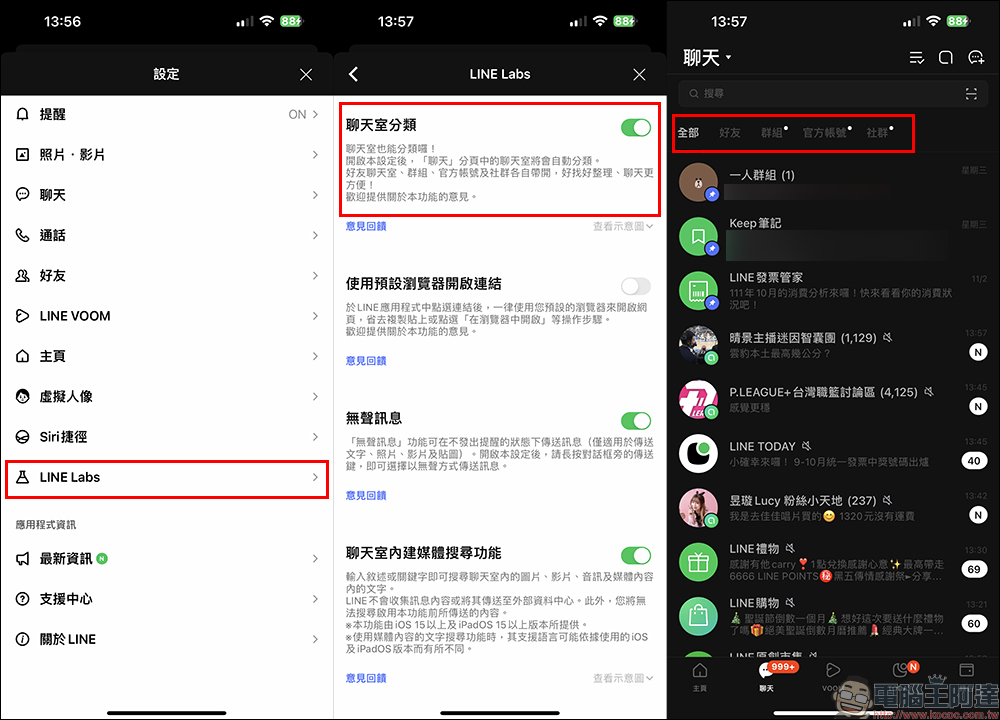
The biggest advantage of doing this is that in addition to setting the chat room to the top, users can also find a useful tool in LINE Labs while not wanting to miss their friends’ LINE messages. This also enables the “Chat Room Classification” experimental function in LINE Lab! In the past, after we added many communities to LINE, the list of unread messages in LINE was always endless. After the chat room classification function is turned on, users can easily filter the types of messages they want to read, such as showing all, friends, groups, official accounts or communities. As for messages from LINE communities, they can wait to read them when they are more free.

Source: KOCPC Chinese