


We often receive strange messages through emails and chat applications, some of which claim to be from family members, friends, or familiar corporate accounts, and often ask you to click on links to view content or obtain certain offers. It’s hard to tell whether these links are genuine or not. Is there a way to check these suspicious links without clicking on them?
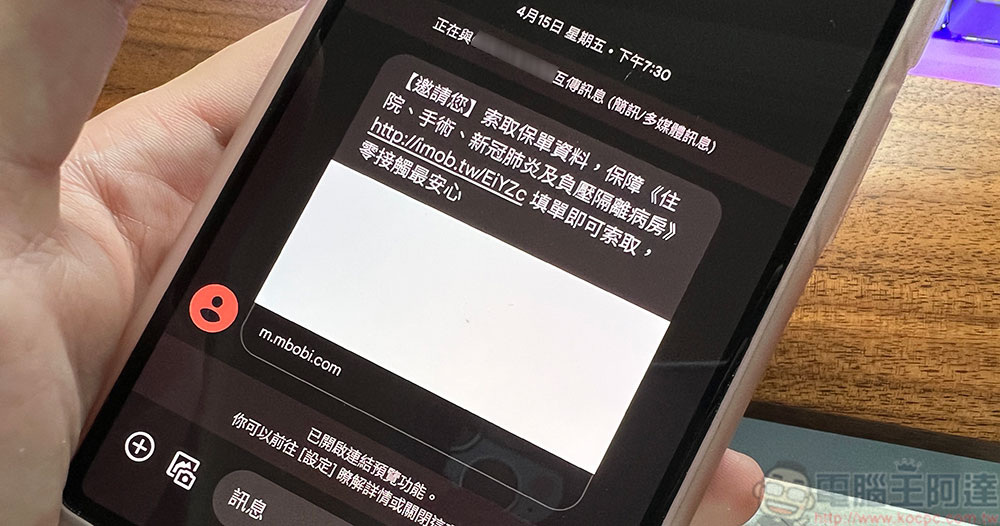
It’s hard to guard against scams. How can you simply check and test before clicking on a suspicious link?
When you download a file, you will check whether it is safe. When you receive a link, you can also perform some tests and inspections. Next, the editor will introduce the simplest inspection and testing methods. You can perform preliminary identification without too many troublesome procedures, and then you can decide whether to click on the link.
Visual preliminary inspection
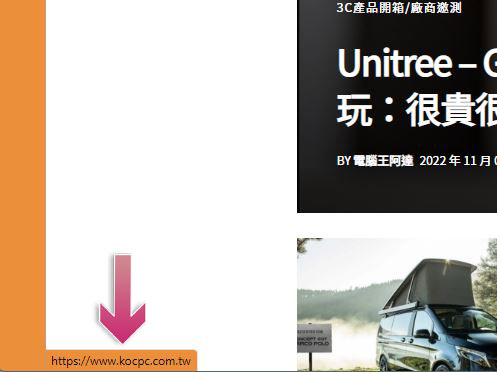
There is one of the easiest ways to check if a link is true when you see it in your browser. On a computer, you only need to hover the mouse cursor over the link (you do not need to click the link). In most browsers, you can see some text appearing in the lower left corner as shown below. This function is also effective for any text or images with links.
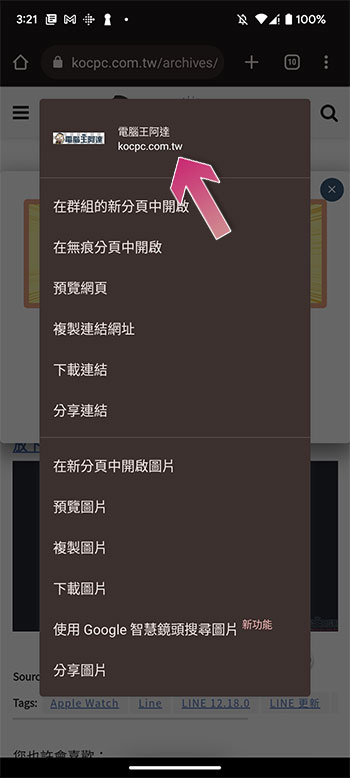
In the browser on a mobile device, when you long press on the link, a dialogue window will appear and display the text content of the link, as shown in the figure below. This feature is also effective for any text and images attached to the link.
You must check whether the link matches the displayed text. Some links are presented in the form of text plus a hyperlink but they look very similar to links. In this case, it will be more difficult for you to compare. You can take a look at the two examples I gave below:
- www.kocpc.com.tw
This example is that the text and the link match, and they are completely consistent after comparison. - www.DoReMi.com.tw
This is text plus hyperlinks, so by comparison, you will find that the results displayed on the web page are different from the results after checking.
In addition to this, you may also see scammers using shortened URLs to confuse people. There are many services that shorten links. The original intention is to reduce the number of characters in the link, but they are used in bad ways by intentional people. The vast majority of shortened links are forward, and many of them direct you to trustworthy websites. They are shorter and easier to use than the original URL, but there is no way to clearly see where they are directed, making them a “money-making tool” for scammers. The following is an example of the author using a shortened link service to redirect to the Computer King Ada website:
Copy the URL to test
If you’re not sure about a URL, whether it’s a shortened link or a website name you don’t recognize, there are many online tools you can use to check where it leads without having to physically click through to verify it. However, before that you must first obtain the address to which the link will point.
- computer browser
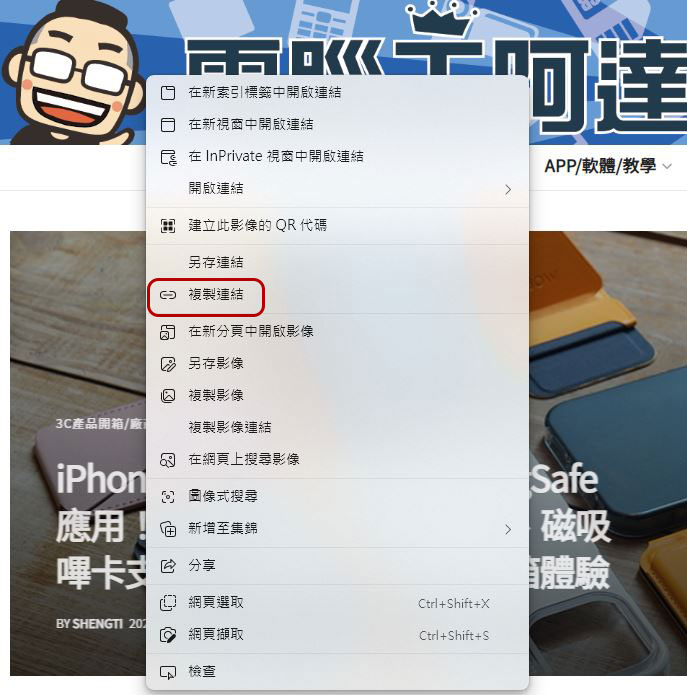
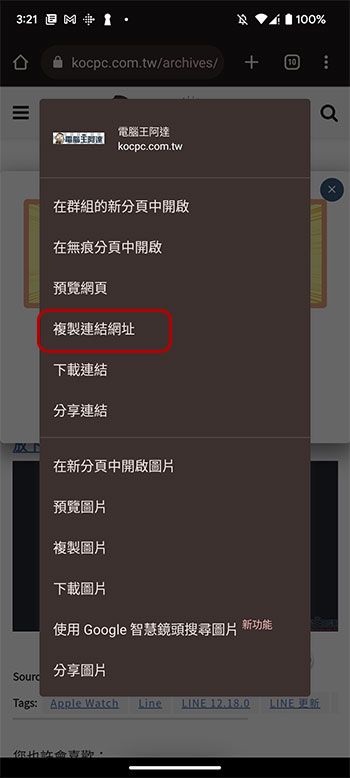
Please hover your mouse cursor over the link you want to check, then right-click to bring up the menu and select “Copy Link”.
- Mobile browser
Long press the target and select “Copy Link” from the menu dialog window.
- Chat and messaging applications
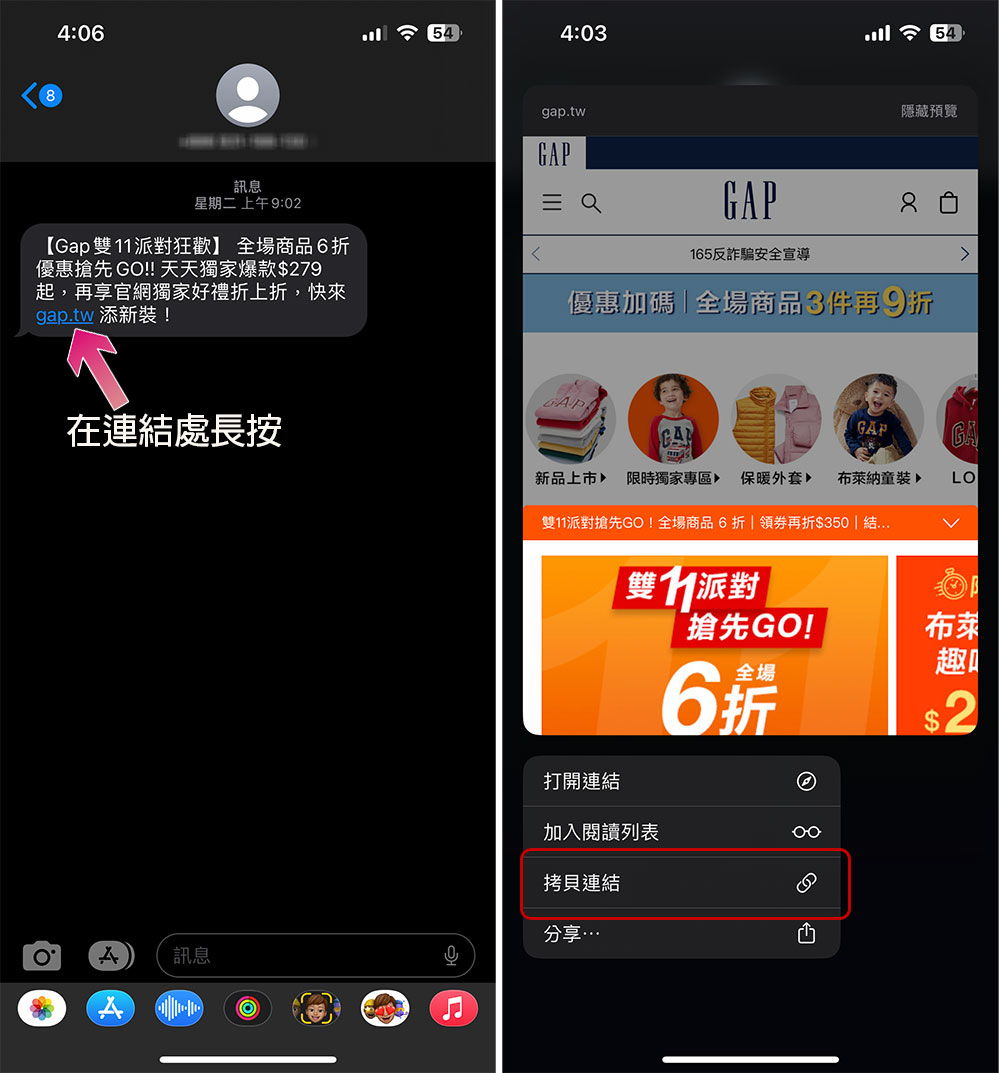
Long press on the link and select “Copy Link” (iPhone) in the menu. If it is an Android phone, sometimes you cannot copy the link directly. You can copy the message content and paste it into Keep or other text input applications, and then copy the link.
test link
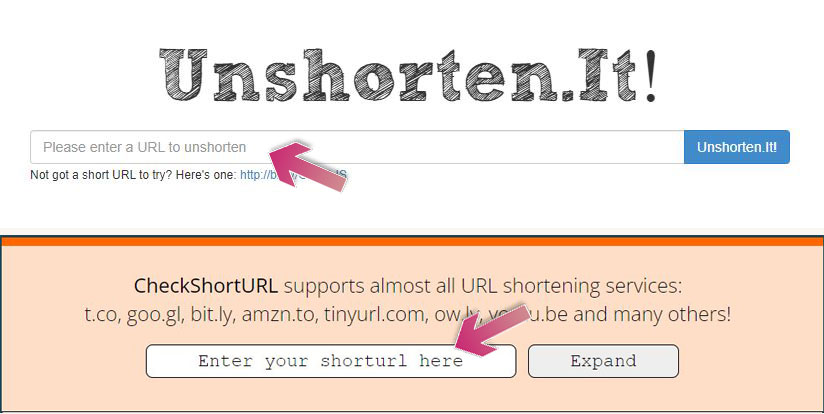
Testing links is as simple as copying the link and pasting it into a specialized search engine, but most of them are not suitable for shortening links, so we need to solve the problem of short links first. First, let’s restore the shortened URL first. This can be done through websites provided by some services. The author recommends using CheckShortURL Or Unshorten.It! These two. Paste the shortened link into the input box on the service website, and the original link appearance of the short link will be displayed immediately.
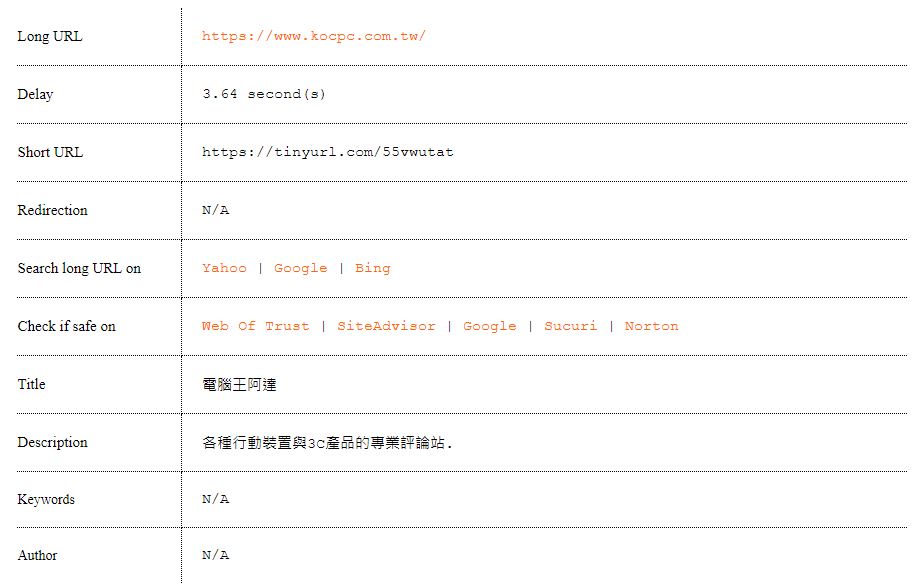
After waiting for a while, scroll to the bottom of the page and you will see a small report to let you know where this short link will take you. It will also display some introductions to the website and include a link for you to check whether the link is safe:
Check link
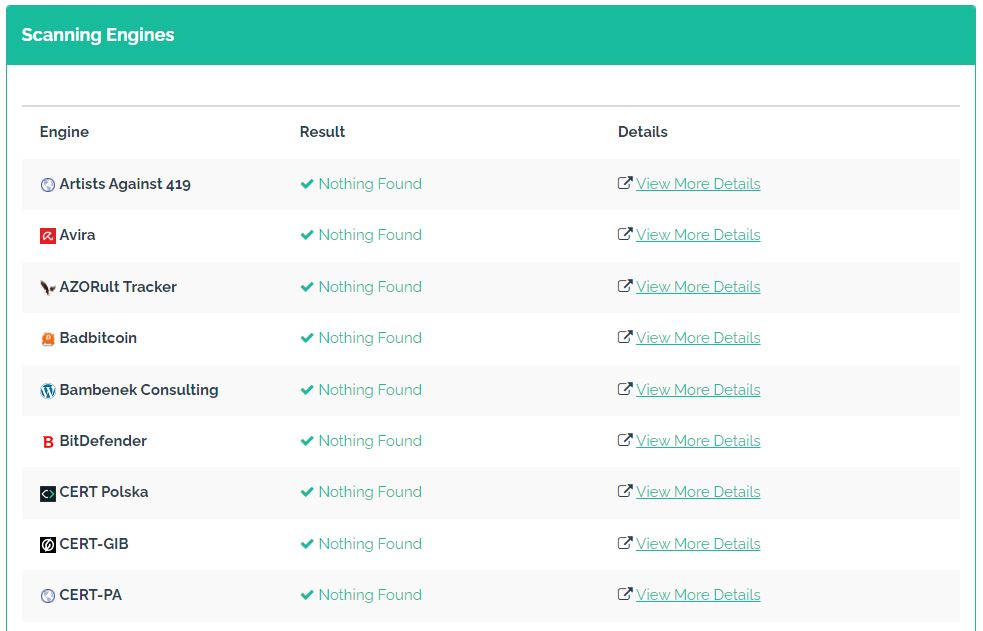
There are a few tools available for checking links, the most well-known of which is Google’s Transparency Report, but this isn’t the best for the average user as it usually only applies to specific pages rather than the entire site. For malicious websites and websites that spread malware, you can try URLVoidThis tool, as long as you paste the suspicious URL, it will list a set of reports for you. The upper half is the details of the website, and the lower half is the test report compared by various scanning engines, telling you whether there are problems on the website or webpage. As you can see below, the Computer King Ada website performed well:
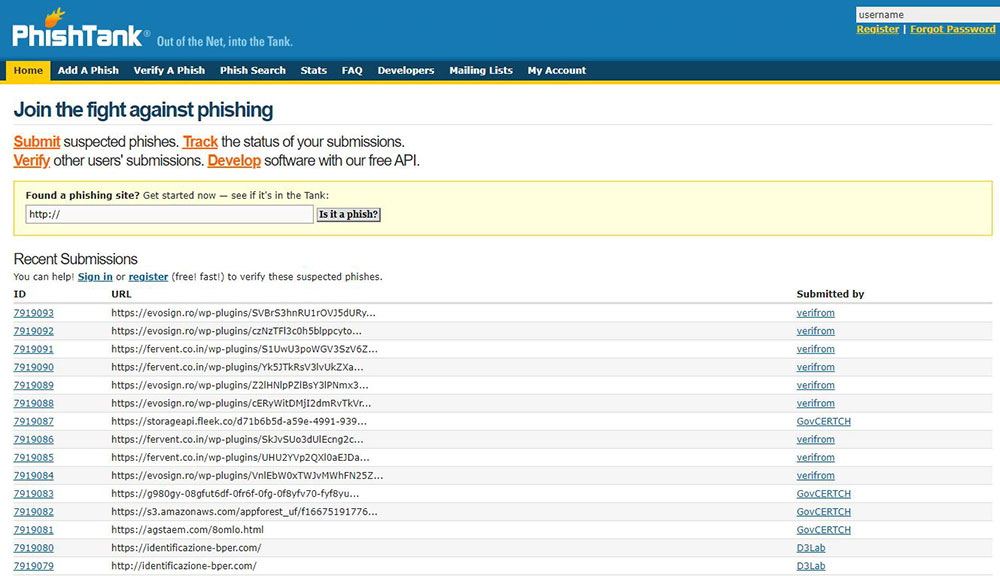
If you’re more worried about phishing scams letting unscrupulous parties take away your personal data than malware, you can use PhishTank This tool website compiles a list of known phishing websites to find out whether the target URL is included in it. If you are sure that a phishing website is not included, you can add it and share it with users around the world.
Of course, there are more websites and services on the Internet that can filter for you. The ones listed above are the easiest to get started with and the most convenient to use. However, generally speaking, if you don’t know who sent you the link, for security reasons, just delete the message and forget about the person who sent you the link. In fact, even if the person sending you a message claims to be someone you know or a well-known company, you should still be vigilant, because there are various impersonations, stolen accounts, etc. that can do this.
Source: KOCPC Chinese