


Everyone should have noticed that when you check recent notifications on Facebook, a large column always appears showing “Friends You May Know.” Sometimes, if you accidentally click on it with your hand, you will send out a friend invitation to the other person rather abruptly. This column is actually very troublesome for the author, because I have to be careful not to become a trap in the eyes of others. Today, I will teach you how to close this column!

How to turn off the “People You May Know” field on Facebook notifications to avoid being rude to others
Initially, Facebook launched the “Friends You May Know” function to allow people with common interests, common friends, the same school, or the same company to quickly expand their circle of friends and add friends to each other. You can directly send requests to join friends from the recommended people, but for many people, this function is obviously more troublesome than helpful. In this tutorial, we will tell you how to turn off this push function in the mobile APP and web version respectively to reduce trouble.
Set from the mobile APP (available for both Android and iOS)
- Open the Facebook app on your phone and tap on the profile image to enter the menu.

- Click the gear icon in the upper right corner to enter the “Settings” interface, and then select the “Profile Settings” item.
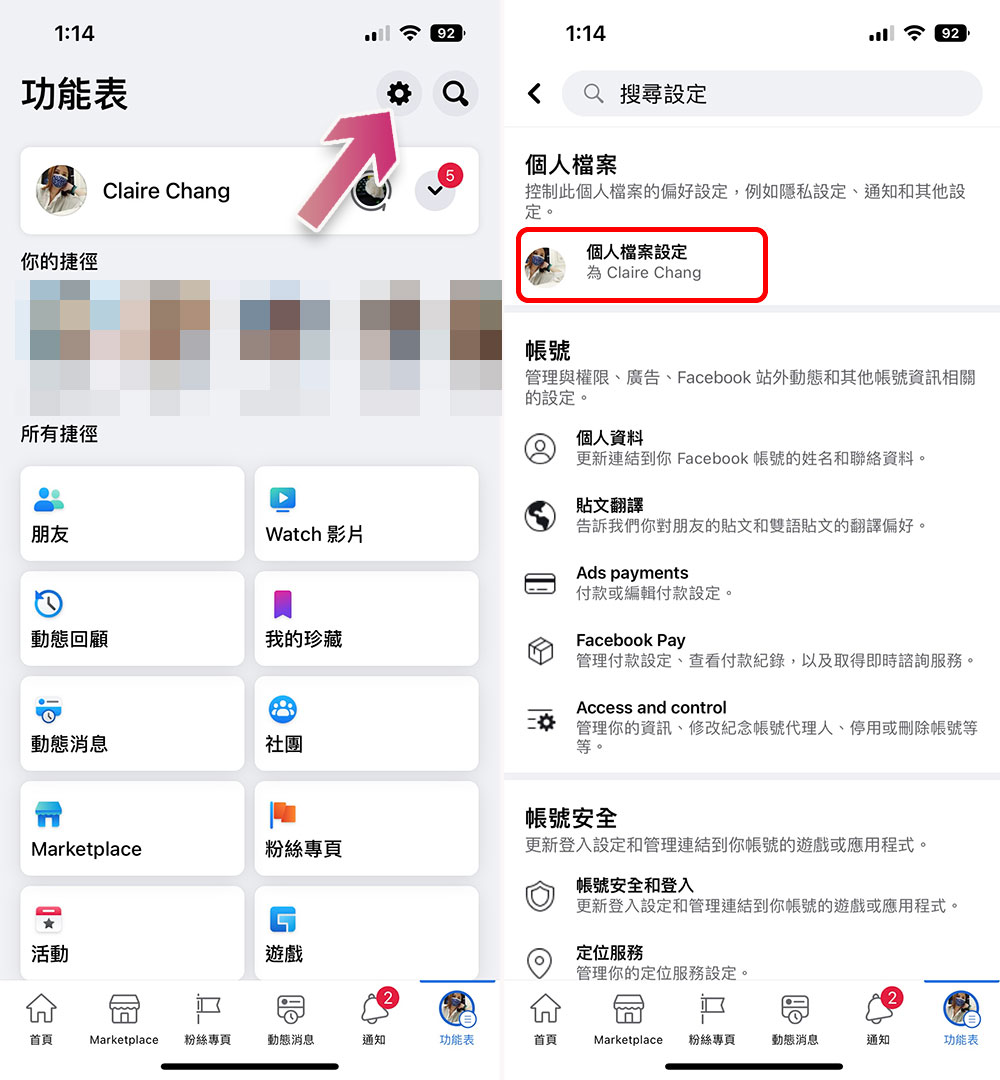
- Scroll down to find “Notification Settings”, click to enter, and then select the “Friends You May Know” option.
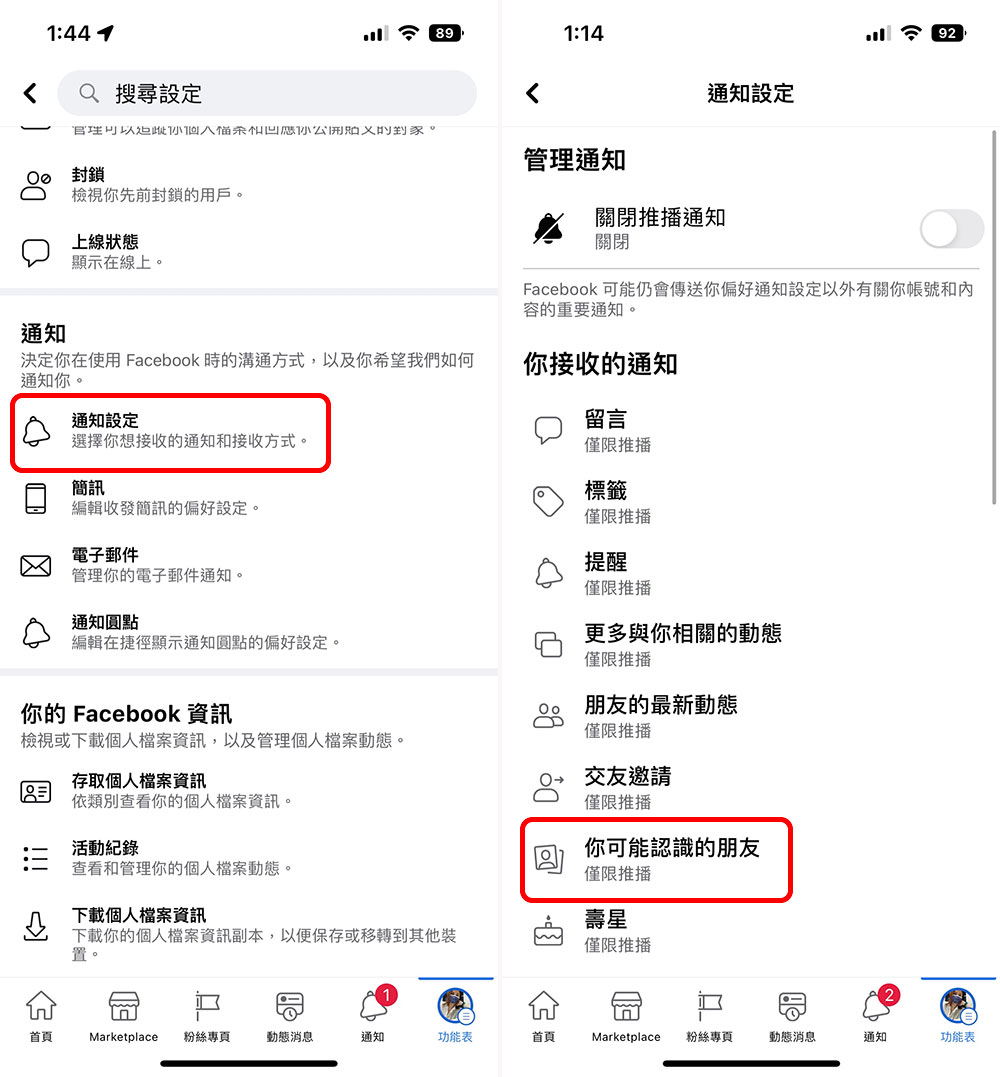
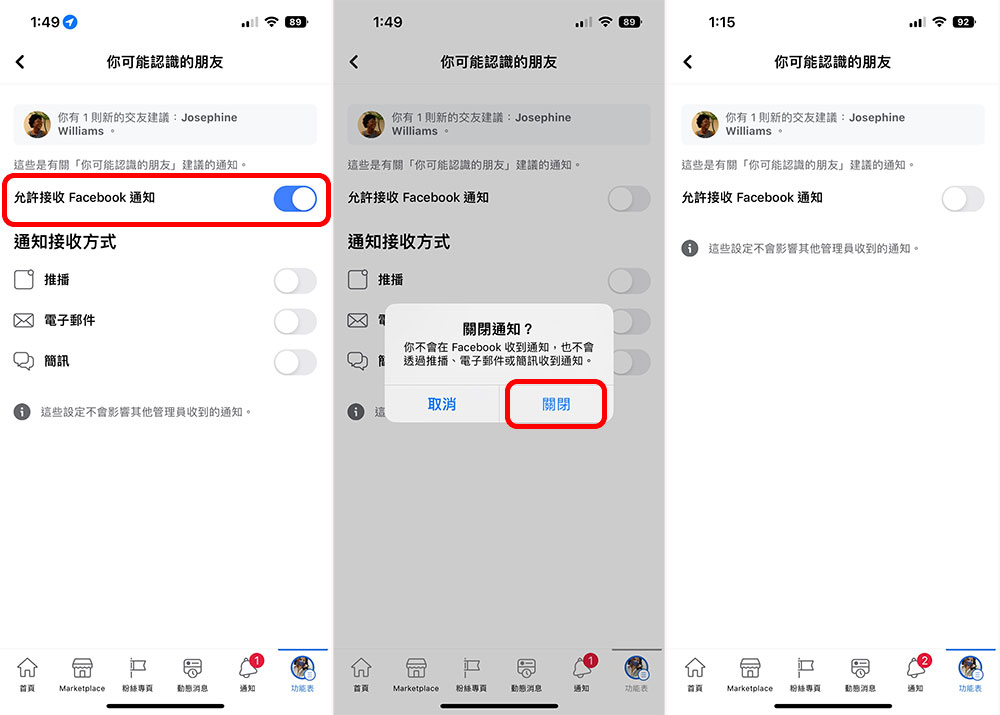
- Next, turn off the switch at the top so you won’t see the “Friends you may know” field in your latest notifications.
Close from PC web version
- After opening Facebook, click on the avatar in the upper right corner and a menu will appear. Select “Settings and Privacy” and enter the “Settings” item.
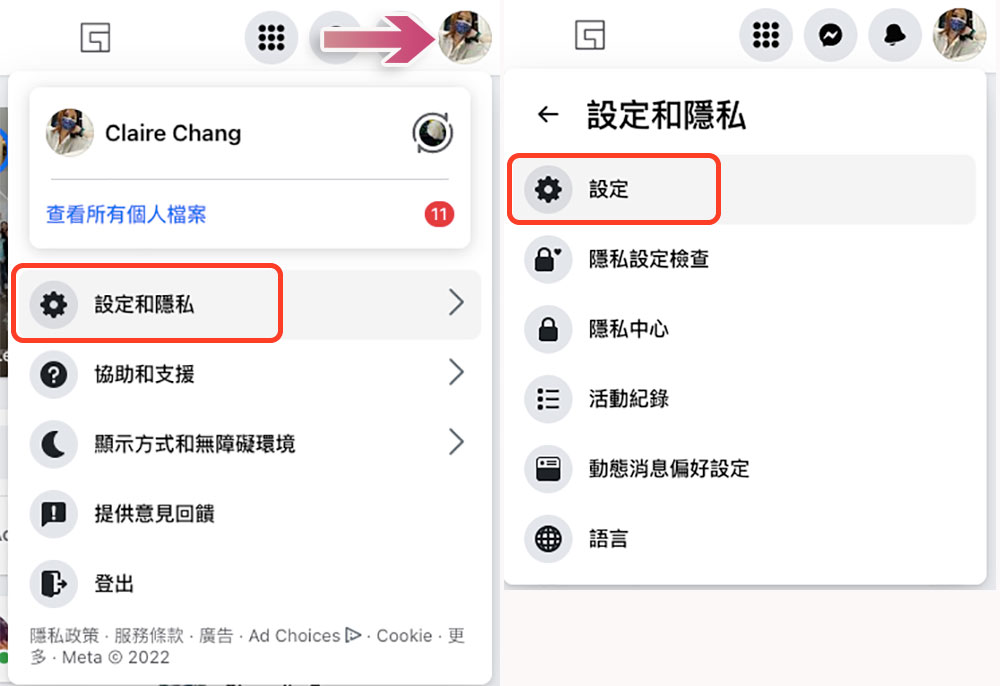
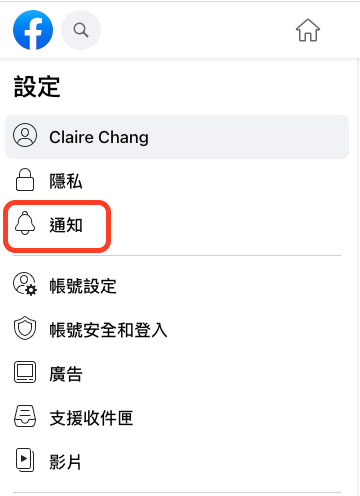
- Click “Notifications” from the sidebar.
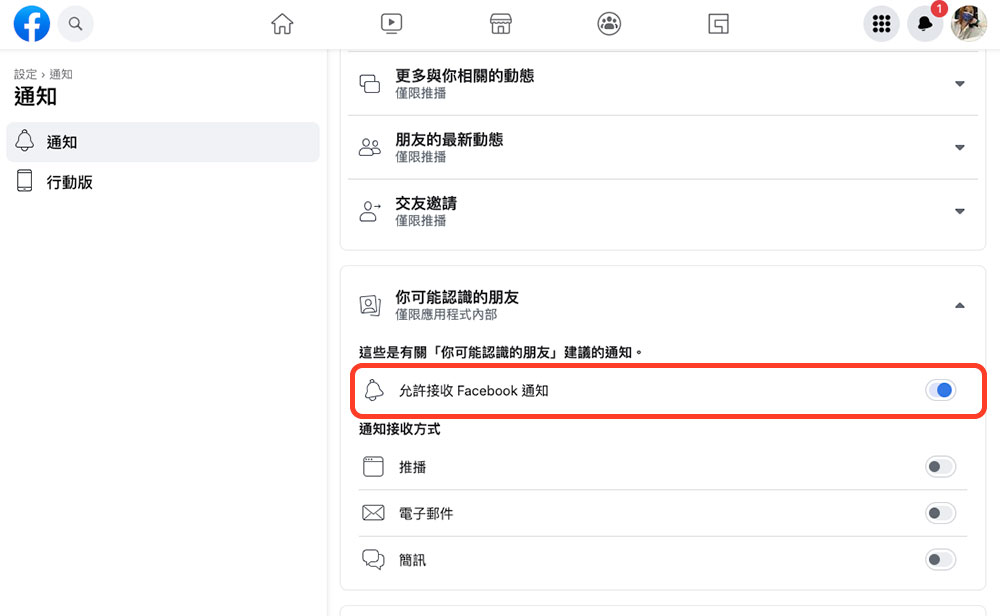
- Next, scroll down in the main window on the left, find “Friends You May Know”, click the arrow at the back to expand it, and then turn off the switch of “Allow receiving Facebook notifications”.
Facebook provides the option for users to decide whether to receive “Friends You May Know”, which is quite commendable. Below, the author has also compiled some questions you may have. You can take a look:
- Why is the same person always at the top of my list of recommended friends?
There are many reasons. Facebook will comprehensively consider common friends, similar interests, interactions with the same person, and more factors to perform cross-calculations. Finally, you will see a list of recommendations, so the people with whom you have the highest interactions will appear at the top of the list. - Why does Facebook recommend new friends to me?
Facebook uses different filters to recommend friends based on details from your profile, network, school, work, and Facebook activity (groups or photo tags, etc.). In addition, your updated contact list and the contact list of confirmed friends may also be used as a reference for recommending new friends.
Source: KOCPC Chinese