


As YouTube becomes more and more popular, more and more knowledge and new knowledge can be gained on this audio-visual platform. For those of you who are struggling with foreign languages (including the author), you can use the desktop/web version to automatically generate subtitles and automatically translate Traditional Chinese to Chinese to assist viewing. However, if you want to “move”, the YouTube app that did not support automatic translation will cause considerable trouble. Fortunately, this situation seems to have been resolved in the latest version of the YouTube app. Continue reading The mobile version of YouTube app has begun to support the automatic translation function of “Traditional Chinese”. How to activate it? See the text of the report here.
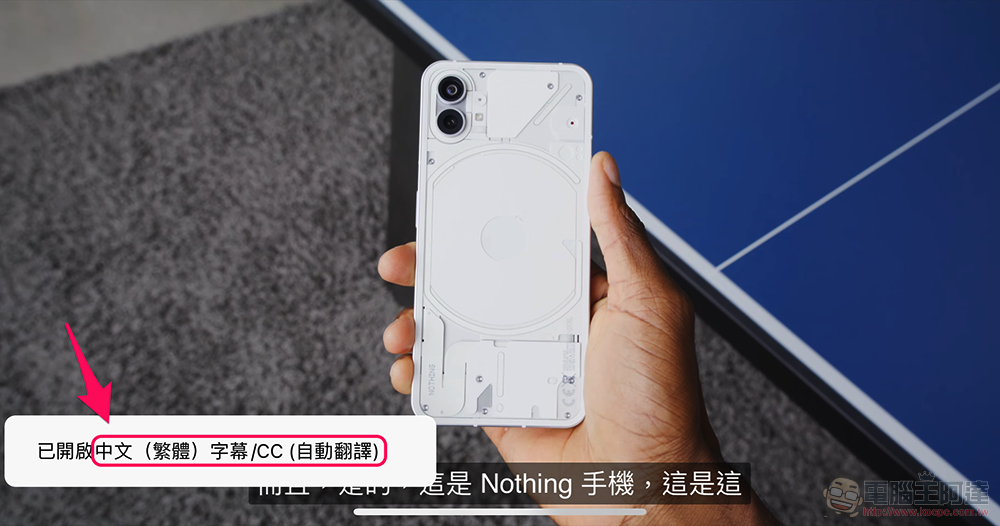
The mobile version of YouTube app starts to support the automatic translation function of “Traditional Chinese”. How to activate it? Click here
Although I’m not sure if it was added after the recent YouTube app update. But now that it can be used, let me share this little discovery with you. Recently, someone noticed that the YouTube mobile app version officially brings automatic translation support for Traditional Chinese in the CC subtitle menu. Through this function, you will be able to activate the option of automatically translating English or Japanese (currently I have only briefly tried these two languages) into Traditional Chinese directly on the mobile version.
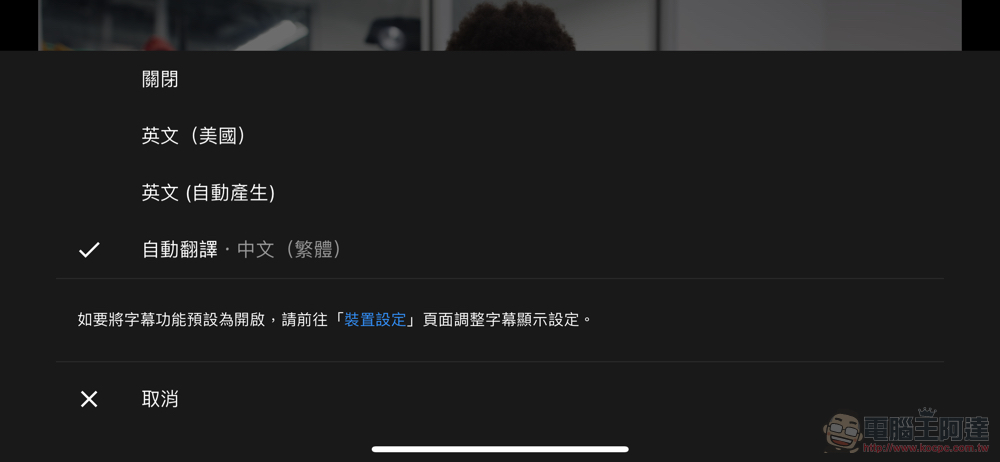
The specific usage is quite simple. You can find the “Subtitles” setting through “…” in the upper right corner of the video playback interface, and select “Automatic Translation > Chinese (Traditional Chinese)” to activate this function. Or you can directly click “CC” on the video with a long press to bring up the subtitle menu. Overall, the operation is quite simple and intuitive.
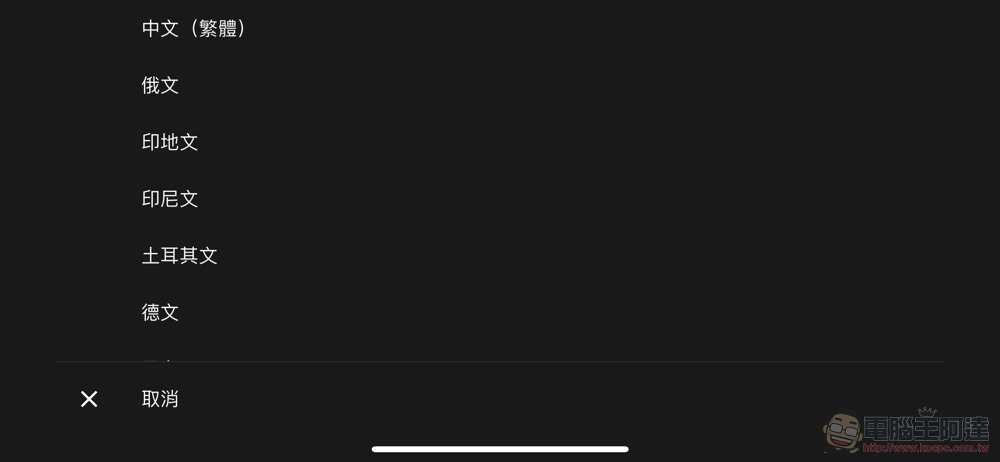
I tried a few videos to see the effect. Current measurements indicate that basically any video content that provides English subtitles can be translated into Traditional Chinese subtitles for real-time display through the automatic translation function. For English-language videos, the automatic subtitle generation function supported by YouTube can also activate the automatic translation function into Traditional Chinese.
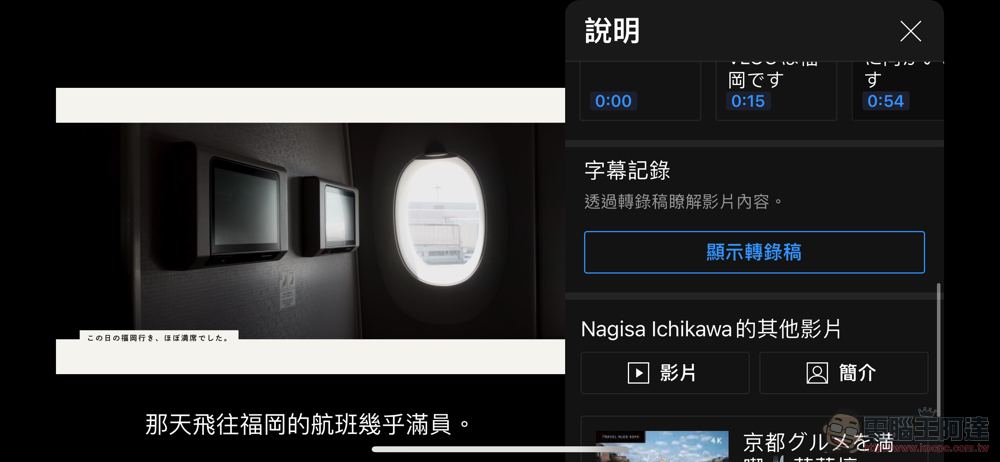
The Japanese part is a bit better. The editor tried watching a Japanese video with English subtitles, and you can see the option to automatically translate it into Traditional Chinese. However, no subtitles are provided, and there is only an option to automatically generate Japanese subtitles for the video content. Although the automatic translation function can also be activated, the language can only be displayed in English.
From this point of view, this function should not support “secondary translation”. This is not surprising. After all, machine translation can lead to errors even once. When the translated content is translated into another language, the probability of major errors should not be low.
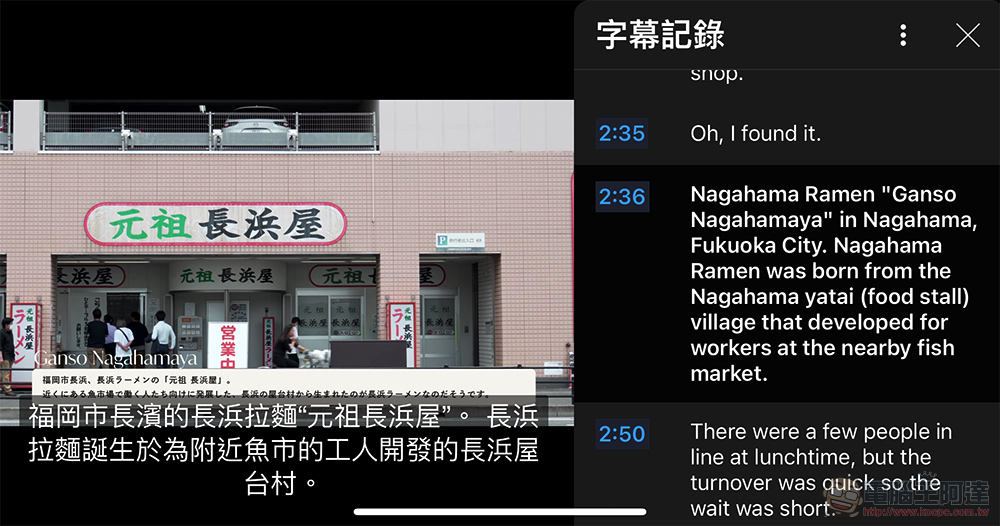
That is to say,Previously taught by Computer King Ada’s teamThrough the dual subtitle function of “Show Transcript/Subtitle Record”, we have also tested that the “Show Transcript” function can actually be found in the side function window that pops up through “More OOO Videos” in the “…” menu. Here, you can choose the foreign language with the subtitle record window and the automatically translated Traditional Chinese for language learning or related translation reference on your mobile phone!
Further reading:
The mobile version of Android Auto stopped serving and was officially buried in the grave by Google
Source: KOCPC Chinese