


Modern people’s backup needs are increasing. Not only the basic backup of mobile phone and computer data, but also with the popularization of AI tools, whether it is generating pictures, organizing verbatim manuscripts, editing materials, or work project files, there may be a lot more data that needs to be backed up every day.
It’s just that the prices of SSDs and hard disks are much more expensive now than they were a few years ago. In the past two or three years, it will only get worse. Even if you really buy one, you will be afraid that the hard disk will suddenly fail one day. The cloud spaces on the market are all charged on a monthly or annual basis. For those who originally plan to back up for a long time, a lifetime cloud plan with a one-time purchase is actually more suitable. It saves money and does not have to worry about the cost in the future after buying it.
The Dragon Boat Festival discount launched by pCloud this time is very sincere. Not only does it offer up to 70% discount on the personal lifetime plan, but it also comes with pCloud Pass Premium professional version password management tool for free. In this era of more and more account passwords, having a trustworthy and high-security password management tool at hand is very practical.
Get pCloud Dragon Boat Festival Promotion
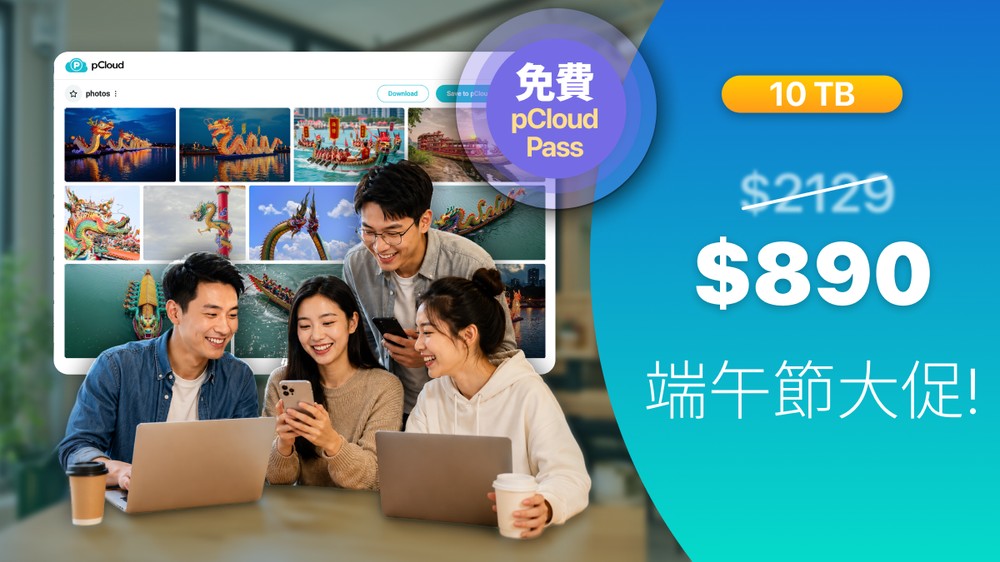
pCloud Dragon Boat Festival discount plan, up to 70% discount
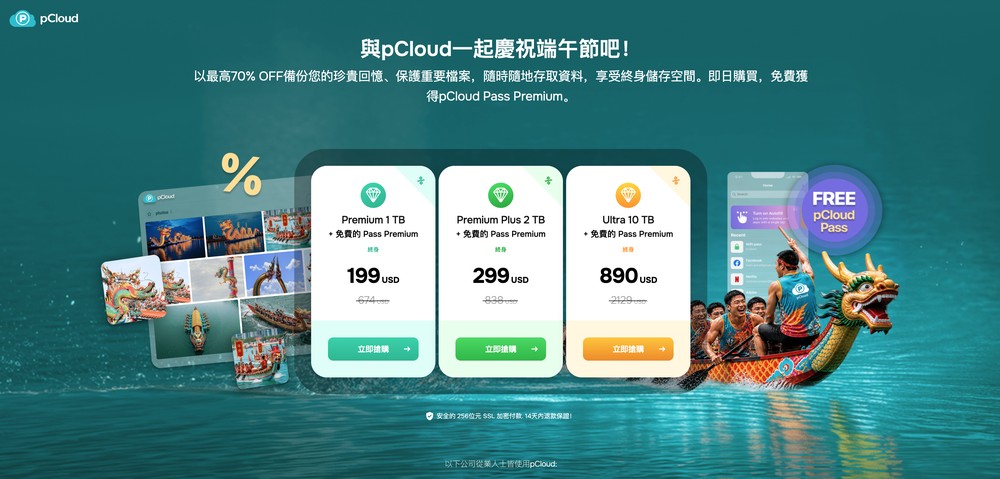
This pCloud Dragon Boat Festival promotion is worth considering. Starting from June 15, 2026, and ending on June 26, 2026, the three lifetime edition capacities of 1TB, 2TB, and 10TB can enjoy a discount of up to 70%, and each capacity comes with the pCloud Pass Premium professional version password management tool for free.
Get pCloud Dragon Boat Festival Promotion
The discount plans are as follows:
| plan | original price | Special price | Current province | Discount | Extra gift |
| 1TB Lifetime Plan | $674 | $199 | $475 | 70% | pCloud Pass Premium |
| 2TB Lifetime Plan | $830 | $299 | $531 | 64% | pCloud Pass Premium |
| 10TB Lifetime Plan | $2,119 | $890 | $1,229 | 58% | pCloud Pass Premium |
Is it a good deal compared to other cloud spaces? Check price conversion once
If you just look at the discounted price, you may not feel much about it. If you directly compare it with other common Google One, Dropbox, and OneDrive plans with similar capacity, the difference will be obvious.
Estimated based on the exchange rate of 1 US dollar, which is approximately NT$32:
| Serve | capacity | price |
| pCloud Lifetime Plan | 1TB | About NT$6,368 (one-time payment) |
| pCloud Lifetime Plan | 2TB | About NT$9,568 (one-time payment) |
| Google One | 2TB | NT$330/month or NT$3,300/year |
| Dropbox Plus | 2TB | About NT$3,850/year (based on the official current price) |
| Microsoft 365 Personal (with OneDrive) | 1TB | About NT$3,090/year |
If you look at 2TB capacity:
- pCloud 2TB lifetime plan: about NT$9,568 one-time buyout
- Google One 2TB: NT$3,300 per year
- Dropbox Plus 2TB: Approximately NT$3,850 per year
In other words, if the Google One 2TB annual fee is calculated, the cost will be close to the pCloud lifetime plan in less than 3 years; if the Dropbox Plus 2TB is calculated, the cumulative cost in about 2.5 years will be close to or even exceed the pCloud lifetime plan price.
If comparing 1TB capacity:
- pCloud 1TB lifetime plan: about NT$6,368
- Microsoft 365 Personal 1TB: About NT$3,090/year
After about 2 years of use, the cumulative subscription cost will approach the pCloud 1TB lifetime plan price, which is a really good deal.
Get pCloud Dragon Boat Festival Promotion
What can I do with pCloud Lifetime Edition? Let’s also take a look at its practical functions
Back up photos and videos on your phone to reduce pressure on your phone’s capacity
The most common use is to back up mobile phone photos and videos.
Nowadays, the quality of photos taken by mobile phones is getting higher and higher, and 4K videos are also very common. If you usually take pictures of children, pets, travel, food, unpacking or work records, it is easy to fill up the capacity of your mobile phone. At this time, you can back up photos and videos through the pCloud mobile app. You no longer have to worry about the phone capacity being full, and you don’t have to worry about which files to delete.
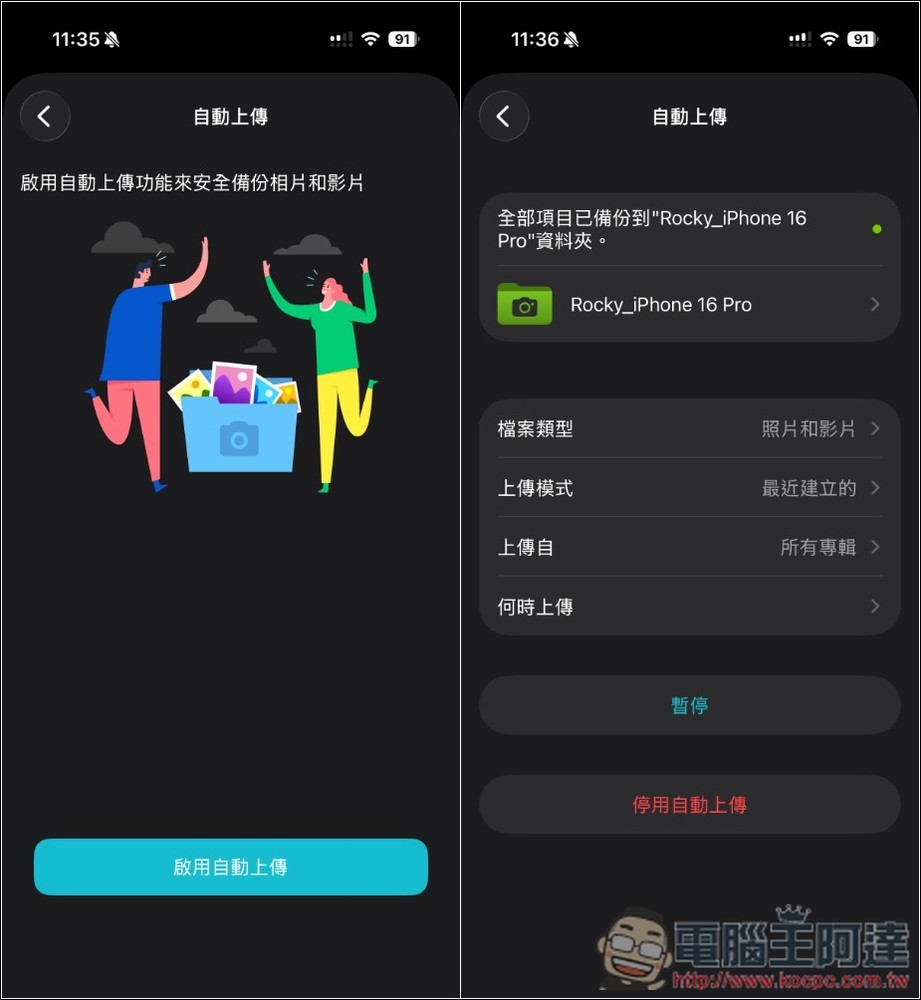
pCloud mobile app supports automatic backup of photos and videos. After enabling it, new photos and videos on your phone can be automatically uploaded to pCloud, without the need to upload them manually every time.
For those who take photos of travel, events, and products, pCloud can also be used as a long-term material library. After taking the photo, save the original photos and videos to the cloud. Later, when you need to look back for materials, edit videos, or write articles, you can quickly find them.
Save AI-generated pictures, videos and work materials for easier centralized management
If you usually use AI tools such as ChatGPT, Claude, Gemini, ComfyUI, and Seedance, you should be very aware that there are many new files that need to be backed up every day.
- An article may have multiple drafts, references, screenshots, cover images, and social post versions
- When making pictures, dozens of pictures of different styles may be generated at one time
- When making videos, the total capacity of the AI-generated materials, audio files, subtitles, and project files is very large.
If these files are only stored in the computer, they will easily explode, and you will also worry about the hard disk suddenly hanging up.
At this time, pCloud is very suitable to be used as a long-term storage space for AI materials, and to centrally manage pictures, videos, verbatim drafts, drafts, and project materials generated by AI.
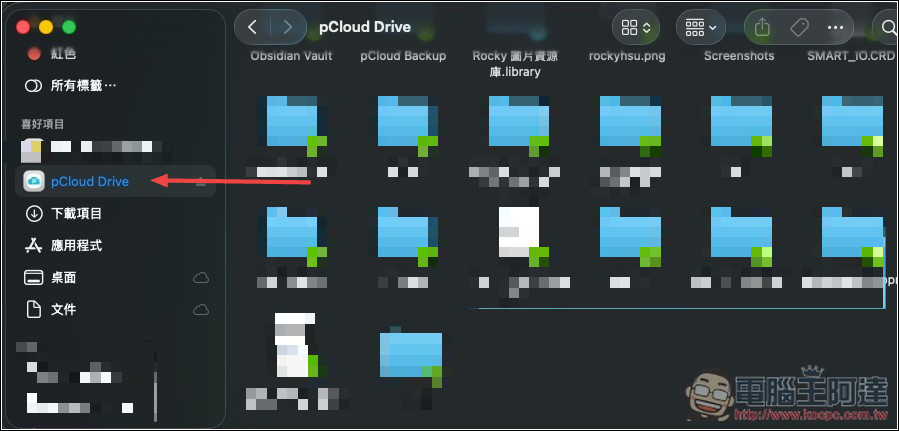
The computer can also be used with pCloud Drive. The cloud space will become a virtual hard drive in the computer. You can browse, open and manage cloud data without downloading the entire file to the local computer. This is very useful for users with MacBook, thin and light notebooks, or local SSDs with small capacity.
Synchronize important files on computers, mobile phones and tablets without having to look for versions everywhere
pCloud is also very suitable for synchronizing important files between computers, mobile phones and tablets. This is very useful for people who frequently switch between multiple devices.
For example, you may organize article materials on your computer, take photos on your mobile phone, and view pictures or videos on your tablet.
If these files are placed in the same pCloud space, there is no need to keep transferring them through LINE, email, and flash drives, and the dilemma of “file not found” will be less likely to occur.
More importantly, pCloud supports cross-platform use. Whether it is a Windows computer, Mac, iPhone, Android phone, or accessed through the web version, you can easily find the files you need.
As an off-site backup space for an external hard drive or NAS
While external hard drives and NAS are both great, they are local backups, so there is still a risk of failure and possible poisoning.
Hard drive failure is relatively easy to solve. As long as you make a backup of another hard drive, you can retrieve it at any time. However, if the computer is infected, it will be troublesome. You may not be able to retrieve clean files.
Therefore, the ideal backup method is to have one copy locally, one copy on an external hard drive or NAS, and another copy in the cloud.
The pCloud lifetime plan is very suitable as a long-term off-site backup space, especially for content that you do not want to lose such as photos, videos, work materials, contracts, and important documents, which provides an extra layer of protection.
In addition, pCloud also provides file version records, trash cans, and file rescue related functions. When you accidentally delete a file, or the file is overwritten with an incorrect version, there is a chance to recover it from the records.
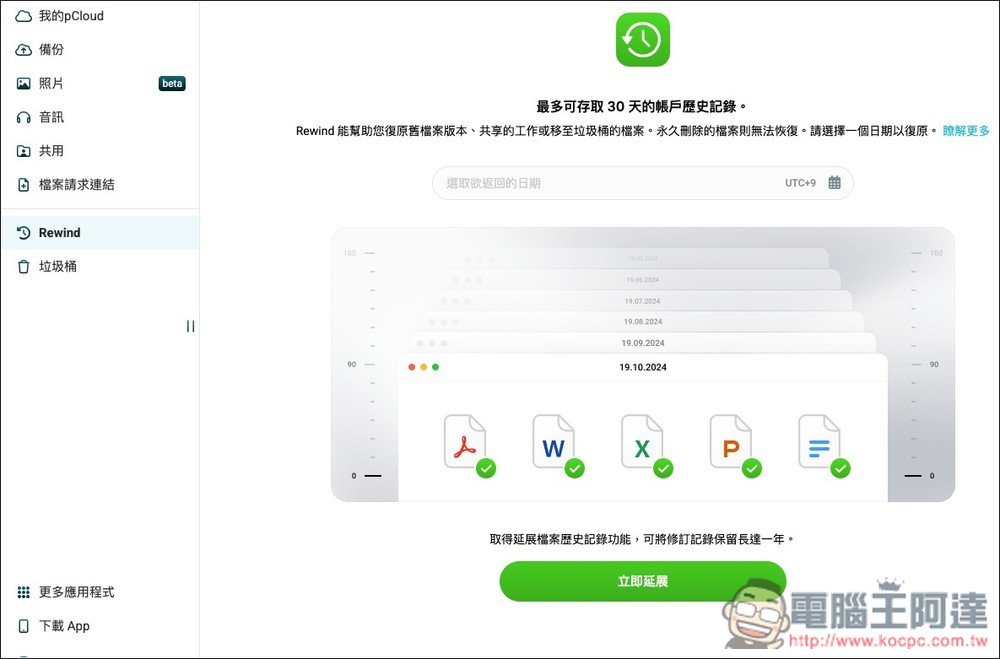
This is especially important for work files. Many times, it’s not that the file is missing, but that the correct version is accidentally overwritten, and it’s too late to find out later.
In addition to the above usage scenarios, pCloud also has several features worth noting:
- Supports file sharing, making it easy to send photos, videos or work data to others
- Can be paired with encryption function to protect more sensitive data (pCloud Encryption)
Is pCloud Pass easy to use? What are the features?
Many people may not know pCloud Pass, so here is a quick introduction.
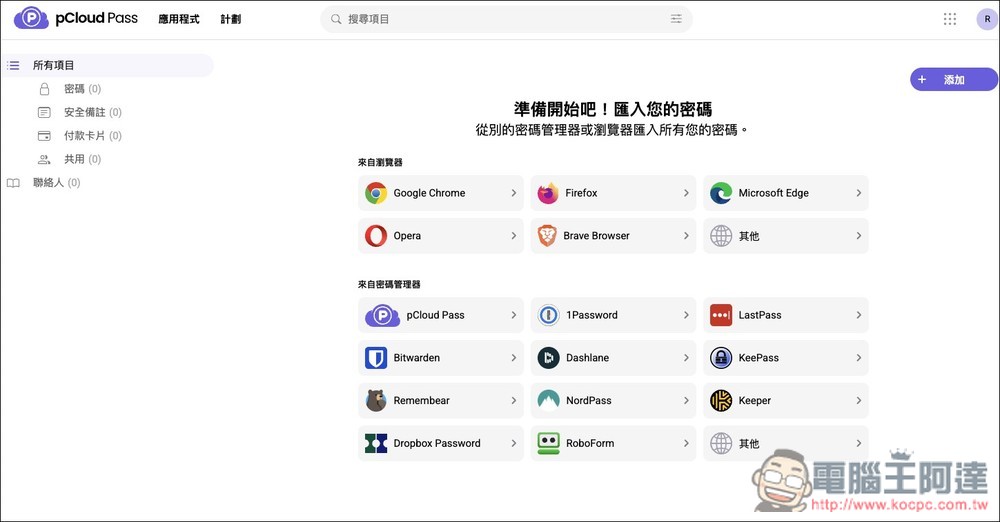
pCloud Pass is a password management tool launched by pCloud. It can be used to save your website account passwords, credit card information and security notes. It also supports auto-fill, password generator and cross-device access. In today’s situation where everyone has a large number of accounts and passwords, password management tools are no longer just a convenience, but a very basic need.
For convenience, many people use the same password, or use their birthday, phone number, or commonly used English words as passwords. Although this is easy to remember, as long as one of the websites is leaked, it may also affect other accounts.
After using a password management tool like pCloud Pass, you can create different strong passwords for each website, and you only need to remember a main set of unlocking passwords.
Get pCloud Dragon Boat Festival Promotion
Differences between pCloud Pass Premium and free version
The free version of pCloud Pass can already be used to save passwords, credit card information and secure notes, and can also generate strong passwords.
The Premium version provides full functionality, including cross-device synchronization, unlimited devices, password sharing, and more advanced management capabilities.
Source: KOCPC Chinese