


Although for modern people who are already very accustomed to using search engines, “Google” to find the information they need is already a very intuitive skill. However, even if you already know how to help users find relevant information, even pictures can be added to the Google search engine for reference. It will still cause people to encounter situations that are difficult to find using words or pictures alone. Now, Google has brought a new generation of more “comprehensive” search methods through the application of the MUM AI model previously announced at the I/O conference. And you only need the mobile version of Google app at hand to play the test version (but you need to switch to the English version). Continue reading Multisearch, which allows you to “google” images and text together, comes to the report text.
▲Photo source of this article: Google
Multisearch (Multisearch) that can be used to “Google” images and text together is here. This article teaches you how to use it.
At the end of last year, Google revealed the possibility of using the Multitask Unified Model (MUM), an AI model that can integrate a wide range of formats such as text, images and even videos, to find the correlation between topics, concepts and ideas, for use in search engines. Within a few months, Google was ready to put this application into its Google Lens image search engine. As one of the beta test functions of this AI model that is currently known to be used by ordinary users.
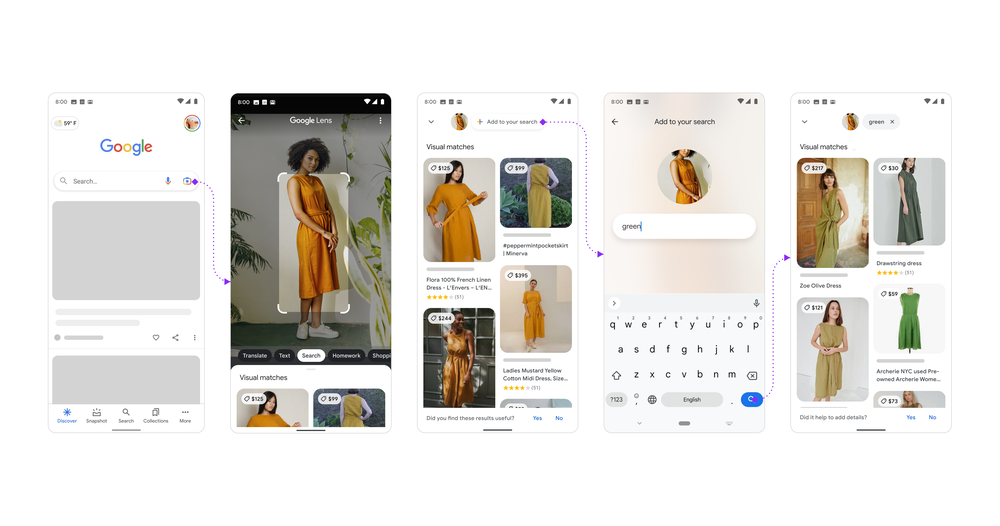
Simply put, through the image search function in the Google app. You will be able to search for “and” through pictures on your iOS or Android device or directly take a photo and enter search keywords to conduct a more precise multisearch (Multisearch).
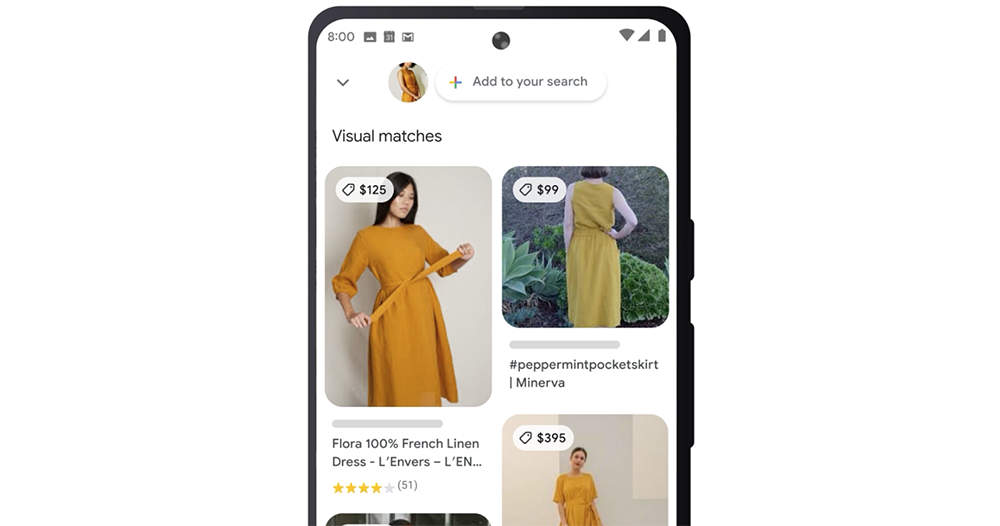
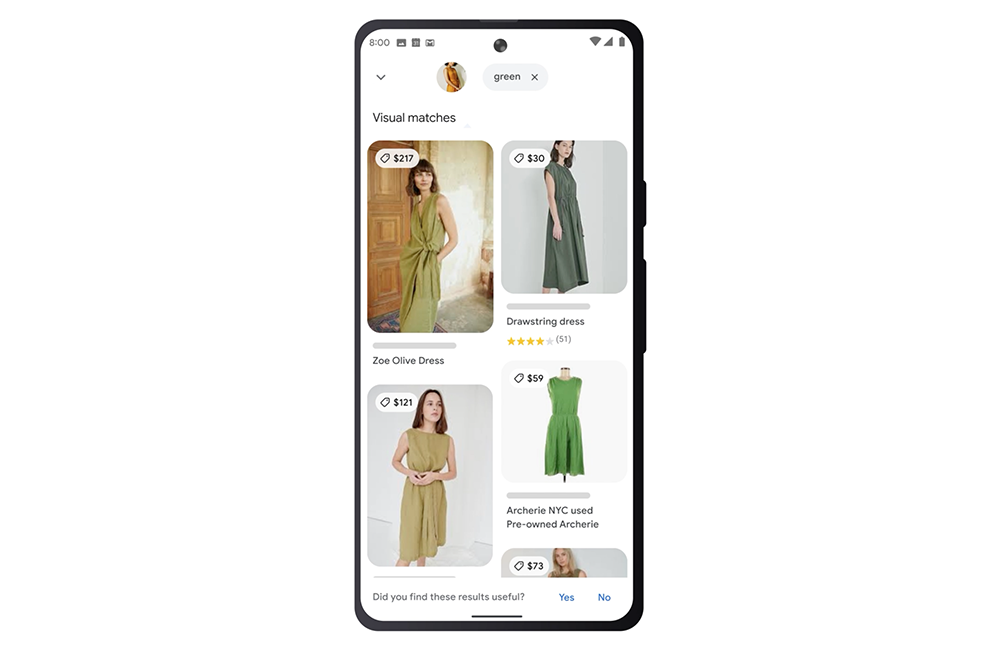
Take the official example, by searching for photos of women. Google Lens first displayed the results of related image searches such as the price of the clothes she was wearing. At this time, you can add key text such as “green” through Google Multisearch. You can see pictures of similar styles of clothes in different colors appearing.
Since this feature is currently only being tested in the United States, not surprisingly, only English language option search results are supported. The specific usage is actually quite simple, the steps are as follows:
1. Launch the Google app for Android or iOS
2. Click the “Camera” button on the right side of the search bar
3. Lens image search by taking screenshots, searching or taking photos directly
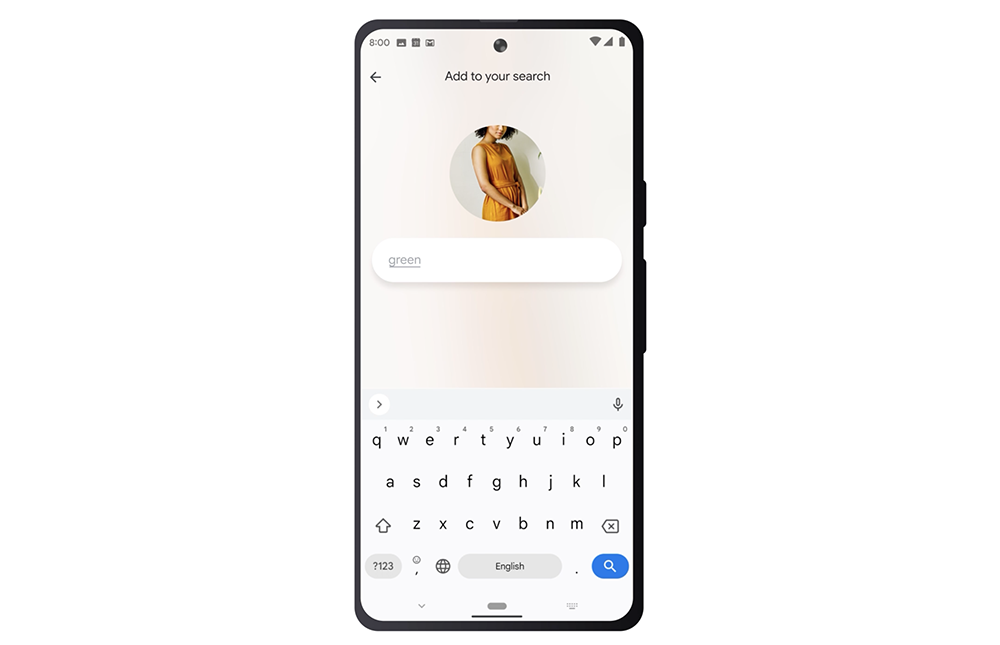
4. Click “+ Add to your search” at the top of the search results page
5. Enter the text keywords you want to add to perform multiple searches.
Except you can find clothes in different colors this way. For example, Google can take a photo of a dining table and then narrow down the search by typing “coffee table”; take a photo of a plant and search for keywords to find information about caring for plants.
In this way, Google Multisearch is similar to the way you enter multiple keywords to search, but it is changed to start with photos with more characteristic details. Speaking of which, in fact, the original Google Lens results will already give you a lot of information generated by detecting image features, allowing you to continue “associating” with one click. Multiple searches imported into the MUM model can unlock the use of directly entering text keywords, allowing AI to find more relevant search directions. To a certain extent, the launch of this feature should also help AI machine learning, right?
Further reading:

Source: KOCPC Chinese