


As IoT products gradually penetrate into more homes, they become good partners in everyone’s daily life. Whether you have purchased a smart speaker or even a smart display as the core of home control, Google has not forgotten to improve the user experience of mobile applications. The recently announced interface overhaul for the Google Home app for Android and iOS is coming soon. Continue reading a quick preview of the Google Home app interface overhaul, which is more integrated with the mobile system experience.
▲Photo source of this article: Google
Quick preview of Google Home app interface overhaul, more integrated with mobile system experience
Although after the thoughtful functions of the Android system directly integrated into home IoT devices are gradually added, the chance of entering the Google Home app for operation has become less and less – on the other hand, it is also possible to use voice control! But it should be to take into account cross-platform and more unified user interface, so that everyone can use it more intuitively. Google recently chose to drastically change the interface design of the Home app on Android and iOS.
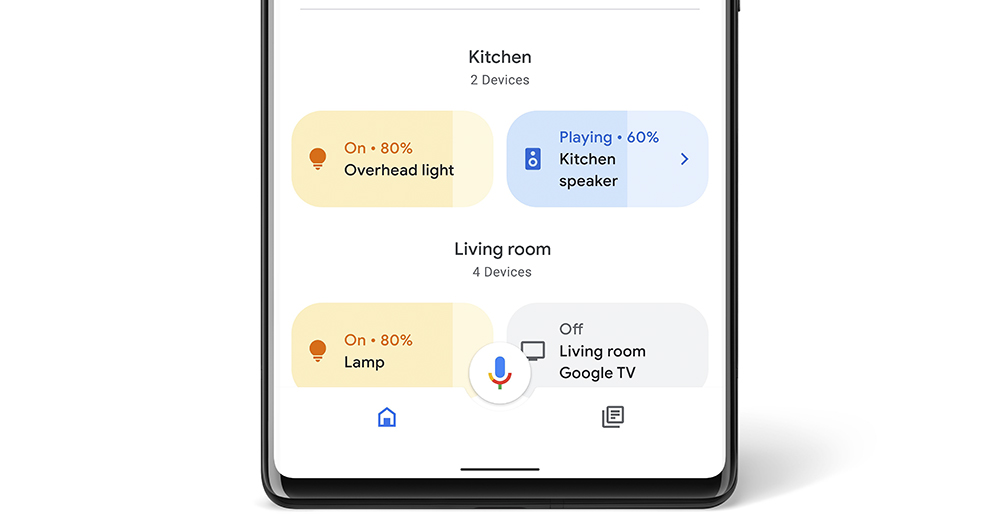
The most directly felt change is the quick operation part. It has become quite similar to the system control shortcut function provided by Android 11 (in fact, it is also a bit like iOS’s quick function bar ~ look at it sideways). As long as the devices in the list can support “level” adjustments such as brightness/volume/air volume, etc., you can directly touch the button that looks like a capsule left and right to quickly operate; tap the button switch. You can also open more options by long pressing.
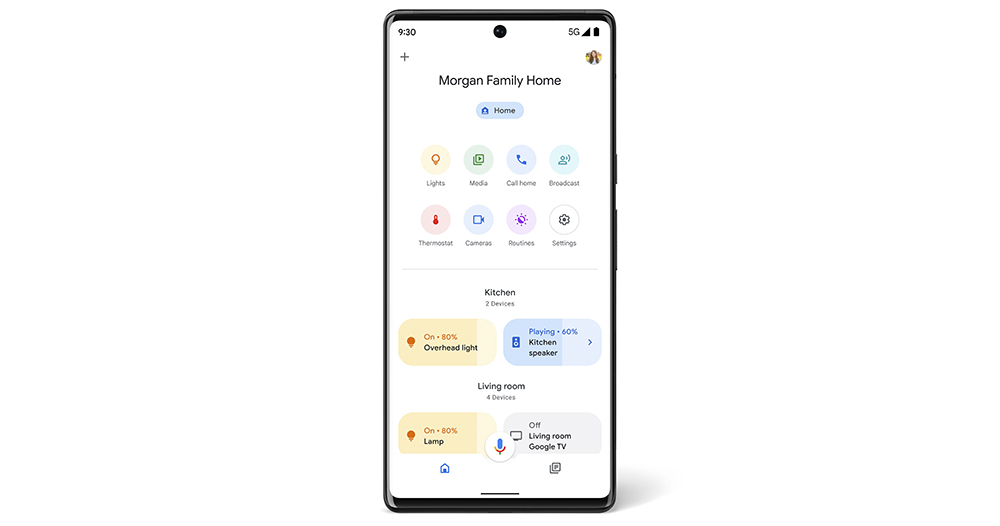
This update not only adds new actions to the Google Home app. Officials also mentioned through the Nest forum that the application will also add new privacy settings this time. Fine-tune privacy-related settings for a more in-depth view. This is suddenly important, especially now that the app has begun detecting whether family members are at home. But seriously, if you want to use smarter functions, it seems inevitable to share some of your privacy with services?
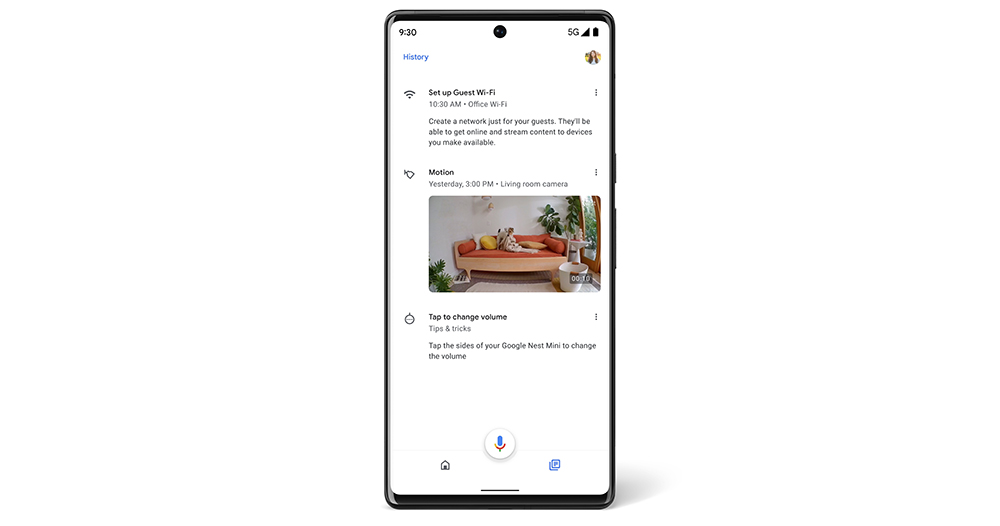
Google’s post this time also shared that in the past month, it will bring event displays to better and quickly grasp information related to home IoT devices. The most important recent notifications will be automatically sorted and presented in a more concise interface. The event classification of group chats will also be used to allow you to quickly find a clear context for the messy notifications coming from many devices that support Google Home.

The Google Home app has recently been updated with many useful features. For example, for the daily arrangement of Routines, the convenient function of delaying the start of time has been introduced (see more:Google Home “Daily Schedule” adds delay time setting support). This allows you to have more flexible time options and arrange the launch time of your home IoT products.
According to Google, this wave of updates to adjust the application interface should be coming to your and my phones soon. I wonder if anyone has discovered it? Or is it really rare to enter the Google Home app? Let’s see if there are any interesting new options.
Further reading:
iPhone SE (3rd generation) unboxing experience: If the sky falls, A15 can handle it!
Source: KOCPC Chinese