


Meet new friends in real life or online. Do you want to invite them to add you as LINE friends? In addition to letting the other party scan their LINE mobile QR Code, or use LINE ID or mobile phone, now after the LINE 12.3.0 update, you can directly share the link with the other party and add friends directly! You can directly paste the link in an email or other social platform, allowing the other person to click the link and easily add friends.
LINE 12.3.0 update: Added “Add friends via link” function, making it easier to become a LINE friend!
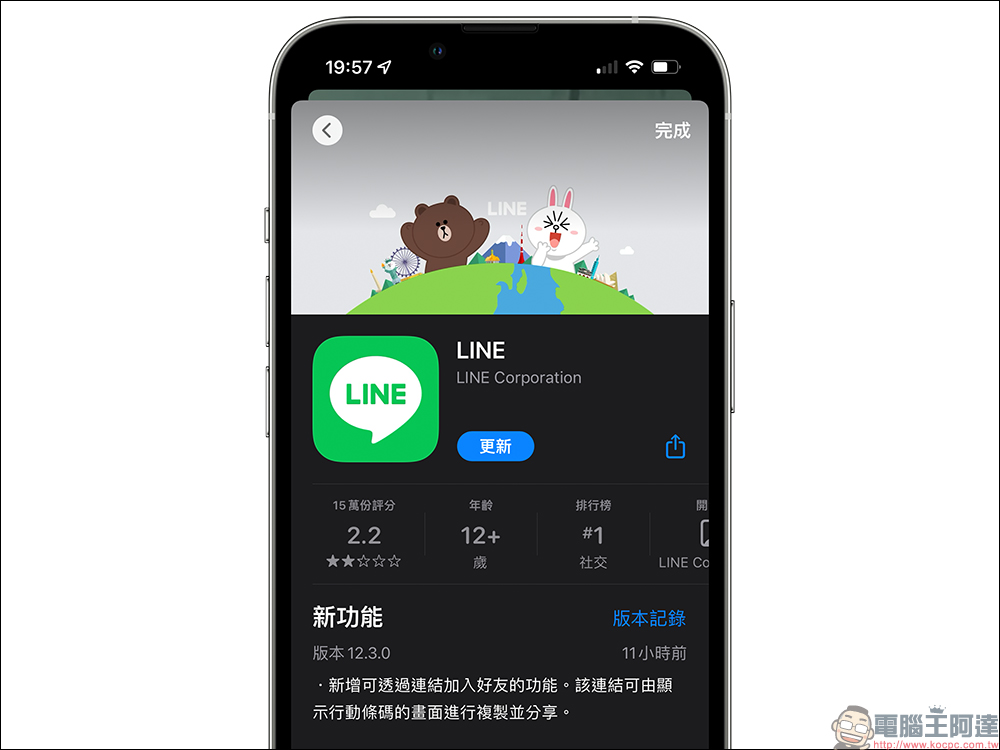
Yesterday (15th) LINE quietly released the LINE 12.3.0 version update. This update adds the thoughtful and practical function of “adding the ability to join friends through links”. Users can directly copy links and share them on the screen that displays the mobile barcode, so that others can click on the link to go directly to their LINE profile to join LINE friends.
In the past, the most common ways to add friends on LINE were to add friends automatically through “LINE ID”, displaying/sending “mobile barcodes”, or adding friends from the address book.
The “add friends via link” function added to this LINE 12.3.0 version update requires updating to LINE 12.3.0 (inclusive) and above. There is a “Copy Link” option on the mobile barcode page. At the same time, the LINE update has also been optimized for this page. It not only rearranges the positions of various function buttons, but also adds text descriptions so that users can quickly understand the function of each button.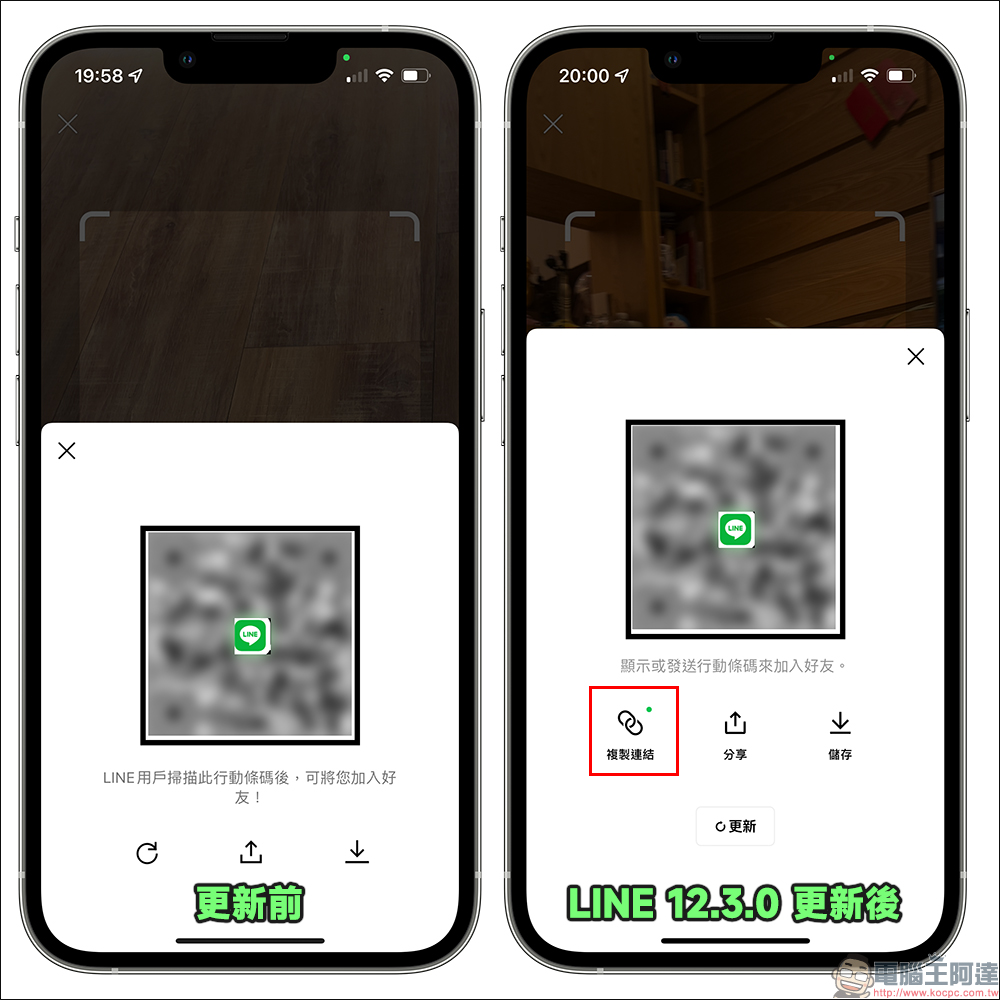
How do I get a new acquaintance to add me as a LINE friend?
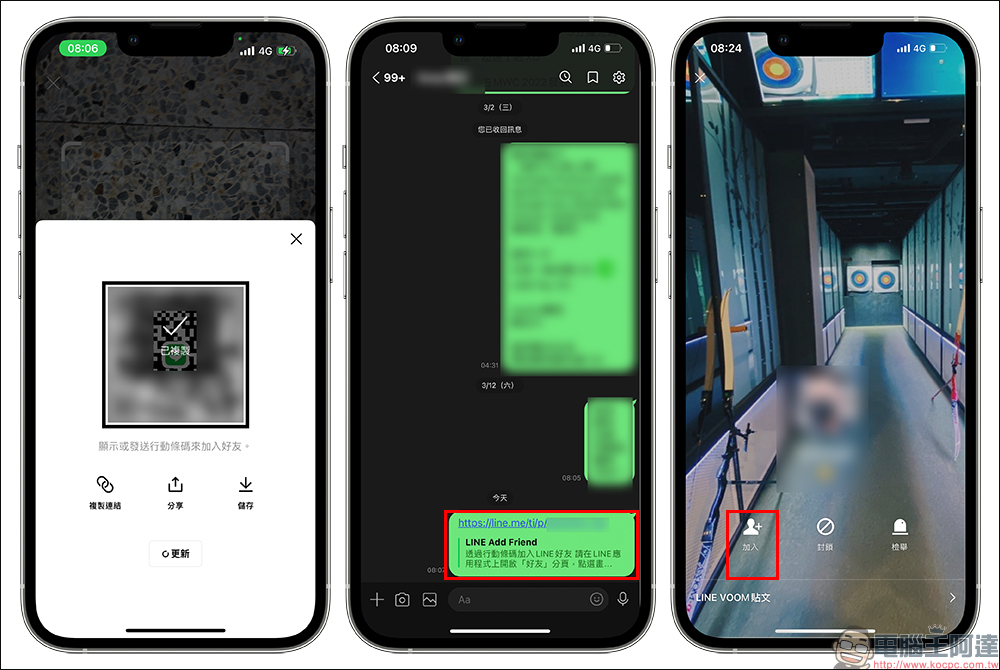
Since updating to version 12.3.0 of LINE, users click “Mobile QR Code” on the LINE “Add Friend” page and click the “Show Mobile QR Code” button on the screen. In addition to displaying their LINE mobile QR Code (QR Code) on the screen, there are three options below: “Copy Link”, “Share” and “Save”.
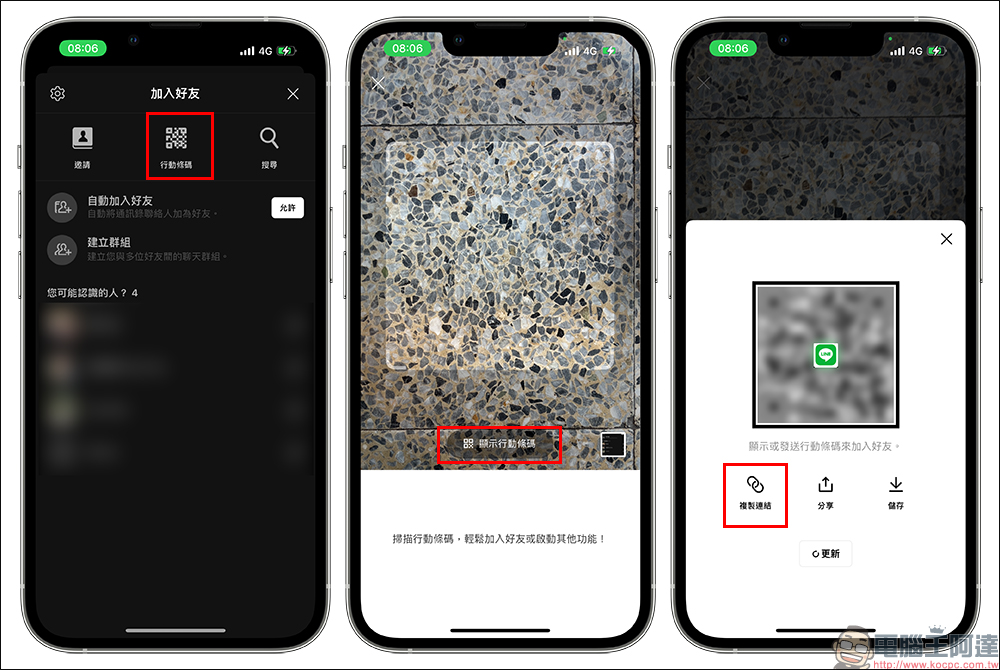
After clicking “Copy Link”, the personal LINE link will be automatically copied. As long as the other party clicks the link, they can go to the LINE user’s profile and click “Join” to add them as a friend. This function is a more convenient way for people to easily add LINE friends through FB Messenger, email, etc. After all, not everyone knows how to use LINE ID or scan QR Code to add friends.
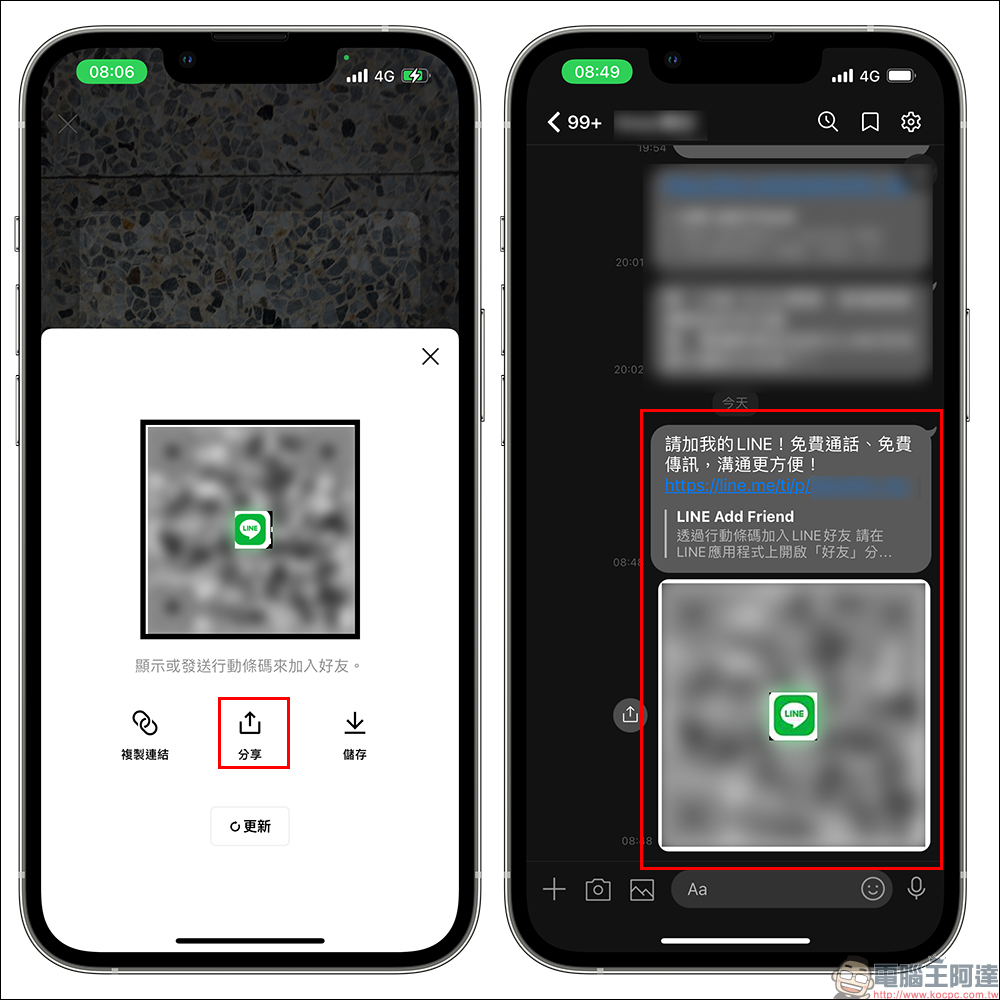
If you click the “Share” button, in addition to the LINE link, a mobile barcode (QR Code) and a text paragraph “Please add my LINE! Free calls, free messaging, communication is more convenient!” will also be automatically attached.
summary
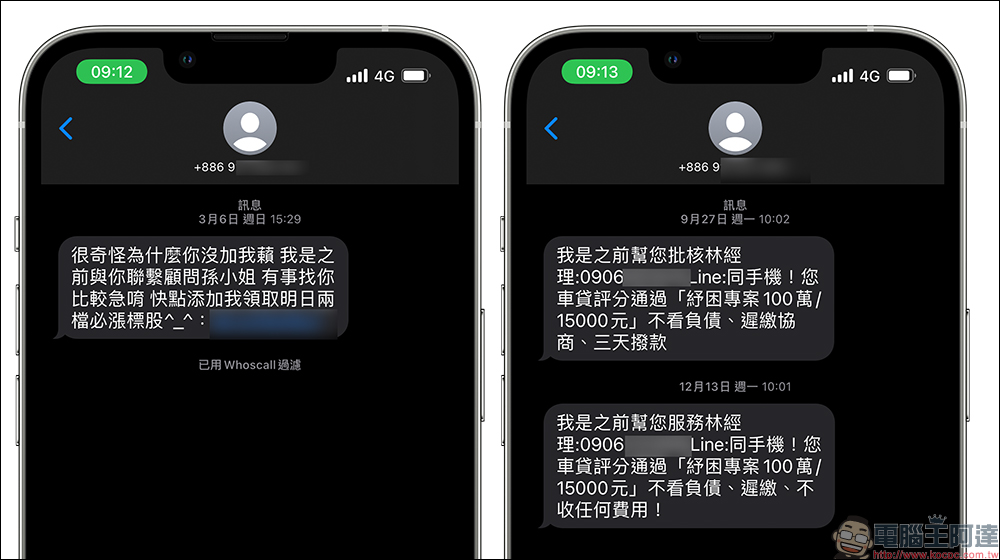
After the LINE 12.3.0 version update, there is another more convenient option for LINE to invite strangers as friends. However, I still want to remind everyone that if you receive a strange and unknown link in the future, you must confirm who the other party is before clicking on the link to add friends! After all, in the past period, there have been many text message scams that used the method of inviting others to add friends to carry out fraud or advertising. I believe that with the launch of this function, there will be more advertisements or scams of this type that will use LINE friend links to attract others to join.
Source: KOCPC Chinese