


Valentine’s Day just passed last month, and in a few days March 14th will be followed by the annual White Day! What should you do if you want to confess to your significant other or the person you like, but you don’t know how to express your feelings? Then take advantage of the Valentine’s Day limited chat room special effects launched by LINE this time, enter the specified keywords to summon the cute bears and rabbits to show up and confess their support!

▲Picture source:LINE Taiwan official BLOG
LINE White Day chat room special effects are launched! Enter the specified keyword to summon Big Bunny Bear to show up and confess your support!
Earlier, LINE announced that the LINE White Day chat room special effects will be officially launched today (10th)! From 10:00 on March 10, 2022 to 10:00 on March 17, 2022, users only need to enter the specified Valentine’s Day chat room special effects keyword in the LINE chat room to summon the chat room background special effects of Big Bunny Bear! This year’s keywords are “Valentine’s Day」、「Love you“and”Love“There are three groups in total. Among them, the keyword “Love” is valid regardless of uppercase or lowercase letters in English! So whether you enter LOVE, Love or love, you can summon this set of Valentine’s Day chat room special effects.
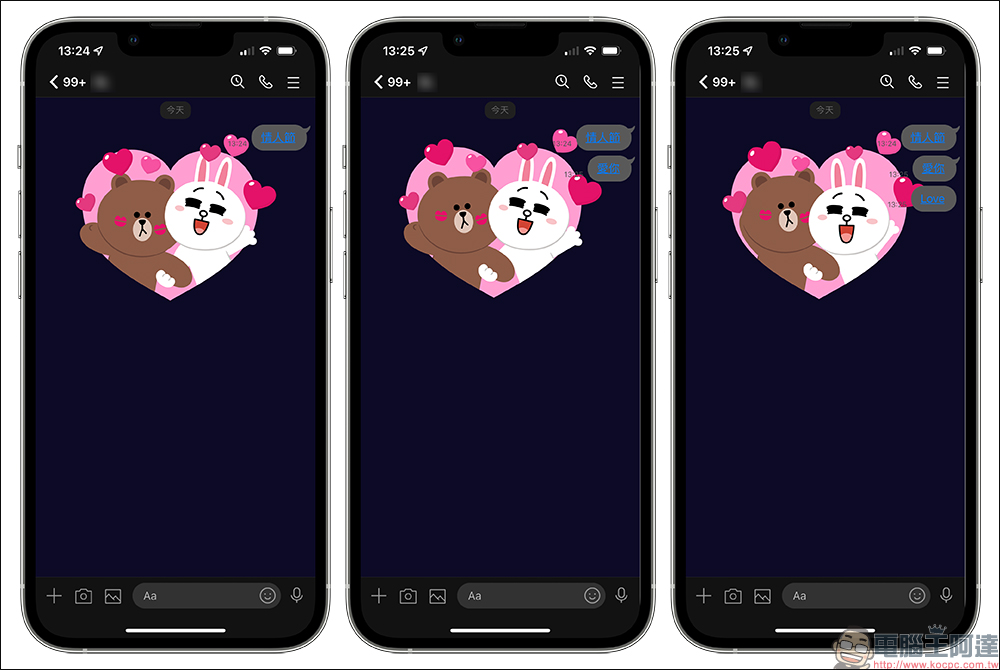
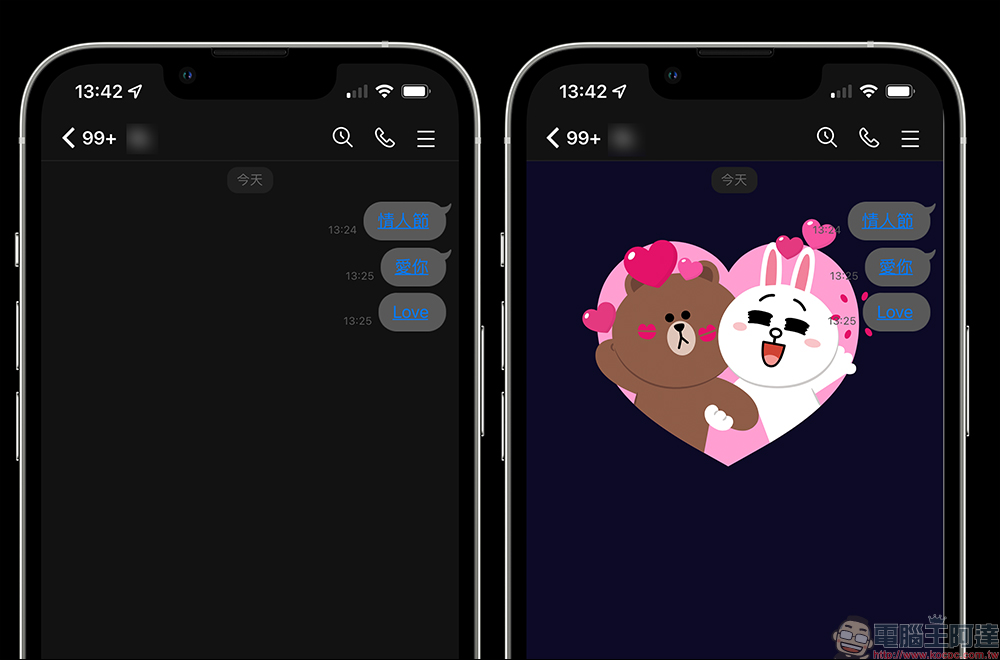
After the previous LINE update, as long as the user’s mobile phone’s LINE App version is 12.0.0 (inclusive) or above, if a keyword is entered and chat room effects appear, the keywords in the text paragraph will be converted into links and presented. If you want to replay this set of chat room effects, you only need to click on the keyword link. In this way, you don’t have to worry about causing trouble to the other party by sending messages because you want to continue playing the chat room special feature.
How to turn on/off chat room background effects?
If you find that you entered the correct Valentine’s Day chat room special effect keywords during the event but this limited special effect does not appear, you may wish to check the settings in the LINE App! Go to “Settings” > “Chat” > turn on the “Chat Room Background Effects” function! Generally, the chat room background special effects function is turned on by default. If you do not want these special effects to appear, you can also turn them off manually on the settings page.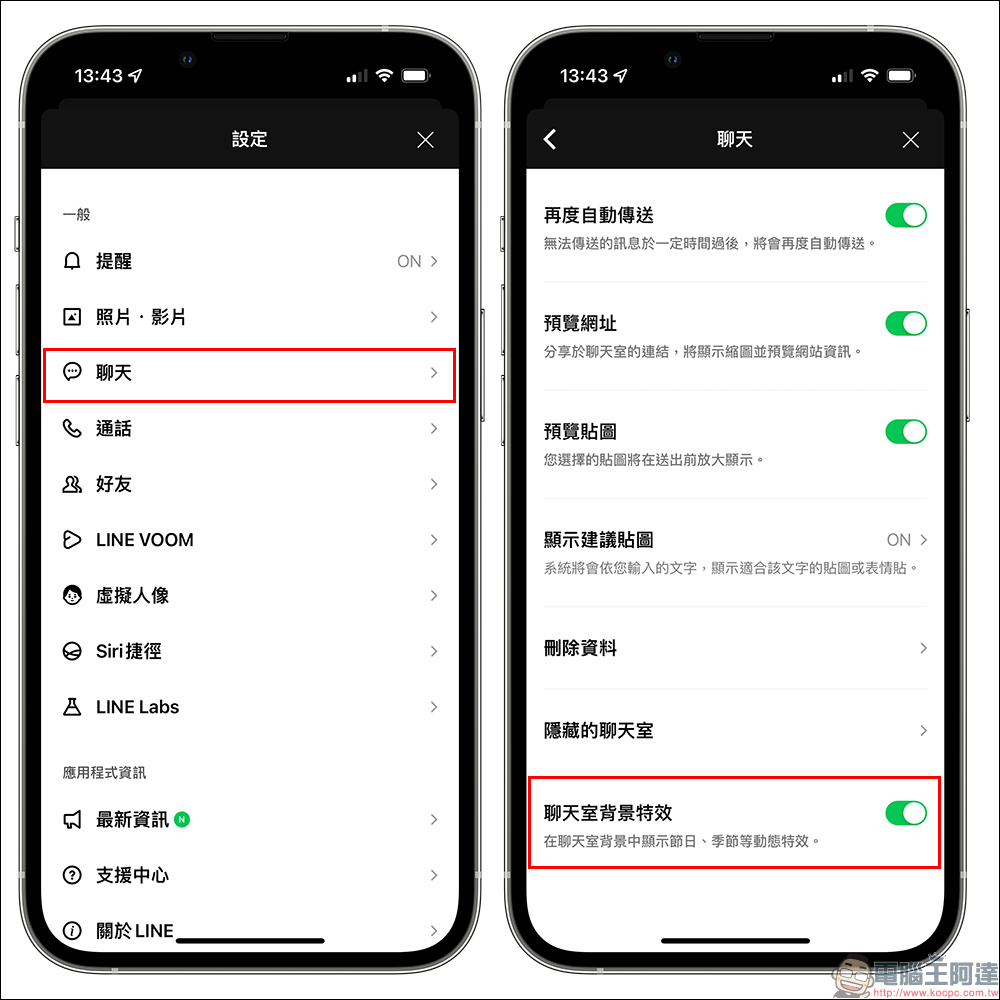
White Valentine’s Day Chat Room Special Effects Limited Edition
- iOS system: LINE App must be 9.15.0 (inclusive) or above
- Android system: Android system 7.1 (inclusive) or above, and LINE App 10.2.0 (inclusive) or above
- macOS / Windows system: LINE PC version application 5.13.0 (Korean) or above is required
Also featured: Valentine’s Day related LINE stickers for free download
If you want to confess your love to the person you like, in addition to entering the keywords introduced above to awaken the white lover sticker chat room effects, you can also refer to the list of free LINE stickers we compiled for you a few days ago. Since White Day is coming soon, a number of related LINE stickers suitable for Valentine’s Day have recently been made available for free download, such as this oneFree stickers that can be downloaded just by adding the official “LINE Gift” account as a friend, is a collaboration between “LINE Gifts” and Dot-and-Dianmao. For more free LINE stickers, you canRefer to the previous arrangement (click here to go)。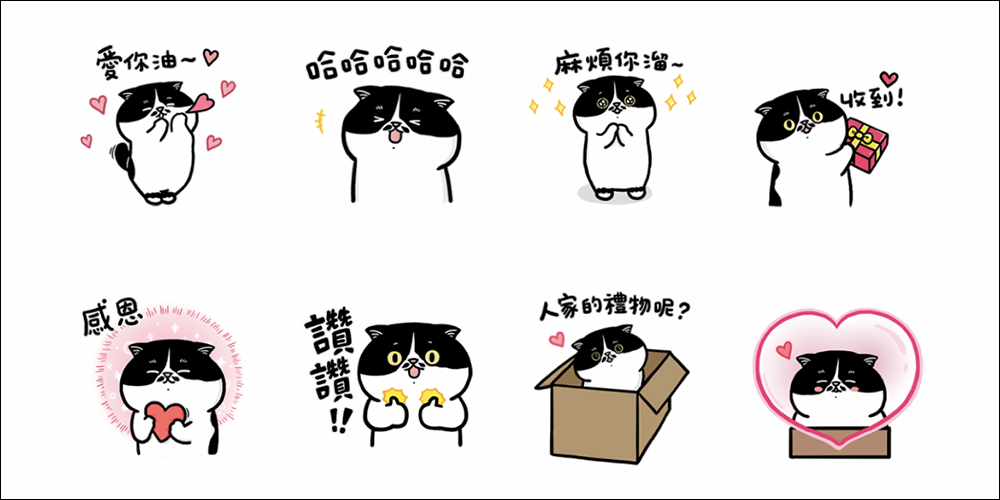
▲Picture source:LINE STORE
Source: KOCPC Chinese