


Although we’ve already introduced many image generation websites and large models, most of them come with free usage limits, so the more text/image generation websites you know, the better. Today we’re introducing another image generation website, “NightCafe,” which lets you use Flux, Runway Gen3, Ideogram, and DALL-E 3 for free. NightCafe offers features like text-to-image, image-to-image, and sketch-to-image. If you’re interested, let’s take a look together!
One-Stop Image Generation Website: NightCafe – Try Flux, Runway Gen3, Ideogram, and DALL-E 3 for Free
Founded in 2019 by Australian engineer Angus Russell, the image generation website NightCafe offers features such as text-to-image, deep image generation, self-portrait generation, and draft-to-image generation. You can also experience well-known large image generation models like Flux, Runway Gen3, Ideogram, and DALL-E 3 on NightCafe, allowing you to choose which model to use without having to open many websites.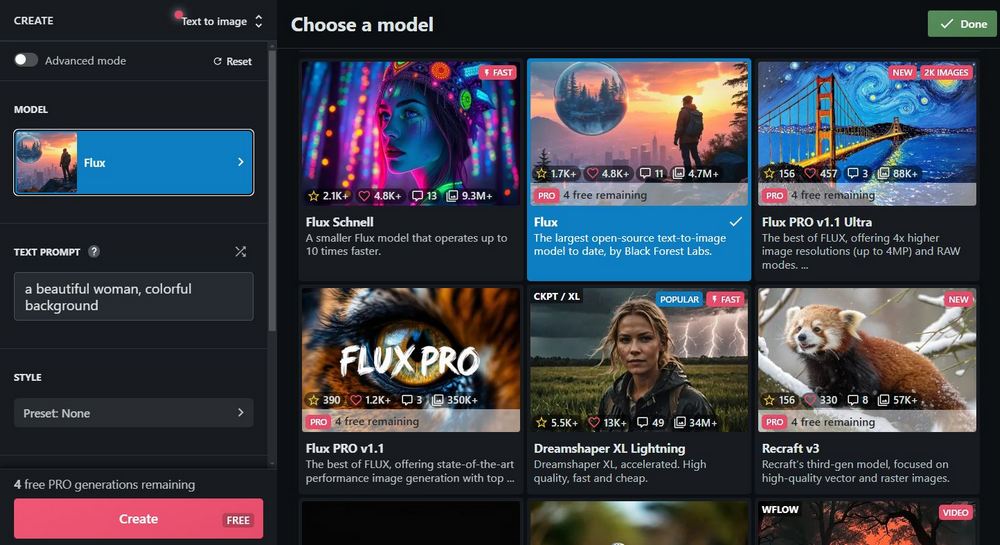
Go experience the image generation website “NightCafe.”
After going to the NightCafe website, click the black-and-white avatar in the top-right corner to register. You can register using a Google account. After registering, you can start experiencing NightCafe’s various services.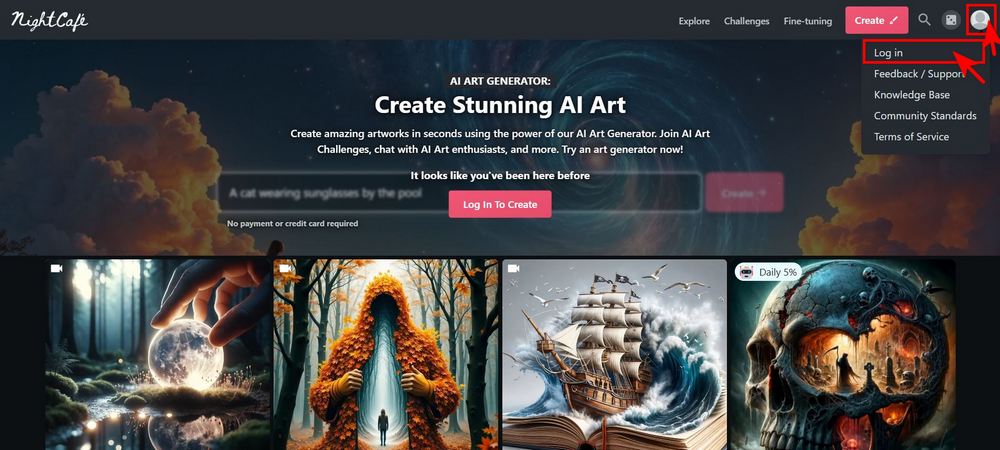
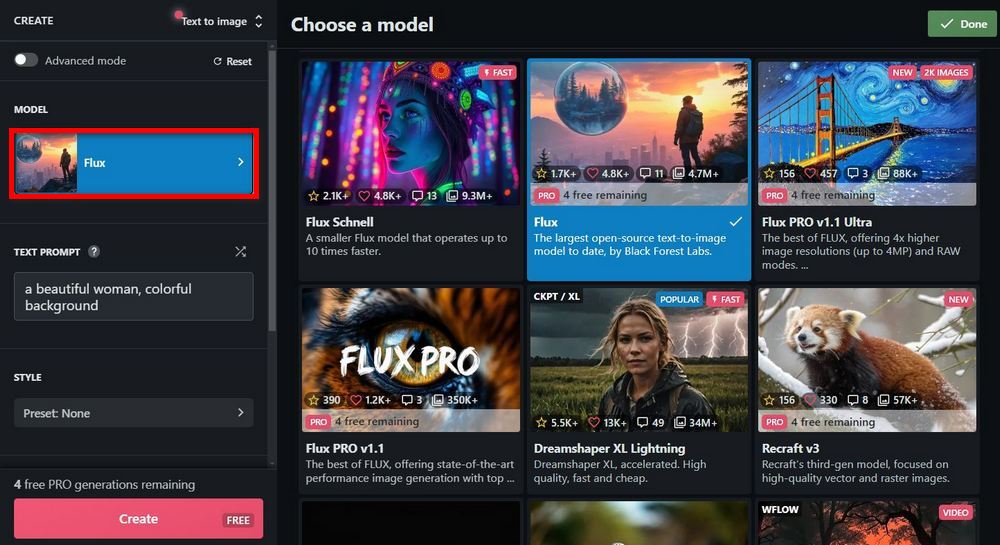
First, select “Create” to choose the function you want to use. There are eight functions in total, including text-to-image, image-to-image, draft-to-image, and other options.
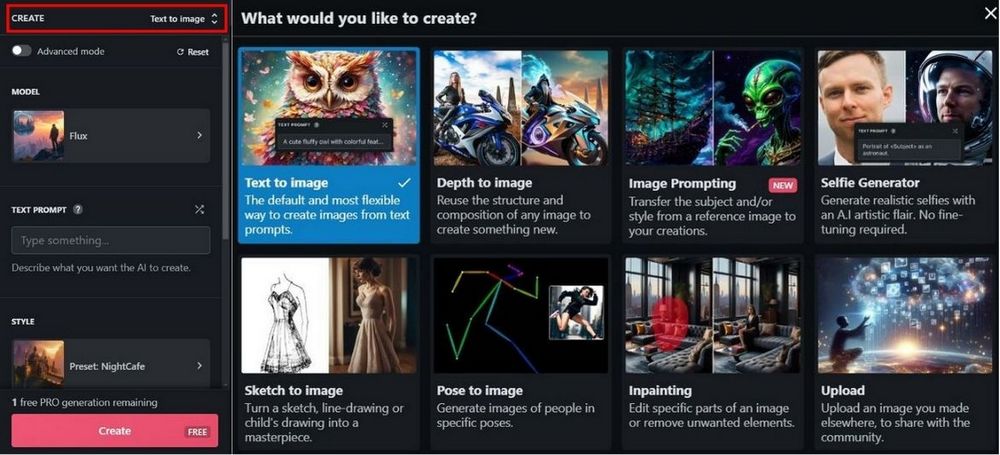
After selecting the features you want to use, you can then choose the “Model” you want to use—that is, the large image generation model. As mentioned earlier, NightCafe offers well-known large models such as Flux, Runway Gen3, Ideogram, and DALL-E 3; however, these large models have a limited number of free uses.
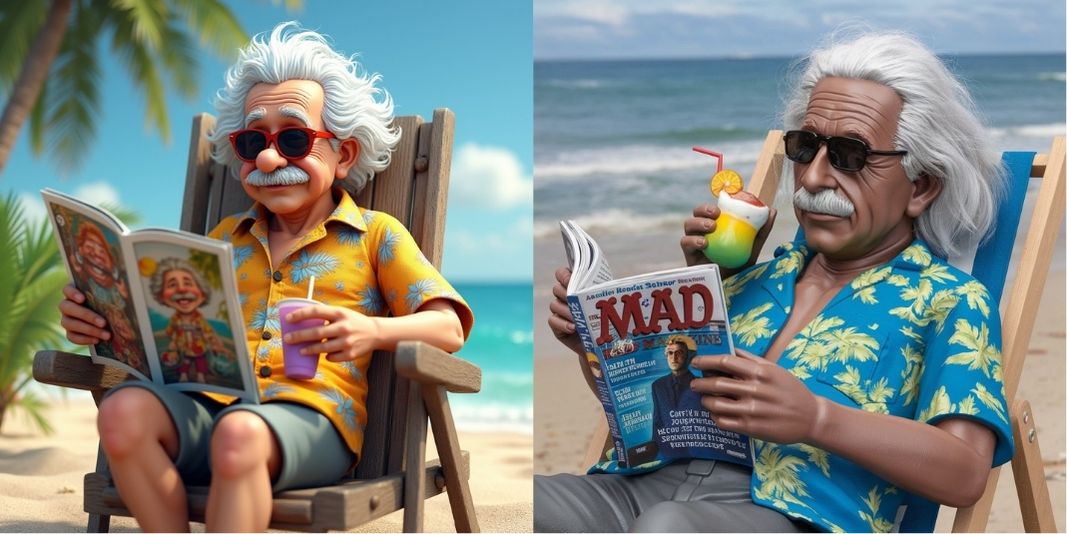
Once you’ve selected both Create and Model, you can start generating images. Here are a few images our editor generated using NightCafe. For text-to-image ones, we use the same prompt to compare images from NightCafe and Ideogram, so you can see how the two models perform with the same prompt. On the left is NightCafe (all using the Flux model), and on the right is Ideogram.
- Prompt: “a photorealistic hyperdetailed three-dimensional poly resin sculpture of Albert Einstein lying in a beach chair. He is wearing a Hawaiian shirt, sunglasses, and sipping a tropical drink. He is reading a copy of Mad Magazine.”
- Spell: “A [creature] with a leather jacket riding on a motorbike with the forest whirling past in the background. The motorbike resembles the [creature], with detailed features like its scales, fur, or wings integrated into the bike’s design. The scene is dynamic and full of motion, capturing the thrill and speed of the ride, with trees and foliage blurring into streaks of green and brown.”

NightCafe draft-to-image generation feature
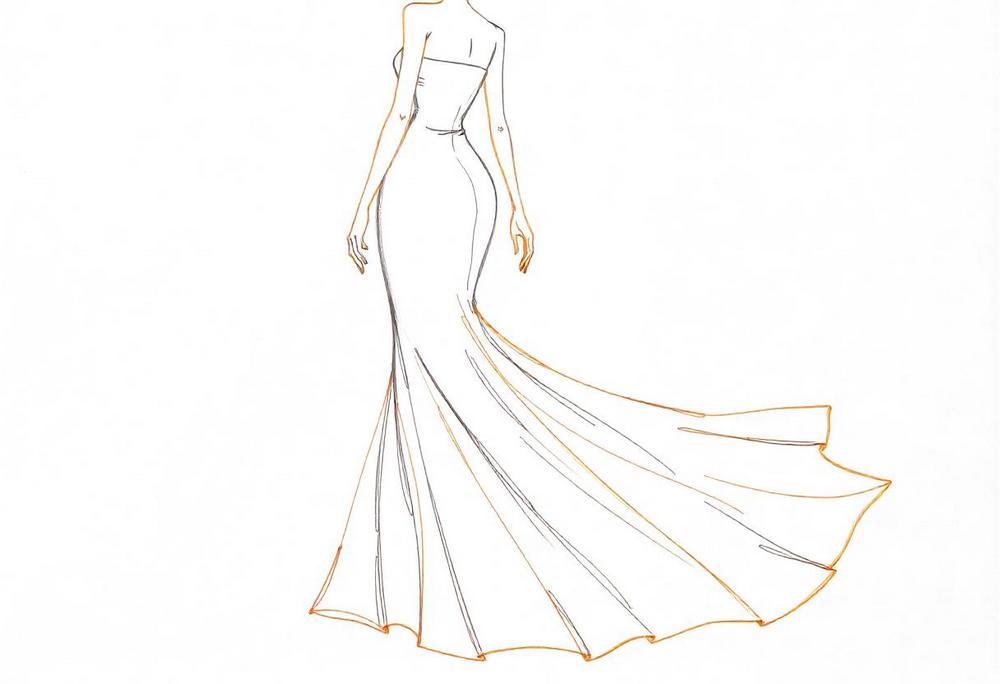
You can use NightCafe’s draft-to-image generation feature to generate images such as clothing and architecture. Here, the editor used a mermaid skirt dress as the draft to generate the image. Prompt: “Elegant mermaid-style evening gown, luxurious silk fabric, gradient color transition from soft pink to light purple, form-fitting silhouette, floor-length dress, glamorous design, flowing fabric draping, shimmering silk texture, feminine curves, high-end fashion, ethereal aesthetic, soft lighting, photorealistic rendering, smooth color blend, high-quality fabric detail, formal wear, sophisticated style”

The image generation website NightCafe has many impressive features. If you’re interested, you can go try it out yourself. For those using major models like Flux, Runway Gen3, Ideogram, DALL-E 3, etc., NightCafe provides 5 credits per day. After using up all your credits, you need to wait 24 hours for them to reset. If you like NightCafe’s service, you can also check out their paid plans. However, the editor thinks that since we’ve introduced so many free image generation websites and major models, rotating through them each day is more than enough, so there’s no real need to buy a paid plan.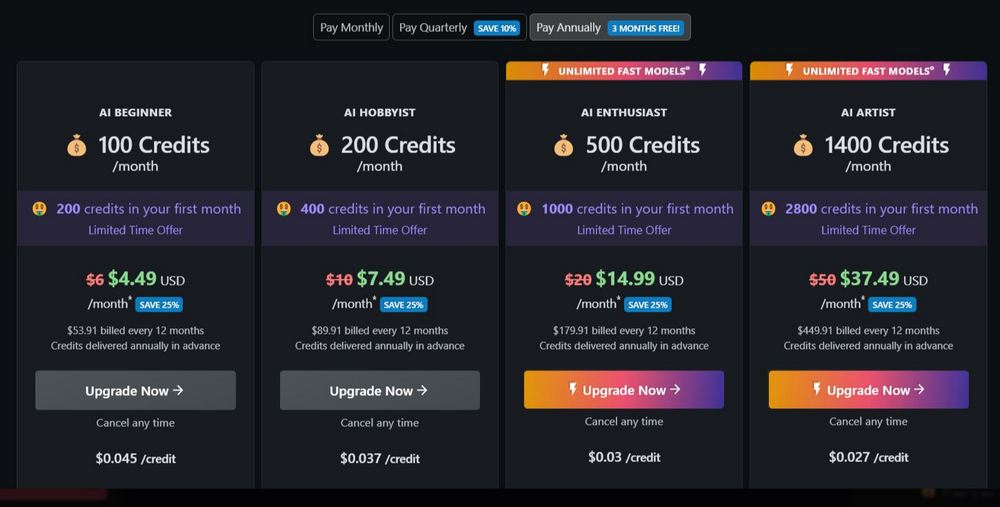
Friends who want to learn about other image generation large models can visit the link below:
Source: KOCPC Chinese