


In recent years, many stores have made their membership cards electronic, but management is actually a little inconvenient. Many apps on the market that can manage membership cards require you to register as a member before you can use them. Recently, there is a “Barcode Holder” iOS App specially designed for Taiwanese people. It not only supports the encoding format of published vehicles, but also applies to barcode membership cartoon passes of major stores! Now after the update, iOS home screen widget support has been added, allowing users to quickly switch between different barcodes by turning pages.
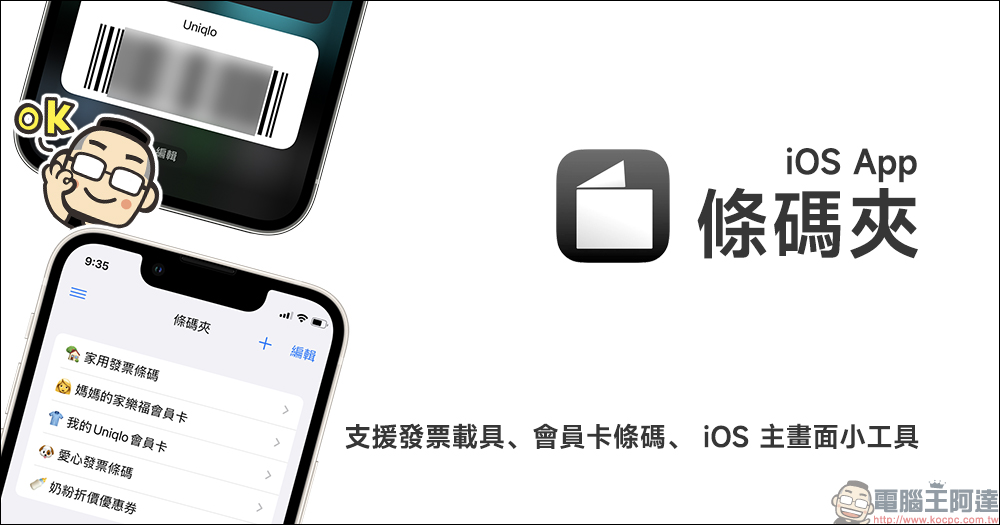
Barcode holder iOS App: supports invoice carriers, major store membership card barcodes, and iOS home screen widgets
A while ago, LINE Pay’s new App was officially launched, giving users a better checkout experience with a more simple, intuitive and easy-to-operate design interface. However, not everyone is used to using LINE Pay App , if you just want to organize the membership card barcodes and mobile invoice carriers of various merchants at hand, in fact, the iOS App “Barcode Clip” can do it.
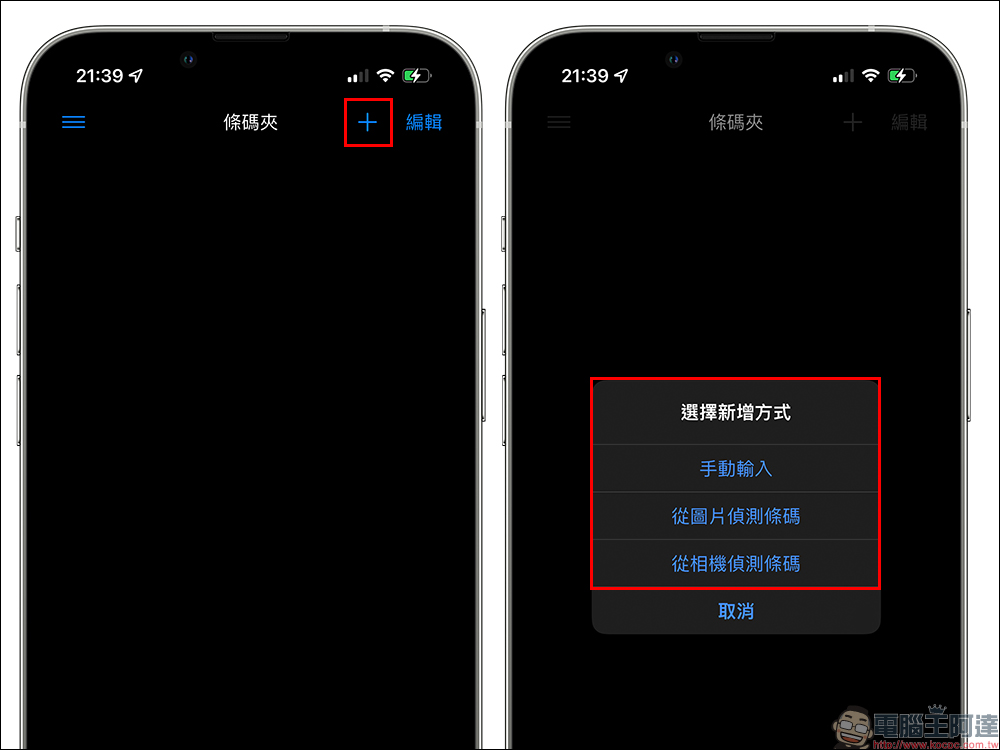
The Barcode Holder App was produced by an independent developer in Taiwan to meet the daily consumption needs of Taiwanese people. This App integrates barcodes for various invoice carriers, membership cards, coupons, etc. The way to add a membership card or invoice carrier barcode is very simple. Just click the “+” button on the main screen to add a barcode. There are three convenient ways to add a barcode: manual input, barcode detection from pictures, and barcode detection from the camera.
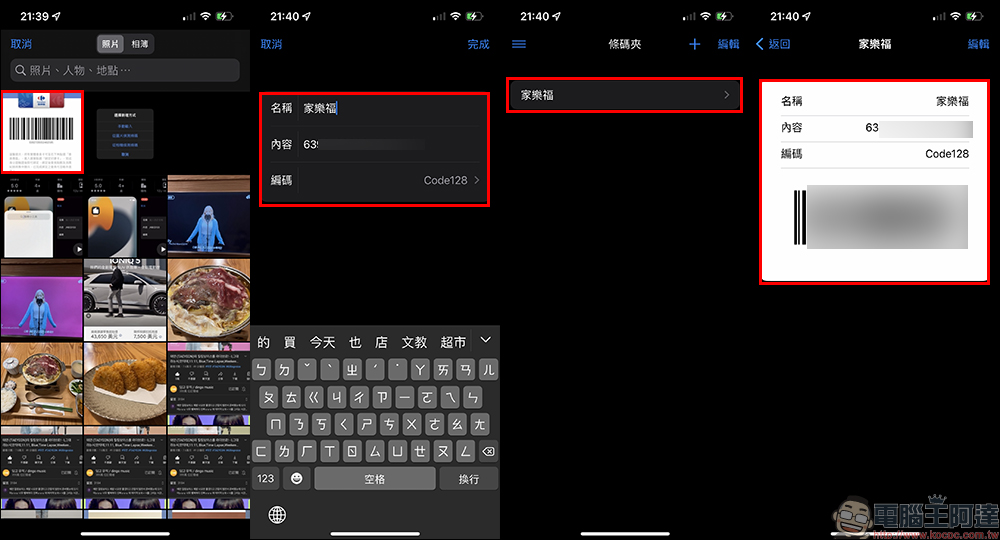
Taking “Detect barcodes from pictures” as an example, the user’s photos in the photo app will be read and pictures with membership card barcodes will be selected for import. Take Carrefour’s membership card as an example. After successfully importing it, you only need to manually enter the name of the barcode to complete the addition.
However, if some store apps cannot be directly detected using pictures using the above method, the author will also share how to simply “manual input”:
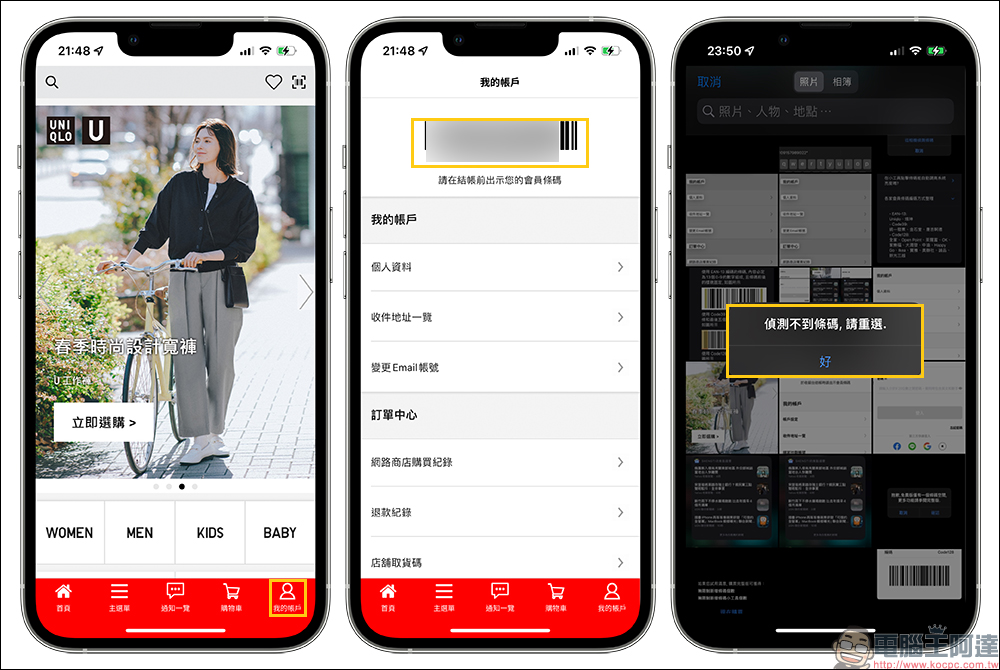
To use this convenient method of manually inputting barcode content, the iOS system must be iOS 15 (inclusive) or above, because the original text function of iOS 15 is used here. Use the original text to select and copy the number (membership number) under the barcode in the Photo App, then return to the Barcode Clip App and click “Manual Input” to paste the member number in the “Content” field. Of course, don’t forget to enter the name of this barcode!
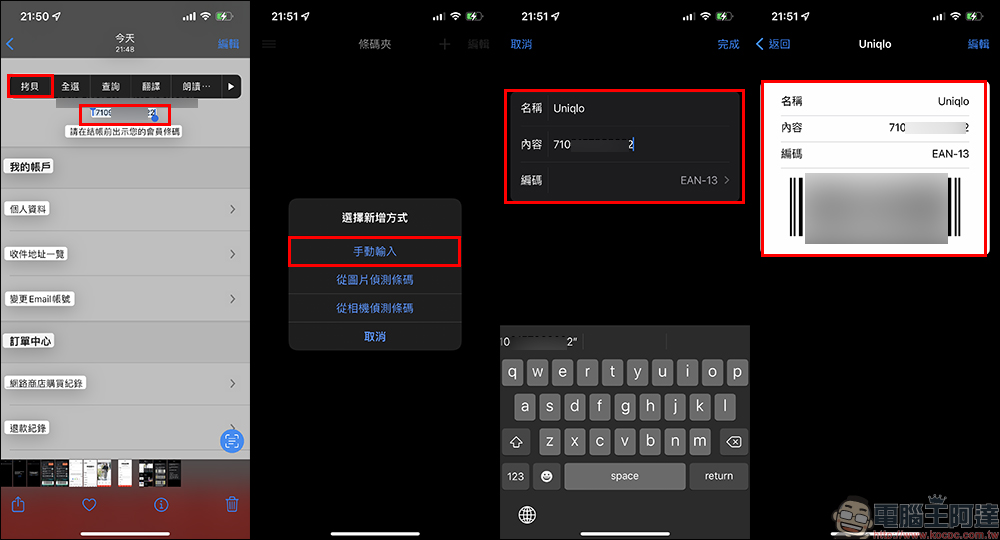
If you want to use manual input to add a member barcode, you must also set the encoding method. The “Usage Tips” of the Barcode Clip App also explains how to determine the encoding method of the barcode, and thoughtfully organizes common member barcode encoding methods.
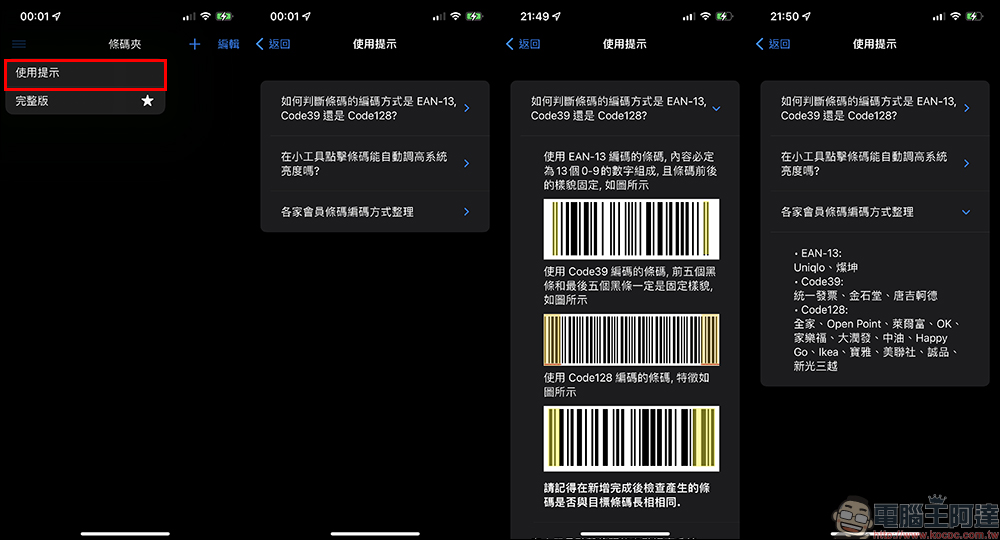
Common barcode encoding methods include EAN-13, Codes39 and Code128:
- EAN-13: Uniqlo, Tsann Kun
- Code39: Unified Invoice, Jinshitang, Don Quijote
- Code128: FamilyMart, OPEN POINT, Leifu, OK, Carrefour, RT-Mart, PetroChina, HAPPY GO, IKEA, Baoya, AP, Eslite, Shin Kong Mitsukoshi
Support iOS home screen widgets
Since iOS 14, a new iOS home screen widget function has been added, and of course the barcode holder app also supports it.
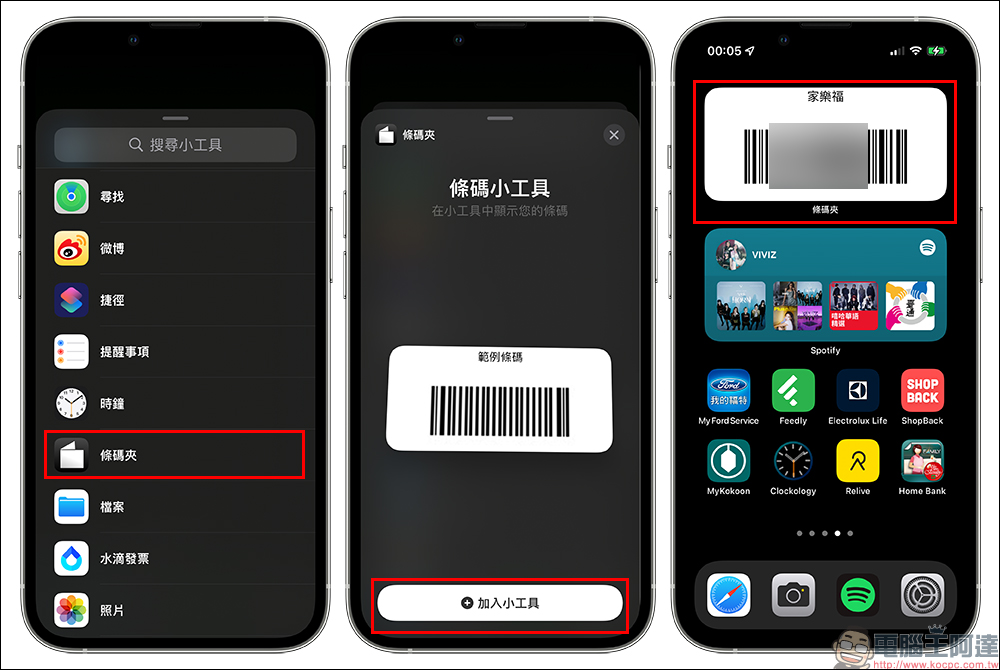
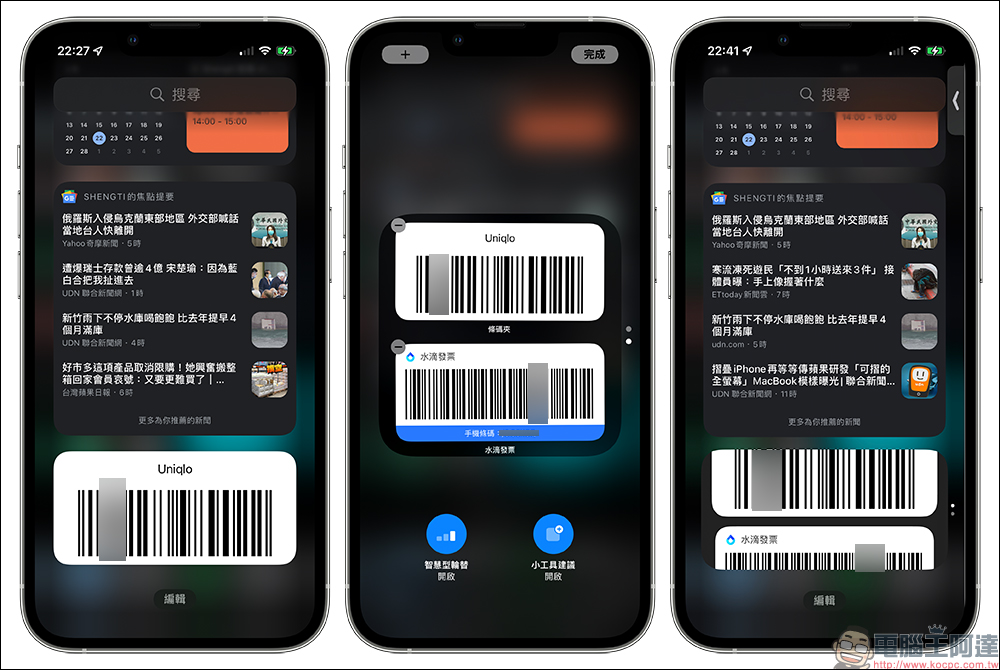
In addition to the most basic barcode widget of the Barcode Holder App being added to the home screen, users of the full version of the Barcode Holder App who want to have unlimited sets of member barcodes can also add a variety of different barcodes to the iOS home screen widgets. Then, a smart stacking method is used to integrate invoice and vehicle barcodes, store membership cards, coupons, donation and other barcodes, so that different membership cards and vehicle barcodes can be quickly switched, making the checkout process faster.
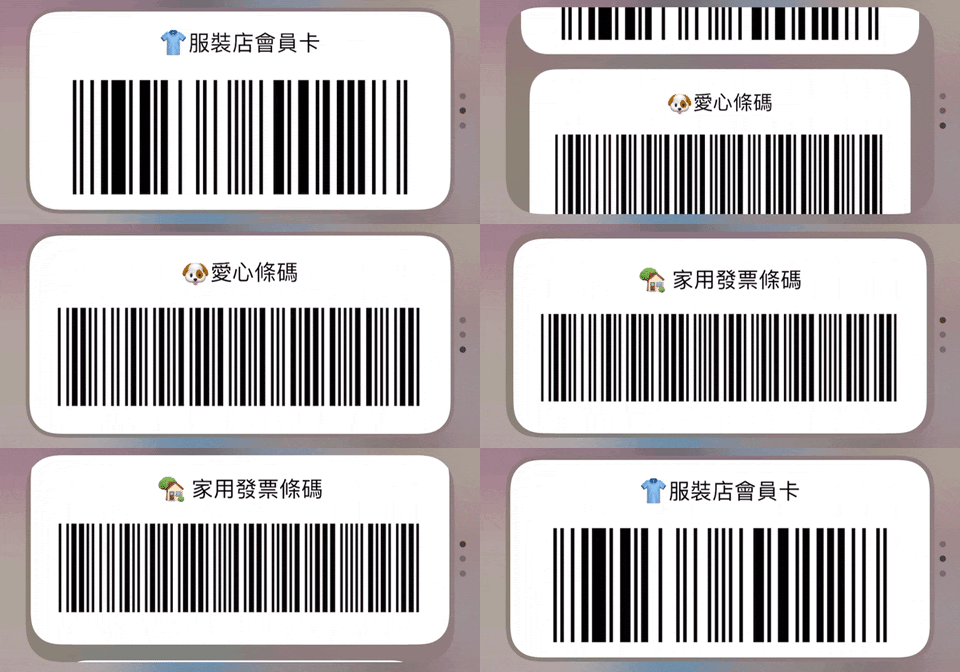
To add different barcodes from the Barcode Holder App to the iOS home screen widget, long press the set barcode after adding the widget and select it.
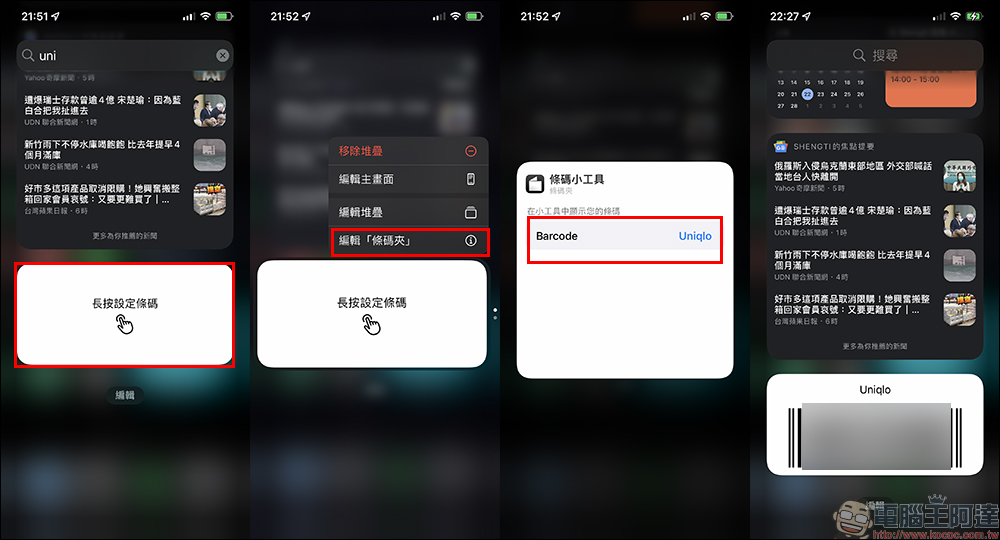
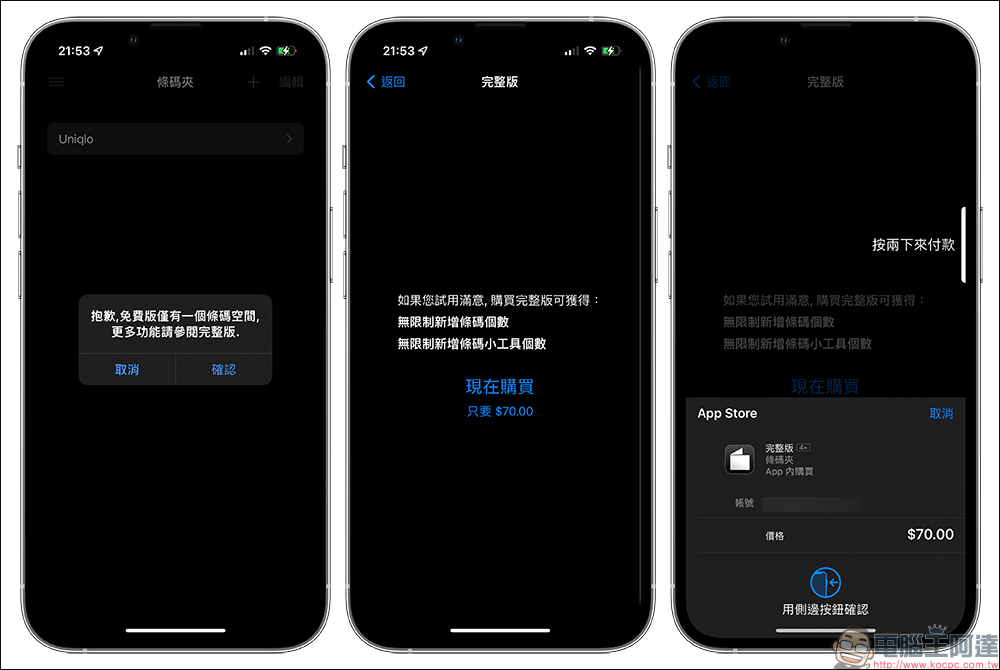
The Barcode Holder App is free to download, and the free version only has a space limit of one barcode. If you find it convenient to use after trying it out, you can also pay to purchase the full version. The full version of the Barcode Holder App supports “unlimited” sets of barcodes, and can also add unlimited sets of Barcode Holder App home screen widgets.
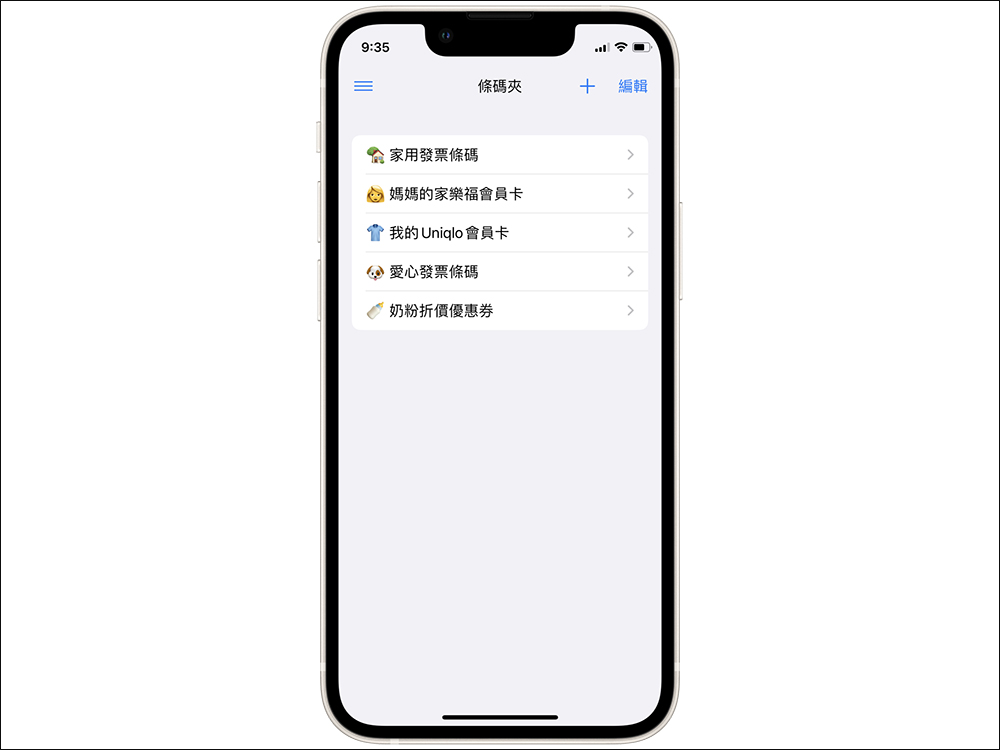
If you just want to use “Specific Membership Card Barcode” and “Mobile Vehicle Barcode” to display on the iOS gadget at the same time, in addition to paying for the full version of the “Barcode Clip” App, you can also use the Barcode Clip App with other apps that support mobile carrier barcodes (such as the Water Drop Invoice App), and then arrange the barcode gadgets of these two apps in “Smart Stacking” to achieve the effect of intelligently stacking different barcodes.
Barcode Holder iOS App:Click here to download (App Store)
Source: KOCPC Chinese