


Yesterday (14th), the trial period of the “picture-in-picture feature on iOS devices” that YouTube opened to Premium members for trial has finally ended and has not been extended. However, the official has also released a new wave of experimental new features! The new experimental feature of “Read comments while watching videos on your computer” launched by YouTube this time is specially designed for computer users to make it easier for everyone to read comments on videos while watching YouTube videos on their computers.
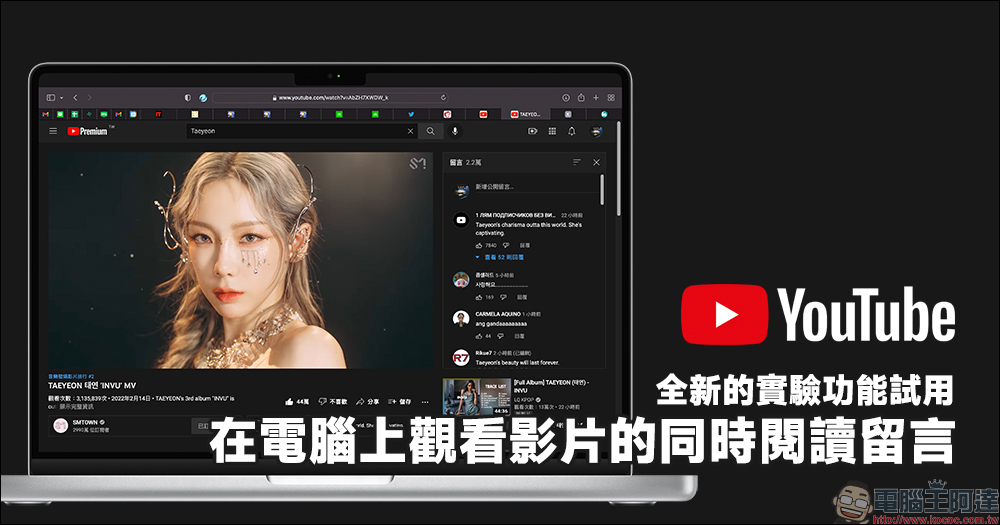
YouTube’s new “Watch videos on your computer and read comments at the same time” experimental new feature
Before a new feature is officially launched, YouTube sometimes chooses to allow Premium members to try out new features developed by the YouTube team first. The official will also collect user feedback as a reference for new features. For example, the “picture-in-picture” function of iOS devices that I have tried for a long time, and the one I shared with you earlier this month“Smart Download” function (click here for introduction), are all new attempts.
YouTube recently launched a new experimental feature called “Read comments while watching videos on your computer.” As the name suggests, users can watch YouTube videos on their computer and easily read the comments on the video comment panel at the same time! The trial period this time is short (tentatively scheduled to end on February 22). If you are a Premium member who wants to experience it, you might as well give it a try!
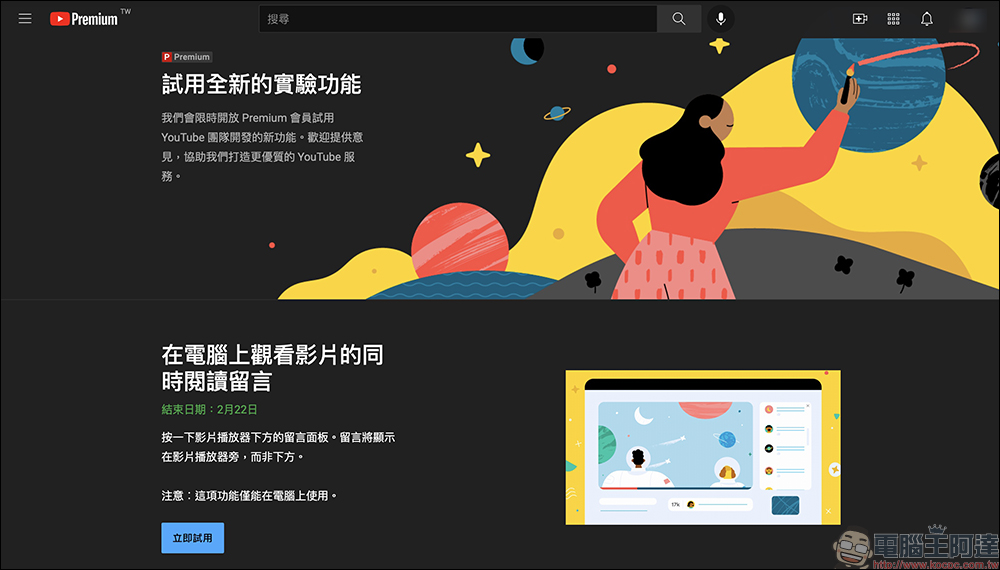
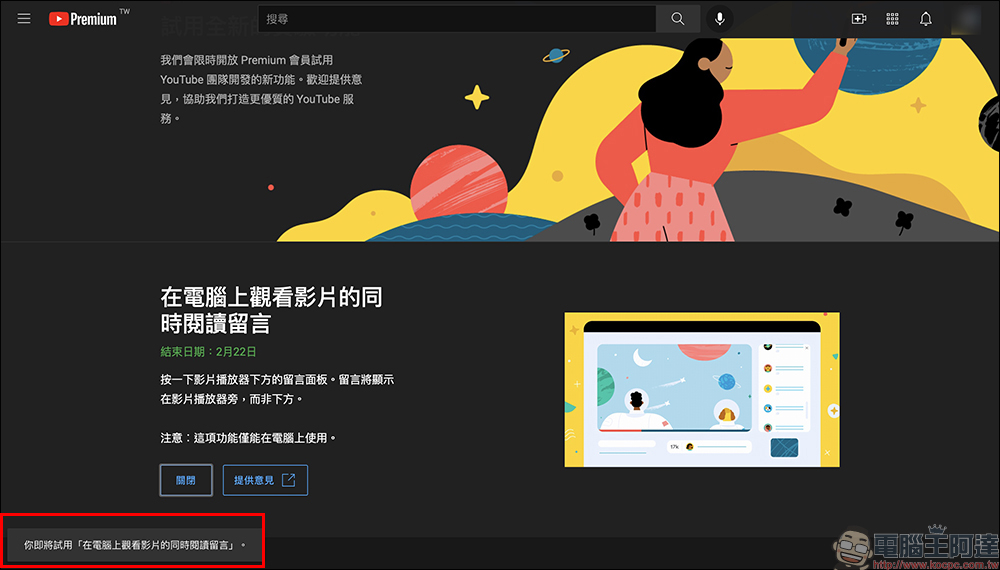
Just log in to your YouTube Premium membership account through a computer, and then click “Try Now” to experiment with new features.
Before that, let’s take a look at the player’s message panel that was smartly located below the video information bar when this feature was not used in the past. This is very inconvenient for computer users who want to watch videos and read valuable messages from other netizens at the same time.
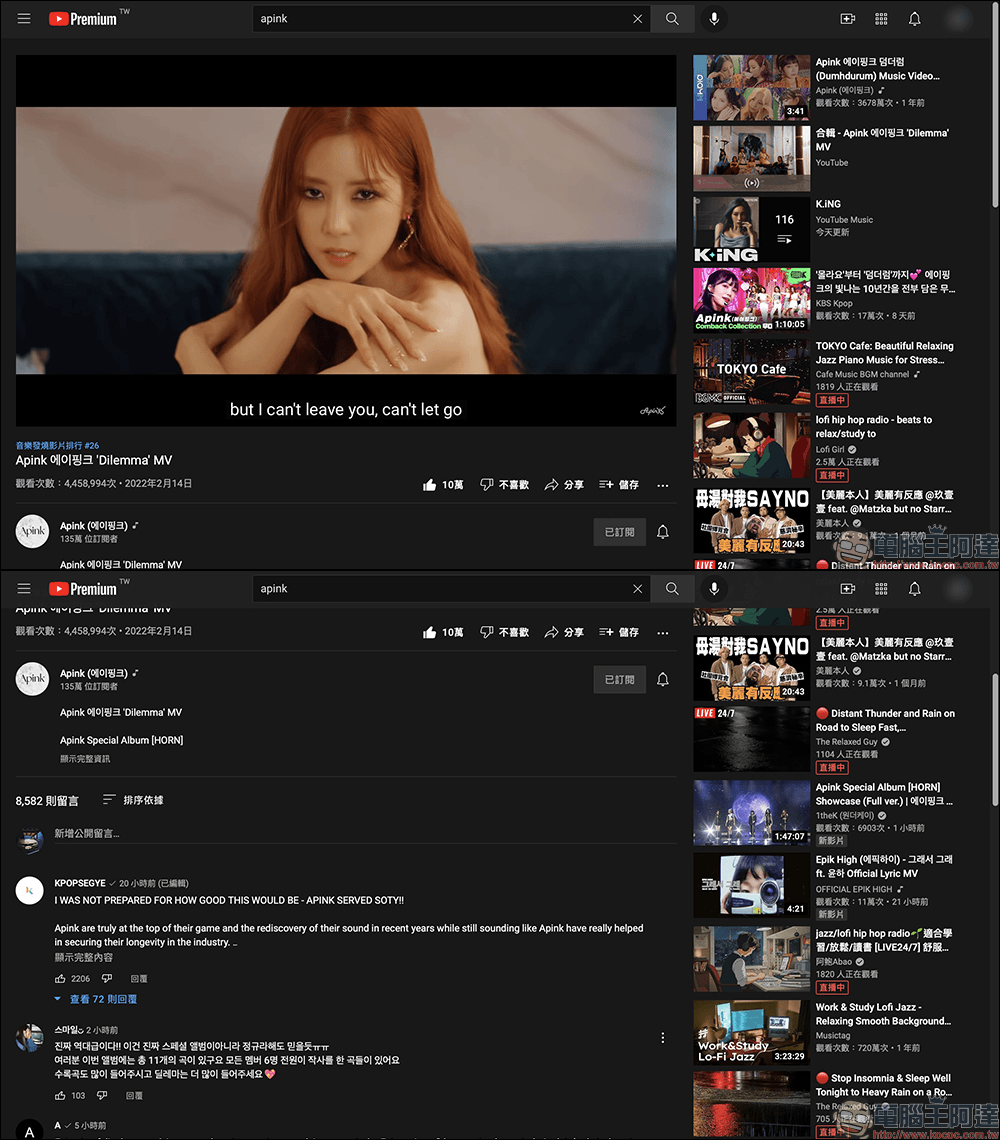
However, if you turn on the “read comments while watching videos on your computer” experimental function, there will be an independent message panel on the right side of the channel on the video page, where you can see the content of a popular message.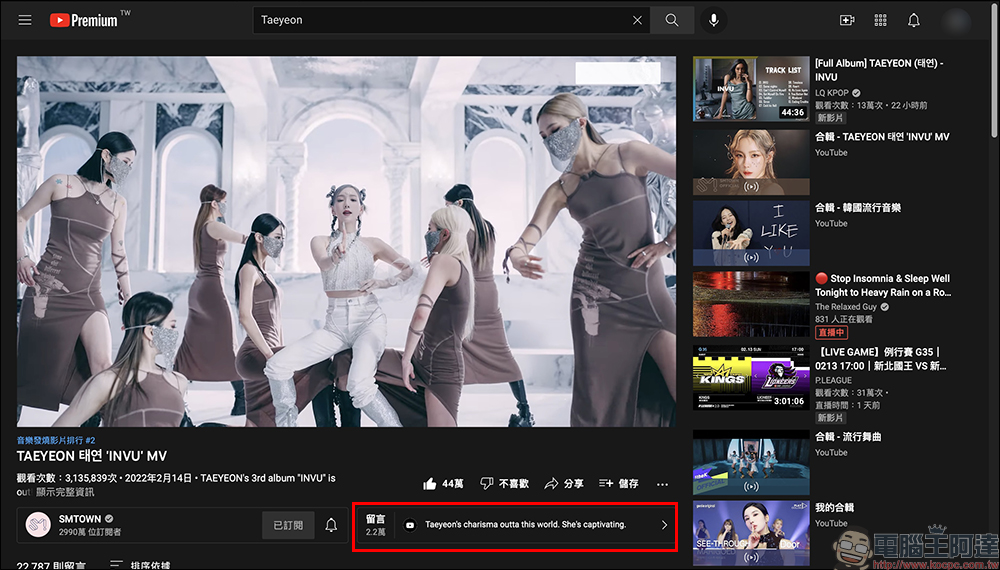
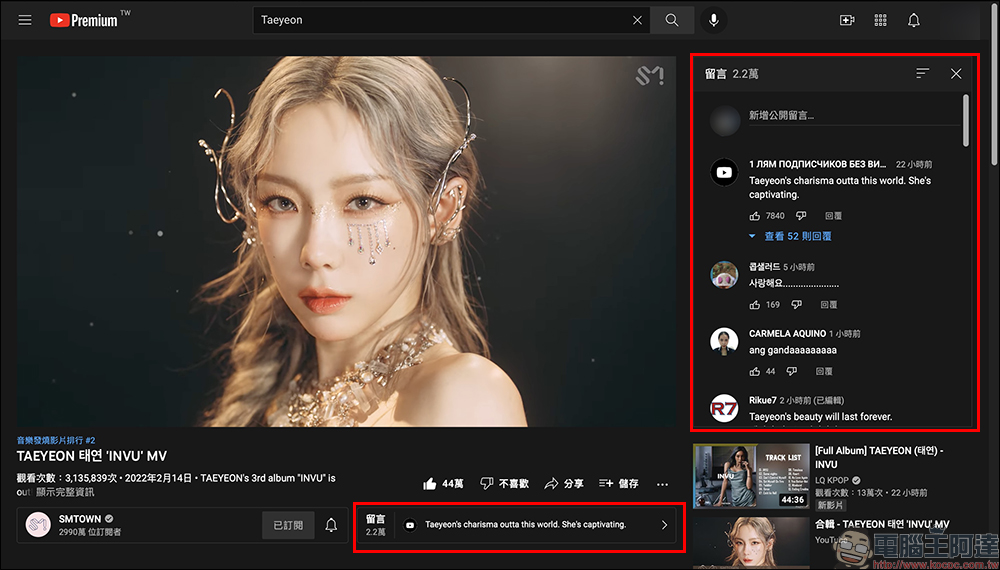
If you click on the message panel, you will find that the message panel originally at the bottom has been moved directly to the right of the video! In this way, if you want to watch a video and leave comments at the same time, you can do so at the same time. If some netizens leave comments with important paragraphs, you can jump to the timeline faster for playback.
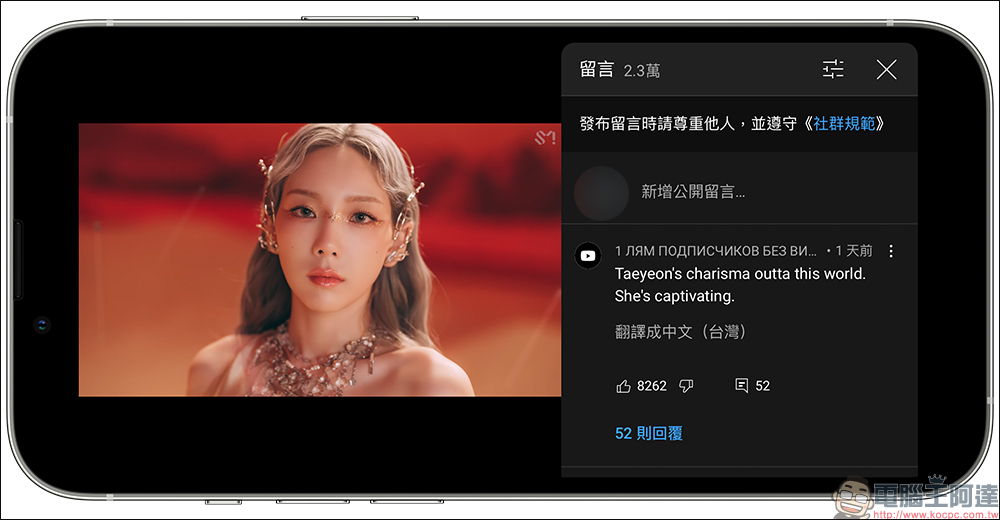
Although the function of “reading comments while watching videos on your computer” is currently only available for “trial” on the computer version, this function has actually been available on mobile devices for some time. If you want to watch a YouTube video on a smartphone and want to read comments at the same time, just expand the message panel while playing the video “upright” on your phone, and then turn the phone screen to landscape to continue playing. At this time, the screen will have the effect of playing the video on the left and displaying the message panel on the right.
YouTube Read comments while watching videos on your computer (experimental new feature):Click here to start the trial
(*Tips: You must be a YouTube Premium member, and the function trial is open until 2022/02/22)
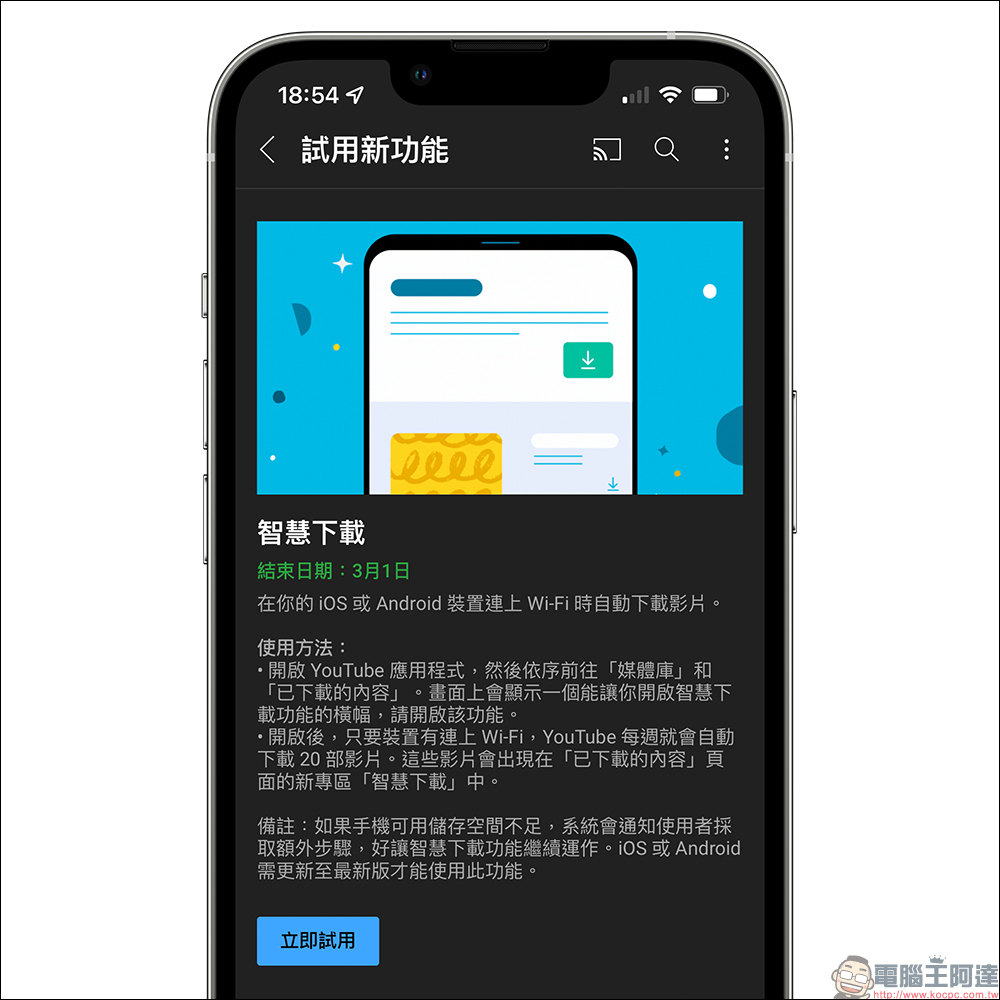
The trial period of the “Smart Download” experimental function introduced to you earlier this month was only until February 14th, and has now been extended to March 1st.
Further reading:
Try YouTube’s new “Smart Download” feature, and your phone will automatically download videos when connected to Wi-Fi

Source: KOCPC Chinese