


Although vaccines and treatments are gradually becoming available, the epidemic has yet to completely subside. Regarding the Face ID unlocking that new generation iPhone users use every day, whether you feel that you have no human rights without an Apple Watch, or you just enter the password later. Now it seems that Apple has finally worked out a compromise between security and convenience. Continue reading The iOS 15.4 beta version upgrades Face ID face unlocking to an “Apple Watch-free” level, and also supports payment! Report text.
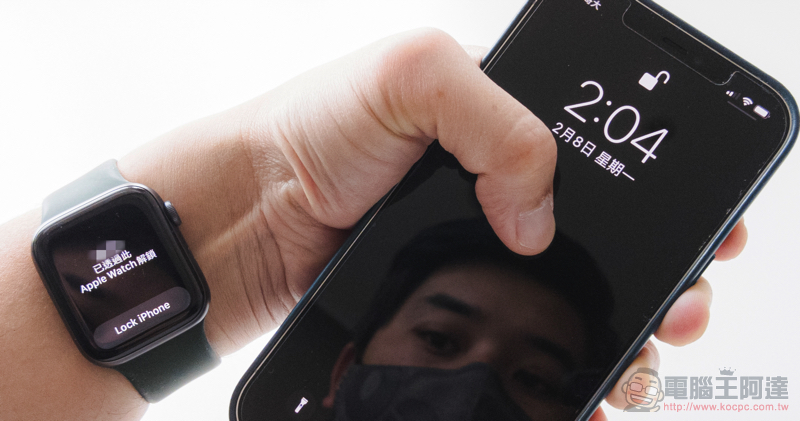
iOS 15.4 Beta 1 upgrades mask face unlocking to the “Apple Watch-free” level, and also supports payment!
Although Apple Watch has basically been regarded as one of the must-have Apple accessories by many iPhone users. However, for those who prefer traditional watches or other smart watches, they have no chance of unlocking Face ID masks previously assisted by Apple Watch. But now it seems that with the arrival of iOS 15.4 (now being tested), the mask unlocking function can finally be used with just the iPhone itself!
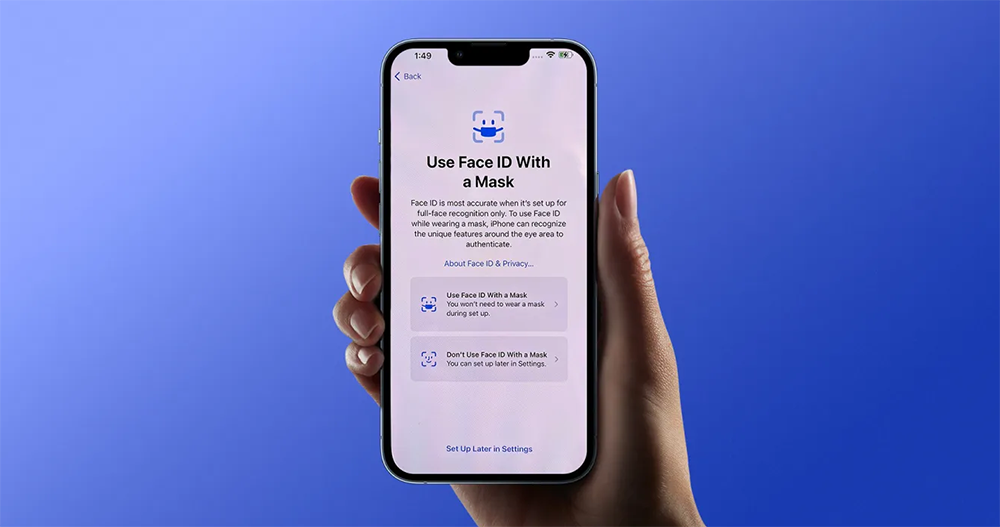
It is reported that after the latest iOS system beta version is updated (1/29 update: iOS 15.4 public beta version has been pushed). The Face ID option in iPhone settings will directly add the “Use Face ID With a Mask” mask face unlock function switch. In short, you can make iPhone support Face ID’s mask face unlocking function without having to scan your face all the time and study (that’s super tiring) or pair it with an Apple Watch.
Compared with the previous use of Apple Watch to unlock Mac, the quick unlock function is applied to iPhone as an extension. Face ID unlocking after iOS 15.4 will allow scanning and identifying biometrics around the eyes as the main reference when wearing a mask.
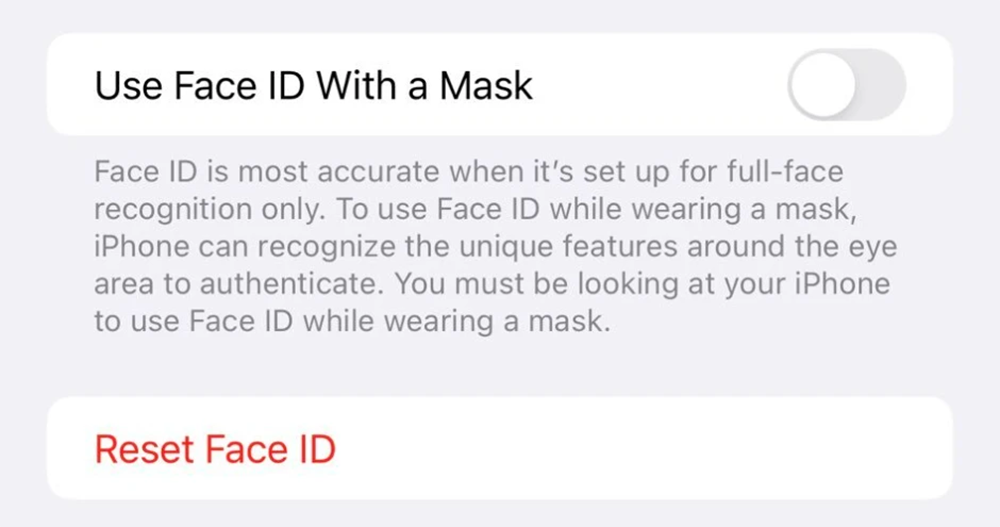
Although there is a certain risk due to the smaller scanning range, according to the computer king Ada team, if the user sets to allow Face ID to unlock the mask, this time it will support Wallet, which was previously unavailable with similar functions, that is, the payment function including Apple Pay – this is really convenient!
Videos for testing on the Internet are also provided here. Friends who are interested can take a look. However, it is still a developer function and I believe it will be released to general users soon:
This system update also adds relevant instructions for Face ID recognition when wearing glasses. It is recommended that users who wear glasses add reference features for wearing glasses (which means scanning Face ID again). This should be to strengthen the detailed scanning when wearing glasses and increase security. But if you are wearing sunglasses (which should only have a polarizing effect, that is, the kind that cannot see the screen at a certain angle), this function will not be supported – just… you can only buy an Apple Watch.
(Please refer to:Apple’s official website instructions for unlocking your iPhone with Apple Watch while wearing a mask or sunglasses)
At this stage, iOS 15.4 Beta 1 is only open to developers for updates.Users eligible for public beta are currently stuck on iOS 15.3(Update 1/29: iOS 15.4 public beta version has been pushed). I believe that this wave of updates will make many friends who have stopped at the previous version be willing to upgrade directly to this version, right? After all, this will be really convenient for daily use!
Further reading:
M1 Max top-end MacBook Pro 16 experience: Can you keep up with it?

Source: KOCPC Chinese