


Google announced that its home system will receive more than ten upgrades. Among them, the most impressive, in my opinion, are the previously teased updates to the AI surveillance system, and the smart automation experience that, through the introduction of Gemini, allows for more natural and flexible use of Google Home devices and sensors. Continue reading the article to learn how Google Home will get a major Gemini AI upgrade that better understands you and your home (see this post for a full feature summary).
▲Image source for this article: Google
Understands you and your home better—Google Home is getting a major Gemini AI upgrade (check this article for the full feature rundown)
A home should feel warm. As for the impression of the so-called smart home, Google Nest Home seems ready to evolve from a concept that leans a bit too much into technology, through the power of the latest Gemini generative AI large language model, into a warm and thoughtful experience.
Google announced that their home system will receive more than ten upgrades. Among them, the most impressive, in my opinion, are the previously teased update to the AI surveillance system, as well as the smart automation experience that, through the integration of Gemini, allows for more natural and flexible use of Google Home devices and sensors.
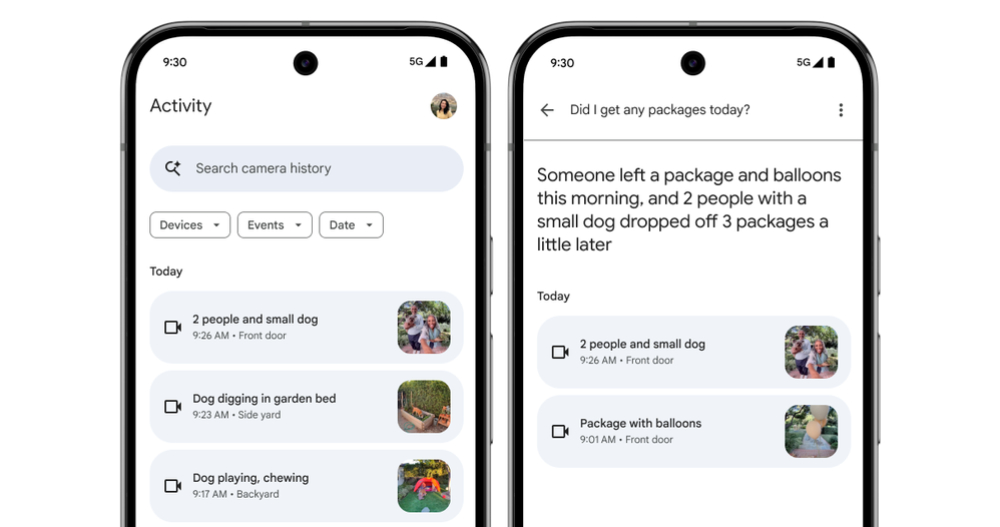
First, there’s the AI Camera Search that was previously announced at Google I/O, which uses the latest Nest product line to continuously “assess” and “read” surveillance footage content. In the recording history list, it will proactively highlight and display text descriptions—such as “two people and a small dog appeared at the front door”—through AI descriptions, along with the ability to text-search camera history.
A public test preview has now begun rolling out to select Nest Aware Plus users in the US.
Personally, the best thing about this feature is that you can see in the history list what might have happened in the monitored area, without having to click into each alert clip one by one like before to see what actually happened (such a waste of time!).
Even because AI has already built up relevant descriptive data, reinforced by large language models that better understand human language, you can simply ask questions like “When was my package delivered today?” and have AI proactively bring up video clips that may contain the information you need.
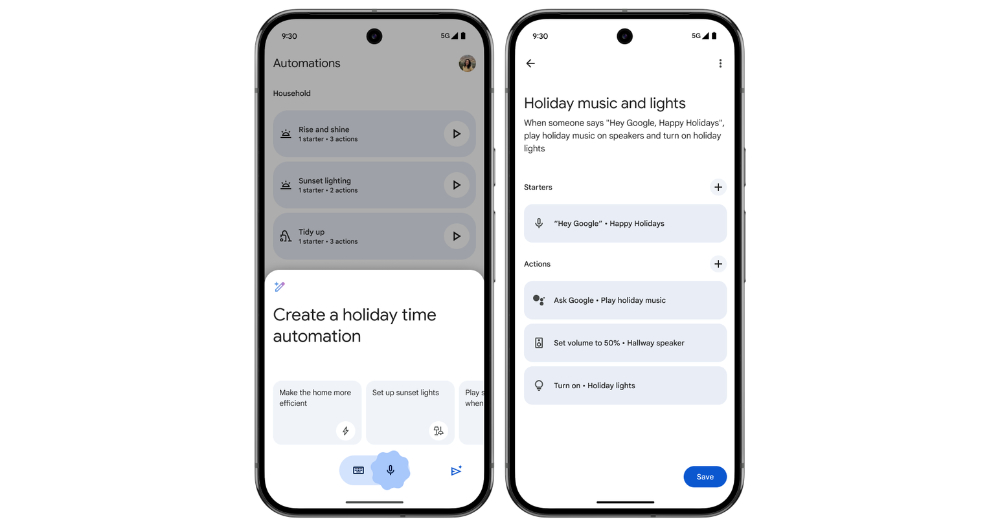
Similar to the previous features, examples of greatly improving the originally clunky user experience can also be seen in the enhancement of the automatic creation of home automation functions in the somewhat tongue-twisting “Automate Home Automation.”
With this feature, you’ll be able to simply speak (or type) with the help of Gemini AI, using natural conversational commands to create Google Home automations that previously required step-by-step setup.
You can simply use phrases like “Remember to lock up at night,” “Help me sleep better,” or “Help me remember to pick up packages.”
You can have AI set up automations for you, along with smarter recommended settings. The catch is that these features are currently either region-restricted or require a Nest Aware Plus subscription. I really hope Google brings them to all languages and all Google Home users soon (fingers crossed).
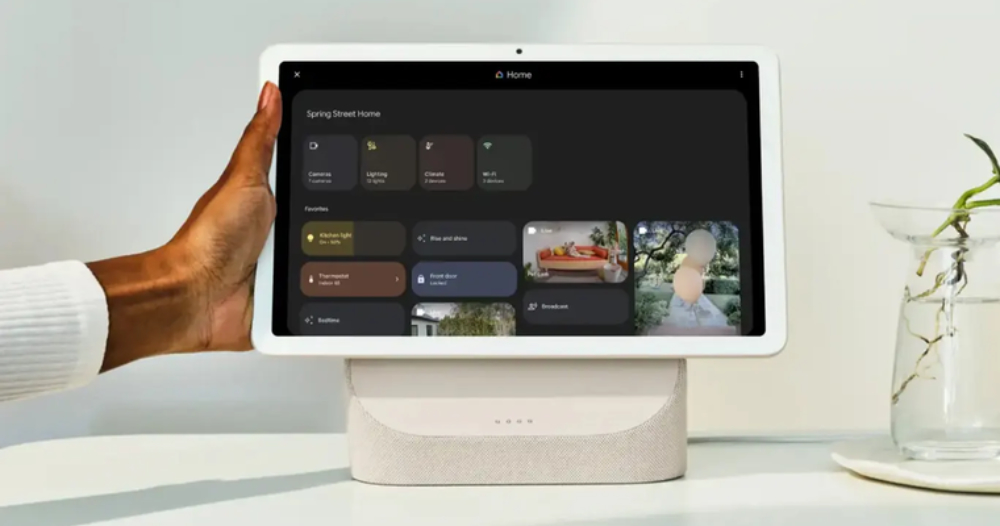
Beyond the more advanced management features for household members and better media controls, this new Google Home update has even more surprises. One thing I personally find impressive is the extension that lets the Gemini app directly control home devices — you can now control home lights, thermostats, blinds, and other equipment right while interacting with the Gemini smart assistant! (But remember to enable Extension support!)
Furthermore, for surveillance devices like Nest Cam and Doorbell, where users may need to check the feed more urgently, Google is also making video push notifications available on systems including the Pixel Tablet (allowing two-way talk to converse with the other party, or send quick responses).
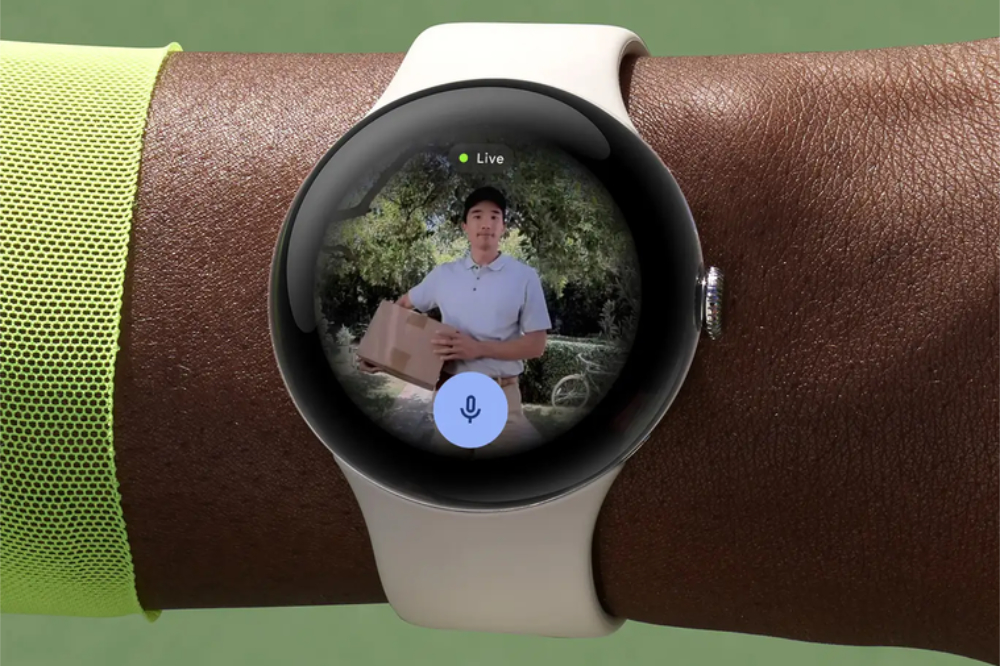
Even starting with the Pixel Watch 3 (which presumably means they’ll gradually roll out support to older models?), after updating the Google Home app on WearOS, you can also view live feeds from your security cameras directly on your watch.
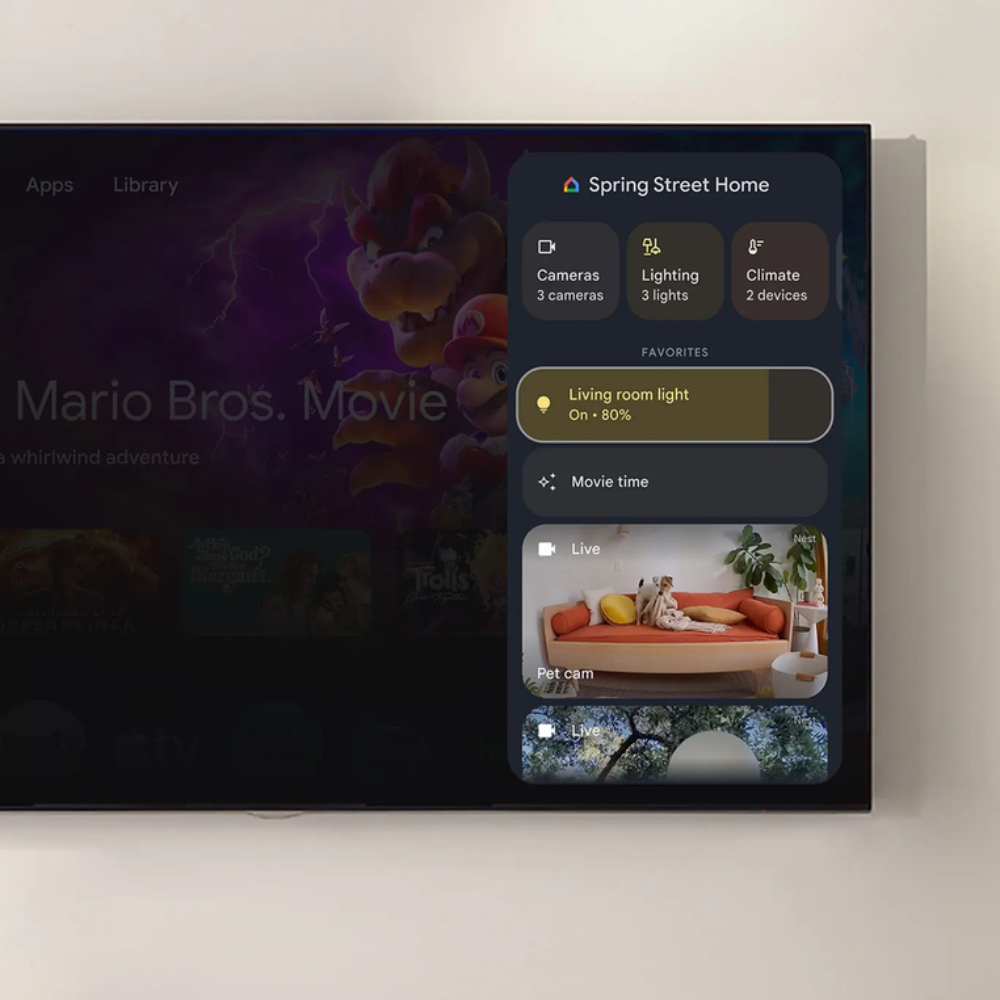
For the quick-action experience, Google is bringing the Google Home app’s favorites feature into widgets on both iOS and Android, letting users place it on their mobile home screens for easy access. Even Google TV and Pixel Tablet have adopted a Google Home quick control panel.
The key point is not just being able to quickly control Google Home devices, but also directly viewing surveillance footage on your TV – basically, the goal is to let you quickly stay on top of any home activity that might need an immediate response, no matter what device you’re on (thumbs up).
Now for the interface experience section. Even though everyone probably feels Gemini has already made more than enough appearances throughout this Google Home experience, I promise this is the last time it’ll show up in this roundup. The “Overview” feature in the Google TV experience will now also use Gemini recommendations to provide full summaries, reviews, and season-by-season breakdowns for select popular movies and TV shows.
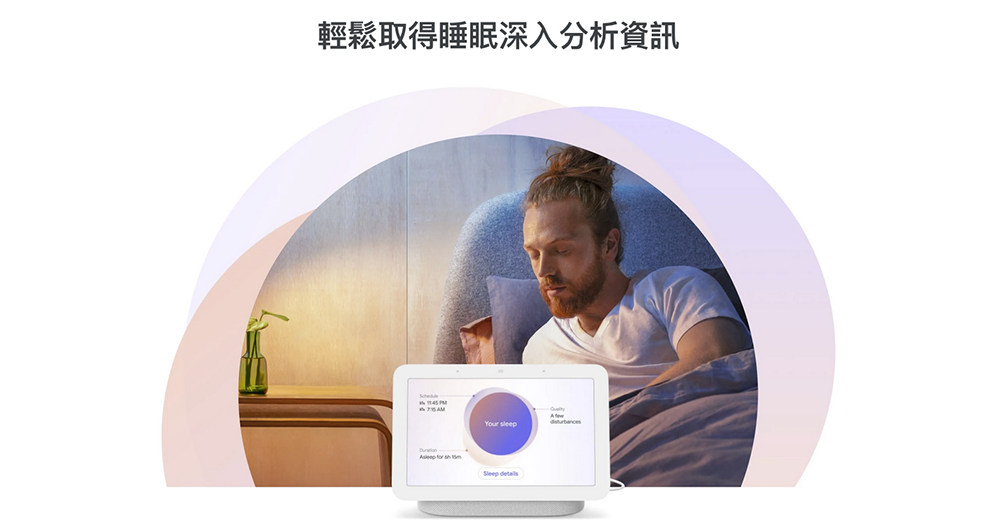
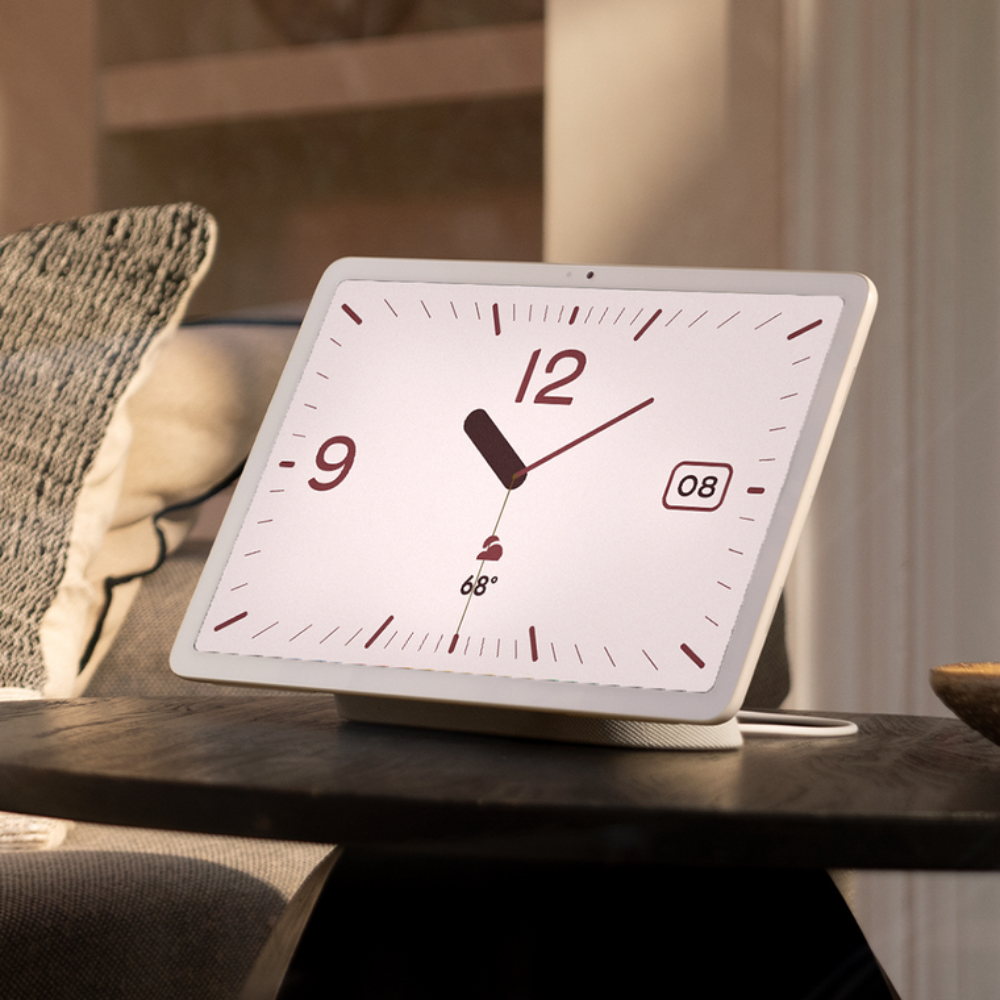
As for the interface, the screen saver on the Pixel Tablet has also incorporated the operation interface for Google Home devices. And for those who like to place the Pixel Tablet on the charging dock to use as a clock, the newly added “Dream Clock” is really worth turning on to try. Personally, I think it’s absolutely stunning, and this feature is already available globally, so everyone can set it up and start using it right away!
Citation source:Google| Via:PhoneArena|
Further Reading:

Source: KOCPC Chinese