


Although Chrome and Edge have built-in full-page translation functions, the original text will disappear after translation. This is not so convenient, because sometimes machine translation may cause errors, and you need to open another one to compare the original text. The free salad search extension recommended in this article has a Chinese-English translation function (other languages are also supported). The translated Chinese will be placed below the original text of the paragraph, which is not only convenient for comparison, but also easy to read. In addition, there are practical mouse word selection, single-character book, single-word query and other functions. It can be installed on Chrome and Edge.
Salad Search – Introduction to professional translation extensions (Chrome/Edge)
Salad search is an extension of Chrome and can also be installed on Edge. I will use Edge as an example below, and the operation methods are the same.
After entering the extension store, click “Add to Chrome” in the upper right corner to install:

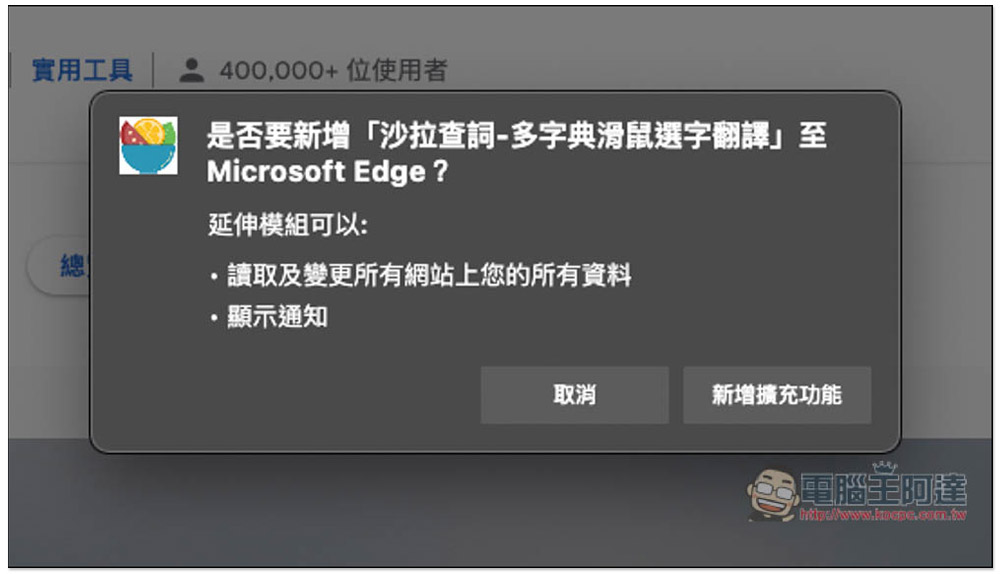
This message will pop up above, click “Add extension” to install:
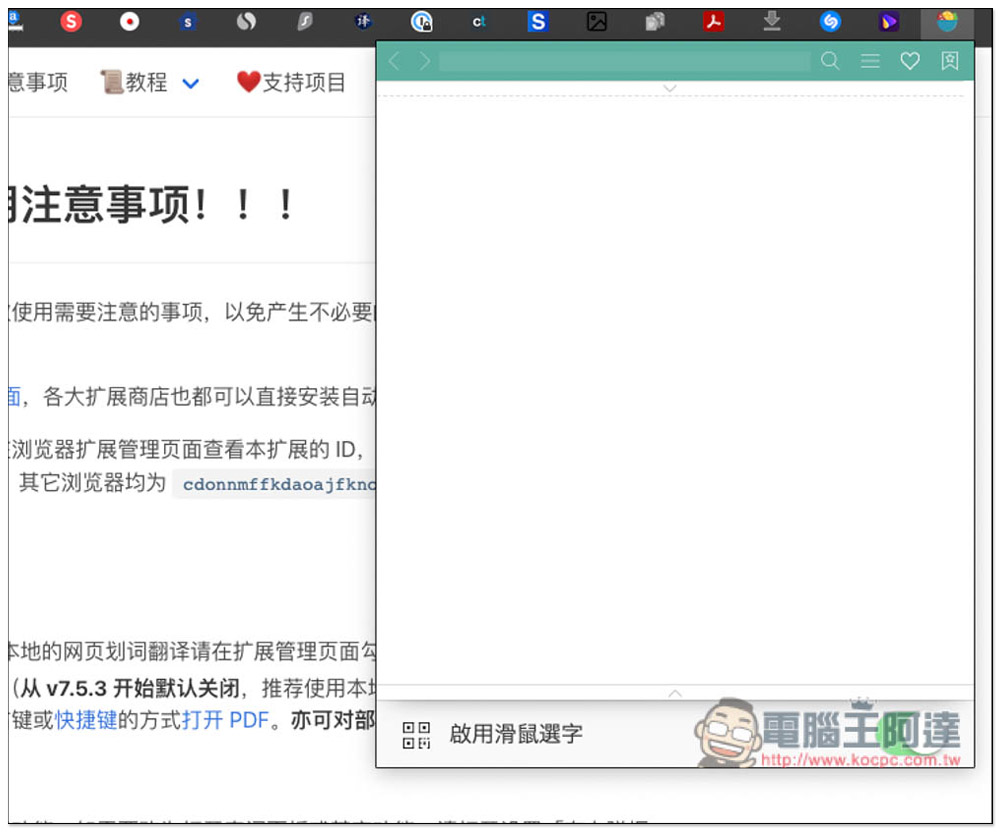
Then you can start using it. Open the icon in the upper right corner to perform the instant order checking sub-function:
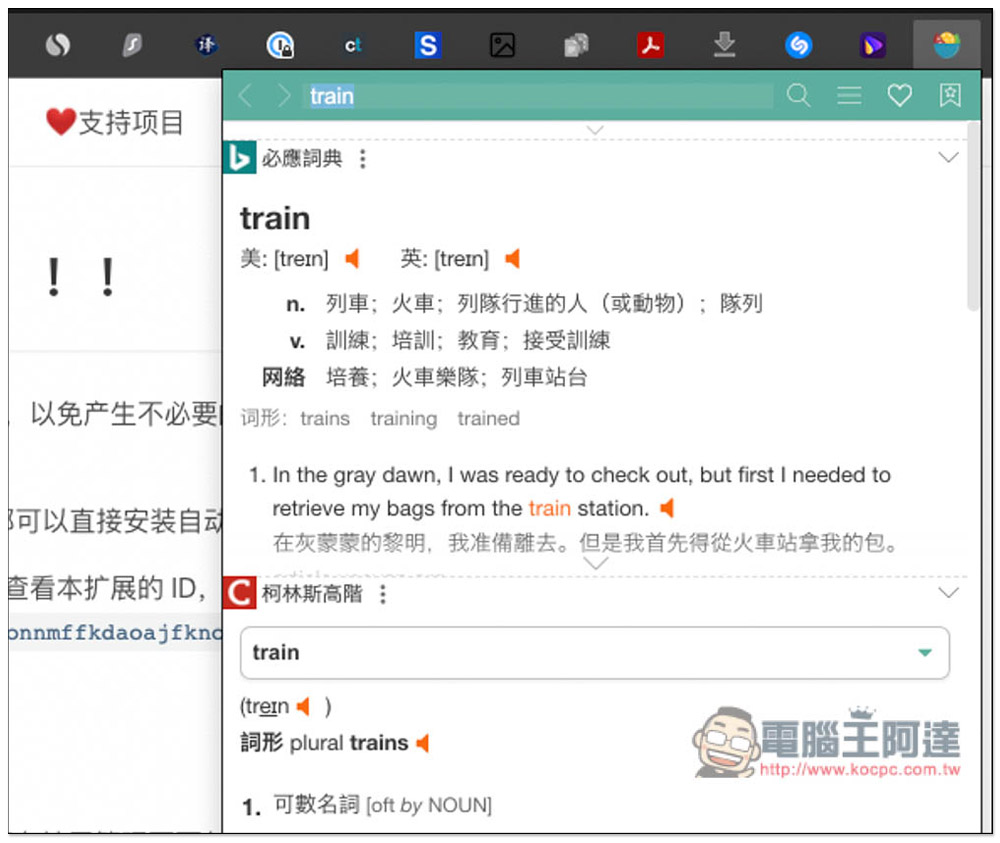
Like this, after entering the word “train”, the relevant explanations, pronunciations, etc. will be listed below, and this set will also list the translation results of multiple dictionary services. If you feel that the translation is incorrect, or there is no matching Chinese explanation, you can compare the translations with other dictionaries:
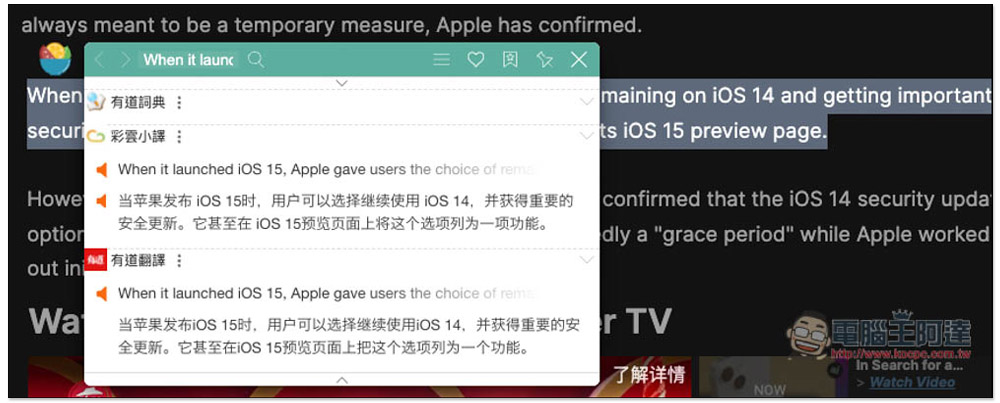
The method of using the mouse to select words is also very simple. Just highlight the word or entire sentence you want to translate, and then a small icon of Salad Search will appear above. Click to view the translation:
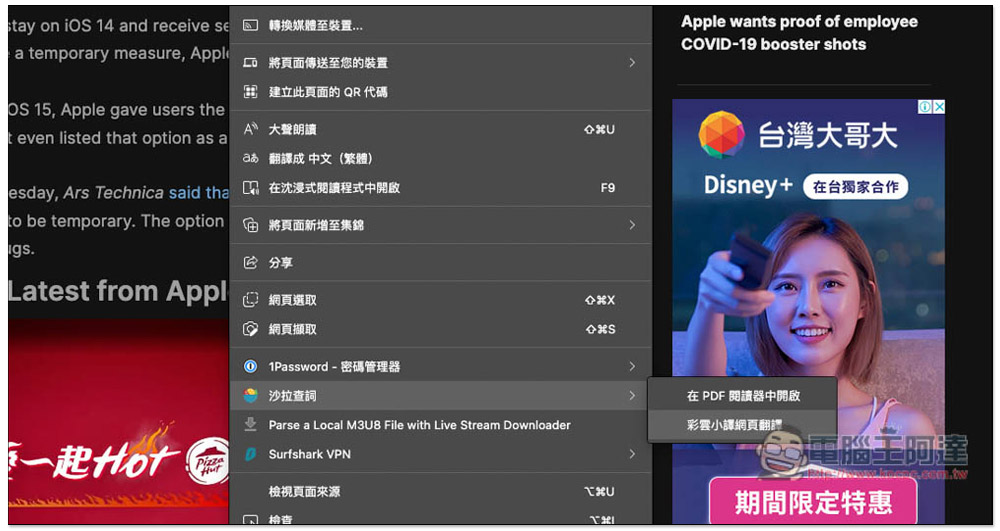
For full-page translation, open the right-click menu on the webpage, enter “Salad Word Search”, and click “Caiyun Xiaoyi Webpage Translation”:
Then you will see a Chinese translation below each original sentence. This is really convenient. You can check the original text and see whether the machine translation is smooth and correct. This is probably my favorite feature of this extension:
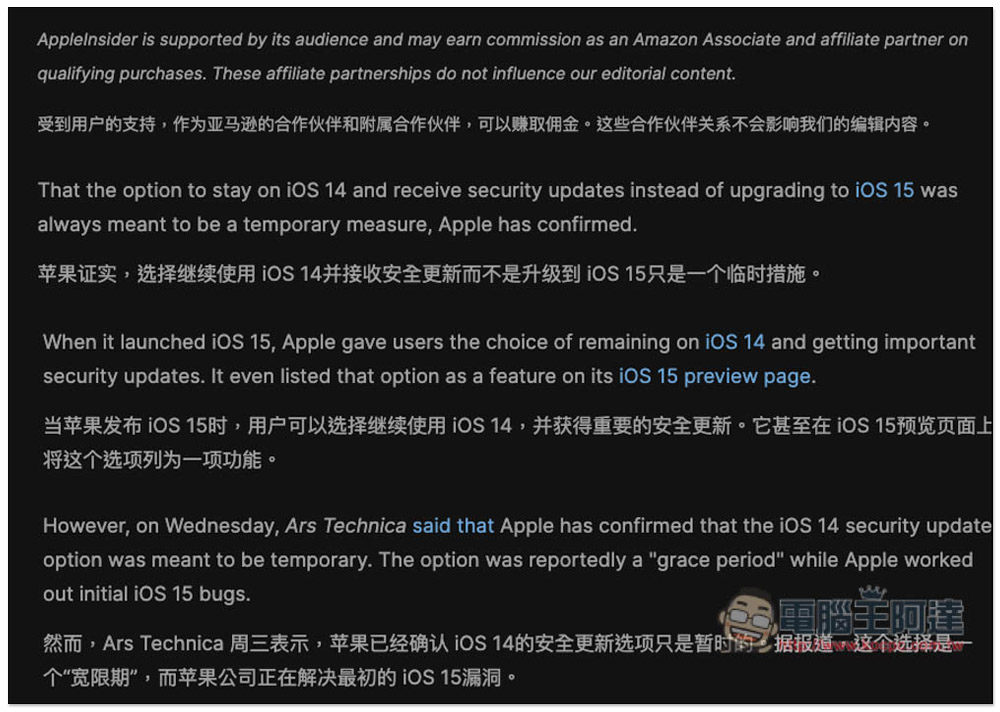
The only pity is that the Chinese part does not provide traditional Chinese options, only simplified Chinese.
New words that you think are good or unfamiliar are also provided with a word book function. After selecting or querying the new words you want to add, click the heart icon above to add them to the word book:
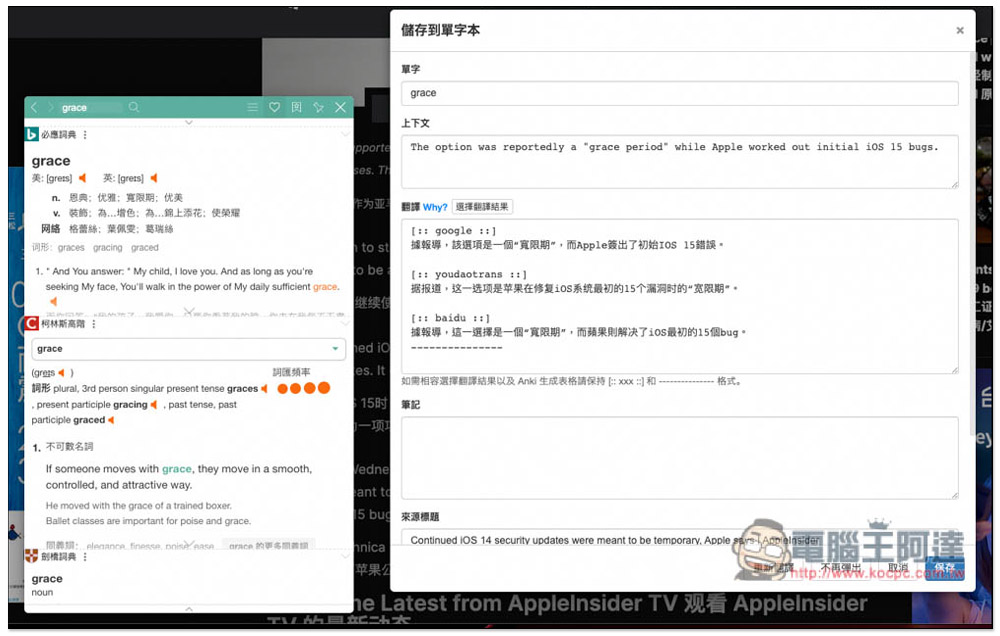
The vocabulary book can be opened in the background for reading, but it does not provide a review function:
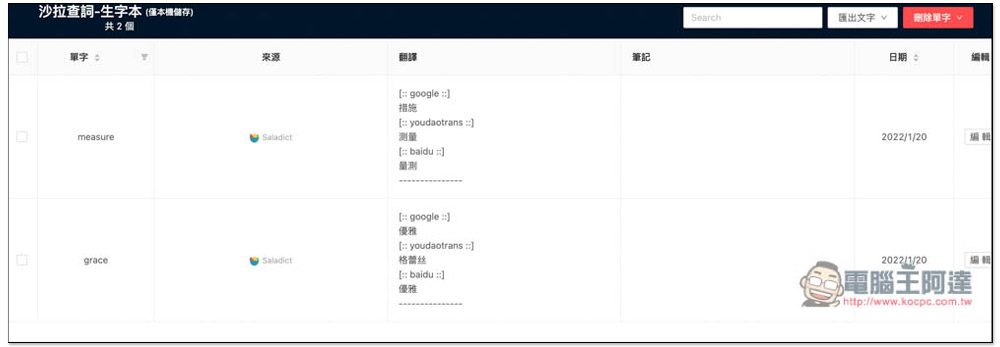
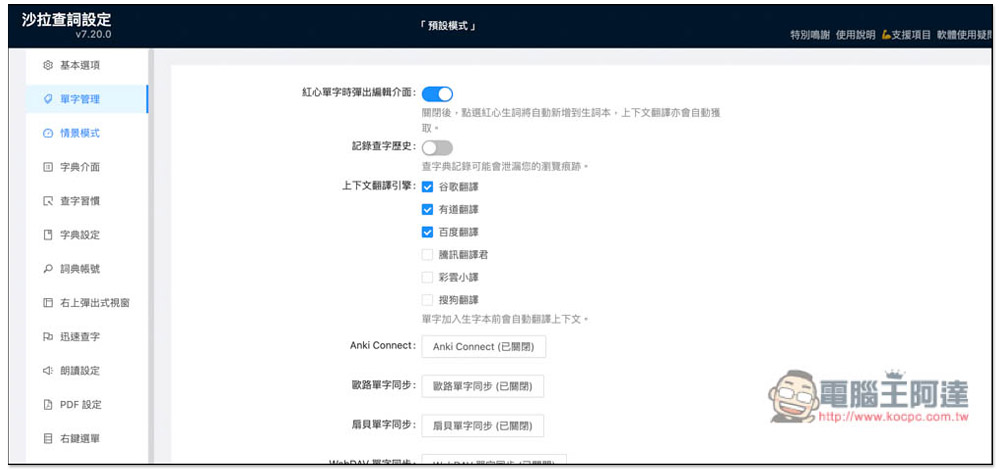
There are many options that can be adjusted in the background settings. For example, the contextual translation engine supports 6 services, including: Google, Youdao, Baidu, Tencent Translator, Caiyun Xiaoyi, and Sogou Translation. It also provides single-character text synchronization function, but it requires an account connection:
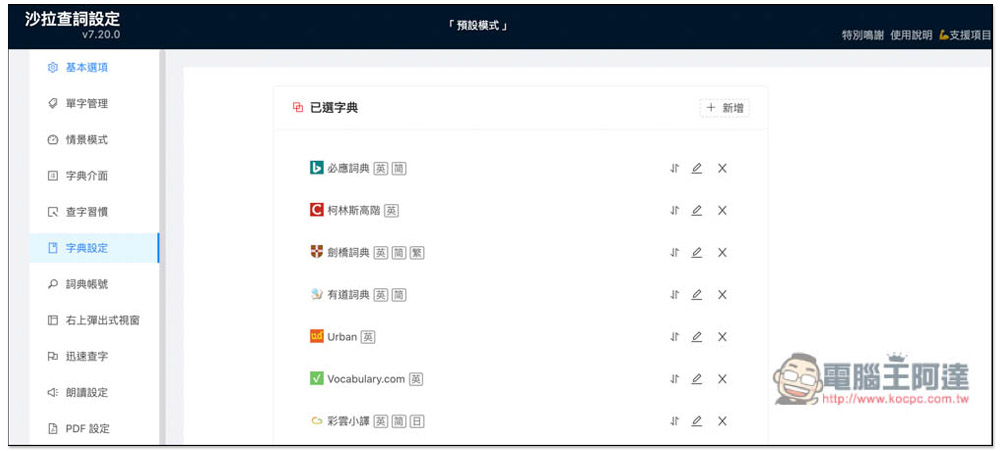
The dictionary part can also be modified. There are already many presets, and others can be added by clicking on the upper right corner. In addition, if you feel that you do not need to use so many dictionaries, you can click x to delete the dictionary:
This professional translation extension suite also has many functions, such as reading aloud, PDF, context, etc. It also supports browser shortcut key settings. You can open the settings to view the details.
The following dictionaries are currently available:
- Baidu Translate
- Bing Dictionary
- American Heritage Dictionary
- Oxford Advanced Learner’s Dictionary
- Caiyun Xiaoyi
- Cambridge Dictionary
- CNKI translation assistant
- Collins Advanced
- Etymonline
- Bilingual examples
- Google Translate
- Google Dictionary
- Mandarin dictionary
- Hujiang Little D
- chick dictionary
- Juku
- Lexico
- cross-strait dictionary
- Longman Dictionary
- macmillan
- MOJi Dictionary
- Naver Korean Dictionary
- Renren Dictionary
- Sogou Translation
- Tencent Translator
- Urban
- Vocabulary.com
- Weblio Dictionary
- Weblio 英和和英
- Webster’s Dictionary
- Webster’s Learner’s Dictionary
- Wikipedia
- Youdao Dictionary
- Youdao translation
- Han Code
Source: KOCPC Chinese