


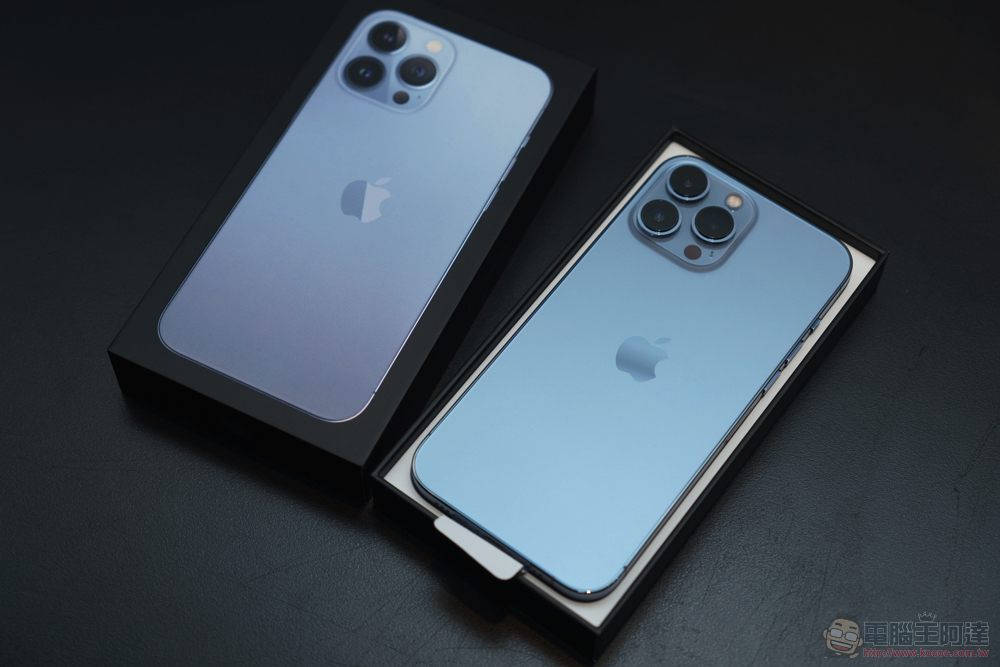
The mobile phone that is least likely to depreciate or be discounted is Apple’s iPhone. Many consumers do not pursue the latest models and will buy welfare products or second-hand mobile phones on various platforms. If you want to know whether the purchased mobile phone has had its parts replaced and whether it has been sent for repair, it is generally not possible to tell from a brand new phone. Starting from iOS 15.2, Apple has added a new feature that allows you to view iPhone parts and repair records directly from the phone.
How to check iPhone parts and repair records in iOS 15.2?
When you get an iPhone, as long as it is upgraded to iOS 15.2 or above, you can directly select “General” from the “Settings” application and then enter “About This Mac” to view the parts replacement and repair records about this iPhone; if the battery, display or camera have not been replaced, you will not see the parts and repair records in About This Mac:
- For iPhone XR, XS, XS Max, and later models (including iPhone SE (2nd generation)), you can check to see if the battery has been replaced.
- For iPhone 11 series, iPhone 12 series, and iPhone 13 series, you can check whether the battery or display has been replaced.
- For iPhone 12 series and iPhone 13 series, you can check whether the battery, display or camera has been replaced.
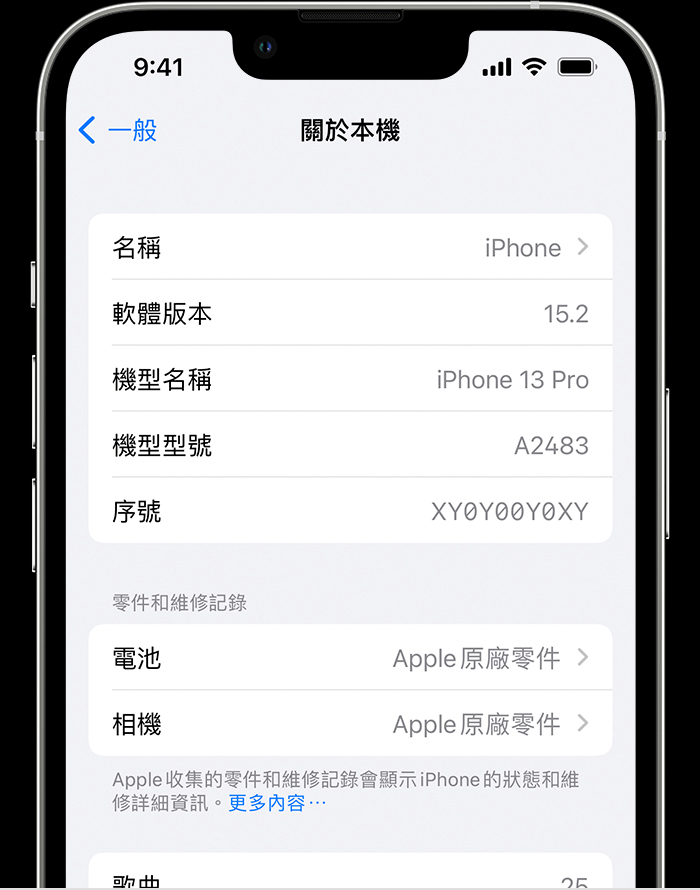
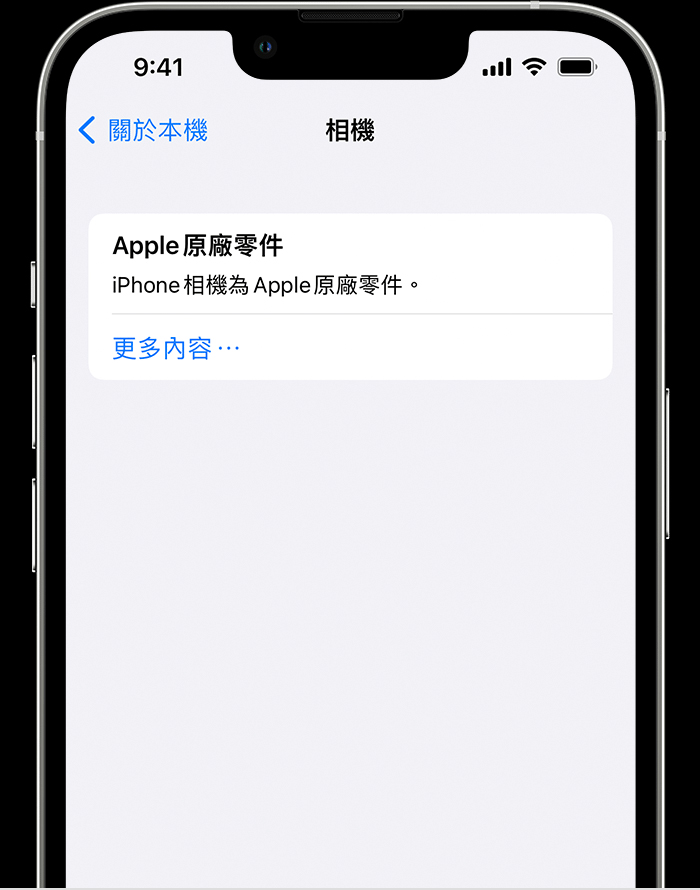
If the repair service uses original Apple parts and tools, you can see “Apple Genuine Parts” displayed next to the parts bar; if your iPhone has been connected to the Internet after repair, you can also click on the part to view more information, including the date of repair.
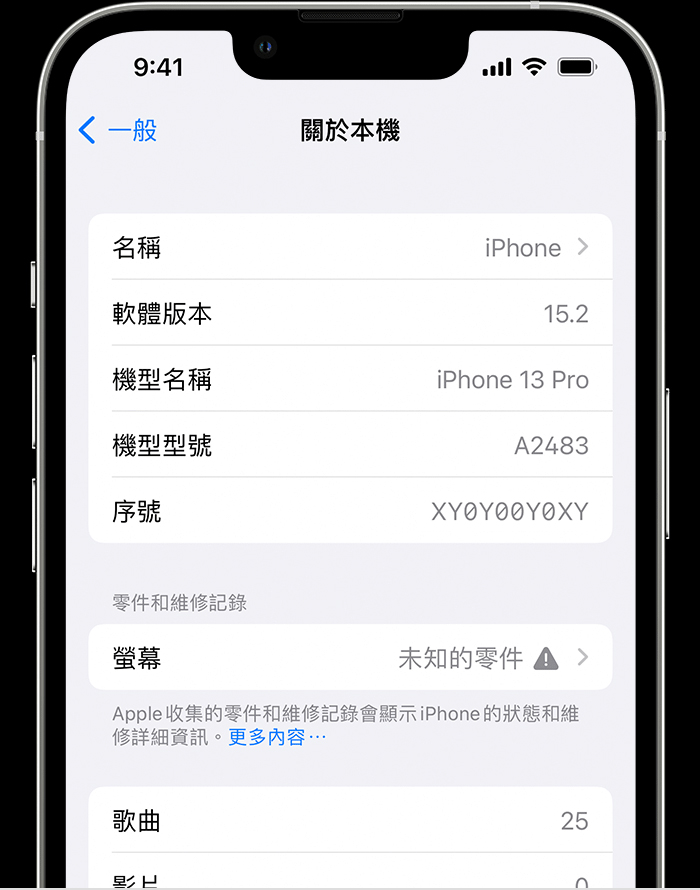
If the part installation is not completed, or the part has the following conditions, it will be displayed as “unknown part”, followed by an exclamation mark:
- Replace with non-original parts
- Already used or installed on other iPhones (second-hand parts)
- Not working properly
You may also see additional messages stating “Apple has updated the device information for this iPhone” for the display and battery. This means that Apple has updated device information maintained for this iPhone for service needs, security analysis, and to improve future products. These messages have no impact on iPhone, battery, display, or camera use. iPhone parts and repair records are linked to the iPhone’s serial number. If your iPhone was repaired in a way that resulted in a new serial number, you’ll only see the parts and repair records associated with the new serial number.
Source: KOCPC Chinese