


Many people love using Gmail, and after it added a feature to summarize lengthy email threads, the ability to use AI to help draft or “optimize” rewrite email content has also quietly made its way into the app version. Continue reading the article to learn how to use Gemini AI on Gmail for the web to write better emails (plus keyboard shortcuts!).
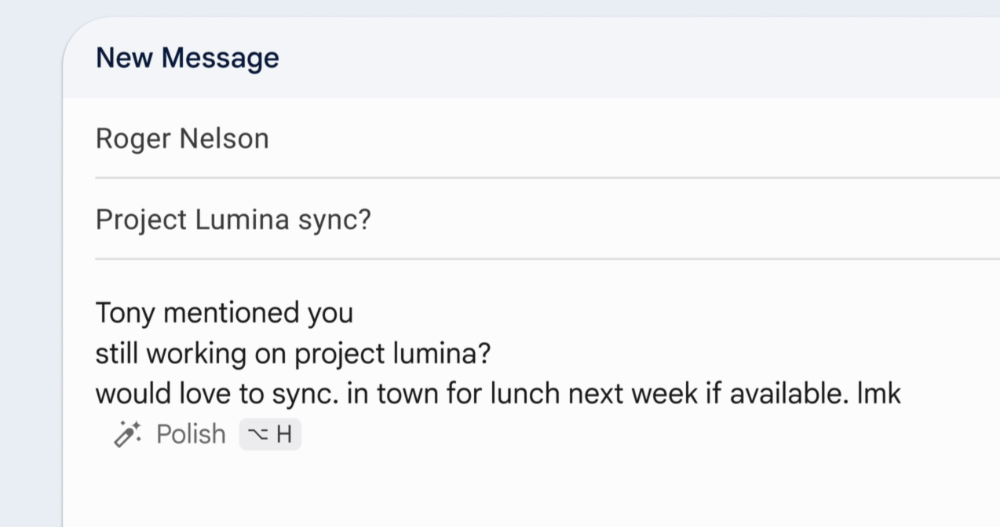
▲Image source for this article: Google
How to use Gemini AI in Gmail on the web to write better emails (and keyboard shortcuts!)
Seeing that Apple’s Apple Intelligence has already started rolling out across every corner of their ecosystem. Google has also gone further by using its own Gemini generative AI to go deeper into every platform it can be integrated into.
Among them, the Gmail service that many people love has, after its feature for summarizing lengthy emails, quietly added to its app version the ability to use AI to assist in writing or “optimizing” email content.
Just as we were considering whether Apple Intelligence could have a writing showdown with Gemini AI directly in the mobile version, Google went a step further and made this feature available on the web version of Gmail, which spans even more platforms.
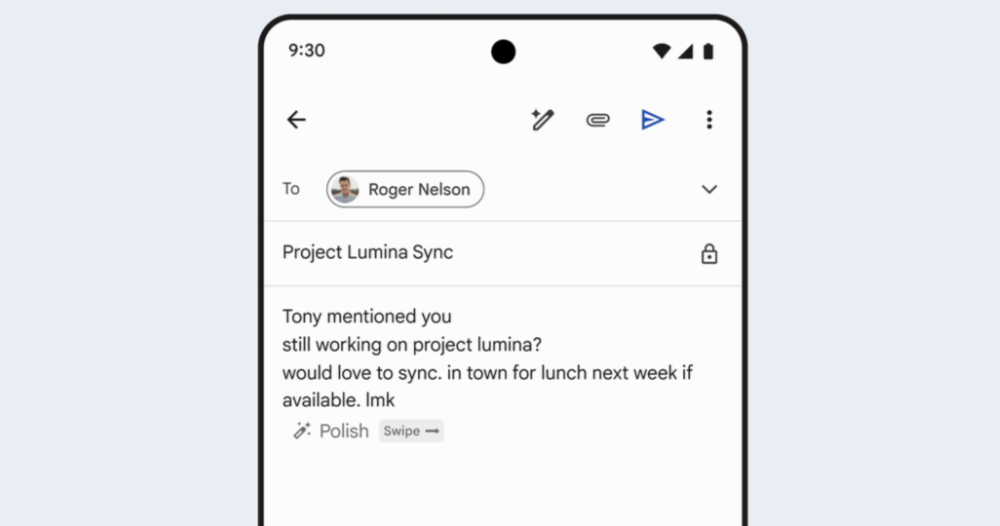
Gmail AI Help me write Writing Tool Usage Guide
If your account is eligible for a subscription to Gemini AI-related features (see the summary at the end of this article), you should start receiving feature updates for the Gmail Polish writing tool within the next two weeks or so.
If you want to use it, note that it requires writing at least 12 characters (in English) in the email before the Polish rewrite prompt appears – same as the Gmail mobile app.
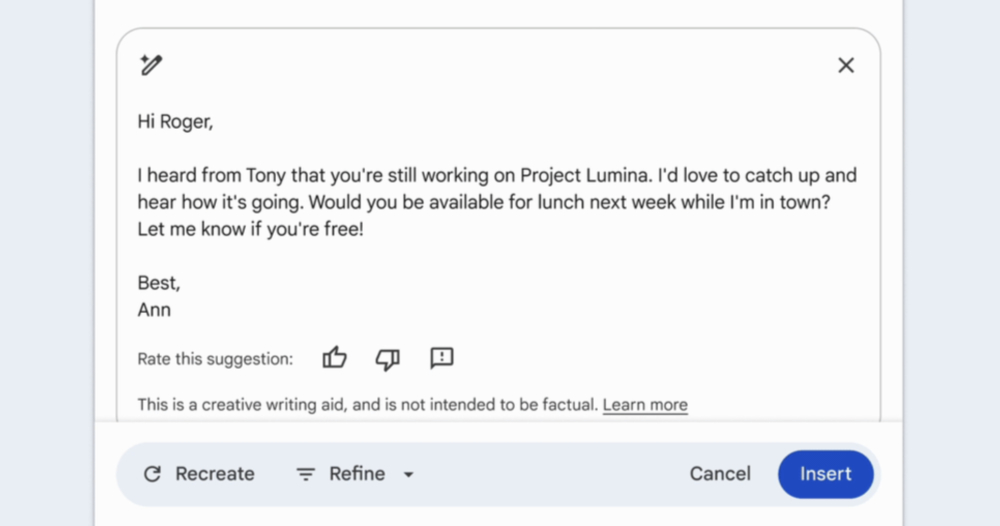
Interestingly, Google also offers keyboard shortcuts for desktop platforms. Once you’ve written a certain portion of your email and want AI to help polish it using the Help me write feature, you can press Ctrl + H (presumably the H from “Help,” which makes it easier to remember), and an animation showing the AI actually generating the refined text will appear. Incidentally, on the mobile version, this shortcut can be activated by swiping right.
:no_upscale():format(webp)/cdn.vox-cdn.com/uploads/chorus_asset/file/25703722/gmail_polish_prompt.gif)
This bottom pop-up interface can be inserted into the email via Insert once generation is complete. The button next to it includes options like “Recreate” and “Refine” – the latter, drawing from the mobile experience, also includes options such as more formal or more concise. I wonder if everyone has received this feature? Has anyone actually done a direct Apple vs. Google AI showdown like I imagined? That would be pretty interesting, wouldn’t it?
Gemini AI Writing Tool Eligibility
・Gemini Business and Enterprise add-on
・Gemini Education and Education Premium add-on
・Google One AI Premium
Cited sources:Google|Via:The Verge|
Further Reading:
Source: KOCPC Chinese