


Mobile phones are now the devices that many people rely on to search and browse information on the Internet, but they may also accumulate a lot of data related to your daily use of the Internet. This data includes temporary files and cookies in the Internet browser. They cache the content of the websites you frequently visit and home page options including login information to improve the loading speed of the browser. But websites also use cookies to track your browsing history to provide nearly ubiquitous personalized ads.
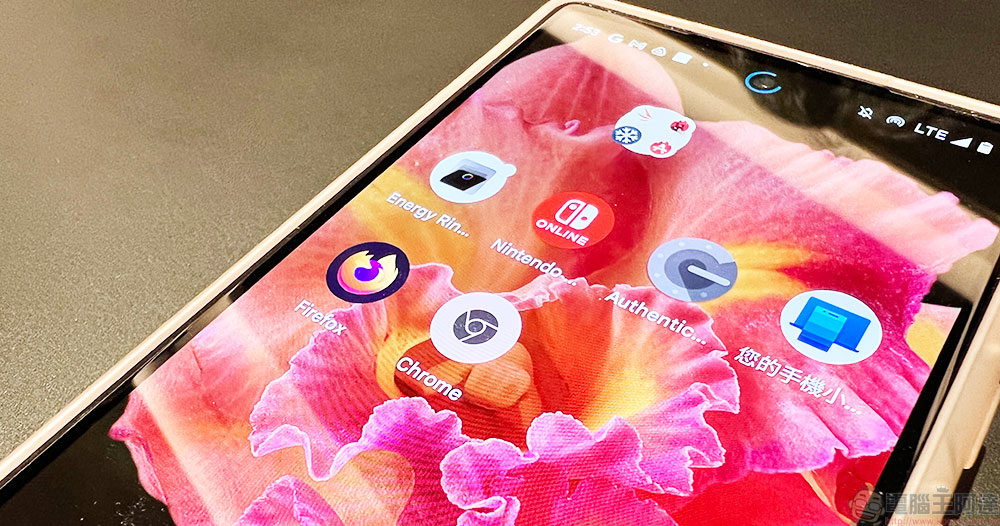
How to clear Google Chrome and Firefox browser cookies on Android phone
As you visit various websites in the browser application, the temporary files in the browser will become larger and larger as more content is stored. Therefore, if you want to keep the speed of your web browser and keep it clean and not take up too much space on your phone, it is not a bad thing to clean it up occasionally and reduce the tracking of cookies as much as possible. Below, the author will introduce the two most commonly used browsers to clear cookies on Android phones. You can easily clear out the useless junk in your phone.
Google Chrome browser
- After opening the browser, click the three-dot menu in the upper right corner, and then enter the “History” item.


- Click “Clear Browsing Data” at the top to enter and you will see the most basic menu.

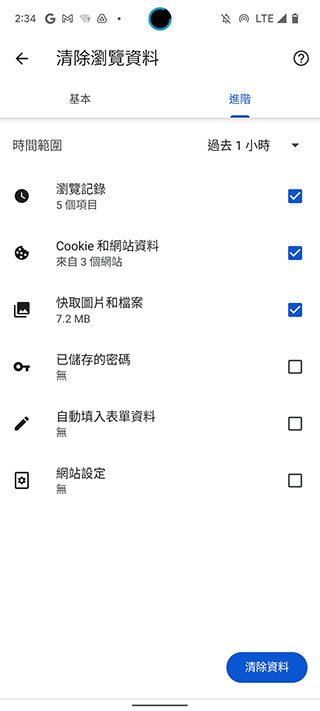
- This section is actually divided into two tabs: basic and advanced. In the basic tab, there are three most basic options: “Browsing history”, “Cookies and website data” and “Cache images and files”; in the advanced tab, the browsing data is further divided into six items, including “Saved passwords”, “Autofill form content” and “Site settings”. You can choose the items you want to remove. The main suggestion here is that you can regularly clean up the two parts of “Cookies and Website Data” and “Cache Images and Files” that are more likely to take up a lot of space.

Firefox browser
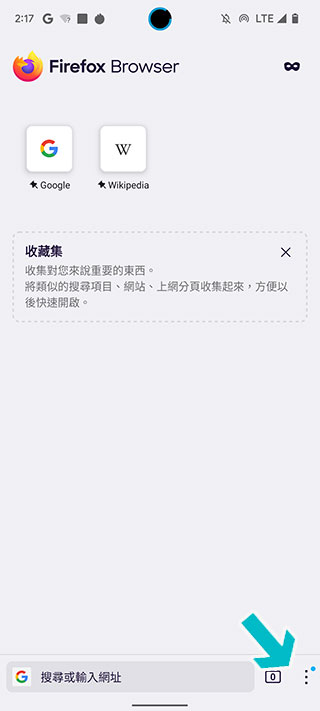
- Similar to the interface of Google Chrome, you can select “Settings” from the three-dot menu to the right of the Firefox address bar.
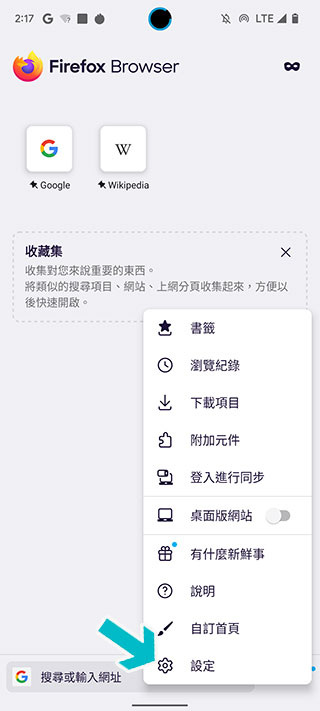
- Then scroll down the page until you find “Delete browsing data” in the Privacy and Security category. After clicking to enter the next page, you can check the items you want to clear. After checking, click the red “Delete Browsing Data” button at the bottom to clear it.


- If you want to automatically clear these temporary caches, browsing history, cookies and other data every time you close the browser, Firefox provides an independent “Delete browsing data when leaving” option that you can set yourself, especially when using a public computer environment.

You need to clean your home, and your phone also needs to be cleaned regularly. Clearing the data of your mobile browser regularly is not only for privacy and security, but more importantly, it prevents temporary files and cookies from occupying the designated space in your phone, and even slows down the browser’s speed and system performance after gradually accumulating.
Source: KOCPC Chinese